
Keeping Audio and Video in Sync Across a Long Recording
Keeping Audio and Video in Sync Across a Long Recording
The complaint arrives in a specific form: “the first few minutes are fine, and by the end the audio is ahead of the video.” That shape — correct at the start, progressively worse — is diagnostic. It is not a bug in the mixing. It is drift, and it comes from two clocks that do not agree.
This is where the drift comes from, the mistake that causes most of it, and what a recorder has to do to stay aligned over an hour.
The recording has more than one clock
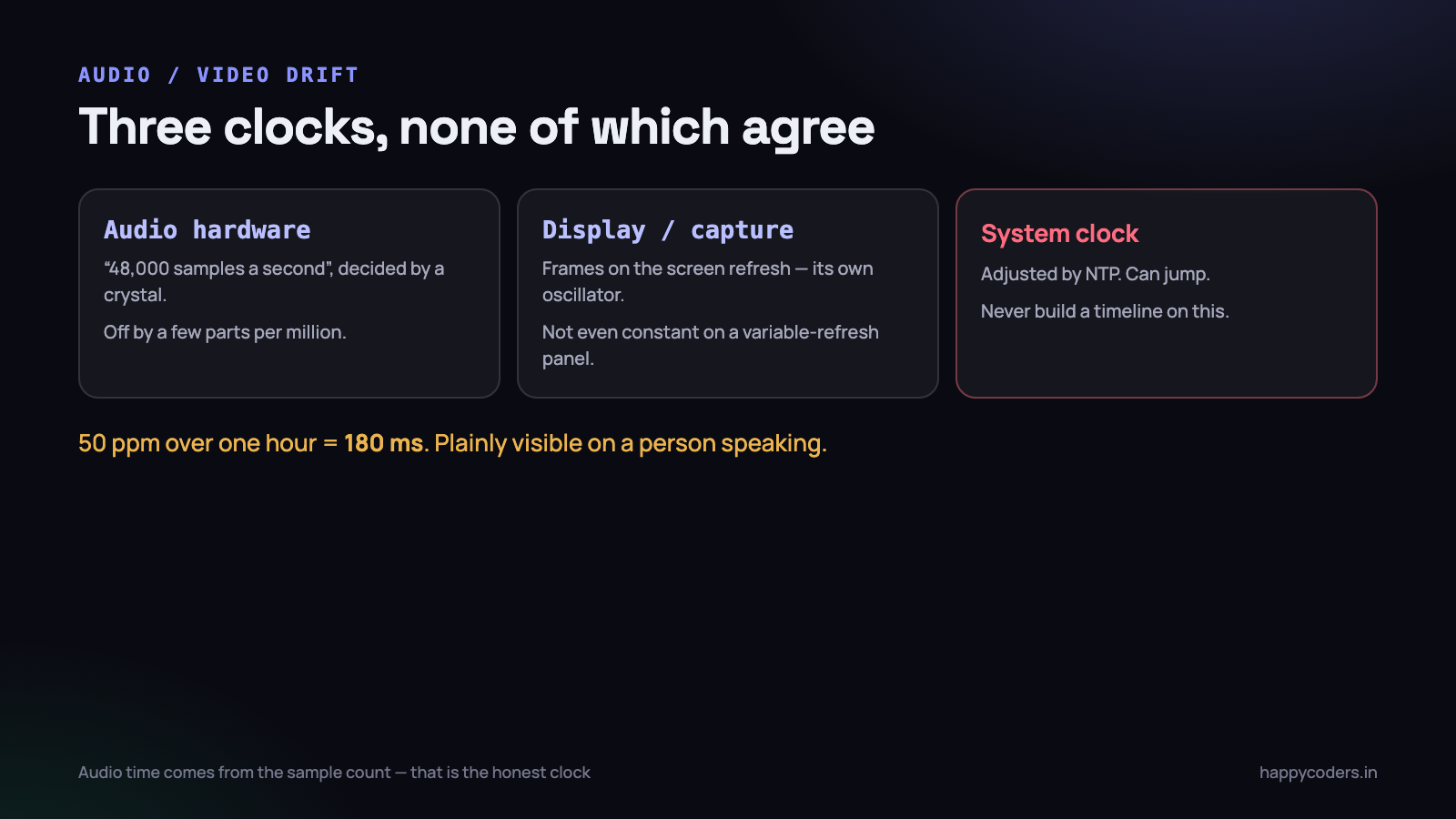
It is tempting to think of “the time” as a single thing. Inside a recording pipeline there are at least three, and they run at slightly different rates.
- The audio hardware clock. The sound card produces samples at what it calls 48,000 per second. The real figure is 48,000 give or take a few parts per million, decided by a physical crystal.
- The display and capture clock. Frames arrive on the screen refresh, which is its own oscillator, and on a variable-refresh display it is not even constant.
- The system clock. What
Date()returns, which is adjusted by the OS and can jump.
Parts per million sounds negligible. Over an hour it is not: a 50ppm error is 180 milliseconds, which is plainly visible on a person speaking. Two independent clocks each off by a little, in opposite directions, is how a recording ends up half a second out.
Two clocks is the minimum. A recording that also pulls in a second microphone, a camera, or system audio from a different device has three or four, and every one of them needs the same treatment.
The mistake that causes most drift
Before the clocks matter, there is a much more common cause, and it accounts for the majority of sync reports in screen recorders: assuming a constant frame interval.
// wrong: assumes every frame arrives exactly 1/60 apart
var frameIndex: Int64 = 0
let pts = CMTime(value: frameIndex, timescale: 60)
frameIndex += 1
Screen capture does not deliver a frame every 16.67ms. It delivers a frame when the screen changes. Idle periods produce nothing, a busy moment produces a burst, and a loaded machine drops some. Stamp them as though they were evenly spaced and the video’s notion of elapsed time diverges from reality — permanently, and always in the same direction.
Drop 600 frames over forty minutes at 60fps and the video is ten seconds shorter than the audio. That is not subtle, and no clock-drift correction will fix it because the problem is that you threw away the timing information you were given.
// right: use the timestamp the capture system provided
let pts = CMSampleBufferGetPresentationTimeStamp(sampleBuffer)
assetWriterInput.append(sampleBuffer)
This one change fixes most sync problems in most screen recorders. If you are debugging drift, check this before anything else on the page.
It is also the one that generalises beyond recording. Any system that joins two streams of events produced by different sources has this problem, and the same answer applies: never regenerate a timestamp you were already given.
Put both streams on the same timeline
Audio and video timestamps have to be measured from the same origin, in the same units, or they cannot be compared. The reliable approach is to pick one reference at the start of the recording and express everything as an offset from it.
private var sessionStart: CMTime?

func begin(at hostTime: CMTime) {
    sessionStart = hostTime
    writer.startSession(atSourceTime: hostTime)
}

// video: the capture system's timestamp, already on the host clock
let videoPTS = CMSampleBufferGetPresentationTimeStamp(sb)

// audio: derive from the sample count, which is the only honest audio clock
let audioPTS = CMTimeAdd(sessionStart!,
                         CMTime(value: samplesWrittenSoFar, timescale: 48_000))
Deriving audio time from the number of samples written, rather than from a wall clock, matters. The audio stream is a clock: if you have written 2,880,000 samples at 48kHz, exactly sixty seconds of audio exist, regardless of what any other clock believes. Timestamping audio from Date() introduces a second source of error for no benefit.
Reading the symptom
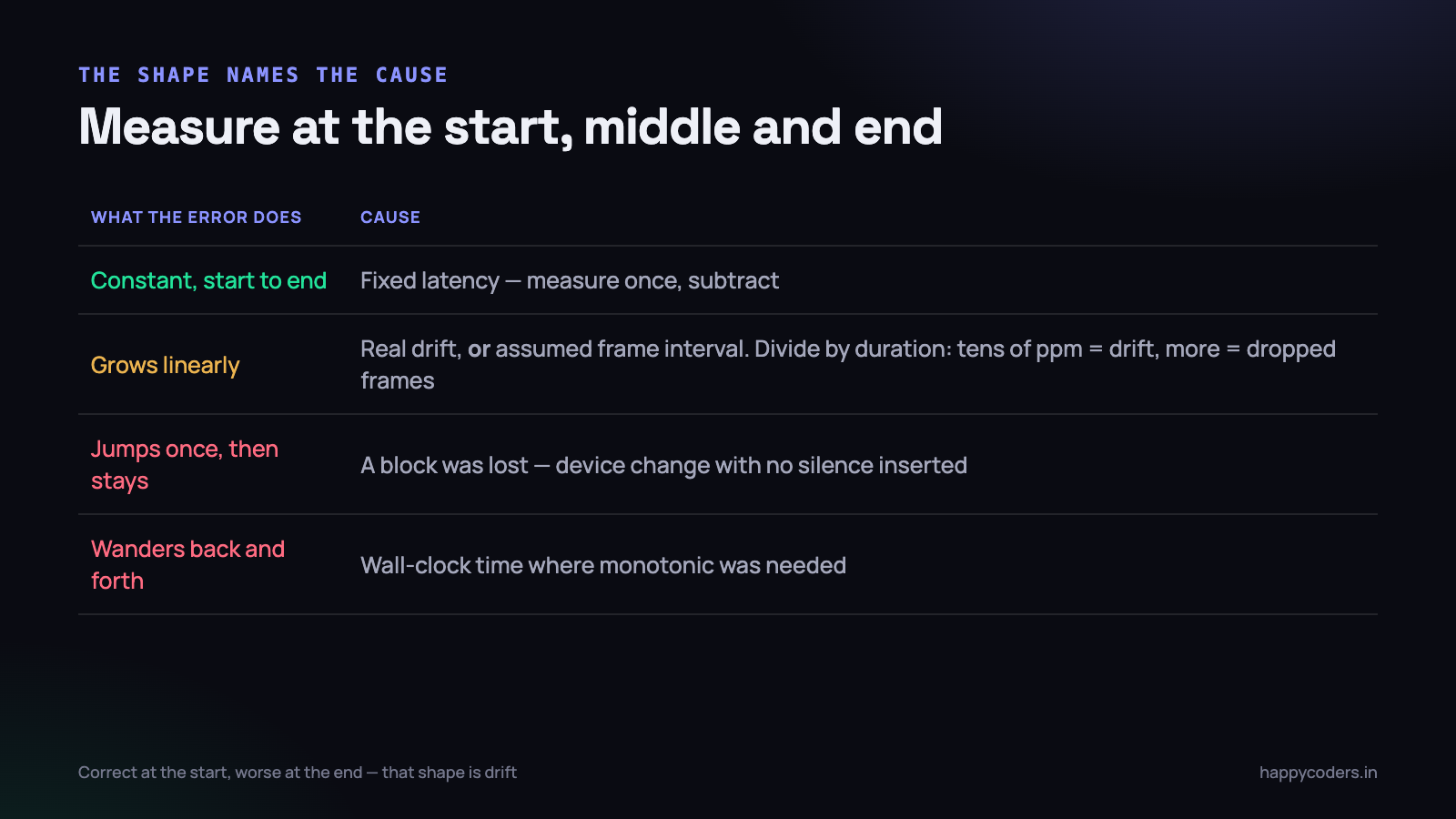
The shape of the error names the cause, which saves a great deal of guessing.
- Constant offset, correct from start to end — a fixed latency somewhere. The microphone path has a buffer you have not accounted for, or capture is delivering frames slightly late. Measure it once and subtract it.
- Grows steadily, linear with time — genuine clock drift, or the constant-frame-rate mistake. Divide the total error by the duration; if it is a few dozen parts per million, it is drift, and if it is much larger it is dropped frames.
- Jumps at a point and stays there — something was lost in a block. A device change, a buffer overrun, an audio glitch that discarded samples.
- Wanders back and forth — timestamps are being taken from a clock the OS is adjusting. Something is using wall-clock time that should be using a monotonic one.
Handling the drift that is real
Once the timestamp mistakes are gone, a genuine few-tens-of-ppm difference remains between the audio hardware and the capture clock. Over a short recording it does not matter. Over an hour it does.
Two workable approaches:
Let audio be the master, and resample
Audio is the stream humans notice. A missing video frame is invisible; 100ms of audio pitch change is not. So treat the audio clock as correct and adjust video timestamps to match it.
In practice this means periodically comparing where the audio thinks it is with where the video thinks it is, and applying a very small correction to subsequent video presentation times. Because video is presented on discrete frames, nudging a timestamp by a few milliseconds is imperceptible.
Write variable frame rate and let the container carry it
The simpler answer, and the one we use. Do not try to produce a constant frame rate at all. Write each frame with its true capture timestamp, and let the MP4 store a variable frame rate.
Every modern player handles this correctly, and the file is honest about what happened. The drawback is that some older editing tools prefer constant frame rate, and conforming the file afterwards is an extra step for those users.
The device change nobody tests
Somebody plugs in headphones forty minutes into a recording. The audio device changes, the sample rate may change with it, and a naive pipeline either stops recording audio or carries on writing samples as though nothing happened — which shifts everything after that point.
Three things a recorder needs here, and only the first is obvious:
- Notice the change. Subscribe to the device notifications rather than discovering it when the format stops matching.
- Keep the timeline continuous. The sample count so far is still the truth. Continue from it rather than restarting.
- Insert silence for the gap. There will be a short period with no samples while the device switches. If you simply carry on, that gap vanishes and everything after it is early. Writing silence for the missing duration keeps the alignment.
That third point is the one that gets missed, and it produces the “jumps at a point” symptom above.
Monotonic time, not wall-clock time
One category of sync bug is neither drift nor dropped frames: the system clock moved underneath you. NTP adjusts it, the user changes their timezone, the machine sleeps and wakes, or daylight saving arrives. A timeline built on wall-clock time inherits every one of those jumps.
The symptom is the ‘wanders back and forth’ shape above, and occasionally something worse — a recording where a chunk of the timeline runs backwards, which produces a file some players refuse to open at all.
The rule is simple and absolute: anything measuring elapsed time inside a recording uses a monotonic clock. On Apple platforms that is the host time the capture and audio systems already give you, which is one more reason to use their timestamps rather than generating your own. Wall-clock time belongs in exactly one place — the recording’s creation date in the file metadata — and nowhere in the timeline.
Measuring it properly
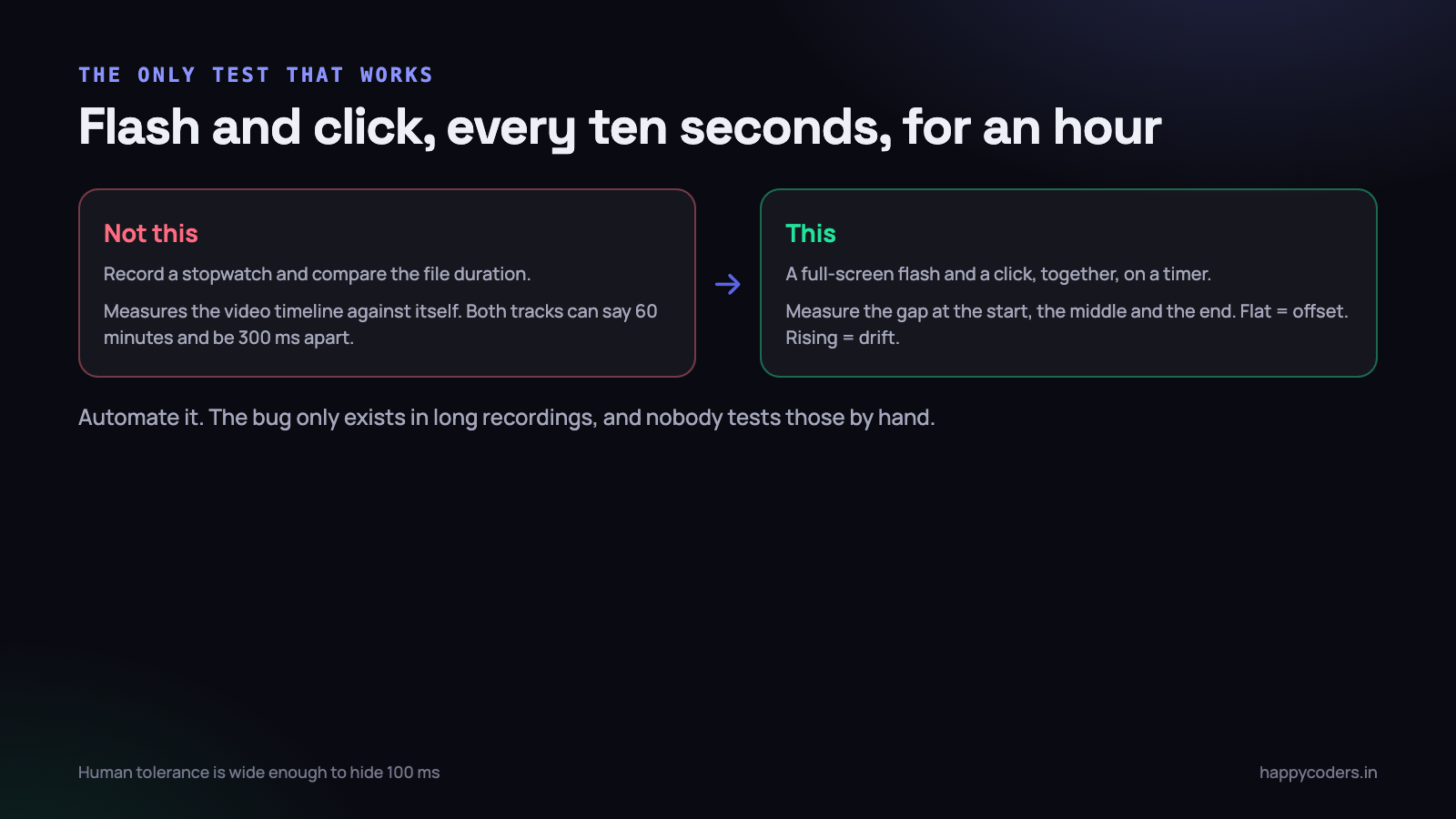
Do not evaluate sync by watching a recording of somebody talking. Human tolerance for audio leading video is different from video leading audio, and both are wide enough to hide a hundred milliseconds.
Record a clap instead. Better, record something that gives you a measurable event on both tracks at once:
- Full-screen flash plus a click, generated by a small test application, every ten seconds for an hour.
- Open the result in an editor and measure the distance between the visual flash and the audio transient at the start, the middle and the end.
- Plot the three numbers. Flat means a constant offset. Rising means drift. That is the whole diagnosis.
An hour-long test is tedious to run by hand, which is exactly why it should be automated and run before releases. The bug this catches only exists in long recordings, and nobody tests long recordings manually.
Where the latency actually is
Before treating an offset as drift, it is worth knowing that a fixed lag is normal and has known sources. Quantifying them once removes most of the mystery.
- The microphone buffer. The audio unit hands you samples in blocks. A 512-sample buffer at 48kHz is about 11ms of inherent delay, and the device may add its own on top.
- Bluetooth. Wireless headsets add anything from 30 to 200ms, and the figure is not published. This alone accounts for a large share of “your recorder is out of sync” reports, and it is the headset rather than the recorder.
- Capture delivery. Frames reach your callback after the screen has already shown them. Usually a frame or two.
- The encoder. Hardware encoders work on a small window of frames, which adds latency to output but not to the timestamps — as long as you stamped the frame on arrival rather than on encode.
The last point is the one that catches people. Taking the timestamp at the moment the encoder produces output rather than when the frame was captured bakes the encoder’s latency into the timeline, and it is not constant, so it looks like drift.
Why a stopwatch on screen is not the test
A common instinct is to record a stopwatch and compare it to the file’s reported duration. It tells you almost nothing useful, because it only measures the video timeline against itself.
It also misses the case that matters most: a file where audio and video are individually plausible and mutually wrong. Both tracks say sixty minutes; the audio events are consistently 300ms ahead of the video ones. Duration is identical and the recording is unusable.
Only a simultaneous event on both tracks measures the thing you care about. Hence the flash and the click.
What to do with a file that is already out
Users will send you recordings that drifted before you fixed the cause, and it is usually possible to rescue them.
- A constant offset is trivial — shift one track by a fixed amount in any editor and it is fixed.
- Linear drift needs a rate change rather than a shift. Stretching the audio by the measured ratio — a tenth of a per cent or so — corrects it with no audible pitch change, and command-line tools do this in one pass.
- A step change means cutting at the jump and shifting the second part. Tedious, and possible.
It is worth documenting the procedure for support rather than treating each case as a one-off, because these files are often recordings of something that cannot be repeated — a client meeting, a live session, an interview. Being able to repair one is the difference between a refund and a grateful user.
What we settled on
- Never assume a frame interval. Every frame carries the timestamp capture gave it.
- Audio time comes from the sample count, never from a wall clock.
- One session origin, and everything expressed as an offset from it.
- Variable frame rate in the container, rather than pretending it is constant.
- Silence inserted for device-change gaps, so the timeline never contracts.
- An automated hour-long flash-and-click test before every release.
After that, a sixty-minute recording measures within a frame at the end, which is below anything a viewer can detect.
The broader lesson is the same one that comes up throughout real-time media work: the timestamps are the data. Frames and samples are easy; keeping an honest record of when each one happened is the part that decides whether the file is usable an hour in. Everything that goes wrong here goes wrong because somebody generated a timestamp instead of recording one.




