
Happy Coders Multi Address for WooCommerce
This plugin allows WooCommerce customers to add and manage multiple delivery addresses within their account for easier checkout and order management. It helps store different shipping locations so users can quickly select the preferred address while placing an order.
Install the Plugin
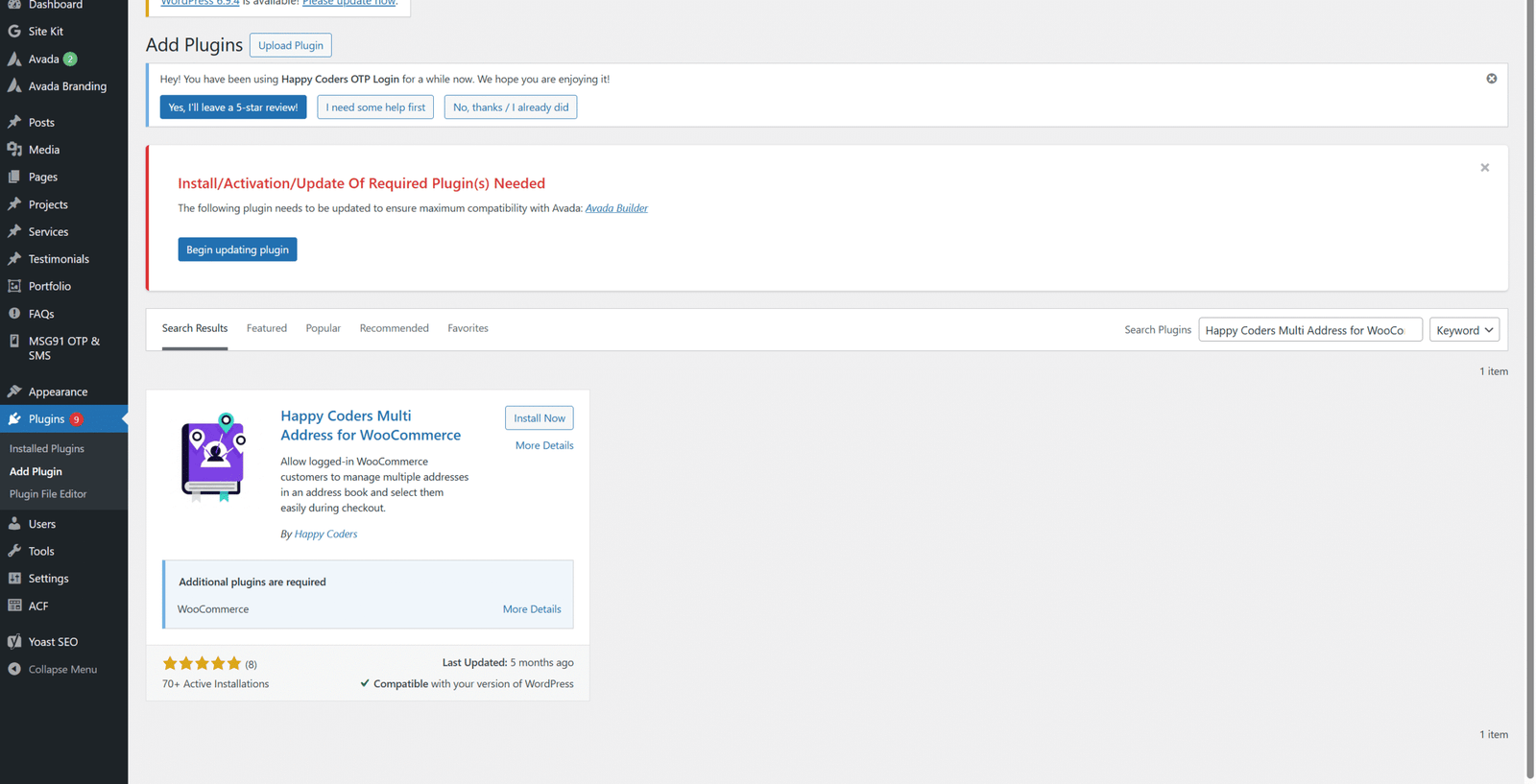
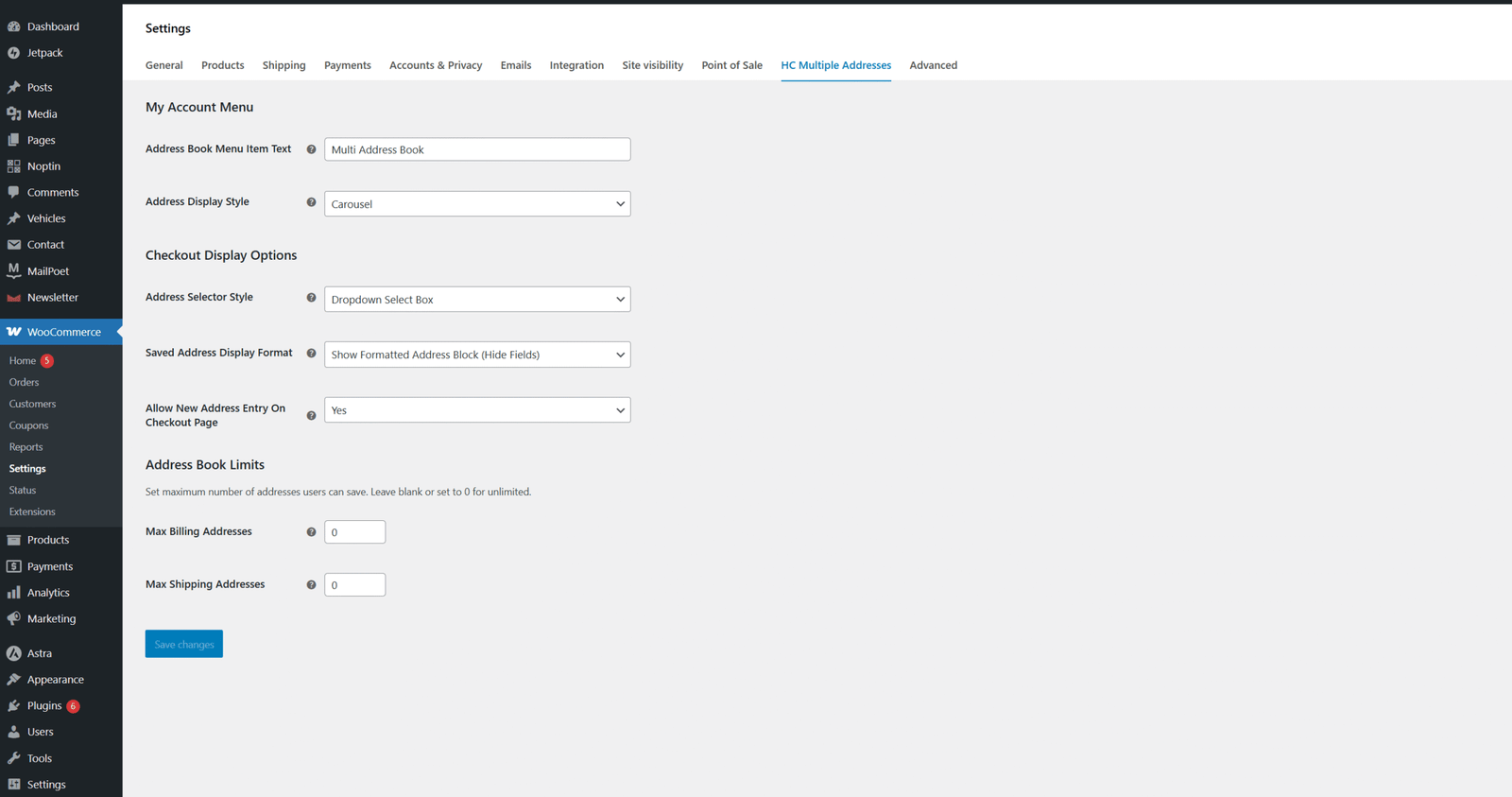
Open Plugin Settings
After activating the plugin:
- Go to the WooCommerce menu in the left sidebar.
- Click Settings.
- Navigate to the HC Multiple Addresses tab.
Here you can configure all the settings related to the multi-address functionality.
Configure Plugin Settings
Inside the settings page, you can customize how addresses are managed and displayed.
- Set the Address Book Menu Item Text to control how the menu appears in the My Account page.
- Choose the Address Display Style for how saved addresses appear.
- Select the Address Selector Style for checkout (Dropdown or List).
- Enable or disable Allow New Address Entry on Checkout.
- Define limits for Billing Addresses and Shipping Addresses if needed.
After making changes, click Save Changes to apply the settings.


Manage Addresses in My Account
Once the plugin is activated, customers will see a new menu called Multi Address Book in their My Account section.
Customers can:
- Add multiple billing addresses
- Add multiple shipping addresses
- Edit saved addresses
- Delete addresses when no longer needed
- Select preferred addresses during checkout
This makes order placement faster and more convenient.
How This Plugin Works
- Allow customers to store multiple addresses
- Easy address selection during checkout
- Manage billing and shipping addresses separately
- Improve the overall checkout experience
- Reduce time required to enter address details for repeat orders
Benefits of This Plugin
- Faster checkout experience
- Improved user convenience
- Better address management for customers
- Ideal for users with multiple delivery locations
- Enhanced shopping experience for repeat customers




