
HappyCoders Store Hours for WooCommerce
HappyCoders Store Hours for WooCommerce is a powerful plugin that allows store owners to control when customers can place orders in their WooCommerce store.
It helps you set opening and closing hours so customers can only place orders during your store’s working time.
This is especially useful for restaurants, delivery businesses, local stores, and any business that operates within specific working hours.
Install the Plugin
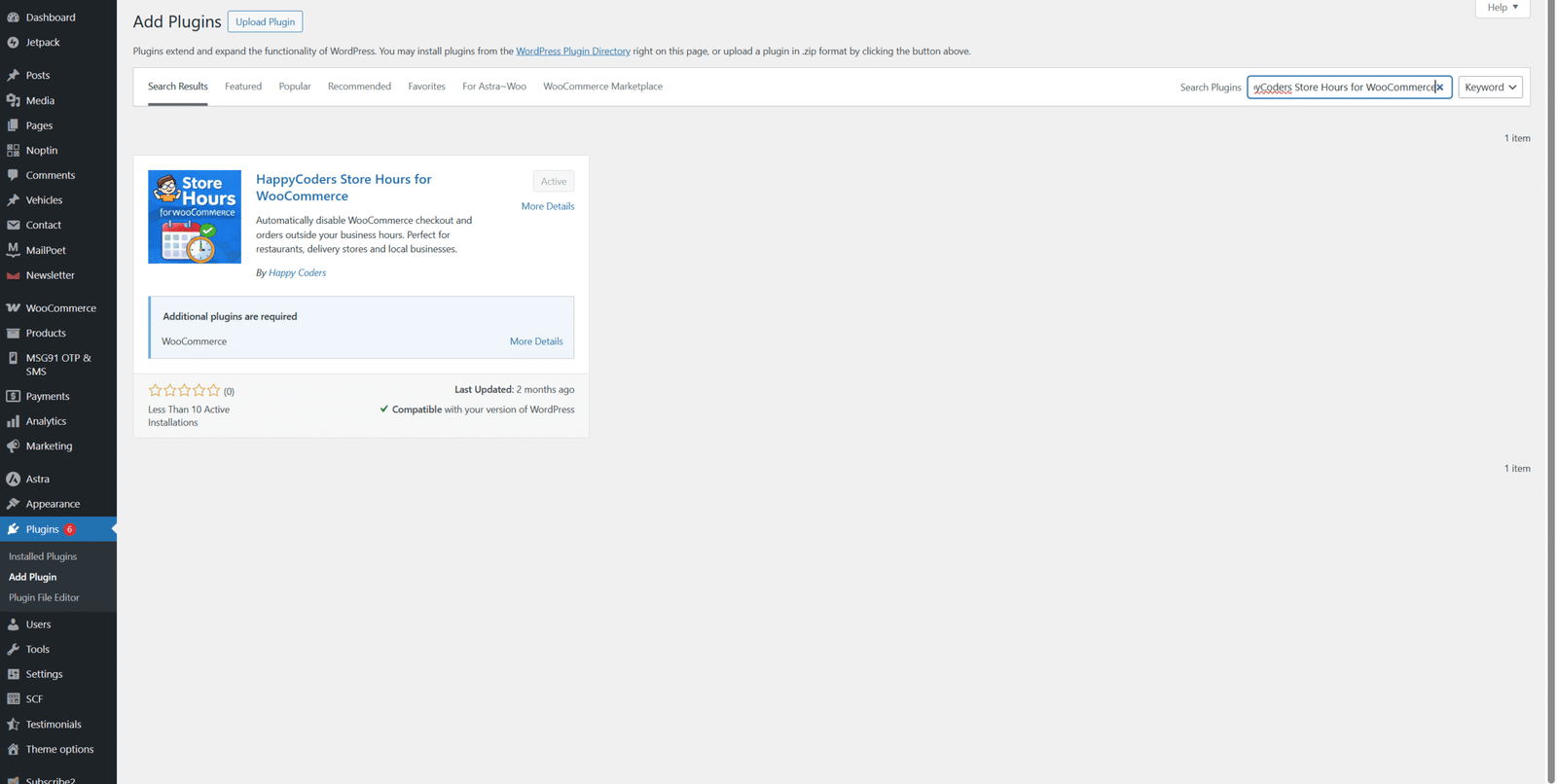
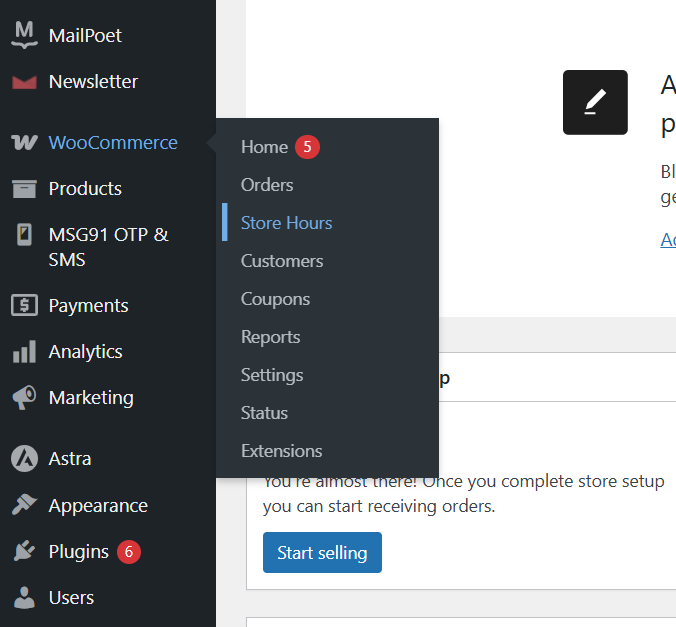
Open Plugin Settings
After activating the plugin:
- Go to WooCommerce in the left-side admin menu.
- Click Settings.
- Navigate to the Store Hours tab.
From here you can manage and configure the store opening and closing schedule.
Configure Plugin Settings
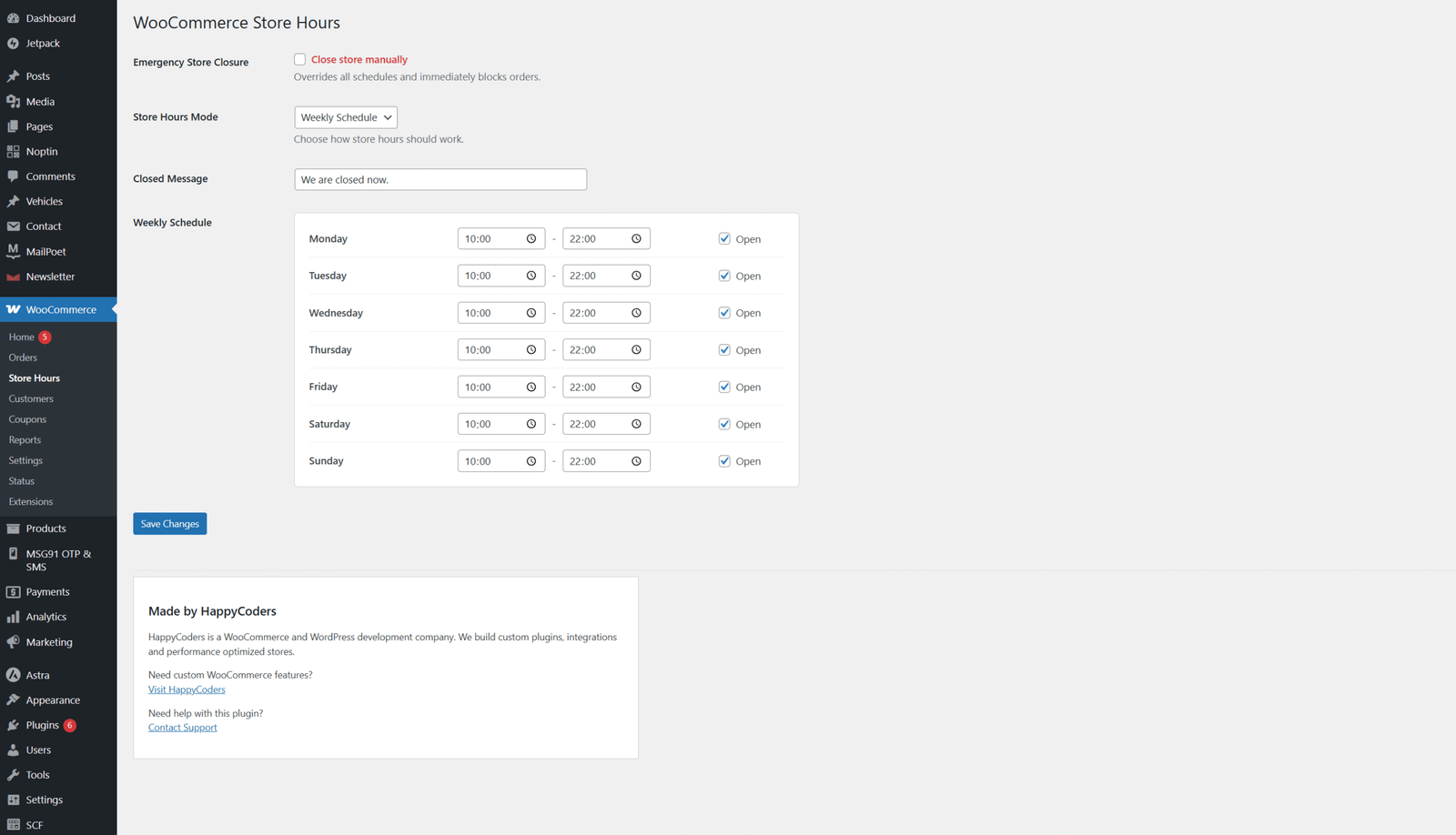
Inside the settings page, you can configure your store’s operating hours.
- Set Opening Time and Closing Time for each day of the week.
- Enable or disable ordering for specific days.
- Display a store closed message when the store is not accepting orders.
- Prevent customers from placing orders outside business hours.
- Customize messages shown on the checkout page.
After completing the configuration, click Save Changes.

How This Plugin Works
The HappyCoders Store Hours for WooCommerce plugin works by restricting checkout based on the store’s operating schedule.
When customers visit your store:
- If the store is open, customers can place orders normally.
- If the store is closed, the checkout option will be disabled.
- A notification message will inform customers about the store’s working hours.
This ensures orders are placed only when the store is available to process them.
Benefits of Using This Plugin
- Control when customers can place orders
- Prevent orders outside business hours
- Improve order management efficiency
- Provide clear information about store availability
- Ideal for restaurants, delivery stores, and service-based businesses




