
HappyCoders Smart Image Alt Text
If you want to improve your website SEO and automatically generate image ALT text, the
HappyCoders Smart Image Alt Text plugin is a simple and effective solution.
In this guide, we will see how to install and use this plugin step by step.
Install the Plugin
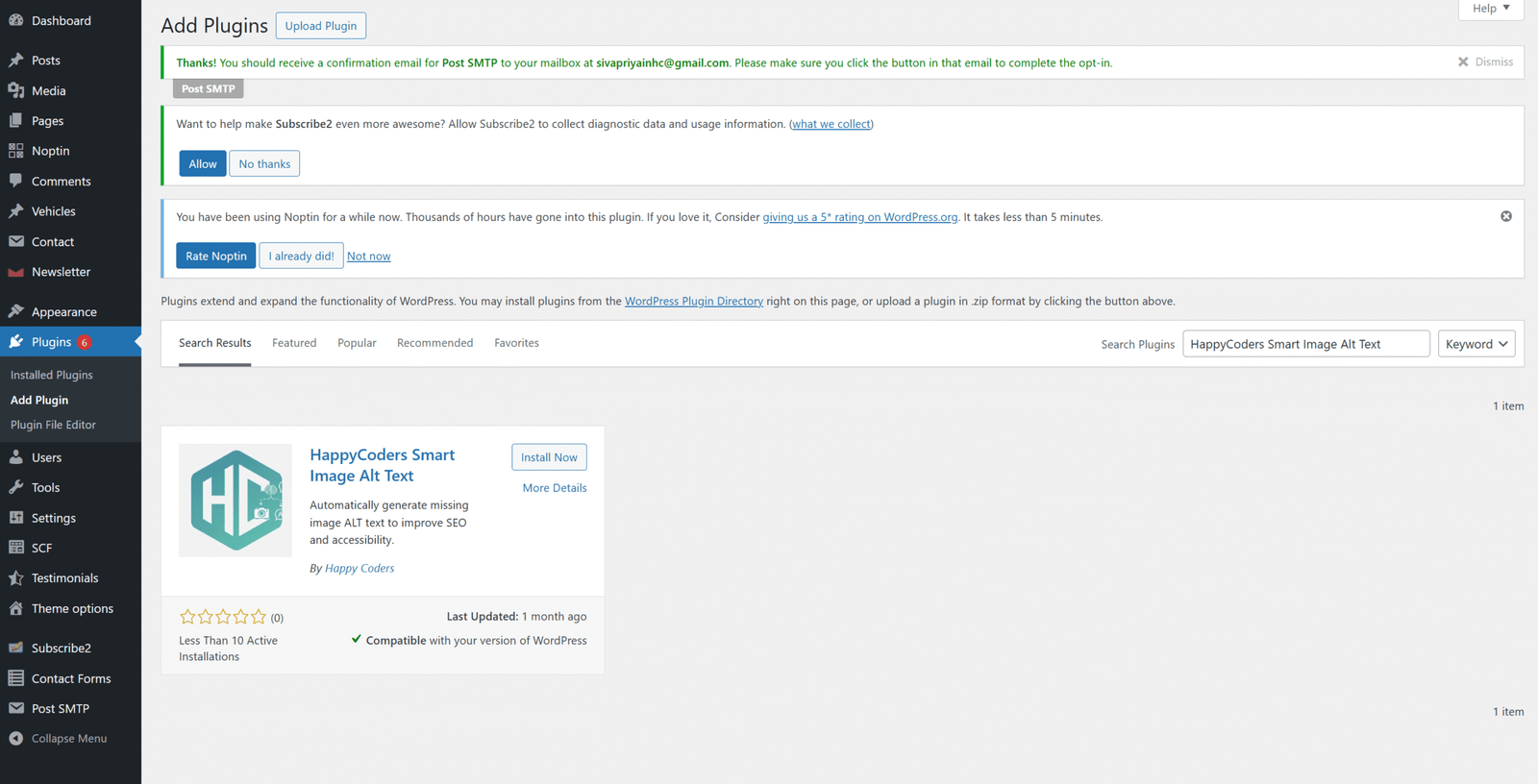

Open Plugin Settings
After activation:
- Go to the left-side menu
- Hover on Tools
- Click on HappyCoders Smart Image Alt Text
This will open the Settings tab of the plugin.
Configure Plugin Settings
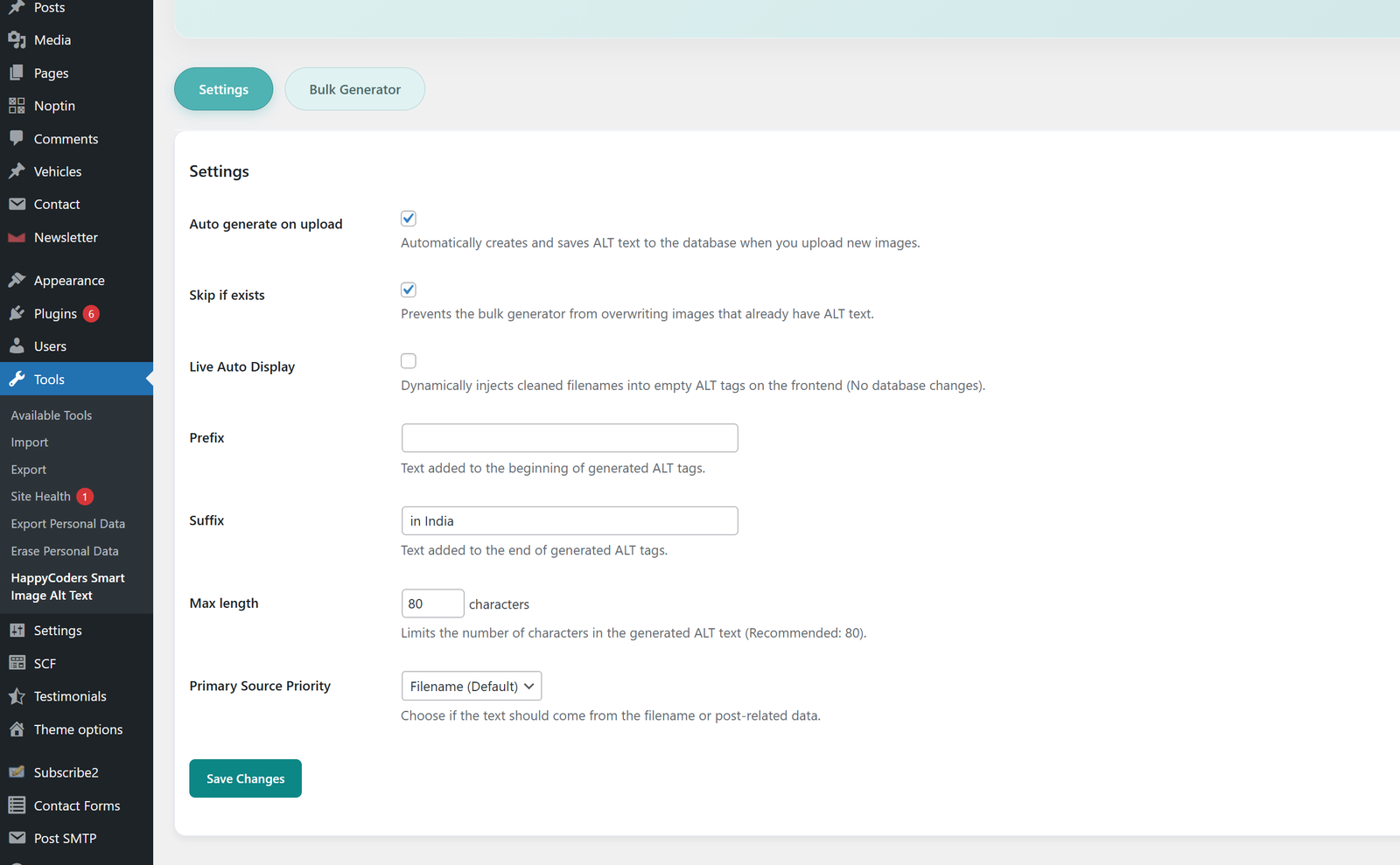
Inside the settings page, enable Auto Generate on Upload to create ALT text automatically for new images.
Turn on Skip If Exists so existing ALT text won’t be changed.
Use Prefix & Suffix to add custom words before or after ALT text (e.g., Best Image).
Set the Max Length based on how many characters you need.
Finally, choose Primary Source Priority (Filename or Post Title) and click Save Changes.

Generate ALT Text for Existing Images
- Go to the Bulk Generator tab (top of the page)
- Click on Generate ALT Text button
- A popup box will appear
- Click Yes, Process All
Now ALT text will be automatically added to all your existing images.
How This Plugin Works
- Automatically generates ALT text
- Works for both new and existing images
- Saves time and improves SEO
- Allows manual editing if needed




