
The Microphone Track Goes First: Writing a Multi-Track Recording in Real Time
The Microphone Track Goes First: Writing a Multi-Track Recording in Real Time
A screen recording is three independent streams pretending to be one file. Video arrives from the compositor, system audio from a different subsystem, microphone audio from a third that knows nothing about either. Each has its own thread, its own buffer size, and its own idea of what time it is.
The file they produce is judged on one thing: whether the voice lines up with the picture. Everything else in the writer is in service of that.
HappyRec writes all three into a single QuickTime movie in real time, with pause and resume, and a mic track that has been through a pitch converter. This is what that requires, in the order the problems actually appear.
Put every stream on the same clock
The default instinct is to timestamp audio when it arrives and video when it arrives, using whatever clock is nearest. That produces drift, because the two arrival paths have different buffering and different latency, and the drift accumulates over the length of a recording rather than staying at a constant offset you could correct once.
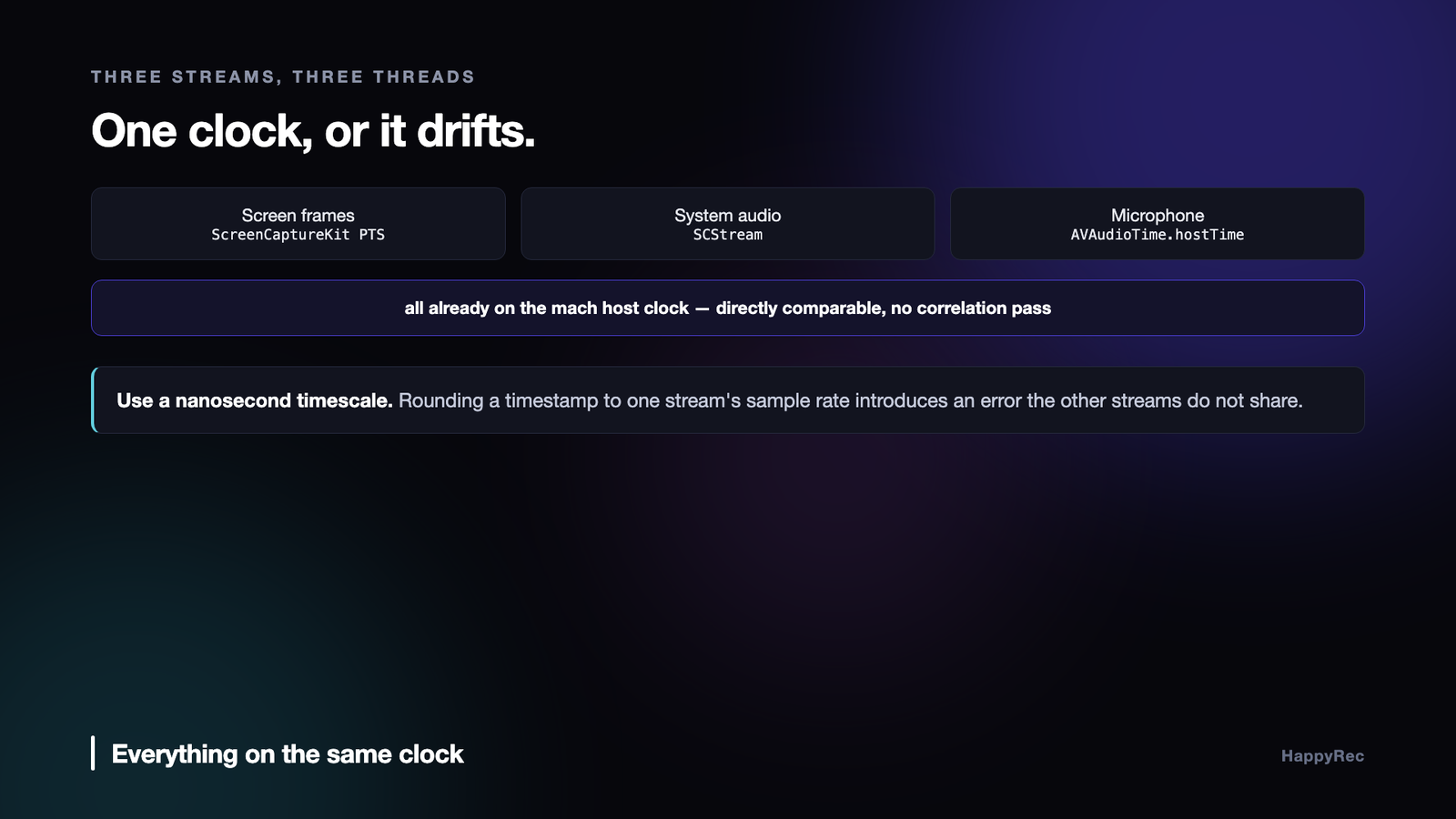
macOS gives you a way out. ScreenCaptureKit stamps its sample buffers on the mach host clock, and AVAudioTime.hostTime from an audio tap is in that same domain. They are directly comparable — no conversion, no estimation, no correlation pass.
So the microphone’s own timestamp is converted straight to a presentation time:
let seconds = AVAudioTime.seconds(forHostTime: time.hostTime)
let pts = CMTime(seconds: seconds, preferredTimescale: 1_000_000_000)
A nanosecond timescale, because rounding a timestamp to the sample rate of one stream introduces an error the other streams do not share. There is a fallback for the case where a tap hands over a buffer with no valid host time — read the host clock directly — but it is a fallback, not the path.
Getting this right at the source is what makes the rest of the writer boring. Nothing downstream has to guess.
The microphone track goes first
This is the least technical decision in the writer and the one users notice most.
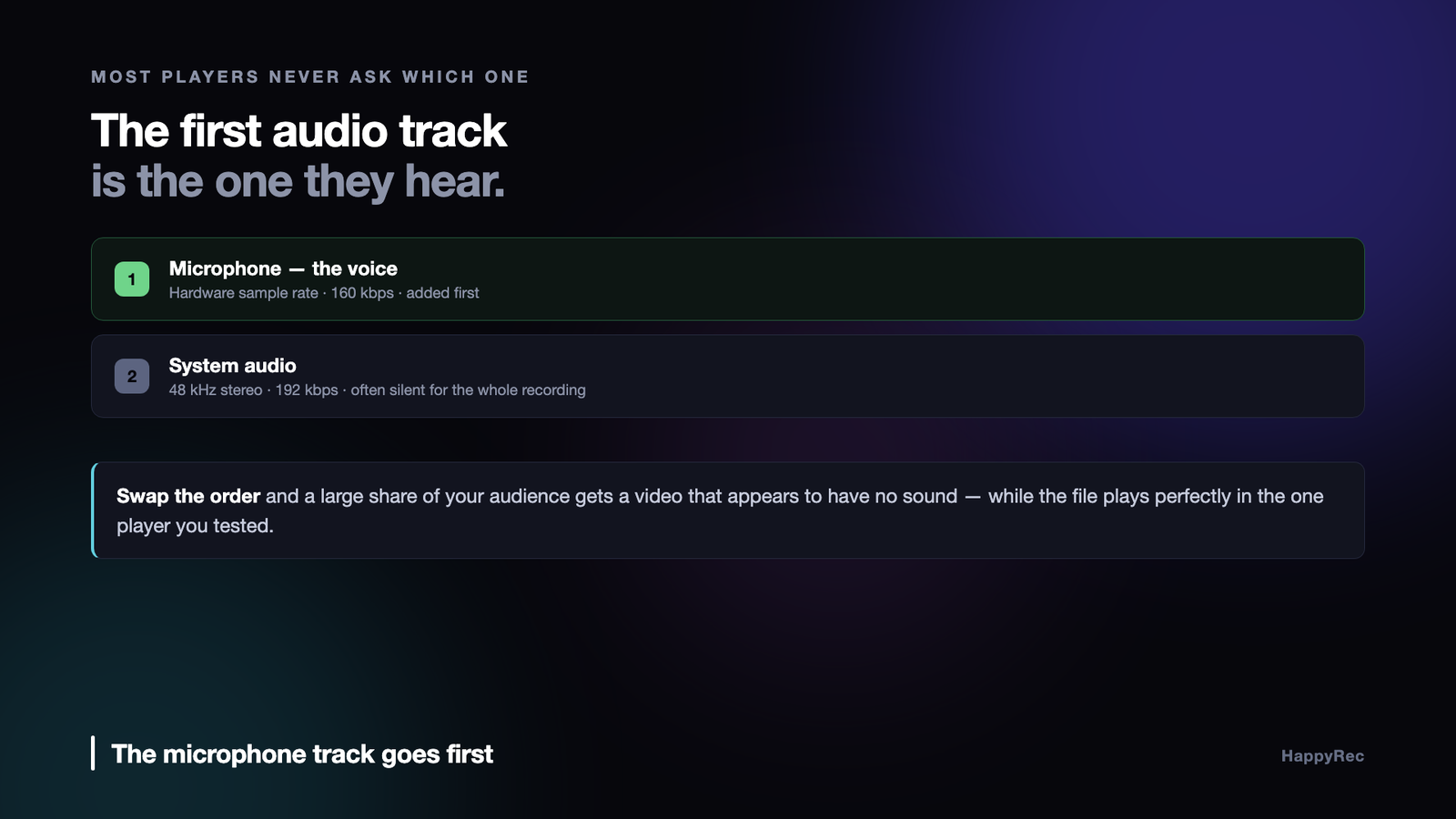
A QuickTime file can hold several audio tracks. Many players — QuickTime Player, most browsers, most preview surfaces, most social platforms doing a transcode — do not offer a track picker. They take the first audio track and ignore the rest.
So the order in which you add inputs to AVAssetWriter is not an implementation detail. It decides what the majority of viewers will hear.
// The mic (voice) track is added FIRST: players that only play one audio track pick the first one, and it must be the voice — not the often-silent system audio.
System audio is frequently silent for the entire recording. Nobody is playing music while narrating a tutorial. Add that track first and a large share of the audience gets a video that appears to have no sound at all, while the file is technically perfect and plays correctly for you in the one player you tested.
The two tracks also get different settings, because they are different material. The microphone is a voice at the hardware’s own sample rate and channel count, at 160 kbps. System audio is fixed at 48 kHz stereo, 192 kbps, because that is what the capture subsystem produces and music deserves the headroom.
Pause is an offset, not a stop
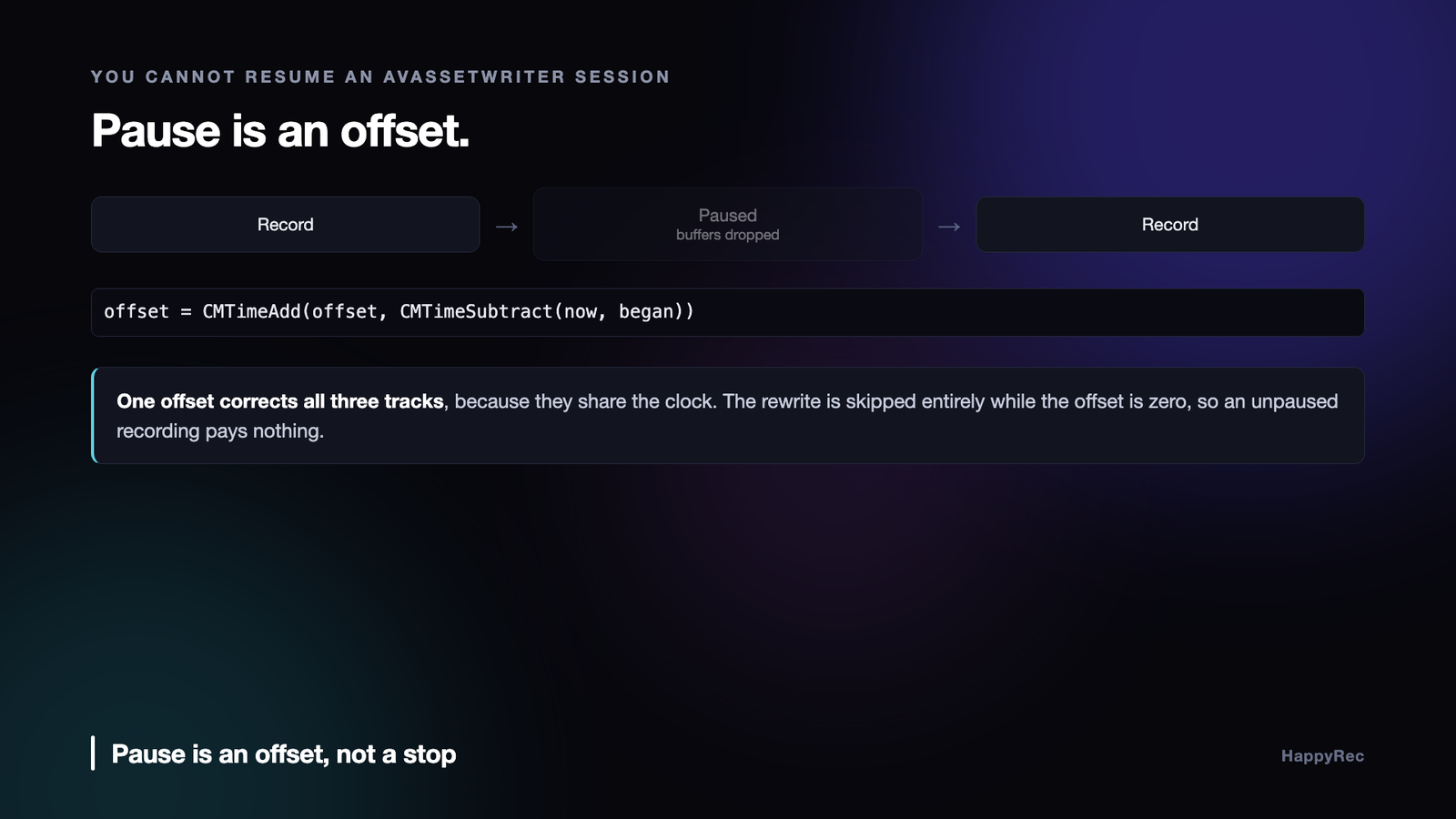
Pausing a live writer by stopping it does not work — you cannot resume an AVAssetWriter session. Writing a second file and stitching afterwards means a merge pass the user waits through.
The working approach is to keep the session open, drop everything that arrives while paused, and subtract the paused wall-time from every timestamp afterwards.
Pausing records the moment on the same host clock everything else uses. Resuming adds the elapsed gap to a running offset:
offset = CMTimeAdd(offset, CMTimeSubtract(now, began))
And every buffer from that point on is rewritten before it is appended. Rewriting means copying the timing info array, subtracting the offset from each presentation timestamp and each valid decode timestamp, and producing a new sample buffer with CMSampleBufferCreateCopyWithNewTiming.
Two details keep this cheap and correct. The rewrite is skipped entirely while the offset is still zero, so an unpaused recording — the overwhelming majority — pays nothing. And the session’s start time is itself expressed relative to the offset, so the first frame lands at a sane origin no matter what the host clock happened to read at launch.
Because all three streams share the clock, one offset corrects all three. There is no per-track bookkeeping.
The encoder will not forgive a backwards timestamp
AAC encoders require strictly increasing presentation timestamps. Hand one a buffer whose timestamp is earlier than or equal to the previous buffer’s and it does not skip it — it fails the input, and the audio track can end up unusable for the rest of the recording.
That matters because timestamps can legitimately move backwards in a voice pipeline. A pitch converter adds a fixed delay that is compensated by shifting timestamps earlier; if that delay changes mid-session, the correction changes with it, and one buffer lands before its predecessor.
The writer refuses to let a single bad buffer poison the track:
if lastMicPTS.isValid && CMTimeCompare(pts, lastMicPTS) <= 0 { return }
Drop the buffer, keep the track. A few milliseconds of missing audio is inaudible. A dead audio track is the whole recording.
The real fix lives upstream — keep the converter permanently in the signal path so its latency never changes — but the guard stays regardless. Upstream invariants are worth defending at the point where breaking them is expensive.
Serialise the writer, and count what happens
Three streams on three threads writing into one object needs a single serial queue. Every append, the pause and resume, and the finish all go through it, so the writer’s state is only ever touched from one place.
isReadyForMoreMediaData is checked before every append. When an input is not ready, the buffer is dropped rather than queued. For a real-time recorder that is the right call: a growing backlog turns into memory pressure and then into a stall, and dropping a frame is invisible where a stall is not.
The other thing worth doing is counting. Audio failures are silent by nature — the file exists, it plays, the voice is missing — so the writer tracks how many microphone buffers were received, converted, appended and failed, and logs the first success and the first failure with the writer’s status attached:
NSLog(“HappyRec writer: mic append FAILED — writer status=%d error=%@”, …)
Two lines in a log turn “the mic did not work” into a specific answer: the buffers never arrived, or they never converted, or they converted and the writer rejected them. Those are three different bugs in three different files.
Only complete frames get written
ScreenCaptureKit does not only deliver finished frames. Buffers carry a status attachment, and idle frames — nothing changed on screen — arrive alongside complete ones. Appending those produces duplicated content and a bloated file.
Filtering is a few lines at the top of the callback, before anything else happens:
guard let statusRaw = attachments.first?[.status] as? Int,
SCFrameStatus(rawValue: statusRaw) == .complete else { return }
There is a threading consequence here too. The stream callback runs on its own queues while start() and stop() resume on whatever thread their await continues on. Reading a reference-typed property from one thread while another writes it is undefined behaviour, and the sample-handler queues do not help — they serialise within video and within audio, not against the thread that started or stopped the stream. That needs a real lock around the writer and stream references, and it is worth writing down next to the lock, because the queues create a convincing illusion that it is already safe.
Finishing is where recordings are lost
Everything above produces a correct file only if the file is finalised. An unfinalised .mov is not a partial recording — the moov atom is never written, and the file is zero-length or unplayable. All of it is gone.
Two cases have to be handled.
Nothing was ever captured. If the session never started, finishing produces an empty, broken file. Cancel the writer instead and return an error the user can read: Recording ended before any frames were captured. A clear sentence beats a file that will not open.
The user quits mid-recording. This is the one that loses real work. Terminating while the writer is open destroys the recording, and the user’s last action was Cmd-Q, so they will assume the file exists.
func applicationShouldTerminate(_ sender: NSApplication) -> NSApplication.TerminateReply {
guard let state = Self.appState, state.isRecording else { return .terminateNow }
Task { @MainActor in
await state.stopRecording()
sender.reply(toApplicationShouldTerminate: true)
}
return .terminateLater
}
.terminateLater holds the quit open, the recording is finalised properly, and only then does the app exit. It takes a moment and the user never notices — which is the point.
The result of finishing also has to be tracked separately from “the last recording”, so a failed finalisation cannot leave the previous recording’s URL standing in as though this one worked.
What happens when a track stalls
The interesting decisions in a multi-track writer are not about the common case. They are about what you do when one track stops delivering while the others keep going.
A system-audio tap can stall for a second when the output device changes. A screen capture can stall when a display is connected. The microphone almost never stalls, which is exactly why it is the reference: it is the most reliable clock in the room.
There are three possible responses and only one of them is right. You can block the other tracks until the stalled one catches up, which turns a one-second glitch into a one-second gap in everything. You can drop the stalled track’s buffers, which keeps everything else running but silently shortens that track so it drifts out of sync for the rest of the session. Or you can write silence for the stalled track for exactly the duration it was absent, keeping every track the same length and the same age.
The third is the only one where the finished file still lines up, and it is the one that requires you to know how long the stall lasted — which you only know if every track is being written against one shared timeline rather than each keeping its own count.
Pause is an offset, not a stop
Pausing looks like the simplest feature in a recorder and it is where most of them get the arithmetic wrong.
The naive approach stops the engine and starts it again on resume. It works for a single track and falls apart with several, because the tracks do not stop and start at exactly the same moment. Each one loses a slightly different amount, and after three pauses in a long session the tracks are tens of milliseconds apart — enough that speech and screen no longer match.
What works is to keep everything running and maintain a paused-duration offset. Buffers still arrive; they are simply not written. When the recording resumes, the offset grows by however long the pause lasted, and every subsequent sample position is computed against it. The engine never stops, the clock never restarts, and the tracks stay exactly as aligned after five pauses as they were after none.
The cost is that you are discarding audio you have already captured, which feels wasteful. It is the correct waste.
Writing while recording, not afterwards
There is a temptation to buffer everything in memory and write the files when the user presses stop. It makes the writing code simpler and it is a bad trade.
A long session at a high sample rate across several tracks is a large amount of memory, and the moment the application is terminated — by a crash, by a restart, by the user force-quitting because something else hung — the entire recording is gone. Users do not forgive that, and they should not.
Writing continuously means a session that ends badly still leaves valid files up to the point of failure. It also means memory stays flat regardless of how long the recording runs, which turns a two-hour session from a risk into an ordinary case.
The one thing to be careful about is where the write happens. Not on the audio thread. The tap hands buffers to a writer that owns its own queue, and the audio thread never touches a file, allocates memory, or takes a lock that a file operation could be holding.
The checklist
- Put every stream on the mach host clock. ScreenCaptureKit and
AVAudioTime.hostTimealready share it. - Use a nanosecond timescale so one stream’s sample rate does not round another stream’s timestamps.
- Add the microphone input first. Most players take the first audio track and never ask.
- Implement pause as an offset, not a stop. One offset corrects every track.
- Skip the timestamp rewrite while the offset is zero. The common case should cost nothing.
- Guard against non-increasing audio timestamps. Drop the buffer; never let it kill the track.
- Serialise the writer on one queue, and lock shared references against the thread that starts and stops the stream.
- Drop buffers when an input is not ready. A backlog becomes a stall.
- Count buffers at each stage. Silent audio failures need numbers, not guesses.
- Finalise on quit.
.terminateLateris the difference between a recording and a zero-byte file.
None of this is visible when it works, which is the trouble with it. A recording where the voice sits forty milliseconds behind the picture does not look like a bug; it looks like a slightly cheap-feeling video, and the person watching cannot say why. Getting the clock right at the source is what buys you the version nobody comments on.
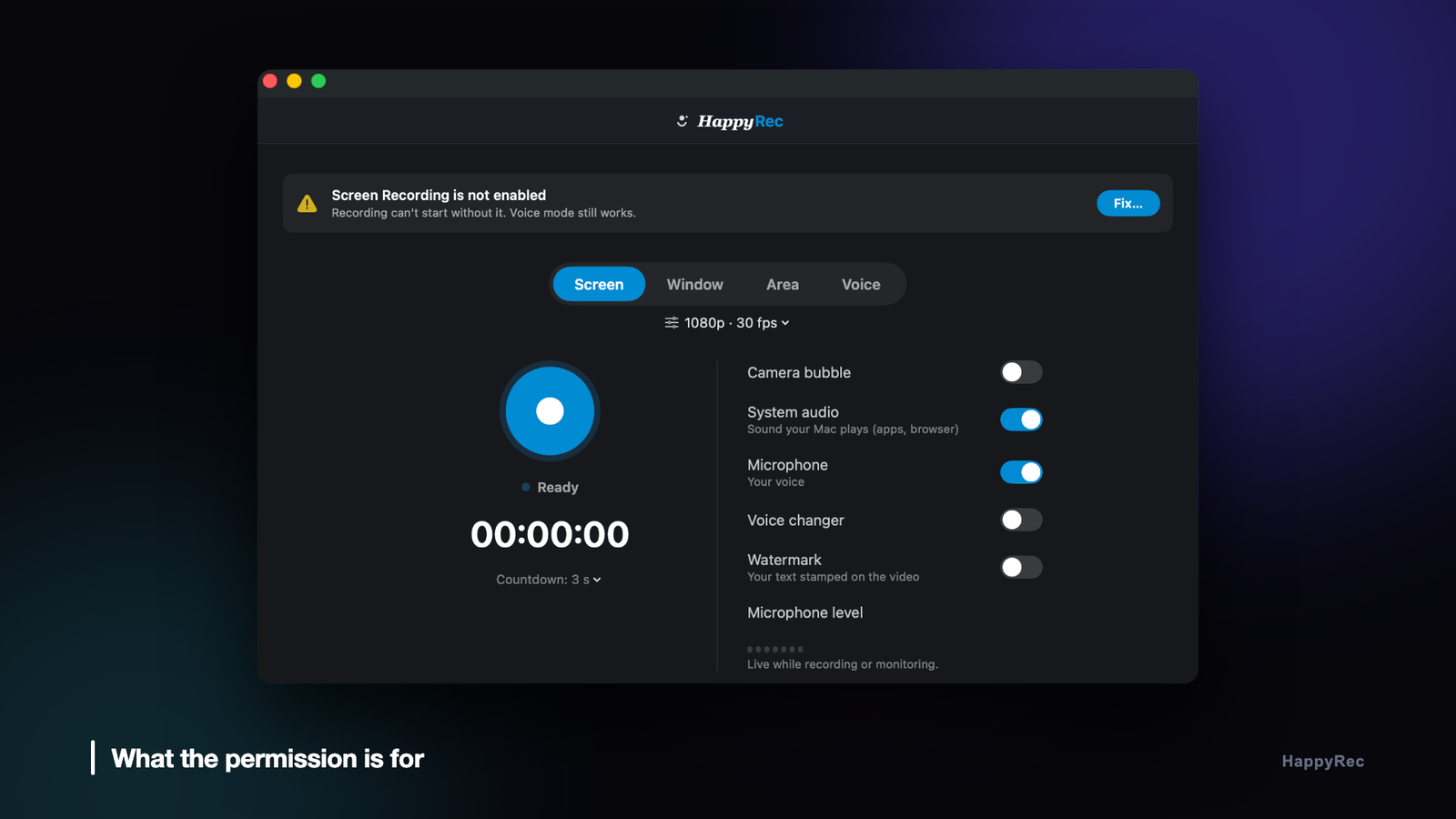
HappyRec writes screen, system audio and a processed microphone track into one file, with pause, resume and a presenter overlay burned in. It is on the Mac App Store, and at happyrec.happycoders.in.




