
Assume the Audio Graph Will Fail: An AVAudioEngine Fallback Ladder
Assume the Audio Graph Will Fail: An AVAudioEngine Fallback Ladder
Most audio bugs are reported as “no sound”. This one arrives as a string: isInputConnToConverter. It appears on a customer’s Mac, never on yours, and the only thing it tells you is that a piece of AVFoundation you did not write has decided your graph is illegal.
HappyRec records the microphone through a live effects chain — EQ, pitch, distortion, reverb — so a user can hear and record a modified voice. On most Macs the obvious graph builds and runs on the first try. On some, it refuses, and refuses in a way that takes the whole process down with it if you handle it the way you would handle any other error.
This is what the AVAudioEngine input node actually requires, why a failed graph cannot simply be retried, and the shape of the fallback that made the feature reliable on hardware we have never seen.
The connection the engine will not make for you
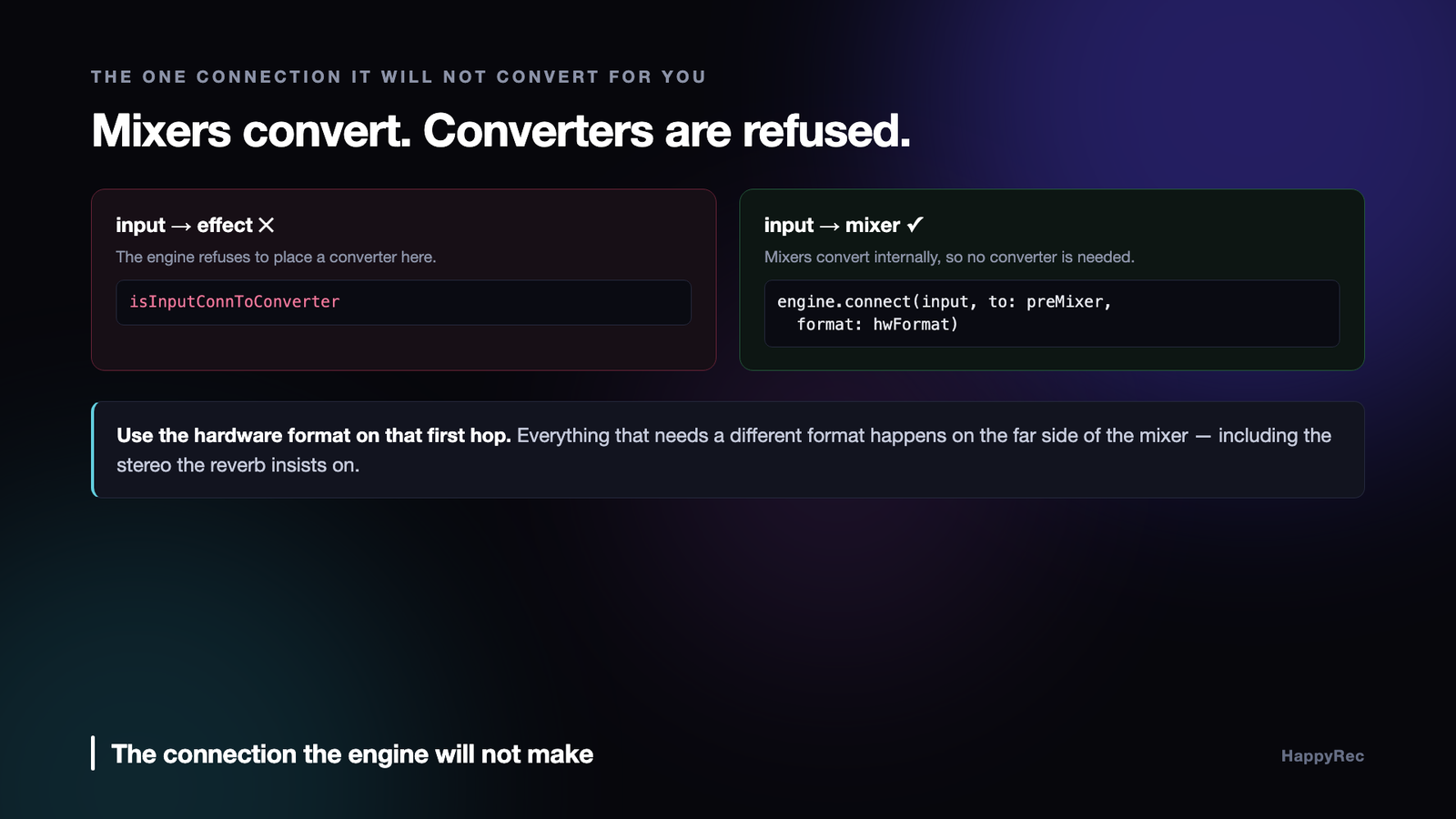
AVAudioEngine inserts format converters automatically almost everywhere. Connect two nodes with mismatched formats and it quietly does the right thing. There is one connection where it refuses, and it is the one everybody wants to make first: the one leaving the input node.
The AVAudioEngine input node is not a normal node. It is a live handle on the hardware, and its format is whatever the current device reports — 44.1 kHz or 48 kHz, mono or stereo, sometimes something stranger after a Bluetooth headset or an aggregate device has been involved. Connect it directly to an effect unit that expects a different format and the engine raises, and the message you get is the internal assertion name rather than anything you could act on.
The fix is architectural rather than defensive. The connection out of the input node must use the hardware’s own format, unchanged:
let hwFormat = input.inputFormat(forBus: 0)
engine.connect(input, to: preMixer, format: hwFormat)
Everything that needs a different format goes after a mixer node. Mixer nodes convert internally as part of what they are, so the engine never has to insert a converter on a connection it will not put one on. In HappyRec a plain AVAudioMixerNode sits directly after the input for exactly this reason, and the effect chain runs at a standard stereo format on the far side of it.
Stereo, not mono, and that is not a preference. Apple’s AVAudioUnitReverb rejects a mono input outright. The pre-mixer is what upmixes a mono built-in microphone to the stereo the rest of the chain requires, without a single explicit converter anywhere in the graph.
Two things are also worth checking before you build anything at all:
guard hwFormat.sampleRate > 0, hwFormat.channelCount > 0 else { throw … }
A sample rate of zero is what you get when there is no usable input device — no built-in microphone, a disconnected interface, a device the system has not finished configuring. Building on top of that produces a much more confusing failure several steps later.
These are not Swift errors
The failure does not arrive as a thrown Swift error. AVFoundation raises Objective-C exceptions for invalid graph operations, and an Objective-C exception crossing a Swift frame terminates the process. try? will not save you. catch will never run.
Catching them requires a small Objective-C shim that wraps a block in @try/@catch and hands the NSException back as a value Swift can look at. HappyRec has a target that exists solely for this, and every engine call — connect, prepare, start, and the teardown — goes through it. The teardown matters as much as the setup: an engine that has already failed can raise again from stop(), so the trap has to cover the entire attempt rather than just the interesting part in the middle.
A failed engine is radioactive
Here is the part that turns a normal retry loop into a crash.
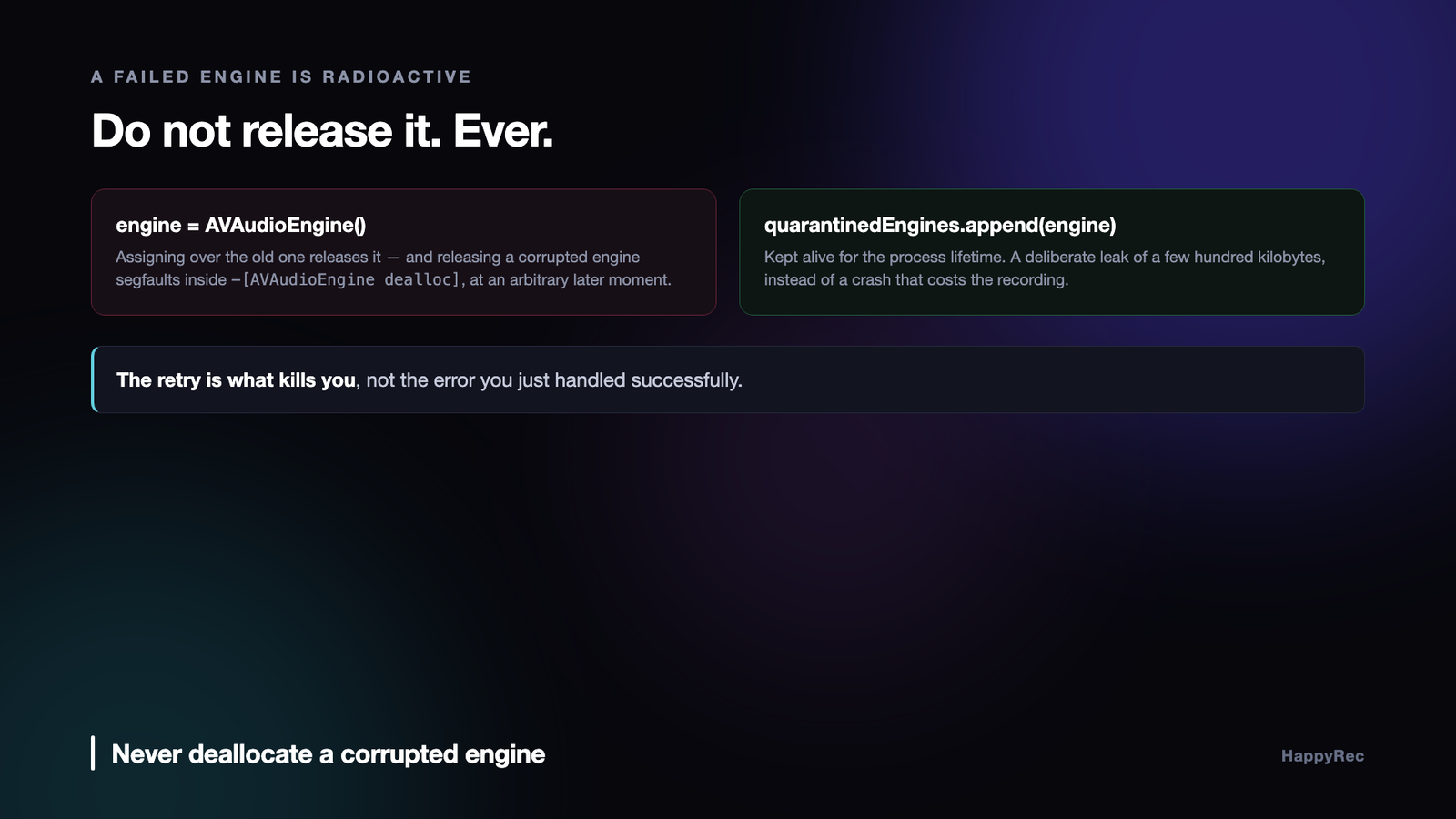
Once an AVAudioEngine has failed to configure, it is not merely unusable — it is unsafe to release. Deallocating one segmentation-faults inside -[AVAudioEngine dealloc], in the AUGraph disconnection path, on a graph that is no longer internally consistent. The crash is not at the point of failure. It is later, at an arbitrary moment, when ARC happens to drop the last reference.
That behaviour makes the obvious retry loop lethal. Assigning a fresh engine over the old one releases the old one. Releasing the old one crashes. The retry that was meant to recover is what kills the process, one step after the error you successfully handled.
The only reliable answer we found is to never let go:
/// Engines whose graph configuration failed. Deallocating one crashes with SIGSEGV inside -[AVAudioEngine dealloc], so they are intentionally kept alive for the process lifetime instead.
private var quarantinedEngines: [AVAudioEngine] = []
A failed engine is appended to that array and never touched again. It leaks, deliberately, for as long as the app runs. Two or three dead engines cost a few hundred kilobytes; a segmentation fault costs the recording and the user’s trust. Healthy engines are released normally — the quarantine only ever collects engines that already failed.
This is the kind of decision that looks wrong in review and is right in production. It needs the comment above it, permanently, or somebody will “fix” the leak within a year.
The ladder
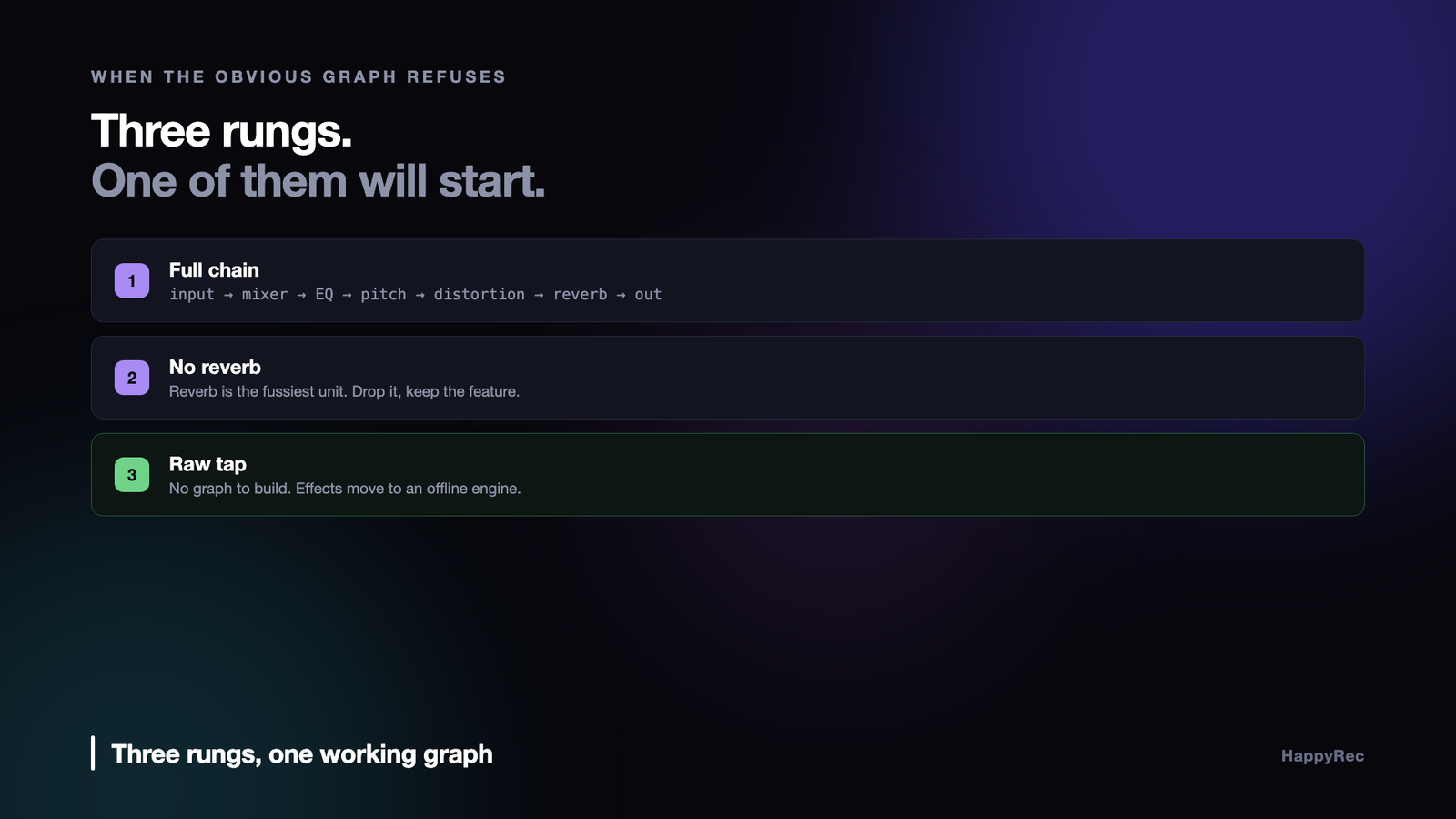
With exceptions catchable and failed engines contained, the recovery strategy becomes simple: try progressively less ambitious graphs until one starts.
HappyRec has three rungs.
Full chain. Input → pre-mixer → EQ → pitch → distortion → reverb → main mixer. Everything the voice changer can do, with live monitoring through the output.
No reverb. The same chain with the reverb removed. Reverb is the fussiest unit about formats and the one most likely to be the specific thing that refused, and dropping only it costs the user one preset rather than the whole feature.
Raw tap. No graph at all. A tap installed directly on the input node, at the hardware format, with buffers pushed through a separate offline engine for processing. If the live graph cannot be built on this machine, this always works, because there is nothing to build.
Each rung runs on a completely fresh engine with freshly created nodes. Reusing nodes from a failed attempt carries the corruption forward; recreating everything is the only reliable way to move past a failed configuration.
Remember which rung worked
The ladder has a cost that is easy to miss. Every failed attempt leaks a quarantined engine, and every failed attempt takes time on the path where the user has just pressed record.
So the order is not fixed. The rung that succeeded last time is tried first:
var attempts = GraphAttempt.allCases
if let saved = UserDefaults.standard.string(forKey: “audioGraphMode”), … {
attempts.remove(at: index); attempts.insert(savedAttempt, at: 0)
}
On a Mac where the full chain works, this changes nothing. On a Mac where it never works, the user pays the two failed attempts exactly once, on first run, and every subsequent launch goes straight to the rung that works. The persisted value is a single string, and being wrong about it costs one extra attempt — the ladder still runs underneath, so a machine whose audio configuration changes recovers on its own.
The fallback is not a degraded mode
The temptation on the raw-tap rung is to record dry audio and disable the effects. That is the honest minimum, and it is what “fallback” usually means. It also means the voice changer — the reason a chunk of users installed the app — silently stops existing on their machine, with no explanation.
We took the other route. On the raw-tap path the buffers go through a second AVAudioEngine running in manual rendering mode:
try engine.enableManualRenderingMode(.offline, format: stereo, maximumFrameCount: 4096)
An offline engine has no input node, which is the entire point. The thing that failed is absent by construction. Buffers arrive on the tap, get downmixed to mono, pass through the pitch and formant converter, and are pushed into an AVAudioSourceNode that feeds the same effect chain — pre-mixer, EQ, pitch, distortion, reverb — rendered synchronously on the audio thread that delivered them.
The user gets every preset. What they lose is the free monitoring path, because an offline engine has no output either. “Hear my voice” on this rung needs a third, output-only engine with an AVAudioPlayerNode that the processed buffers are scheduled into. Three engines to deliver what one was supposed to, on machines where one refused.
Two details that only show up in the recording
Both of these were found by listening to output files rather than by reading logs.
Latency shifts the voice out of sync. A formant-preserving pitch converter is a block processor; it delays its output by a fixed, known amount. Left alone, the voice track lands consistently late against the video. The fix is to move the timestamp rather than the audio — take the tap’s host time and subtract the converter’s round-trip latency before handing the buffer to the writer:
let shift = AVAudioTime.hostTime(forSeconds: renderer.latencySeconds)
timestamp = AVAudioTime(hostTime: when.hostTime &- shift)
Changing preset mid-recording used to kill the audio track. If the converter is bypassed at zero pitch and inserted when an effect is chosen, its latency jumps from zero to non-zero the instant the user switches preset — which means the corrected timestamps jump backwards. AAC encoders require strictly increasing timestamps and will reject the track outright.
The fix is to stop the latency from ever changing. When the voice changer is enabled at the moment the microphone starts, the converter stays permanently in the signal path, even at zero shift, so switching presets changes what it does but never how long it takes:
/// Keeps the converter permanently in-line even at zero pitch/formant, so switching presets mid-recording never changes latencySeconds.
renderer.alwaysConvert = enabled
A constant wrong delay that you correct for is vastly better than a delay that changes underneath you.
Where the ladder actually gets used
The three rungs are not a theoretical exercise. In a released application the top rung fails often enough that the two below it carry real traffic, and the situations are worth naming because they are not the ones you would guess.
The most common is a device that disappears between the moment you enumerate it and the moment you connect it. A user unplugs an interface, switches from headphones to speakers, or joins a video call that grabs exclusive access. The enumeration succeeded, the format you asked for was valid a second ago, and the connection throws. Nothing about your code was wrong; the world changed underneath it.
The second is a sample rate mismatch that only appears at connection time. An input running at 48 kHz and an output node the system has quietly moved to 44.1 kHz will enumerate perfectly and refuse to connect. The fix is to stop assuming and to read the actual format from the node you are connecting to, every time, rather than caching it at startup.
The third is the one that took us longest to find: after a route change, the engine object itself can be in a state where every subsequent operation fails, including stopping it cleanly. That is the case the third rung exists for.
Why you must not reuse a broken engine
The instinct when a connection fails is to reset — stop the engine, tear down the connections, rebuild the graph and start again on the same object. It looks tidy and it is wrong.
An engine that has entered a failed state after a route change will accept a stop, accept new connections, accept a start, and then produce silence. No error is raised. The recording runs for its full duration and the file contains nothing. This is considerably worse than a crash, because the user finds out afterwards, when the material cannot be recreated.
The rule we ended up with is blunt: once an engine has thrown on connect, that object is finished. Do not stop it, do not reconfigure it, do not deallocate it in the failure handler. Build a new engine, hand it the same tap and the same file writer, and let the old one be released when the autorelease pool drains. Deallocating it immediately, inside the handler, is its own crash — the audio thread may still be inside a render callback that belongs to it.
Testing failure paths you cannot easily reproduce
The hardest part of this work is not writing the fallback. It is convincing yourself the fallback runs, because the conditions that trigger it involve hardware you are not holding.
What worked for us was to make each rung independently forceable through a debug flag, so that the second and third rungs can be exercised on a machine where nothing is actually wrong. That is not the same as testing the real failure, but it does prove that the recovery code compiles, runs, produces a working graph and writes a valid file — which is where most of the bugs in a fallback path live.
Then, separately, force the real conditions by hand: start a recording and unplug the interface, start one and join a video call, start one and switch the output device in System Settings. Three physical actions, thirty seconds each, and they find things no unit test will.
The failure we would never have found any other way was a route change during the first two hundred milliseconds, before the tap had delivered its first buffer. The recovery worked, the file was valid, and it was missing the first fifth of a second — which is exactly where a person says the first syllable of what they were recording.
The checklist
- Connect out of the input node at the hardware format. Put a mixer immediately after it and let everything else happen on the far side.
- Validate the hardware format first. A zero sample rate means no usable device; fail there, with a sentence a user can act on.
- Trap Objective-C exceptions. AVFoundation raises them for invalid graph operations, and they are not catchable from Swift without a shim.
- Cover teardown with the same trap. A failed engine can raise from
stop()too. - Never deallocate a corrupted engine. Quarantine it in an array for the process lifetime and write the comment explaining why.
- Rebuild everything on retry. Fresh engine, fresh nodes. Reused nodes carry the corruption forward.
- Persist which rung worked. Users on the fallback path should pay the failed attempts once, not on every launch.
- Make the fallback deliver the feature, through an offline engine if it has to. A silently degraded mode is a bug report you will never receive and never fix.
- Keep processing latency constant and correct the timestamps. Changing latency mid-stream breaks AAC.
The uncomfortable conclusion is that on macOS audio there is no configuration you can test your way to confidence about. The hardware, the drivers, the aggregate devices and the Bluetooth stack are outside your control, and some combination of them will reject a graph that is correct by every reading of the documentation. Designing for that from the beginning is cheaper than discovering it from a one-star review that says the microphone does not work, on a Mac you cannot reproduce.
HappyRec’s voice changer runs this ladder on every launch — Signalsmith Stretch doing formant-preserving pitch work, pure DSP with no model and no network. It is on the Mac App Store, and at happyrec.happycoders.in.




