
Building a .dmg That Does Not Look Like a Warning
Building a .dmg That Does Not Look Like a Warning
A user downloads your .dmg, double-clicks, and macOS says the app cannot be opened because Apple cannot check it for malicious software.
Most people stop there. A warning that mentions malware, on software they have never used, from a company they have not heard of, is where the install ends.
The three states
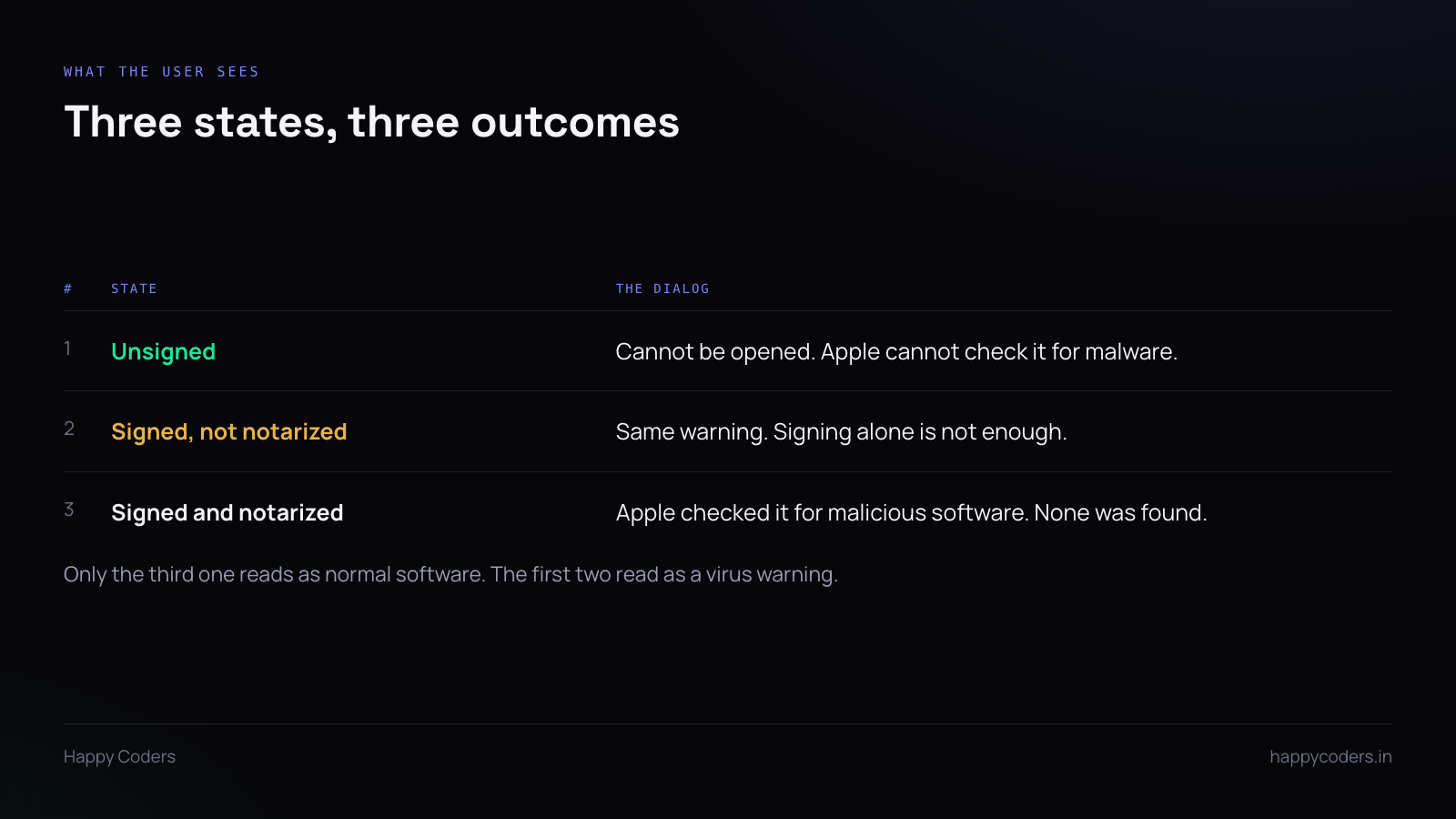
Unsigned is the blocking dialog, with no obvious way past it. There is a route — right-click, Open, confirm — but you cannot expect users to know it, and telling them to bypass a security warning is a bad first instruction.
Signed but not notarized produces the same warning on any recent macOS. This surprises people who have bought a certificate: signing proves who you are, notarization is Apple confirming they scanned it. Gatekeeper wants the second one.
Signed and notarized gives a brief, calm dialog saying Apple checked it for malicious software and found none. That is the one that reads like normal software.
The steps
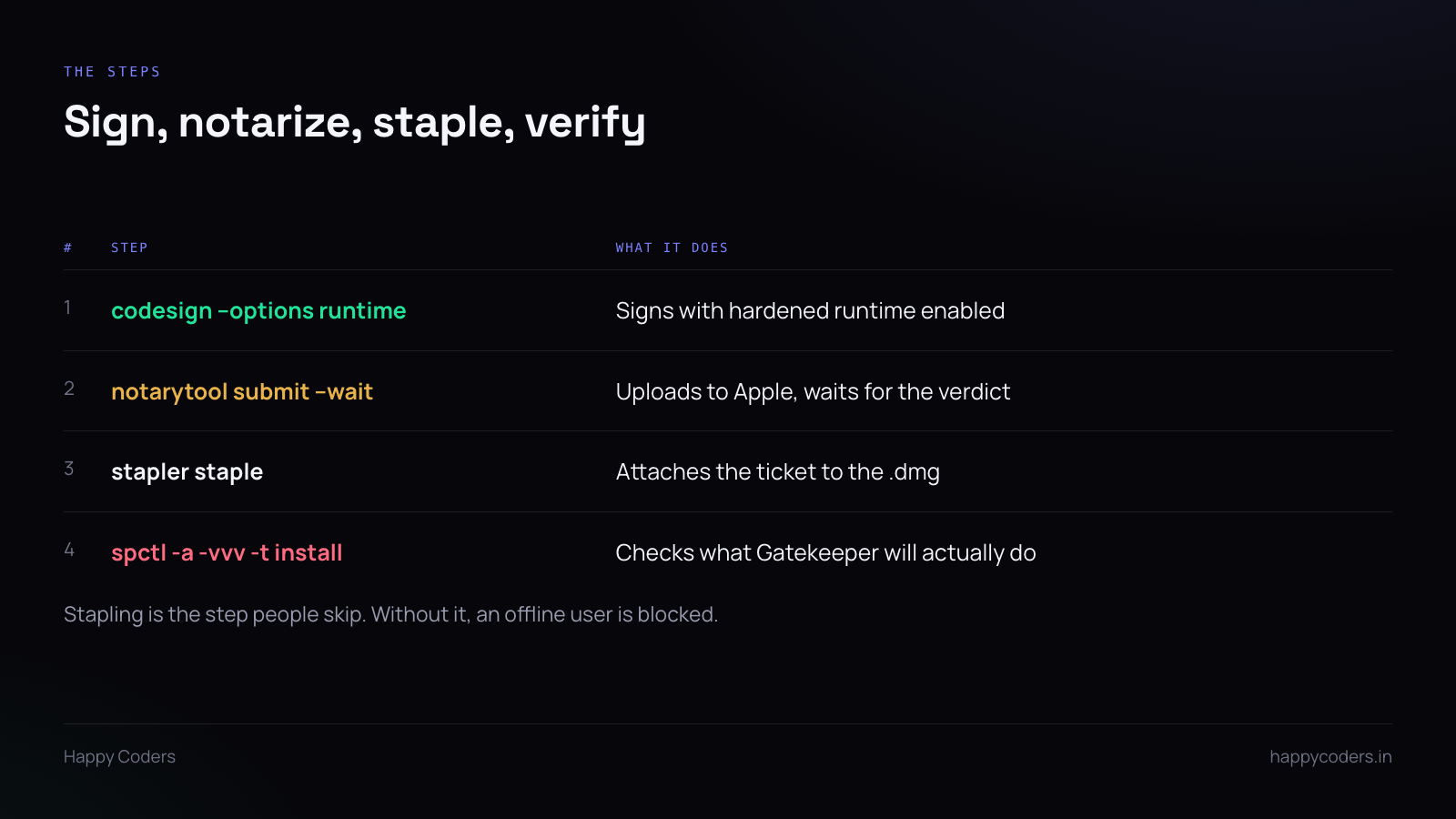
Sign with the hardened runtime. codesign --options runtime with your Developer ID Application certificate. Notarization requires the hardened runtime; submitting without it is rejected.
Sign inside out — frameworks, helpers, and embedded binaries before the app bundle. Signing only the outer bundle leaves unsigned code inside and notarization catches it.
Notarize. notarytool submit --wait uploads the disk image to Apple and returns a verdict. Usually a few minutes; occasionally much longer when their queue is busy, so do not put it in a release step that has to finish fast.
On rejection, notarytool log gives you the specific reason, which is usually an unsigned nested binary or a missing hardened runtime.
Staple. stapler staple attaches the notarization ticket to the file itself.
This is the step people skip, because without it everything still works — on a machine with internet access, which is every machine the developer tests on. Gatekeeper can look the ticket up online. A user who is offline, or behind a firewall that blocks Apple’s service, gets the warning.
Stapling takes two seconds. Do it.
Verify what Gatekeeper will do. spctl -a -vvv -t install against the .dmg tells you the actual verdict rather than your assumption about it.
Run it on a different machine from the one that built the app. Your build machine has the certificate in its keychain and may behave differently.
Keys on hardware
Since June 2023, code signing certificates require the private key to live on FIPS 140-2 Level 2 hardware — a USB token, or a cloud HSM the certificate authority operates.
This mostly affects Windows signing, but it is worth knowing if you are planning for both platforms, because it is why Windows certificates now cost what they do and why “just export the key to the build server” is no longer an option.
For macOS, keep the Developer ID private key backed up somewhere safe and offline. Losing it means revoking and reissuing, and anything already signed with it needs re-signing.
The disk image itself
Beyond signing, a few things make a .dmg feel finished.
A window with your app on the left and an Applications symlink on the right, so dragging is the obvious action. A reasonable window size, so nothing is scrolled off. Your icon rather than the default.
None of this affects Gatekeeper. All of it affects whether the thing looks like it was made on purpose.
And sign the .dmg as well as the app inside it. Signing only the app leaves the container unsigned, which is one more thing for Gatekeeper to be unhappy about.
Publish a checksum
A SHA-256 next to the download link. Nearly nobody checks it, and the ones who do are exactly the technical users deciding whether to recommend your software internally.
It also means that if the file is ever replaced — by a CDN caching an old build, which does happen — you have a way to tell.
Test as a stranger
Download your own .dmg through a browser, on a Mac that has never had your code on it.
Browsers set the quarantine attribute on downloads, and that attribute is what triggers Gatekeeper. A file copied over with scp or AirDropped from your own machine may not carry it, so testing that way tests nothing.




