
Cancelling Work in Swift Without Leaving the Audio Engine Running
Cancelling Work in Swift Without Leaving the Audio Engine Running
The bug report says the microphone light stays on after recording stops. Not always. Not reproducibly. Sometimes.
The stop button works — the file is written, the UI returns to idle, everything looks finished. But somewhere a tap is still installed on an input node, an AVAudioEngine is still running, and macOS is still showing the orange dot because as far as the system is concerned this app is listening.
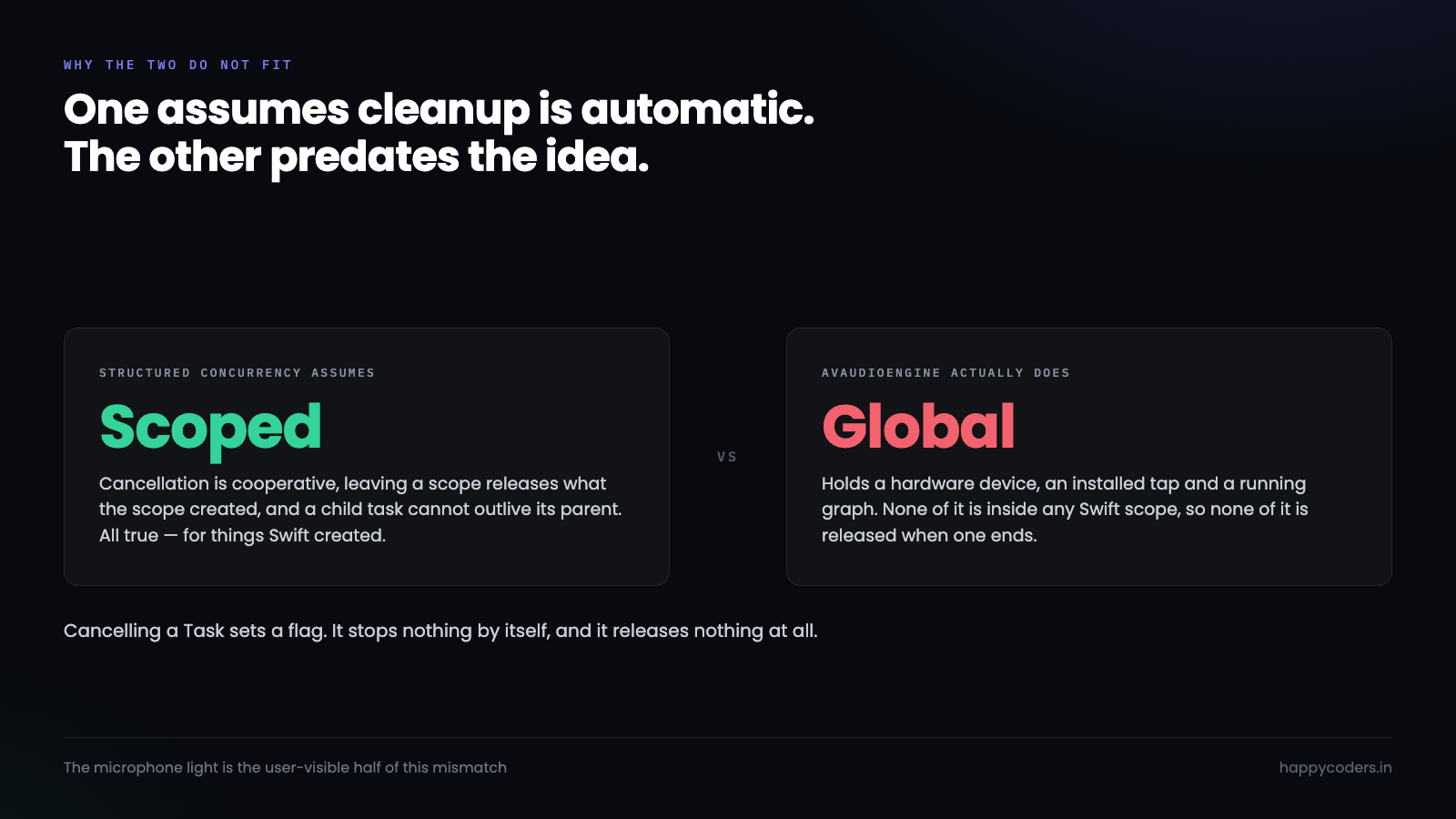
The cause is nearly always the same shape. Structured concurrency assumes cancellation is cooperative and that leaving a scope cleans up after you. AVAudioEngine was designed before either assumption existed, and it holds resources that nothing will release on your behalf.
What cancelling a Task actually does
This is worth being exact about, because the word suggests more than the mechanism delivers.
Cancelling a Task sets a flag. That is the whole of it. The task keeps running until it reaches a point where somebody checks that flag, and if nobody ever checks, it runs to completion exactly as though nothing happened.
let task = Task {
    engine.prepare()
    try engine.start()
    installTap()
    await recordForever()      // if this never checks, cancellation is a no-op
}

task.cancel()                   // sets a flag. Nothing has stopped.
Two things do check automatically: Task.sleep throws CancellationError, and so does any await on something that itself checks. Your own loops check nothing unless you ask.
while recording {
    try Task.checkCancellation()   // throws if cancelled
    // or: if Task.isCancelled { break }
    try await captureNextBuffer()
}
Cancellation is a request, delivered as a flag. It stops nothing by itself, and it releases nothing at all.
That second half is the part that bites. Even a task that checks the flag promptly and exits cleanly has not stopped the audio engine, because the engine was never part of the task’s structure. It is an object the task happened to touch.
Leak one: the tap that outlives the task
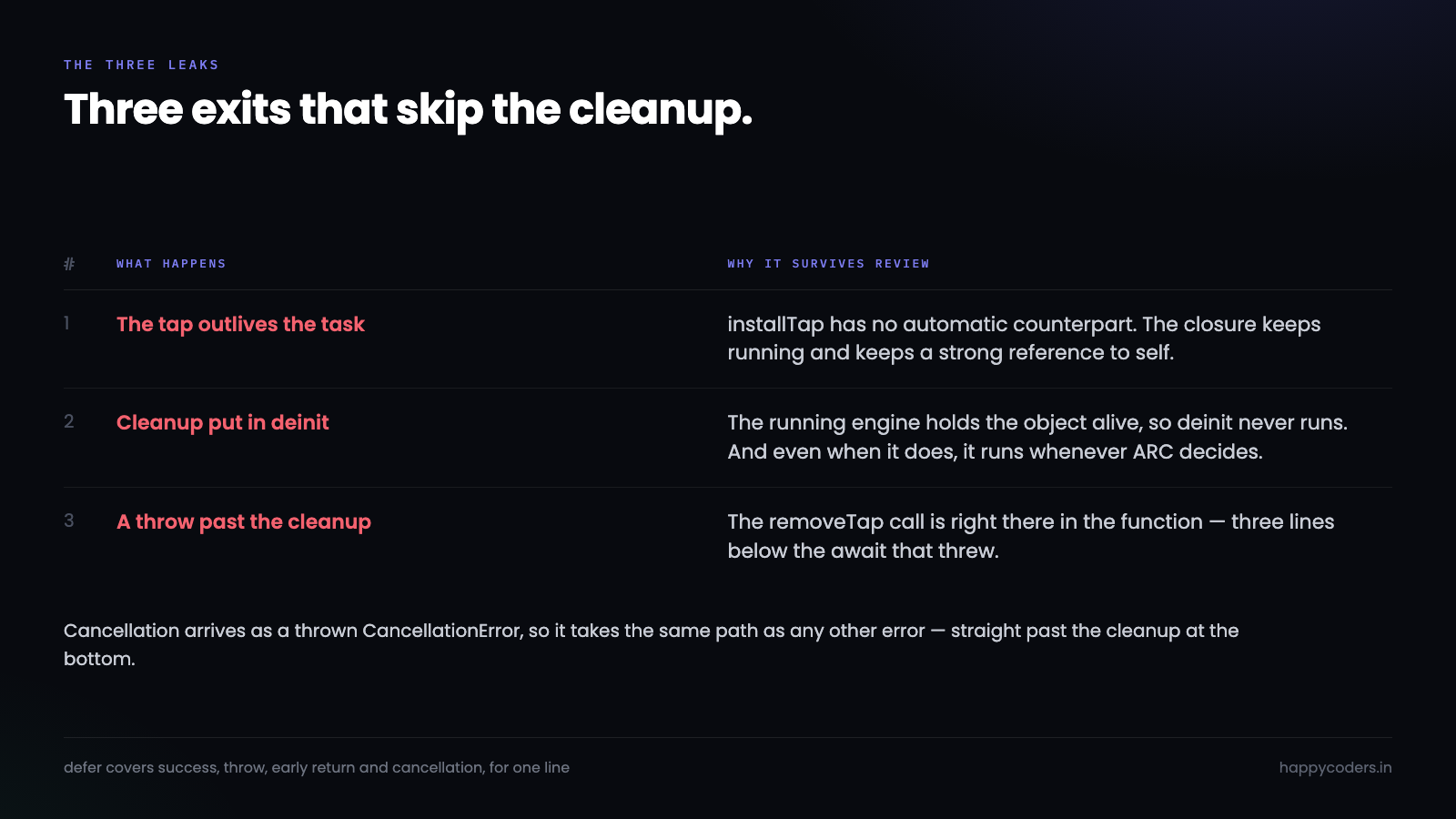
An input tap is the clearest case, because installing one is a side effect with no matching automatic removal.
func startRecording() {
    let input = engine.inputNode
    input.installTap(onBus: 0, bufferSize: 4096, format: input.outputFormat(forBus: 0)) { buffer, _ in
        self.write(buffer)
    }
    try? engine.start()
}
Cancel the task that called this and the tap stays. The closure stays. The engine stays running, calling that closure several times a second, with a strong reference to self.
Worse, installing a second tap on the same bus without removing the first throws — so the next recording fails with an error that names a bus number and explains nothing about why.
The fix is not complicated, it is just easy to forget: removal has to be as unconditional as installation.
func stopRecording() {
    engine.inputNode.removeTap(onBus: 0)   // safe even if no tap is installed
    engine.stop()
}
Leak two: deinit runs later than you think
The instinct is to put cleanup in deinit and stop worrying. It is the wrong place, for two reasons.
The first is ordering. deinit runs when the last strong reference goes away, and a running engine with an installed tap is holding a reference to the closure, which is holding a reference to self. The object cannot deallocate until the engine stops, and the engine will not stop until deinit runs. Nothing crashes; the object simply lives forever.
input.installTap(onBus: 0, bufferSize: 4096, format: fmt) { [weak self] buffer, _ in
    self?.write(buffer)        // breaks the cycle
}
The second reason is timing. Even with the cycle broken, deinit runs whenever ARC gets round to it. The user pressed stop two seconds ago and the microphone indicator is still on because the view model has not been released yet. That is technically correct and it looks broken.
Cleanup that a user can observe belongs in an explicit method they triggered, not in a destructor.
Leak three: throwing past the cleanup
The third case is the one that survives code review, because the cleanup is right there in the function.
func record() async throws {
    try engine.start()
    installTap()

    try await writeHeader()      // throws -> everything below is skipped
    try await captureLoop()

    engine.inputNode.removeTap(onBus: 0)   // never reached on the error path
    engine.stop()
}
Any throw between start and cleanup leaves the engine running. So does an early return, and so does cancellation, which arrives as a thrown CancellationError from the first await that checks.
defer exists for exactly this and costs one line:
func record() async throws {
    try engine.start()
    installTap()
    defer {
        engine.inputNode.removeTap(onBus: 0)
        engine.stop()
    }
    try await writeHeader()
    try await captureLoop()
}
Now every exit runs the cleanup: success, throw, early return, cancellation. The only path it does not cover is the process being killed, and nothing covers that.
Where the cleanup should actually live
Scattering defer blocks works and it does not scale. Once the recorder has an engine, a writer, a camera session and a timer, cleanup ends up in four places and the order between them starts to matter.
The arrangement that holds is a single object that owns the resources and exposes one teardown, made safe to call more than once.
actor RecordingSession {
    private let engine = AVAudioEngine()
    private var writer: AVAssetWriter?
    private var tapInstalled = false
    private var torndown = false

    func start() throws {
        engine.inputNode.installTap(onBus: 0, bufferSize: 4096, format: fmt) { [weak self] b, _ in
            Task { await self?.append(b) }
        }
        tapInstalled = true
        try engine.start()
    }

    // Safe to call twice. Stop, cancel and deinit can all land here.
    func teardown() async {
        guard !torndown else { return }
        torndown = true

        if tapInstalled {
            engine.inputNode.removeTap(onBus: 0)
            tapInstalled = false
        }
        engine.stop()
        await writer?.finishWriting()
        writer = nil
    }
}
Two details are doing real work there. The torndown flag makes the method idempotent, which matters because stop, cancellation and deallocation can all reach it and often do. And the actor serialises access, so a tap callback arriving mid-teardown cannot race with it.
Cancellation that reaches non-Swift resources
For work that is genuinely cancellable but knows nothing about Task, withTaskCancellationHandler is the bridge. It gives you a callback that fires the moment cancellation arrives, rather than whenever the next check happens to run.
try await withTaskCancellationHandler {
    try await captureLoop()
} onCancel: {
    // Fires immediately on cancel, from an arbitrary thread.
    // Keep it small and make it thread-safe.
    Task { await session.teardown() }
}
Two warnings about that handler, both learned the hard way. It can run on any thread, including one holding a lock you also want. And it can run before the operation body starts, if the task was already cancelled when it was created — so it must not assume anything has been set up yet.
Which is another argument for an idempotent teardown: it makes “called before start” and “called twice” both harmless.
Timeouts, and the teardown that hangs
There is a failure one step past the leak, and it is worse because the app stops responding rather than merely misbehaving.
finishWriting() on an AVAssetWriter flushes buffers and closes the file. Normally it takes milliseconds. Occasionally — a slow external disk, a very large file, a device that disappeared mid-write — it takes seconds, or does not come back at all. Await it on the main actor during teardown and the interface freezes with a spinning cursor while the user wonders whether to force quit.
// Give the flush a deadline. A recording you cannot close is
// still better than an app the user has to kill.
func finishWriting(timeout: Duration = .seconds(10)) async {
    await withTaskGroup(of: Bool.self) { group in
        group.addTask { await self.writer?.finishWriting(); return true }
        group.addTask { try? await Task.sleep(for: timeout); return false }
        _ = await group.next()      // whichever answers first
        group.cancelAll()
    }
}
What to do when the timeout wins is a product decision, not a technical one. Our answer is to leave the partial file on disk, tell the user where it is, and say plainly that it may be truncated. A file they can maybe recover beats a dialog that says the recording failed.
The related trap is calling teardown from @MainActor code and awaiting the whole thing. The engine stop is fast; the file flush is not. Mark the fast part as the thing the UI waits on, and let the flush finish in the background with a progress indicator if it takes long enough to notice.
Testing cancellation without a microphone
All of this is awkward to test because the resource is real hardware. It becomes straightforward once the engine is behind a protocol.
protocol AudioCapture {
    func start() throws
    func installTap(_ onBuffer: @escaping (AVAudioPCMBuffer) -> Void)
    func removeTap()
    func stop()
    var isRunning: Bool { get }
}

// In tests: a fake that records what was called, in what order.
final class SpyCapture: AudioCapture {
    private(set) var calls: [String] = []
    private(set) var isRunning = false
    func start() throws { calls.append("start"); isRunning = true }
    func installTap(_ f: @escaping (AVAudioPCMBuffer) -> Void) { calls.append("installTap") }
    func removeTap() { calls.append("removeTap") }
    func stop() { calls.append("stop"); isRunning = false }
}
Now the test that matters is a few lines, and it is the test nobody writes:
func testCancelMidCaptureStopsTheEngine() async throws {
    let spy = SpyCapture()
    let session = RecordingSession(capture: spy)
    let task = Task { try await session.record() }

    try await Task.sleep(for: .milliseconds(50))   // let it get going
    task.cancel()
    _ = await task.result

    XCTAssertFalse(spy.isRunning)
    XCTAssertEqual(spy.calls.suffix(2), ["removeTap", "stop"])
}
Assert the order, not just that both happened. Stopping the engine before removing the tap works most of the time and occasionally deadlocks, which is exactly the kind of bug that only appears on someone else’s machine.
The detail AVAudioEngine adds on top
Beyond cancellation, the engine has its own behaviour worth knowing.
engine.stop() stops processing but keeps the graph. engine.reset() clears buffered state. Neither removes taps — that is always a separate call, and it is always the one forgotten.
Configuration changes arrive asynchronously. Plug in a USB microphone mid-recording and the engine posts AVAudioEngineConfigurationChange, tears down its graph internally, and your tap is gone. The recording continues writing silence and nothing reports an error.
NotificationCenter.default.addObserver(
    forName: .AVAudioEngineConfigurationChange, object: engine, queue: nil
) { [weak self] _ in
    Task { await self?.reinstallTapAndRestart() }
}
And starting an engine can throw for reasons that have nothing to do with your code — another app holding the device exclusively, a route that vanished, a sample rate the hardware will not accept. A recorder that assumes try engine.start() succeeds will eventually record nothing and say so only in the file size.
Proving there is no leak
The reason this bug ships is that the happy path always looks fine. It needs deliberate provocation.
Start a recording and cancel it at four different moments: before the engine starts, immediately after it starts, in the middle of the capture loop, and during the final write. Each of those exercises a different exit path, and the third and fourth are where the leaks live.
After each one, check two things. The microphone indicator in the menu bar should be off within a second. And engine.isRunning should be false — log it, because the indicator has its own delay and log lines do not.
// After every teardown, in debug builds
assert(!engine.isRunning, "engine still running after teardown")
Then do it twenty times in a row. A leak that only shows up on the third cycle is a leak that only shows up for the user who records a lot, which is the user you least want to lose.
The camera has the same problem, with a brighter light
Everything above applies to AVCaptureSession almost word for word, and the consequences are more visible because the indicator is green and sits next to the camera.
A capture session holds the device. Calling stopRunning() releases it; letting the session go out of scope without stopping it sometimes does and sometimes does not, depending on whether a delegate is still retaining it. A recorder with a camera bubble has two of these — audio and video — and they have to come down in a defined order.
func teardown() async {
    guard !torndown else { return }
    torndown = true

    // Video first: the camera light is what the user is watching.
    captureSession.stopRunning()
    captureSession.outputs.forEach(captureSession.removeOutput)
    captureSession.inputs.forEach(captureSession.removeInput)

    // Then audio.
    if tapInstalled { engine.inputNode.removeTap(onBus: 0); tapInstalled = false }
    engine.stop()

    // The file last, because it can be slow.
    await finishWriting()
}
One thing that surprises people: stopRunning() is synchronous but not instant. It blocks until the session has actually stopped, which can take a few hundred milliseconds. Call it on the main thread and the interface stutters at exactly the moment the user pressed stop — the worst possible moment, because it reads as the app struggling to finish the recording.
Move it off the main actor and keep the UI responsive. The user sees the button change state immediately and the light goes out a moment later, which is the right order for those two things to happen in.
Four rules that cover it
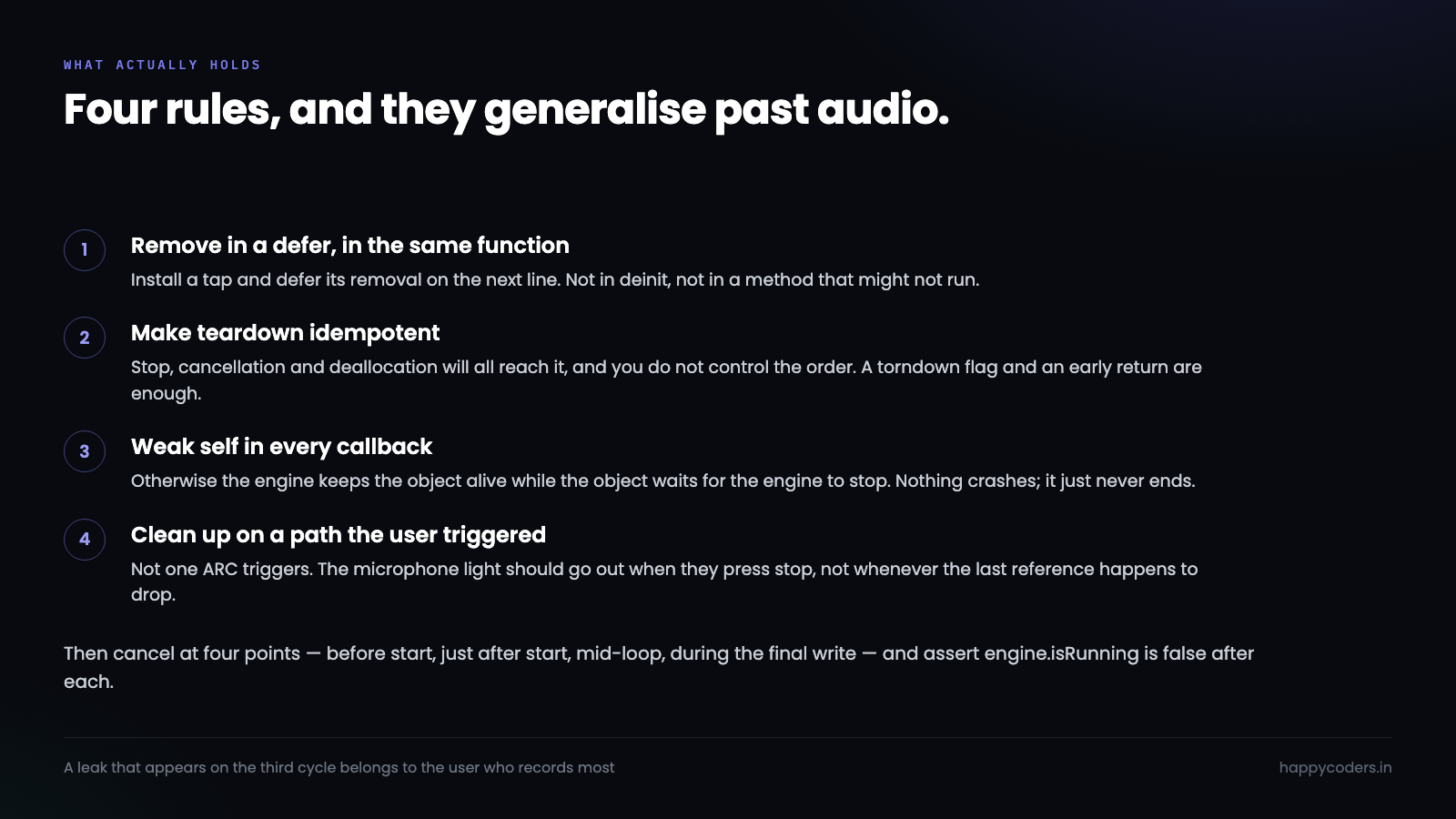
Install a tap, remove it in a defer in the same function — never in deinit, never in a different method that might not run.
Make teardown idempotent, because stop, cancellation and deallocation will all reach it and you cannot control the order.
Use [weak self] in every tap and buffer callback, or the engine keeps the object alive and the object waits for the engine.
Put cleanup on a path the user triggered, not one ARC triggers, so the microphone light goes off when they press stop rather than whenever the last reference happens to drop.
None of that is specific to audio. Any resource older than structured concurrency — a capture session, a file handle, a socket, a CoreVideo pool — behaves the same way. Swift will tidy up its own scopes beautifully and it will not touch anything it did not create.




