
Checking Whether a Windows Binary Is Signed, From a Mac
Checking Whether a Windows Binary Is Signed, From a Mac
You have a Windows installer and you want to know whether it is signed. The usual answer is to copy it to a Windows machine and run signtool verify, which is fine if you have a Windows machine and tedious if you do not.
The information is in the file. Reading it is about forty lines of code in any language, and it runs anywhere.
Where the answer lives
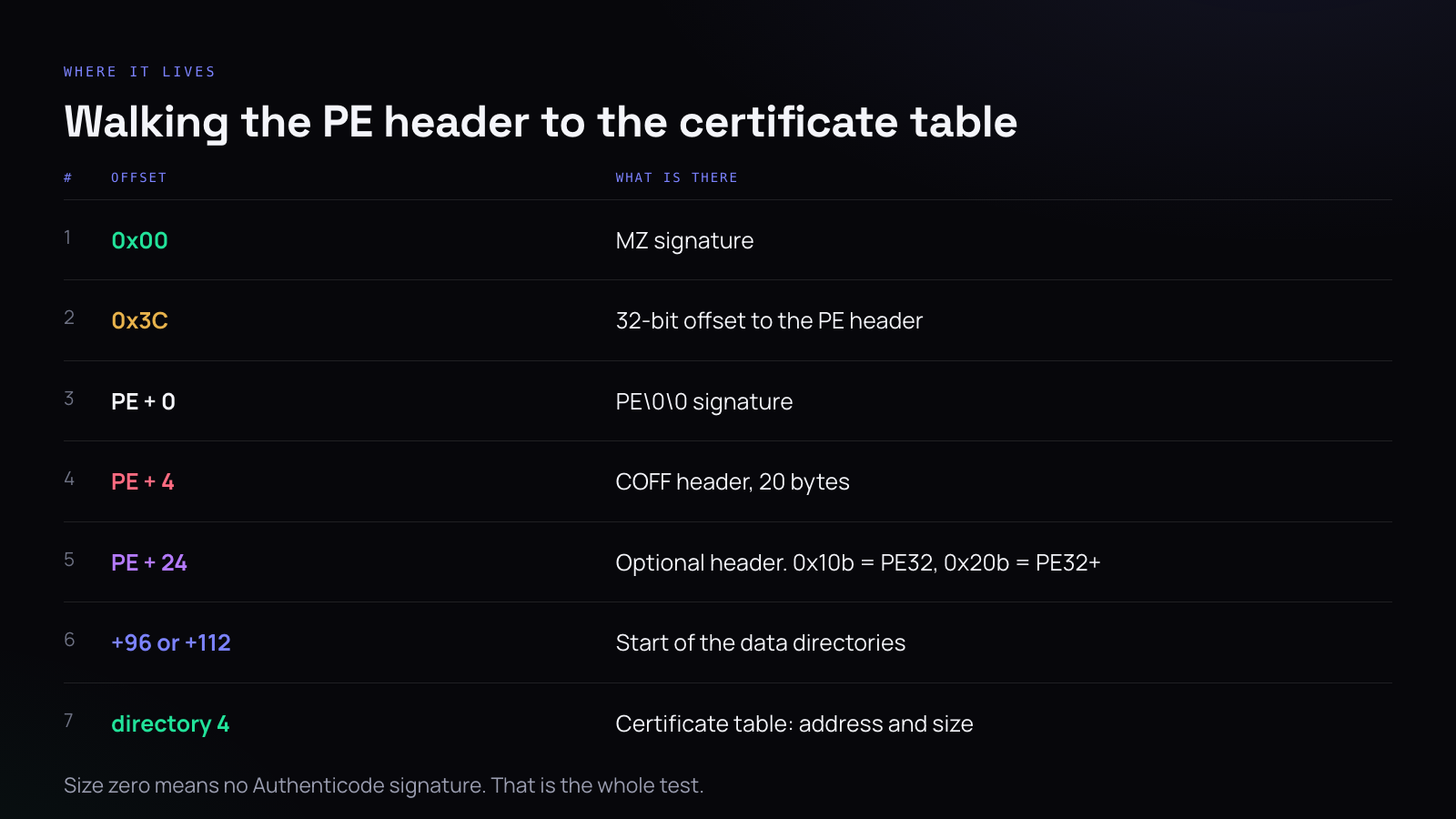
A Windows executable is a PE file, and a PE file begins with a DOS stub for reasons that stopped mattering in about 1995. The first two bytes are MZ. At offset 0x3C there is a 32-bit little-endian value giving the offset of the real PE header.
Jump there and you find PE\0\0, then a 20-byte COFF header, then the optional header — which is not optional. Two fields in the COFF header matter: the machine type, which tells you the architecture, and the size of the optional header.
The first two bytes of the optional header are a magic number. 0x10b means PE32, a 32-bit binary. 0x20b means PE32+, 64-bit. This matters because it changes where the data directories start — 96 bytes in for PE32, 112 for PE32+, because several fields in between are wider on 64-bit.
The data directories are an array of eight-byte entries, each a 32-bit address and a 32-bit size. Entry index 4 is the certificate table.
If its size is zero, there is no Authenticode signature. That is the entire test.
Why the offset shifts
This is the part that produces wrong answers, so it is worth being precise about.
Between the start of the optional header and the data directories, PE32+ widens several fields from 32 to 64 bits and drops one entirely. The net effect is sixteen extra bytes. Hard-code 96 and run it on a 64-bit binary and you will read the wrong directory, get a plausible-looking nonzero size, and conclude that an unsigned file is signed.
Read the magic number and branch. It is two lines and it is the difference between a check that works and one that lies.
What this tells you, and what it does not
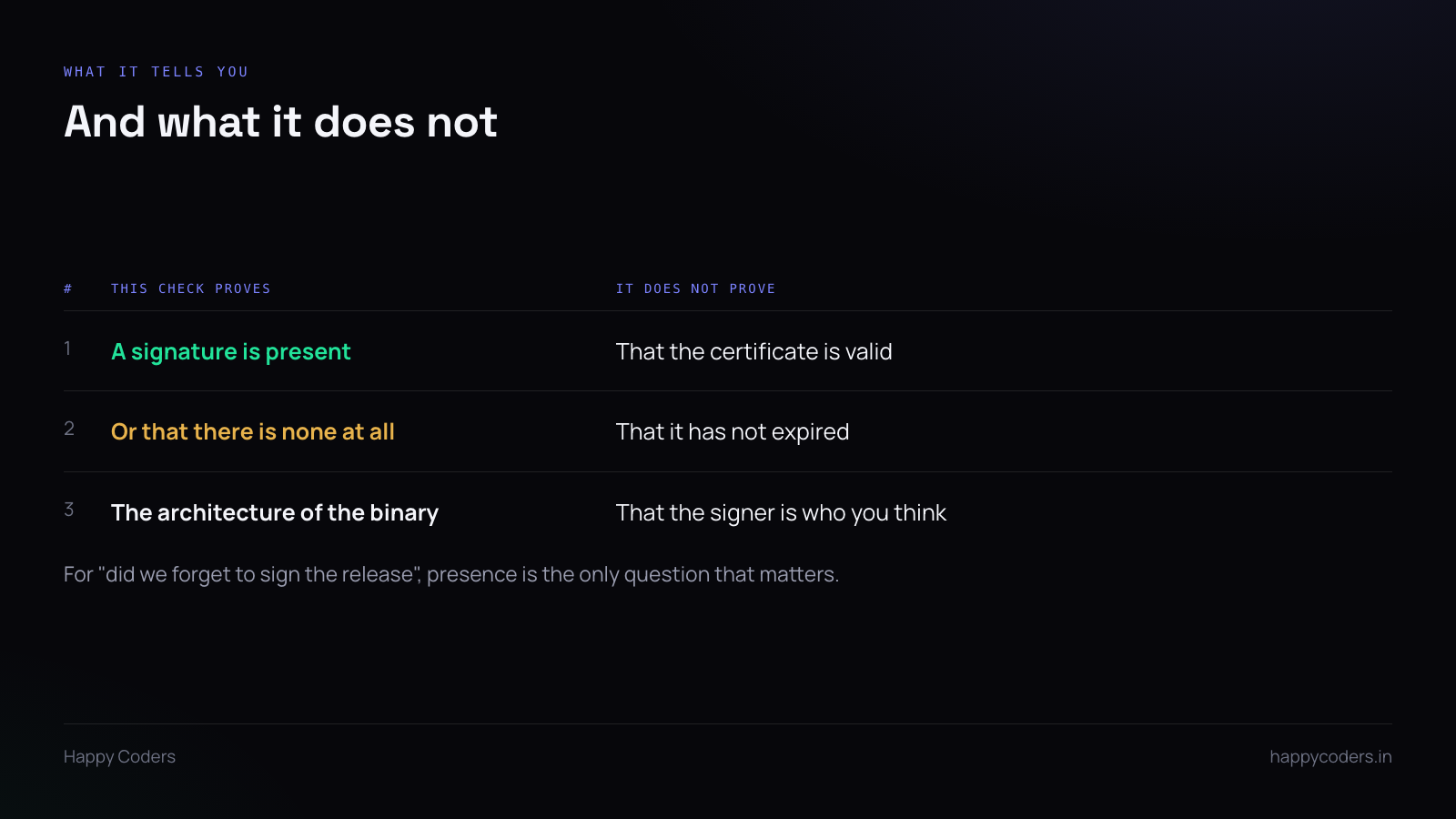
Presence, not validity. You learn whether a signature blob is attached. You do not learn whether the certificate chains to a trusted root, whether it has expired, whether it was revoked, or who signed it.
For the question people actually have — “did the release build get signed, or did we ship the unsigned one again” — presence is the only thing that matters, because the failure mode is always a completely absent signature rather than a subtly invalid one.
For verifying someone else’s binary, this is not enough and you want a real Authenticode verification.
Put it in the release script
The reason to have this as a script rather than a one-off is the same reason as the universal binary check on macOS: the thing you want is not to find out, it is to be unable to ship it wrong.
After the signing step, read the certificate table on the artefact that is about to be uploaded. If the size is zero, exit non-zero. Not a warning in a log nobody reads — a failed build.
It costs nothing to run and it catches the case where the signing step silently did not happen, which is a real thing: a missing certificate, an expired token session, a path that pointed at the wrong file.
The practical reason this came up
Portals check. Submit an unsigned Windows installer to a download site and there is a reasonable chance it comes back rejected with wording about a verifiable certificate authority, several days after you submitted it.
Knowing before you upload saves the round trip. One command on the file you are about to send, from whatever machine you happen to be on.
And if the answer is that it is unsigned and you expected otherwise, you have found a build problem rather than a portal problem — which is a much better thing to discover on your own laptop than in a rejection email.
A note on the architecture field
While you are in the COFF header, the machine type is free information. 0x8664 is x64, 0x14c is x86, 0xaa64 is ARM64.
An installer stub being 32-bit while the application it installs is 64-bit is normal and not a problem. It is worth printing anyway, because occasionally it tells you that the thing you are about to ship is not the thing you meant to build.




