Email From Your App That Lands in the Inbox
Email From Your App That Lands in the Inbox
A user signs up and never verifies. You assume they lost interest. Sometimes they did. Sometimes the mail went to spam, or was never accepted at all, and the user sat there waiting for an email that was quietly rejected.
That failure is invisible from inside the application. The send succeeded; what happened at the other end is not in your logs.
The three records
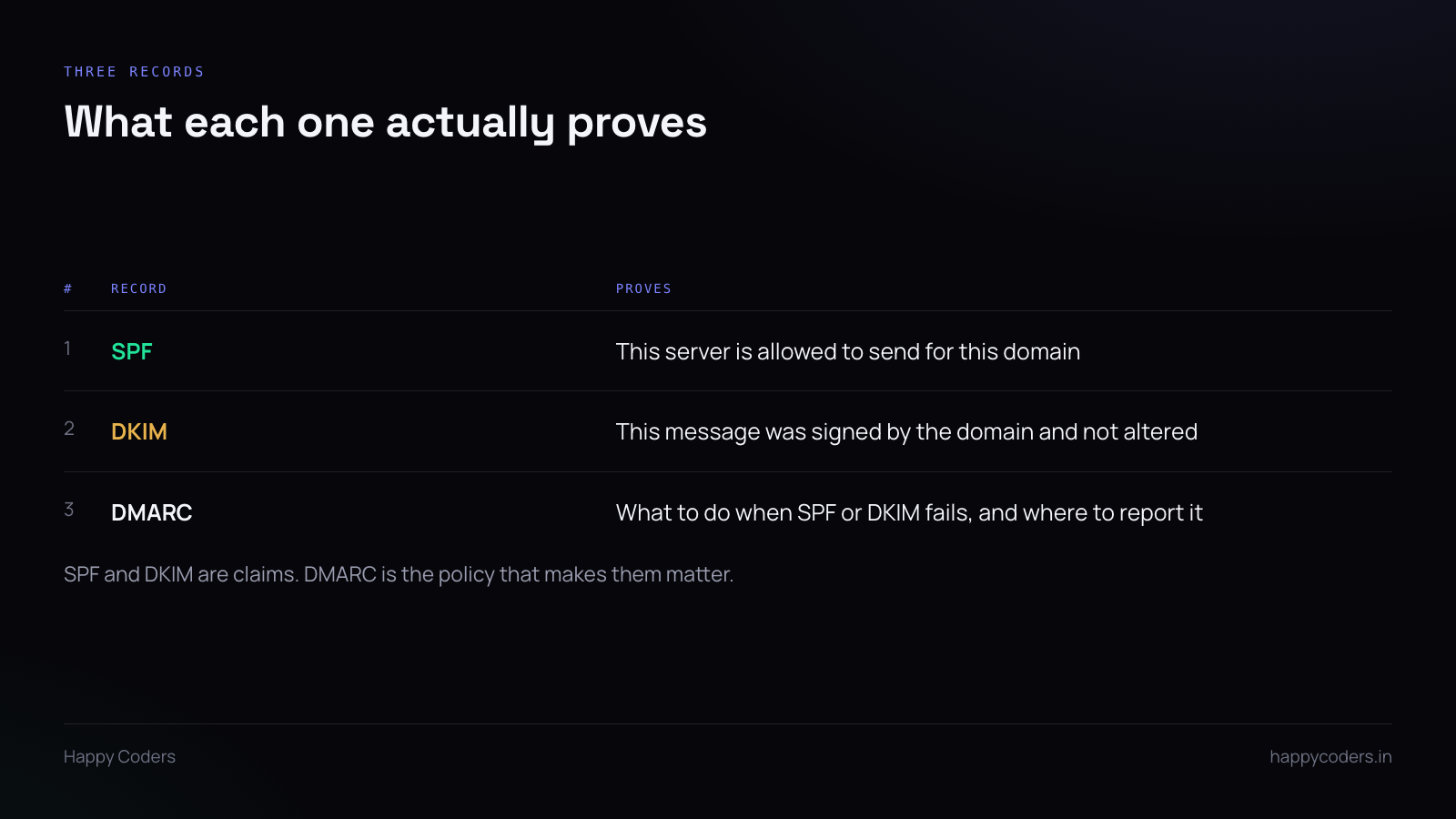
SPF is a DNS record listing which servers may send mail for your domain. The receiver checks the connecting server against it. One TXT record, and a limit of ten DNS lookups while evaluating it — exceed that and it fails.
DKIM is a cryptographic signature on the message, verified against a public key in your DNS. It proves the mail was authorised by the domain and has not been altered. Unlike SPF, it survives forwarding.
DMARC is the policy. It tells receivers what to do when SPF and DKIM fail — nothing, quarantine, or reject — and where to send reports. Without it, SPF and DKIM are claims nobody is obliged to act on.
Start DMARC at p=none with a reporting address. You get the reports without anything being rejected, and the reports tell you what is actually happening before you tighten the policy.
Two traps, both of which cost us a week
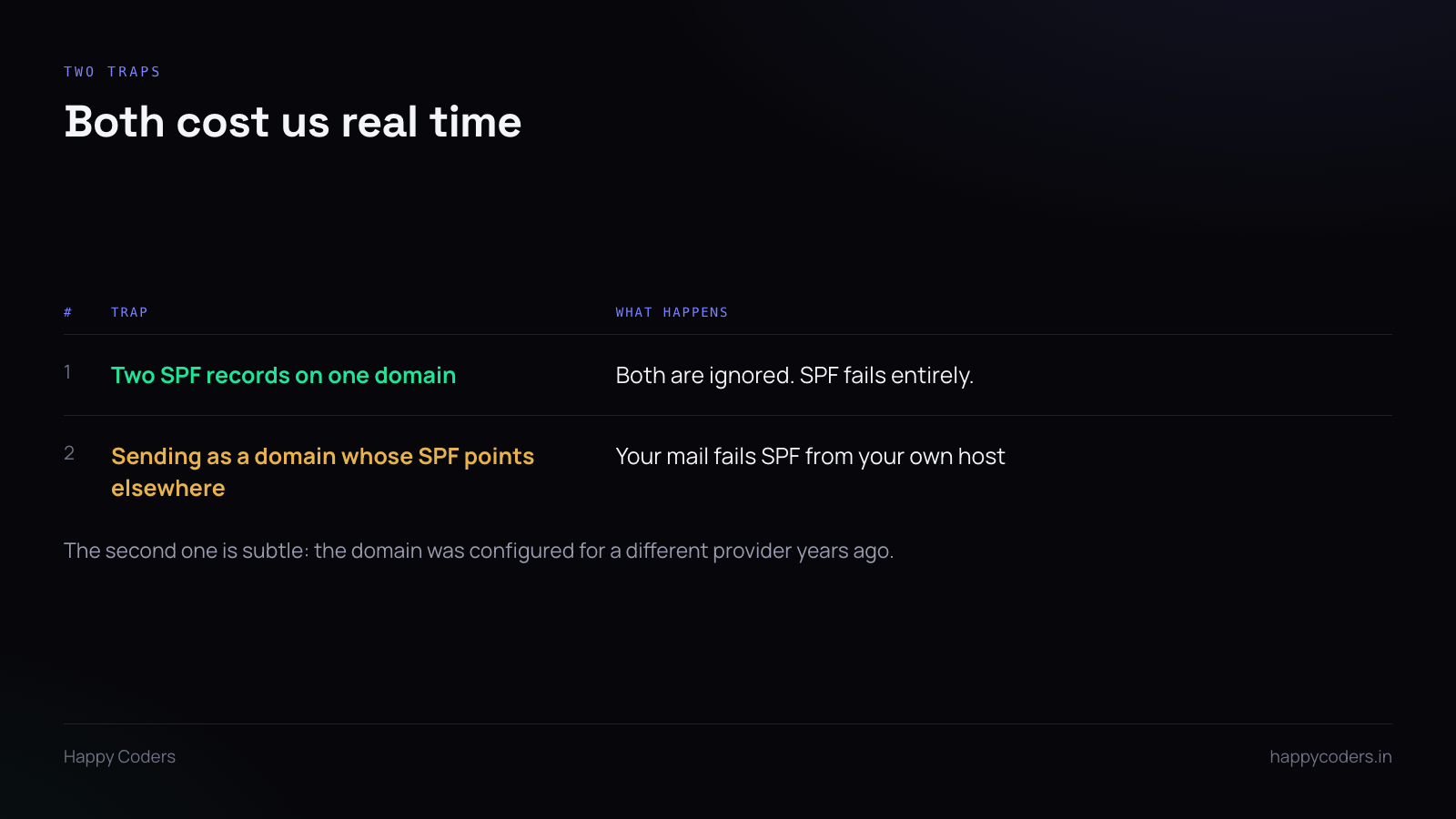
Two SPF records on one domain
Somebody adds a second TXT record for a new provider rather than editing the existing one. Both now exist.
The specification says a domain with multiple SPF records is a permanent error, so receivers ignore both. You have not weakened SPF, you have switched it off, and nothing in your sending logs changes.
One record. Multiple include: mechanisms inside it if you send from several providers.
Sending as a domain whose SPF points somewhere else
This one is subtle and very common in older setups.
A domain was configured years ago to send through one provider, and its SPF record says so. Later, an application on a different host starts sending as that same domain. SPF fails — correctly — because the sending server genuinely is not authorised.
The fix is to send as a domain whose SPF matches the host you are actually sending from, or to add that host to the record. We hit exactly this: one of our sites had to send as a different address entirely, because its own domain’s SPF pointed at a provider we were no longer using.
The From address matters more than the content
Send from a real address on your own domain. Not a free mail provider — noreply@yourcompany.com, not yourcompany@gmail.com. You cannot pass SPF or DKIM for a domain you do not control, and a transactional mail from a free address looks like what spammers send.
Make replies go somewhere. A no-reply sender is fine for a verification mail, but set a Reply-To that a person reads. Users reply to verification emails more often than you would expect.
Keep the From address stable. Reputation attaches to the sending domain over time. Switching addresses resets that.
Transactional mail is not marketing mail
Keep them on separate subdomains if you send both. A campaign that collects spam complaints will damage the reputation of whatever domain sent it, and you do not want that domain to be the one sending password resets.
Transactional mail should also look transactional. Plain, short, one link. A verification email with a header image, three calls to action and a tracking pixel is being filtered on its shape before anyone reads it.
Check that it arrives, not that it sent
Your logs say the SMTP server accepted the message. That is all they say.
Check the receiving end: send to a Gmail address and a Microsoft one and see which folder it lands in. Both are large enough that their behaviour predicts most of your users.
Then open the received message’s headers and read the authentication results line. It tells you plainly whether SPF, DKIM and DMARC passed. That one line is worth more than any amount of configuration review.
Watch the bounce mailbox
Whatever address you send from should have a real mailbox, and somebody should look in it occasionally.
Bounces tell you what the application cannot: that an address was mistyped at signup, that a domain does not exist, that a receiver is rejecting you outright. We found a user who had typed .vom instead of .com — every mail to them had been bouncing for weeks, and nothing in the product knew.
Log the failures at error level
A send that throws should be logged at error, not warning. Production log levels are frequently set to error only, and a mail failure logged at warning is a mail failure nobody will ever see.
We had exactly that: mail failures were invisible because they were logged one level below the threshold.