
Face Tracking Without Sending the Camera Anywhere
Face Tracking Without Sending the Camera Anywhere
An avatar that mirrors your expressions while you record is a privacy feature wearing a novelty costume. The useful property is not that the character is fun; it is that the recording contains a character instead of your face, and instead of your room, and instead of whoever walked past behind you.
That only holds if the camera frames genuinely do not go anywhere. Which is a design constraint, not a marketing line.
The pipeline
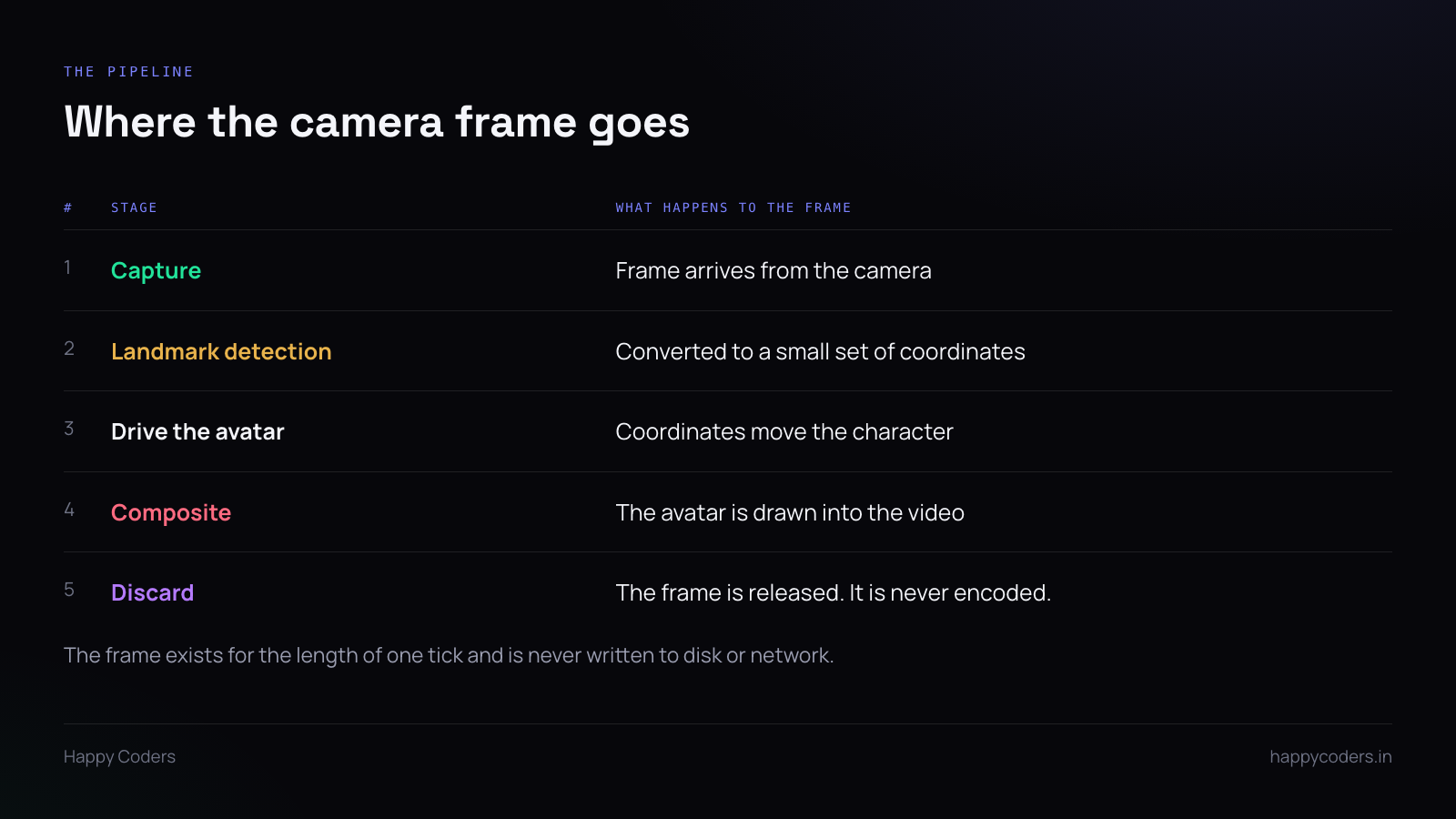
A frame arrives from the camera. A landmark detector reduces it to a small set of coordinates — eye positions, mouth openness, head rotation, maybe a few dozen numbers. Those numbers drive the avatar. The avatar is composited into the output video. The frame is released.
The important property is in the last step. The frame is an input to a calculation that produces numbers, and then it is gone. It is never passed to the encoder, never written to a temporary file, never held in a buffer that outlives the tick.
Once you state it that way, the privacy claim is a consequence of the architecture rather than a promise about behaviour. There is no code path by which the camera image could reach the file, because the encoder is never given it.
On-device means no network in the path
Every modern desktop platform ships a face-landmark detector that runs locally. On macOS it is part of the vision framework; the equivalents exist elsewhere. They are fast enough to run per frame on a laptop without a dedicated GPU.
The alternative — sending frames to a service for analysis — is how a lot of effects work, and it is the opposite of this. The moment detection happens remotely, the frames are leaving the machine whether or not they are stored at the other end.
So “runs on your machine” is checkable: there should be no network call in the detection path at all. Not an authenticated one, not a batched one, not a once-per-session model download that happens to carry a frame as a sample.
Three claims, three conditions
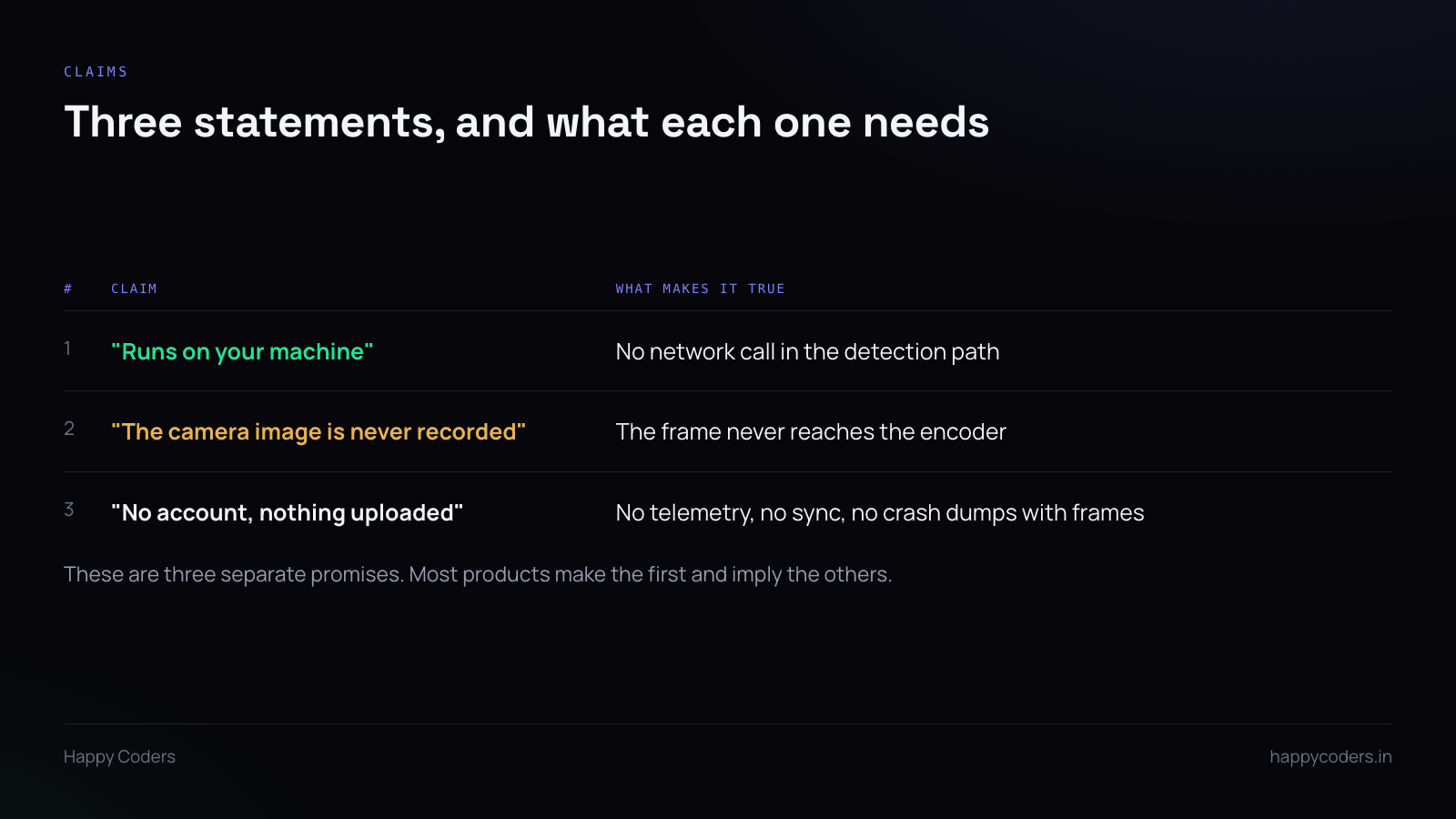
These get bundled together in marketing copy and they are genuinely separate.
“Face tracking runs on your machine.” True if detection is local. Says nothing about what happens to the frames afterwards.
“The camera image is never recorded.” True if the frame never reaches the encoder. This is the one users actually care about and it is the one least often stated, because it is the one that constrains the implementation.
“No account, nothing uploaded.” A claim about the whole application, not the tracking. It is undone by an analytics SDK, a crash reporter that captures a screenshot, or a cloud sync feature added two releases later by someone who did not know the claim existed.
That last point is the real risk. The architecture can be right and the claim can become false through an unrelated feature. Worth writing down somewhere a future contributor will see.
What the user should be able to see
A privacy property nobody can observe is indistinguishable from a marketing line. Two things make it visible.
The camera indicator. The operating system light is on, because the camera genuinely is in use. Do not try to hide that. A user who sees the light and knows the frames are discarded is better informed than one who sees no light and wonders.
A preview that matches the output. If the preview shows the avatar and the recording shows the avatar, the user has direct evidence of what is being captured. A preview that shows your real face while recording the avatar is technically fine and feels wrong.
The failure modes to guard
Crash reporting. A crash handler that captures the application window at the moment of failure will capture whatever was on screen, and in a video tool that can include a camera preview. Exclude the preview surface, or do not capture screens at all.
Temporary files. Any buffer written to disk for performance is a copy of the frame that now exists outside the pipeline. If frames are buffered, keep them in memory and make sure the buffer is cleared rather than just released.
The fallback path. When detection fails — bad lighting, no face found — some implementations fall back to showing the raw camera. That is a sensible default for a video call and a privacy breach here. The correct fallback is a still avatar, not a live face.
Why this is worth the constraint
The people who use an avatar are not doing it for fun. They are recording from a shared room, or a home with family in it, or a desk they do not want on a client’s screen. The alternative they would otherwise choose is turning the camera off entirely, which makes the recording worse.
Giving them a face on screen without their face on screen is only worth anything if the second half is actually true. Build it so that it is true by construction, and then the claim is a description rather than a commitment.




