
Two Knobs, Not One: How a Formant Preserving Pitch Shift Avoids the Chipmunk
Two Knobs, Not One: How a Formant Preserving Pitch Shift Avoids the Chipmunk
Speed a voice recording up and the pitch rises. Everybody knows this, and it is the first thing anyone tries when they want a voice to sound different. It also never works, because what rises with it is the singer, the speaker and the skull they came in — the result is unmistakably a recording being played too fast, not a different person talking.
The reason is that a human voice carries two independent pieces of information, and naive pitch shifting moves both when it should move one.
HappyRec ships a voice changer that converts a voice convincingly rather than comically. This is what the distinction is, why it is pure signal processing rather than a model, and the practical problems that show up once you put a formant preserving pitch shift into a live recording pipeline.
Pitch and formants are different things
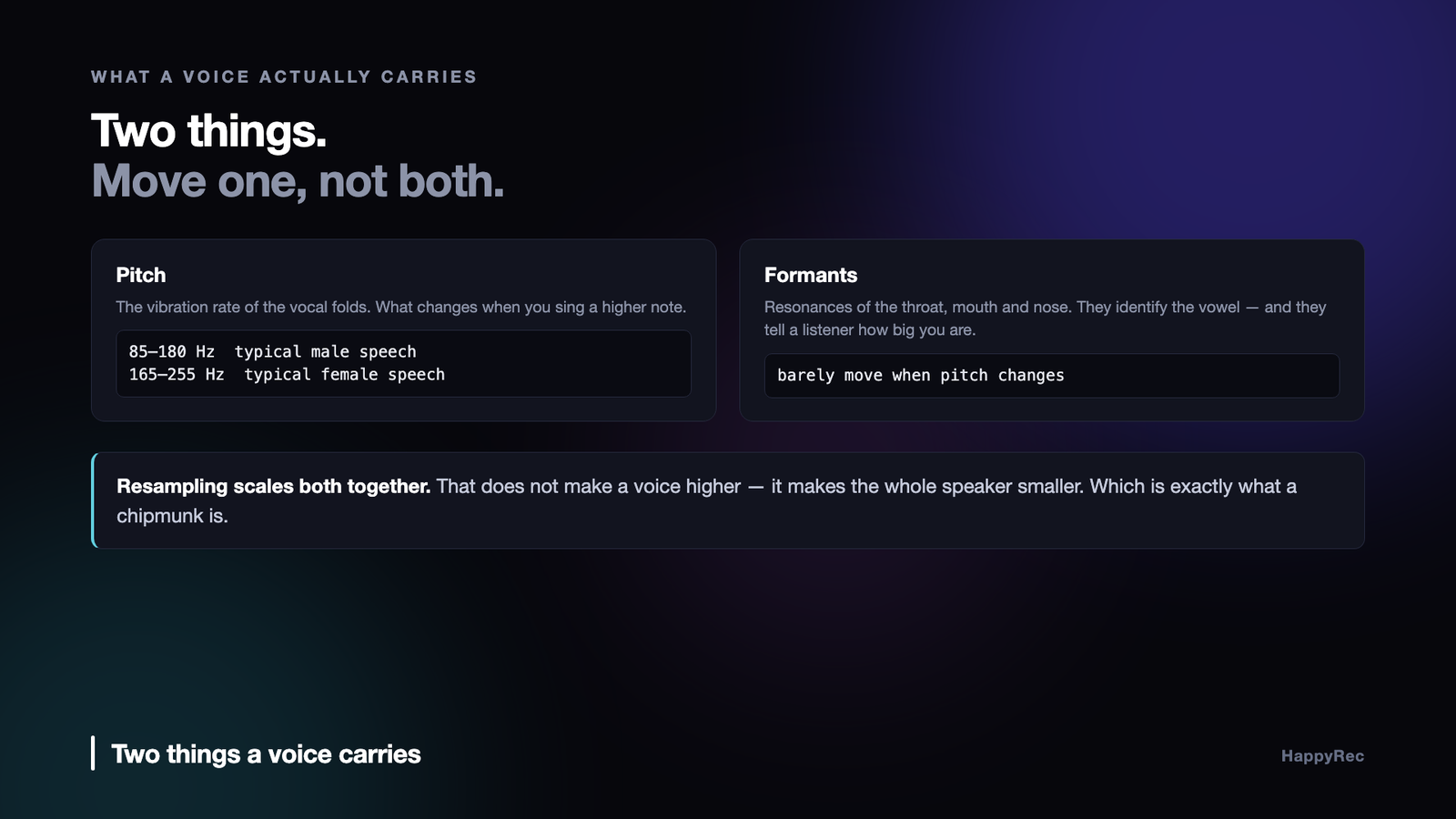
Pitch is the vibration rate of the vocal folds. It is what you change when you sing a higher note, and it is the obvious component — roughly 85–180 Hz for a typical adult male speaking voice, roughly 165–255 Hz for a typical adult female one.
Formants are resonances of the vocal tract: the throat, mouth and nasal cavity above the folds. They are a property of the physical size and shape of the cavity, and they barely move when you change note. Sing a scale and your pitch sweeps an octave while your formants sit still.
Formants are what identify a vowel. The difference between “ee” and “ah” is a difference in formant positions, not pitch — which is why you can hum a tune on one vowel, or whisper with no pitch at all and still be understood perfectly.
They are also, to a listener, the main cue for body size. A larger vocal tract puts formants lower. That is why a child and an adult saying the same word at the same pitch still sound like a child and an adult.
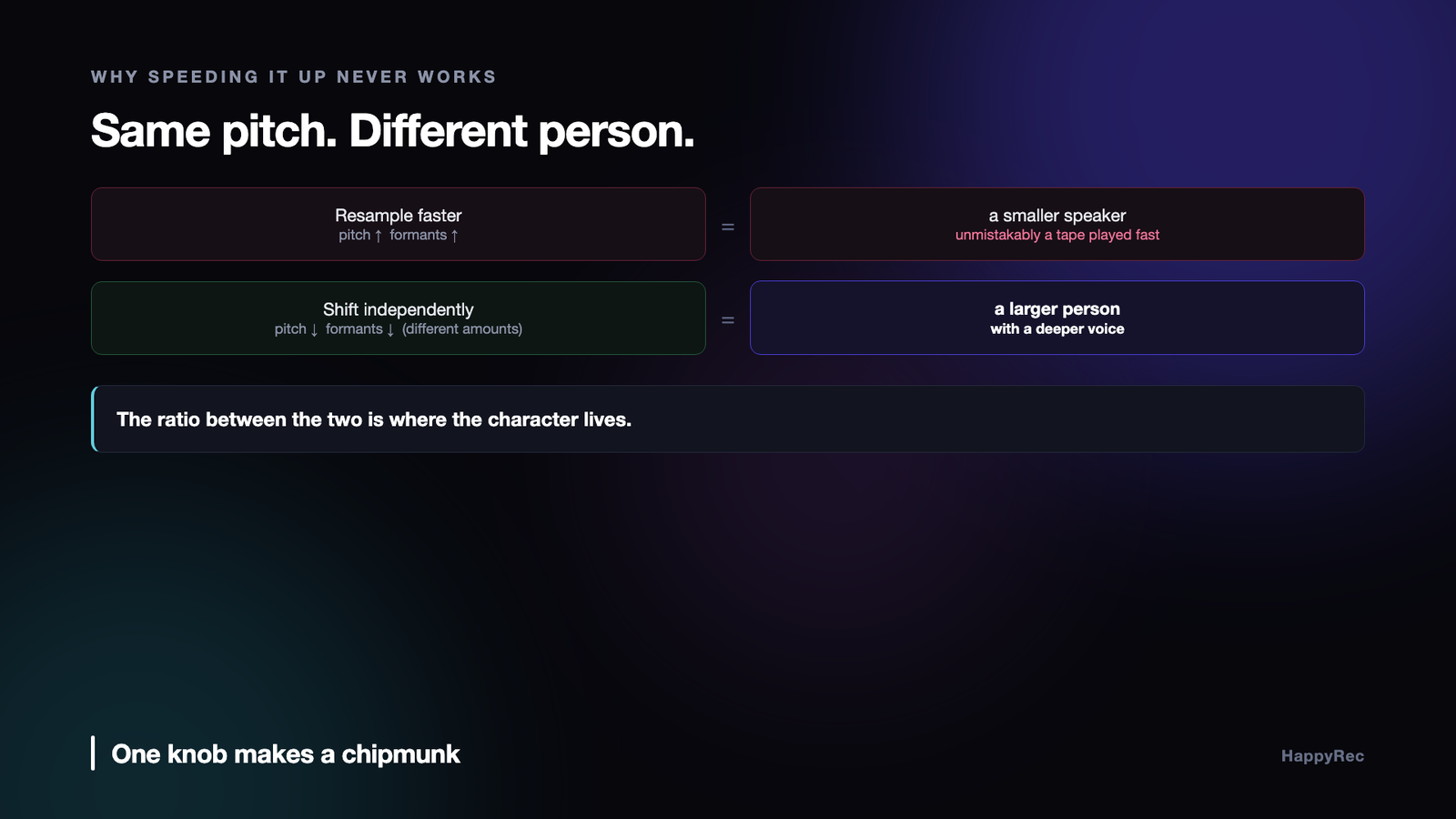
Now the failure of naive pitch shifting is obvious. Resampling scales pitch and formants together, so it does not make a voice higher — it makes the entire speaker smaller. Ten percent higher is a slightly odd version of you. An octave up is a cartoon chipmunk, and it is a chipmunk precisely because both components moved.
A convincing conversion moves them separately. Lower the pitch a little, lower the formants a little, and you get a larger person with a deeper voice — which is what a deeper voice actually is.
Two knobs, not one
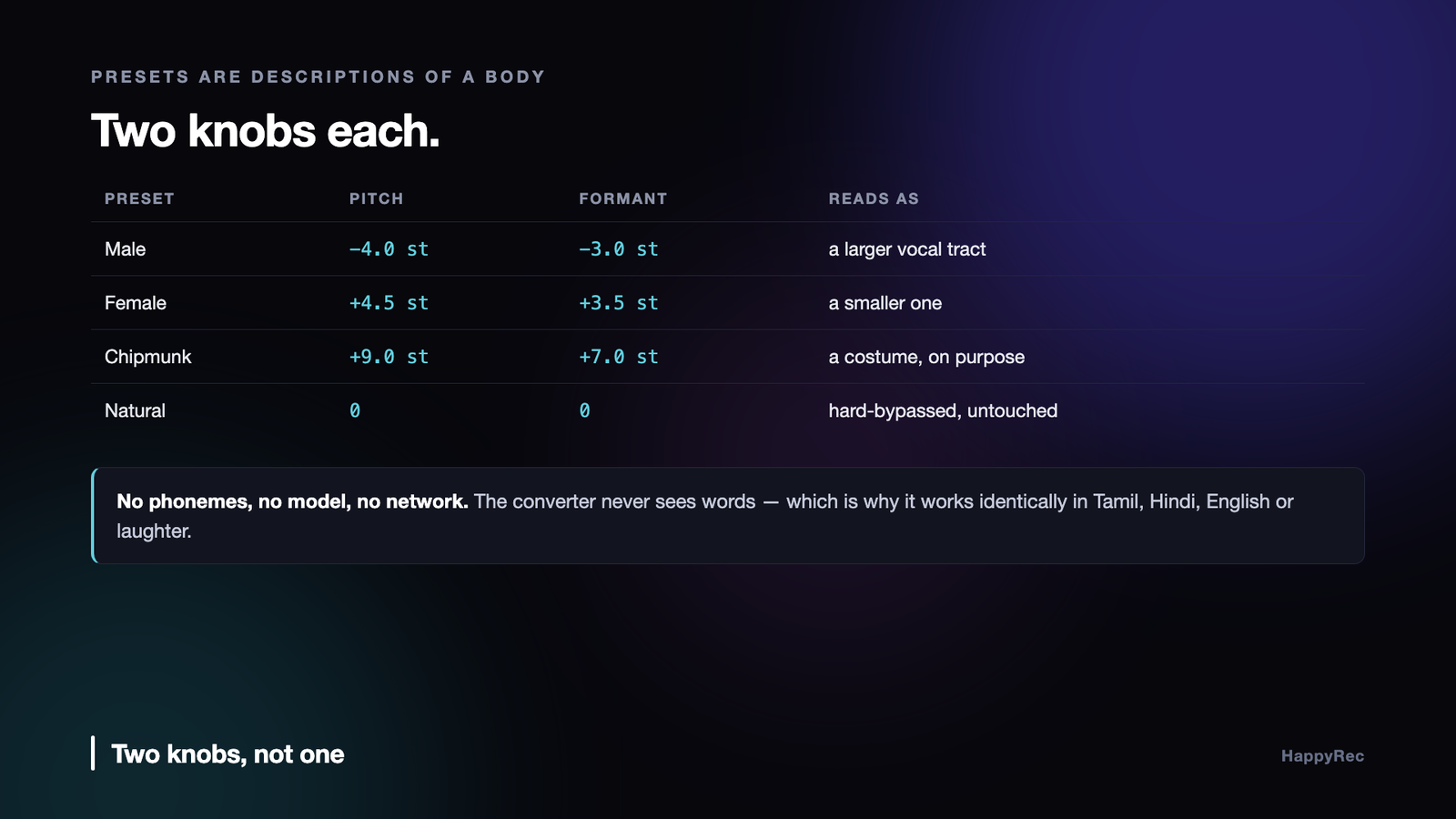
That is why HappyRec’s presets carry two independent shift values in semitones, not a single “pitch” slider.
The Male preset drops pitch by four semitones and formants by three. Female raises pitch by four and a half and formants by three and a half. Chipmunk deliberately pushes both hard — nine semitones of pitch, seven of formant — because chipmunk is a costume, not a conversion, and the point there is the caricature.
The ratio between the two is where the character lives. Move pitch alone and you get a helium effect. Move formants alone and you get a strangely resonant version of the same person. Move both, in a sensible ratio, and a listener simply accepts it as a different voice.
Under the hood the shifts are handed to a phase-vocoder-style processor, with one flag doing more work than it looks like:
_stretch.setTransposeSemitones(pitch);
// compensatePitch:false — the pitch shift above is what we want audible;
// the formant shift is deliberately independent of it.
_stretch.setFormantSemitones(formant, false);
Many libraries default to compensating the formant shift against the pitch shift, so that “preserve formants” means “hold them where they were”. That is the right default for pitch correction on a singer. It is the wrong one here, because independent control of both axes is the entire feature.
Shift pitch without changing duration
The processor underneath is a time-stretching engine, which is the standard way to do high-quality pitch work: stretch in time, then resample back, and the pitch moves while the duration returns to where it started.
For a live microphone, only one configuration is acceptable — equal input and output sample counts:
// Equal input/output sample counts: pitch/formant shifting only, no time
// stretching — the mic pipeline has to stay sample-rate locked.
_stretch.process(inputs, frames, outputs, frames);
Any other ratio and the audio drifts against the video for the length of the recording. In an offline editor a time stretch is a feature. In a live pipeline it is an accumulating sync error.
The engine also runs mono. Speech has no meaningful stereo information — a built-in microphone or a headset boom produces one channel of content — so the microphone signal is downmixed before conversion, converted once instead of twice, and the stereo width the effect chain needs is created afterwards. Half the CPU for no audible difference.
Quality settings matter more than they usually do on speech. A cheaper preset trades transient accuracy for CPU, and on speech that trade is audible immediately: consonants smear, and “t” and “k” lose their edge. Speech is mostly transients. It is the wrong place to economise, especially in an app whose entire job is recording somebody talking.
Why it works in every language
This is the property that surprises people, and it follows directly from the mechanism.
The converter never sees words. It sees a waveform, estimates spectral structure, and moves two parameters. It has no notion of phonemes, no vocabulary, no language model and no training data. There is nothing in it that could work better on one language than another.
So the quality of the conversion is identical in English, Tamil, Hindi, Telugu, Malayalam, Spanish, German or anything else a person can say into a microphone. It also handles laughter, singing and coughing, because those are signals too.
An ML voice conversion model trained mostly on English will handle English best. It will do noticeably worse on a language it saw less of, and worse again on a Tamil-English code-switch mid-sentence — which for a very large number of speakers is simply how they talk.
Pure DSP has a ceiling: it will not turn one person into a specific other person the way a trained model can. What it gives instead is uniformity, no inference cost, no network round trip, no audio leaving the machine, and a latency budget small enough to monitor live. For a recorder, that is the better trade in every direction.
The problems that only appear live
A converter that sounds perfect offline still has to survive being inside a recording pipeline.
It has latency, and it must be corrected. A block processor delays its output by a fixed, known amount — input latency plus output latency. Uncorrected, the voice track lands consistently late against the video. The fix is to move the timestamp rather than the audio: take the tap’s host time and subtract the converter’s round-trip delay before handing the buffer downstream.
The latency must not change. This one cost a real bug. If the converter is bypassed at zero shift and inserted when a preset is chosen, its latency jumps from zero to non-zero the instant the user switches preset mid-recording — so the corrected timestamps jump backwards. AAC encoders require strictly increasing timestamps and reject the track outright. The result was a recording with no voice at all.
The answer is to stop the latency from ever moving. If the voice changer is enabled when the microphone starts, the converter stays permanently in the signal path, even at zero shift:
/// Keeps the converter permanently in-line even at zero pitch/formant, so switching presets mid-recording never changes latencySeconds.
A constant delay you compensate for is far better than a delay that changes underneath you.
Pitching down costs level. Downward conversions measurably lose energy in the overlap-add process, and built-in Mac microphones already record on the quiet side. So the pipeline applies makeup gain — but a flat multiply hard-clips loud syllables, which is audible as flat-topped distortion rather than as loudness. Anything above a soft knee is compressed toward full scale with a smooth curve instead:
let over = (magnitude – knee) / (1 – knee)
return sign * (knee + (1 – knee) * tanh(over))
Below the knee the audio is untouched. Only the peaks that would have clipped get shaped.
Bypass must be real. When the voice changer is off, every unit is hard-bypassed rather than set to a neutral value, so a normal voice is recorded completely untouched. “Neutral” settings still cost a conversion and still add colour. Off should mean absent.
Choosing a window size
Every phase-vocoder implementation asks you for an analysis window, and the number you choose is the whole quality of the result.
Short windows follow transients well — consonants stay crisp, a hand clap still sounds like a hand clap — and they smear pitch, because there are not enough samples to resolve a low fundamental. Long windows resolve pitch beautifully and turn every transient into a soft blur, which on speech sounds like the speaker developed a lisp.
For voice, the useful range is narrower than for music, because the fundamental sits between roughly eighty and three hundred hertz and the consonants that carry intelligibility are short. Somewhere around forty to sixty milliseconds of analysis, with a heavy overlap, is where speech survives both requirements. Below that the pitch wobbles; above it the words soften.
The mistake we made first was tuning this on singing, which is far more forgiving, and shipping a value that made ordinary speech sound slightly drunk.
What it costs, and where
Formant-preserving pitch shifting is not free, and where the cost lands determines whether you can do it live or only on export.
The transform and its inverse dominate, and both scale with the window size and the overlap. Doubling the overlap roughly doubles the work while noticeably improving quality, which makes it the most tempting and most dangerous knob in the whole system.
On a modern machine a single voice track shifts comfortably in real time with room to spare. Four tracks with independent shifts do not, and the failure is not a slowdown — it is a dropout, because the audio thread missed a deadline and the buffer went out empty. That is the difference between this and almost any other kind of processing: being slightly too slow is not slightly worse, it is a hole in the recording.
The design that survives is to do the live shift on the monitoring path only, at a lower quality setting, and to run the full-quality version offline when the file is exported. The person hears roughly what they will get; the file gets the good one.
When not to preserve formants
The whole point of separating the two is that you can now choose, and there are cases where the right choice is to leave them coupled.
If the effect you want is deliberately unnatural — a character voice, a robot, a comedy chipmunk — then moving the formants with the pitch is exactly right, and preserving them will make the result sound oddly human in a way that undercuts the joke.
If you are correcting a recording that was made at the wrong sample rate, the entire signal has been shifted uniformly, and undoing that means shifting both back together. Preserving formants there would fix the pitch and leave the timbre wrong.
And if the shift is very small — a semitone or less, the kind used to nudge a take into tune — the formant movement is below the threshold where anybody notices, and the processing artefacts from preserving them are above it. Doing less is genuinely better.
Latency, and why it decides the interface
A phase vocoder needs a full analysis window before it can produce anything, which means the shift has an unavoidable delay of at least one window plus the overlap. At the settings that make speech sound right, that is somewhere between fifty and a hundred milliseconds.
That number is small enough to ignore for playback and far too large for live monitoring through headphones while speaking. A person hearing their own voice back a tenth of a second late will stumble over their words within a sentence — it is a well-documented effect and it is severe.
So the shift cannot sit in the monitoring path at all. What the person hears while recording is the unprocessed signal; the shift is applied to what is written, or applied on playback. This is not a limitation to be engineered around, it is a design constraint that decides where the feature lives in the interface: an effect you apply and audition, not a knob you turn while performing.
Judging quality without a laboratory
Pitch shifting is one of those areas where the numbers are easy to compute and correlate poorly with whether it sounds acceptable. A test that measures how accurately the fundamental moved tells you almost nothing about whether a person would use the result.
Three practical checks caught more problems for us than any metric.
- Speech with plosives. Record a sentence full of p and b sounds. Transient smearing is inaudible on sustained vowels and immediately obvious here.
- Two voices, one recording. Shift a clip with two speakers. Artefacts that hide inside a single voice become obvious when the ear has something to compare against.
- Shift down, then back up. Take a clip down four semitones and back up four, then listen against the original. Everything the process loses is now applied twice, which makes it audible at settings where a single pass sounded clean.
The third is the one we would recommend most. It turns a subtle quality question into an obvious one, and it takes ten seconds.
What we would do differently
Two things. We would expose the formant control to the user earlier rather than treating it as an internal detail — people who record voices understand the difference between pitch and timbre far better than we assumed, and the ones who do not are not harmed by a second slider they leave alone.
And we would build the offline path first. We started with live processing because it demonstrated well, then spent longer than we should have discovering that the settings which sound good live are not the settings that make a good file. Building the file path first, then reducing quality to fit the live budget, would have got us to the same place with less rework.
The checklist
- Treat pitch and formants as two controls. One slider produces chipmunks.
- Turn off pitch compensation on the formant shift if you want independent character, rather than pitch correction.
- Keep input and output sample counts equal. Any stretch is drift in a live pipeline.
- Convert in mono. Speech has no stereo content; widen afterwards.
- Do not economise on transients. Speech is mostly consonants and they smear first.
- Compensate the converter’s latency by shifting timestamps, not audio.
- Never let latency change mid-stream. Keep the converter in-line even at zero shift.
- Add makeup gain with a soft limiter. Downward shifts lose level; a flat multiply clips.
- Hard-bypass when disabled, so an unmodified voice is genuinely unmodified.
The broader point is that “voice changer” sounds like a toy and is really a small applied acoustics problem. Once you separate the two things a voice is carrying, the presets stop being arbitrary numbers and become descriptions of a body: a larger person, a smaller one, the same person in a different room. That framing is what gets you a conversion a listener accepts instead of one they laugh at — which, unless you were going for the chipmunk, is the whole job.
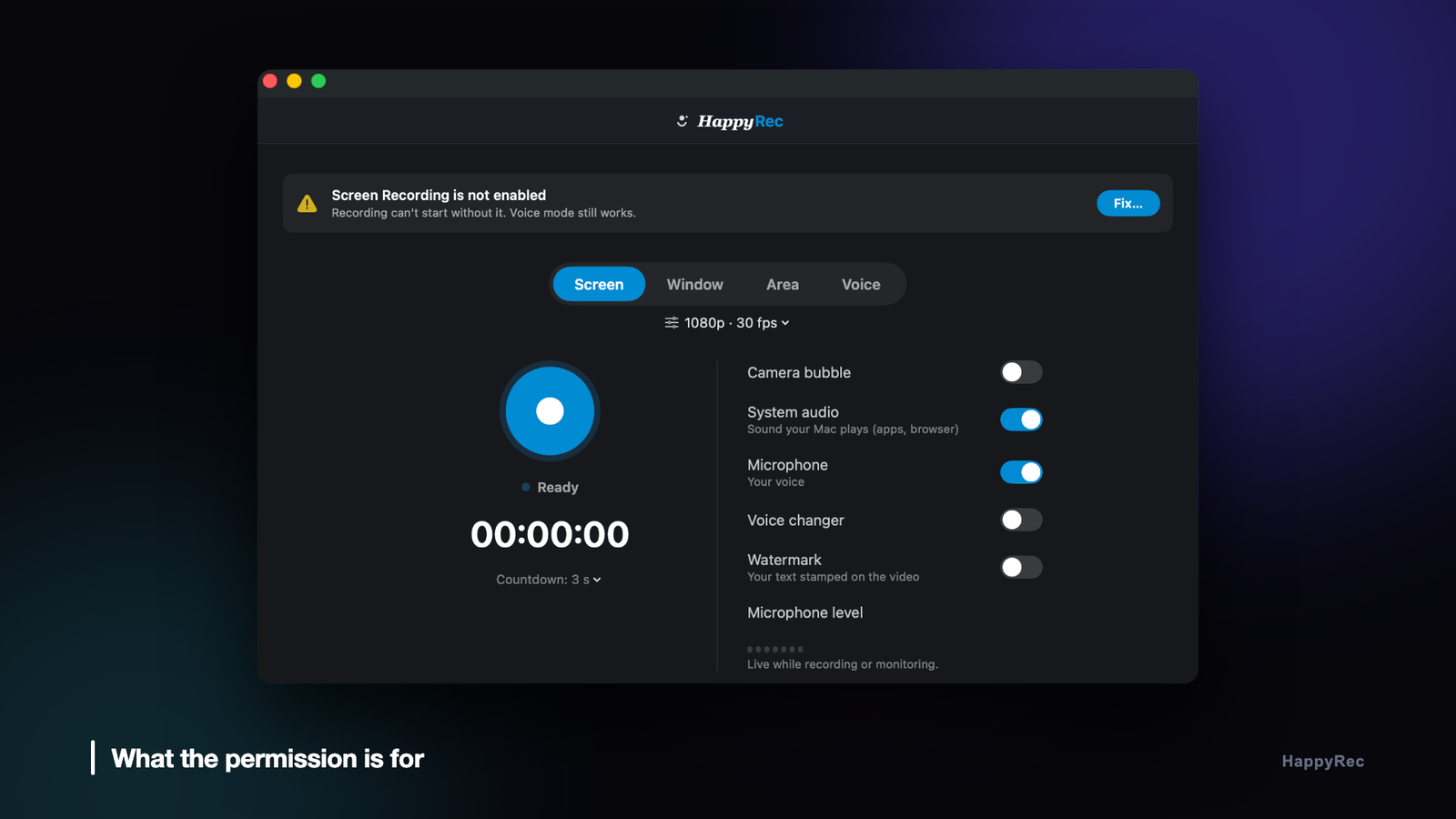
HappyRec’s voice changer is pure DSP — Signalsmith Stretch, formant-preserving, no model and nothing sent off the machine — and it works the same in every language. It is on the Mac App Store, and at happyrec.happycoders.in.




