
Hardware Encoding: When It Helps and When It Hurts
Hardware Encoding: When It Helps and When It Hurts
Every modern Mac has a dedicated video encoder in silicon. Apple’s VideoToolbox will use it, and it is dramatically faster than encoding on the CPU.
It is not free, though, and the trade is worth understanding before you pick a default.
The trade
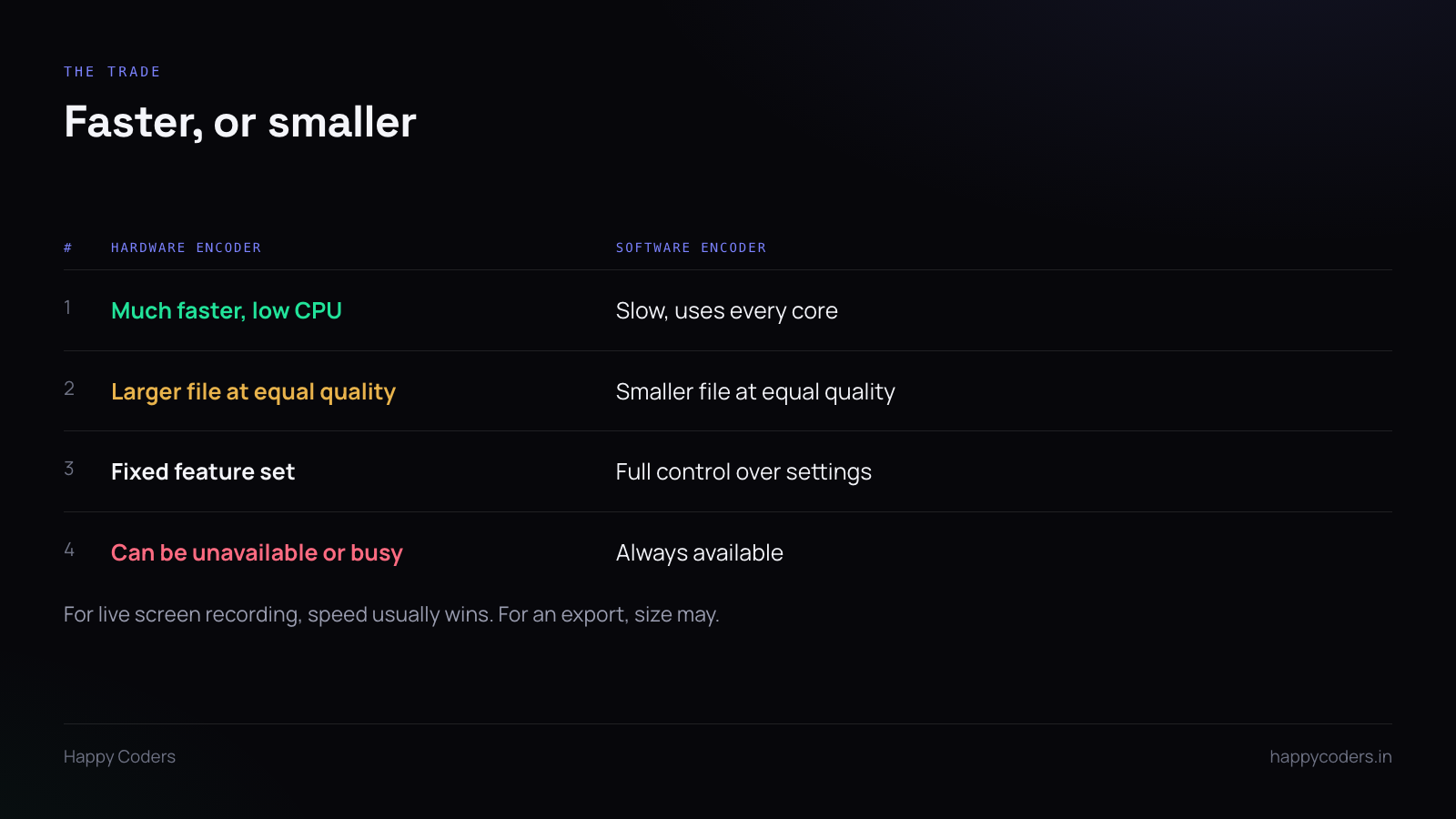
Hardware is much faster and barely touches the CPU. For live recording that is close to decisive: the recorder is supposed to stay out of the way of whatever the user is actually doing, and a software encoder using every core does the opposite.
Software produces a smaller file at the same visual quality. Hardware encoders make fixed trade-offs in silicon; a software encoder can spend more time searching for a better encoding. At matched quality, expect a meaningfully larger file from hardware.
Software gives you every setting. Hardware exposes a limited set. If you need a specific rate control behaviour or an unusual profile, hardware may simply not offer it.
Hardware can be unavailable. Older machines, virtual machines, or a GPU already busy with something else. Always have the software path as a fallback, and detect rather than assume.
What to default to
Hardware, for live screen recording.
The user is recording while doing something else. Keeping the machine responsive matters more than a smaller file, and a recording that stutters because the CPU was saturated is worse than one that is thirty percent larger.
Offer software as an option for people who care about file size, and use it for any post-recording export where speed does not matter.
Screen content is not camera footage
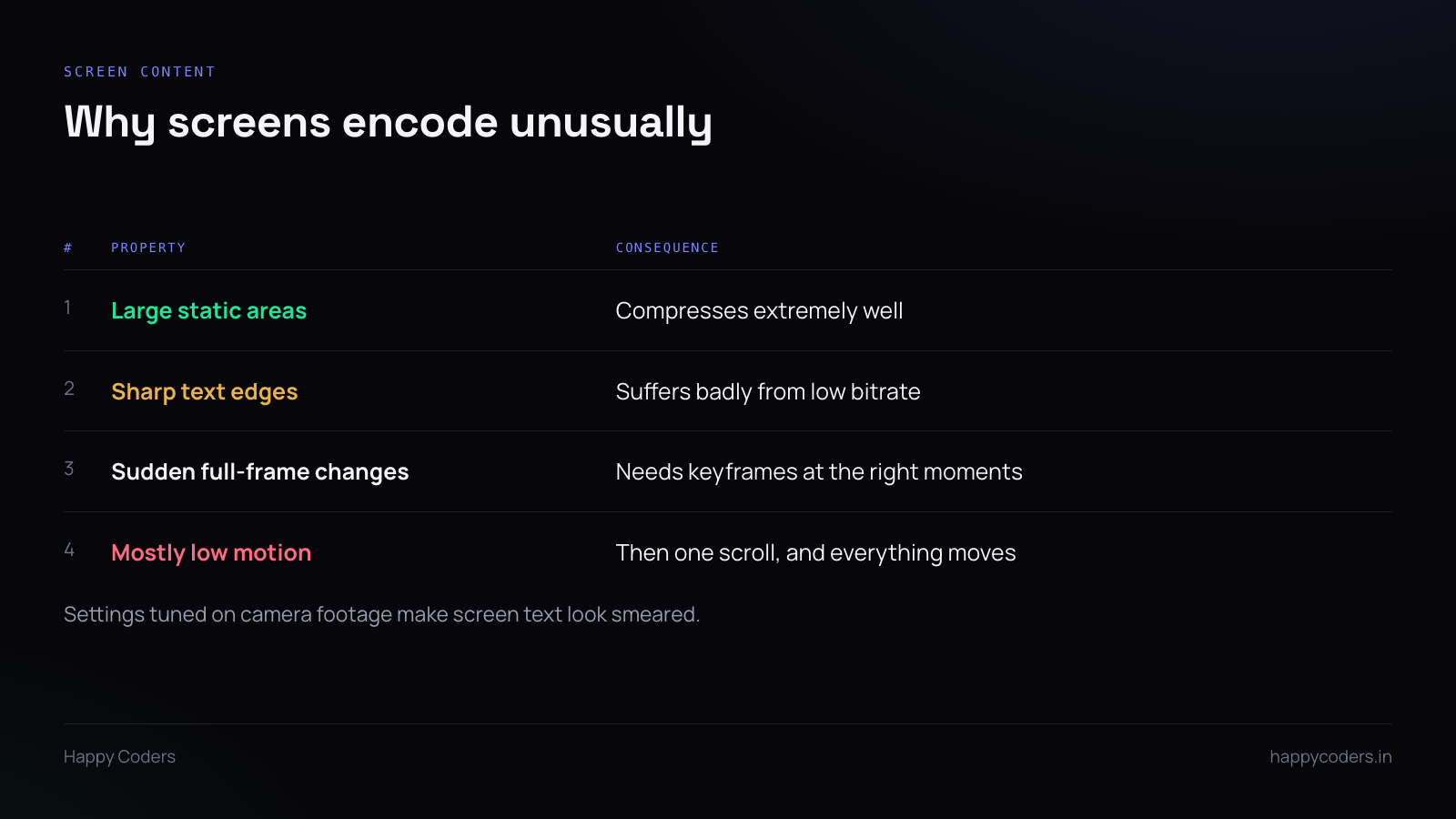
Most encoder defaults were tuned on video of the real world. Screen recordings behave differently.
Large static areas. A code editor sitting still is almost entirely unchanged between frames, and compresses to nearly nothing. This is why a ten-minute screen recording can be smaller than a one-minute camera clip.
Sharp text edges. This is the one that hurts. Compression artifacts that are invisible on a face are very visible around text, and under-bitrate text goes soft and smeared — exactly the content the user is recording to show somebody.
Test your settings by reading the output at full size. Not by looking at a chart of the file size.
Sudden full-frame changes. Switching windows changes everything at once. Scrolling moves everything at once. The encoder needs keyframes near those moments or the next few frames look broken.
Mostly low motion, then not. Long still periods punctuated by a scroll. Rate control tuned for steady motion handles this badly — it either wastes bits on the still parts or starves the moving ones.
Resolution, and Retina
A Retina display records at the full backing resolution, which is four times the pixels of the logical size. That is a lot of data for content that is mostly static text.
Recording at the logical resolution rather than the physical one halves each dimension and cuts the pixel count by four, and for a tutorial that will be watched in a browser window, nobody can tell.
Offer the full resolution for people who need it. Do not make it the default — most users want a file they can send to someone.
Frame rate
Thirty is plenty for screen content. Sixty doubles the data for a difference most viewers cannot see on a scrolling document.
The exception is anything with real motion — a demo of an animation, a game. Make it a setting, default it to thirty.
Measure the right thing
Three numbers decide whether the settings are right: CPU usage during recording, file size per minute, and how the text looks at full size.
The third one needs a human. Record a real screen with real text, play it back at full size, and read it. If the text is soft, no amount of favourable file size makes the settings correct.
Keep the choice simple
Users do not want an encoder menu. Two or three named presets — something like a default, a smaller-file option and a highest-quality option — with one line each saying what they are for.
Put the actual codec, bitrate and encoder choice behind those names. The person recording a five-minute handover video does not want to learn about rate control, and should not have to.




