
Keeping the Interface Responsive While Encoding Video
Keeping the Interface Responsive While Encoding Video
Screen recording is a pipeline: capture a frame, encode it, write it. Encoding is the expensive part, and on a busy machine it will use whatever CPU you give it.
If any of that runs on the thread that draws your interface, the window freezes during recording — which is the one moment the user is paying attention to it.
One job per thread
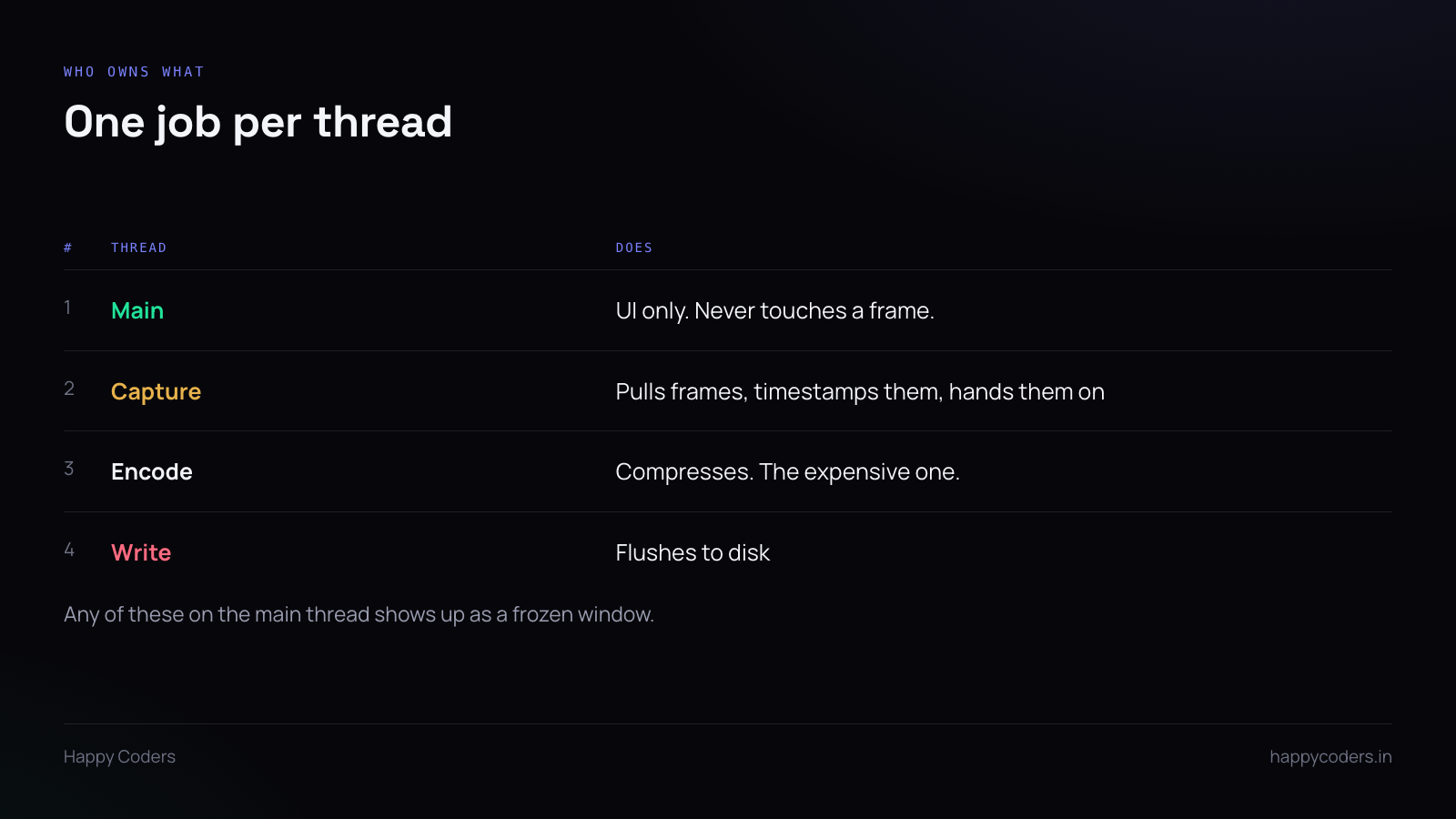
Main thread: interface only. It should never see a frame buffer. The recording controls, the timer, the preview — that is all it does.
Capture thread pulls frames at the target rate, timestamps them, and hands them on. It should be doing almost nothing else, because falling behind here means missing frames at the source, which cannot be recovered later.
Encode thread compresses. This is where the time goes.
Write thread flushes to disk. Usually not the bottleneck, but disk writes can block unexpectedly — an external drive spinning up, a network volume — and you do not want that stalling the encoder.
Backpressure
At some point the encoder cannot keep up. Something else is using the CPU, the user maximised a video, the machine is thermally throttling.
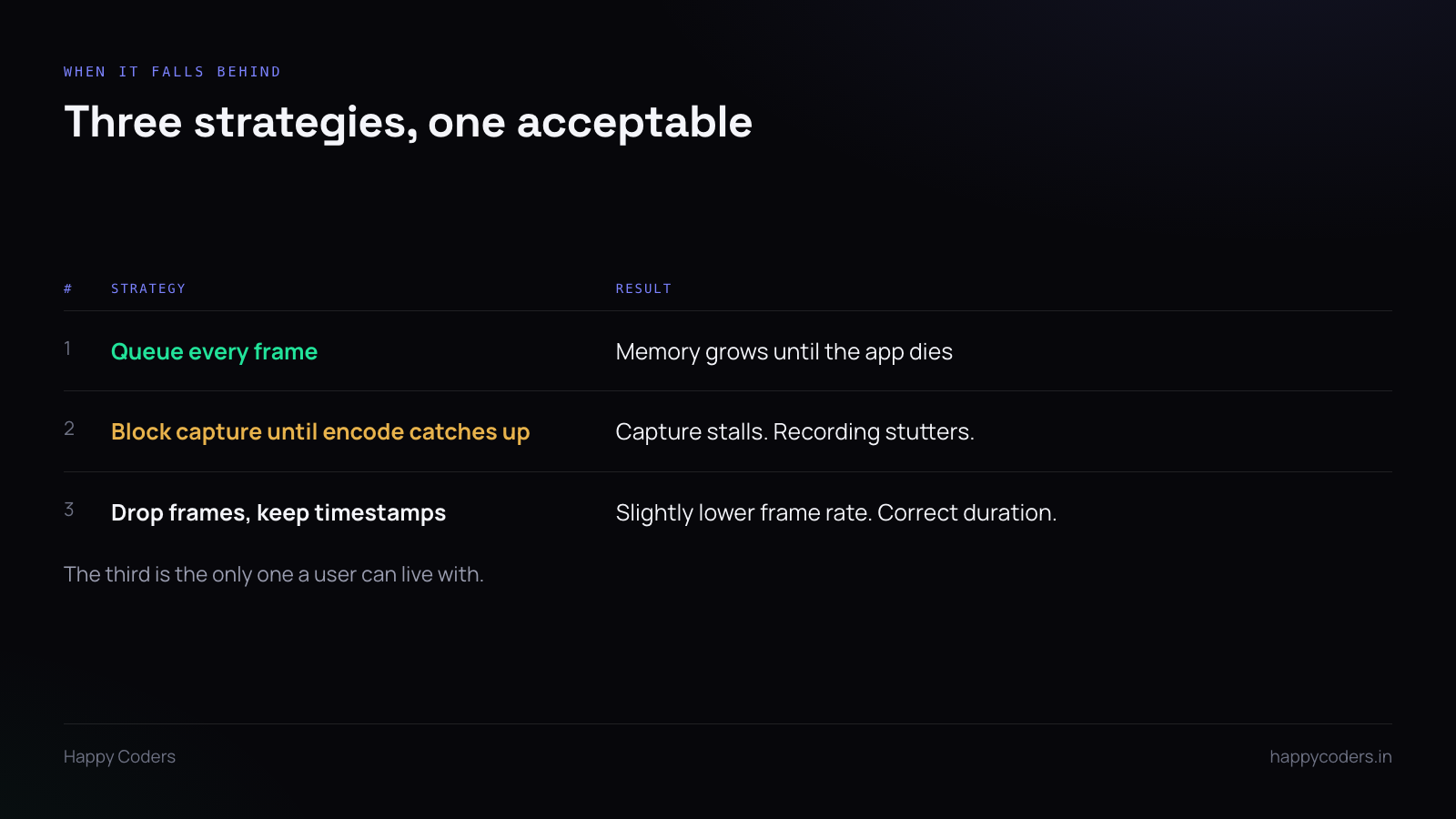
Three things you can do, and only one of them is acceptable.
Queue every frame. Memory climbs steadily. A few seconds of uncompressed frames at a high resolution is already hundreds of megabytes, and the app eventually dies — usually ten minutes into a recording the user cared about.
Block capture. No memory growth, but the recording visibly stutters, and the stutter is permanent in the output.
Drop frames and keep the timestamps. When the queue is beyond a limit, discard the newest frame and move on. The output has a slightly lower frame rate for that period, and — this is the part that matters — the duration and audio sync stay correct, because the surviving frames carry their real timestamps.
Users do not notice 28 frames per second instead of 30. They notice a crash, and they notice audio drifting away from the picture.
Set a bounded queue, drop on overflow, count the drops. If the count is high on ordinary hardware, the settings are too ambitious.
Audio is the one you cannot drop
Video frames can be dropped; audio samples cannot. A gap in audio is audible and obvious, where a dropped frame is not.
So audio gets priority, and it is also what keeps the timeline honest. Audio runs at a fixed sample rate with no variation, which makes it the reliable clock. Line video up against audio timestamps rather than counting frames and assuming they are evenly spaced.
Preview without a second encode
The preview should show captured frames directly, downscaled, not encoded output.
Encoding a second stream just for the preview doubles the expensive work to display something the user glances at. Take the frame the capture thread already has, scale it down, draw it.
And drop preview frames freely. The preview is a reassurance that recording is working, not a deliverable. Thirty frames a second in a thumbnail is wasted work; ten is plenty.
The recorder is not the only app running
A screen recorder exists so the user can do something else while it runs. If the recorder uses every available core, the thing being recorded becomes slow — and the recording shows it.
Leave headroom. Lower the thread priority of encoding below the interface. The user would rather the recorded application stayed smooth than have an extra two frames per second in the file.
Show it is working
An elapsed timer that moves, a file size that grows, a visible indicator that recording is live.
A frozen timer is how the user concludes the recorder has crashed, and their response is to stop and start again, losing what they had. That timer is driven from the main thread, which is the strongest practical reason to keep it free of everything else.
Test on the slow machine
Development happens on fast hardware with nothing else running. Users record on a four-year-old laptop with a browser full of tabs, a video call, and an IDE.
Record on the oldest machine available, with real load, for the length of a real recording. The problems in this pipeline are all about time and pressure, and a thirty-second test on a fast machine finds none of them.




