
Mixing Microphone and System Audio Into One Track
Mixing Microphone and System Audio Into One Track
A tutorial recording needs two sound sources: the narrator, and whatever the application is playing. Capturing either alone is straightforward. Capturing both, into one track, in sync, without the microphone picking up the speakers, is where most of the work is.
Why system audio is harder than the microphone
A microphone is an input device and every operating system hands it to you. System audio is an output, and reading an output is historically what malware does, so the platforms have never made it easy.
On macOS, ScreenCaptureKit made it possible without a kernel extension from Ventura onwards, and that changed what a recorder has to ship:
let config = SCStreamConfiguration()
config.capturesAudio = true
config.excludesCurrentProcessAudio = true   // do not record your own sounds
config.sampleRate = 48_000
config.channelCount = 2
excludesCurrentProcessAudio prevents a loop where your own notification sounds end up in the recording. It is one line and the bug it prevents is confusing enough to be worth knowing about.
Before Ventura the only route was a virtual audio device the user had to install, which is why older tools asked you to install something and newer ones do not.
Two streams, two clocks
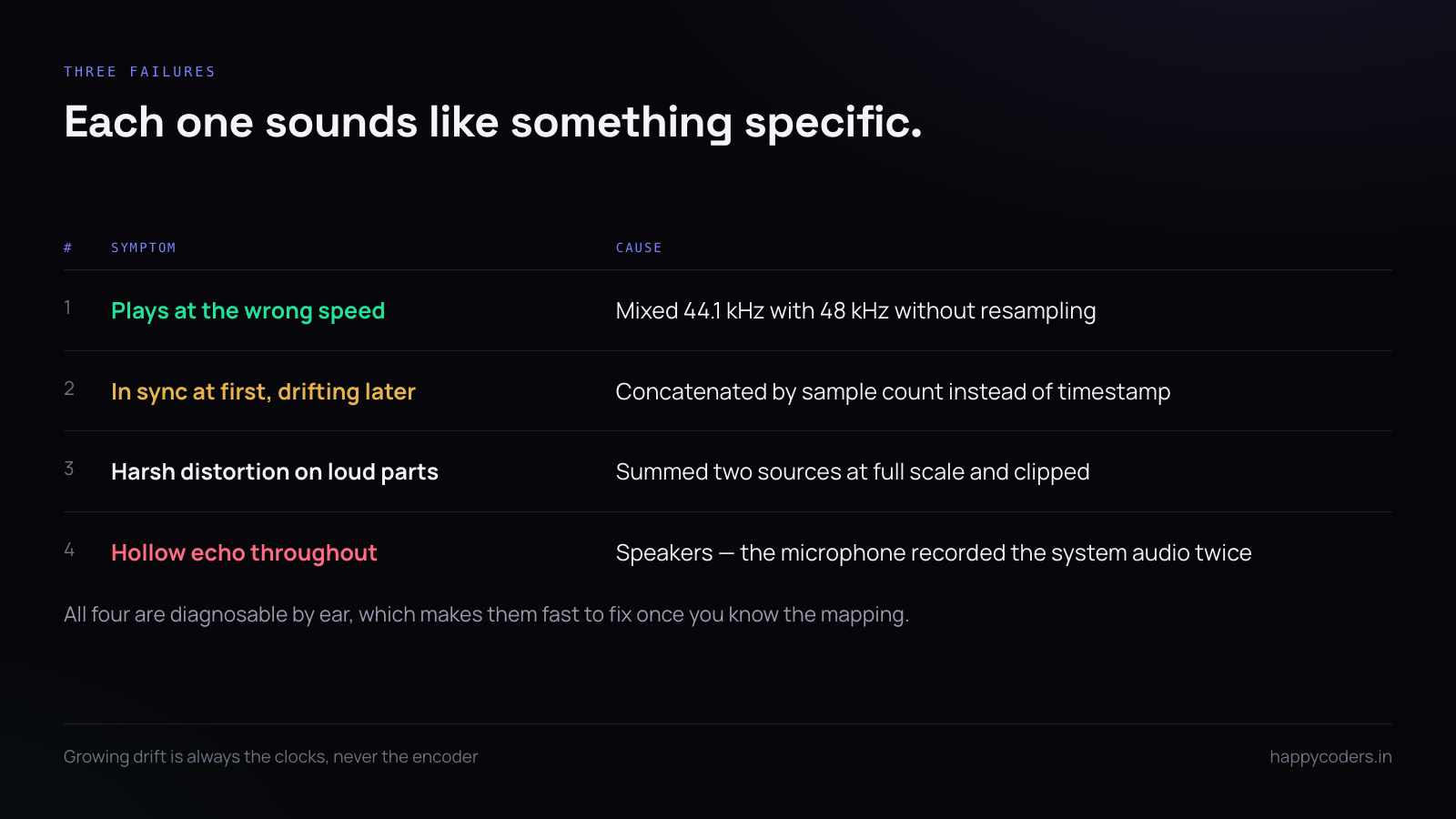
The microphone and the system output are separate devices with separate clocks, and the clocks drift. Ten minutes in, a naive mix is audibly out — the narration lands slightly before or after what it describes.
Do not concatenate samples assuming they arrive at the rate they claim. Use each buffer’s presentation timestamp and mix on a shared timeline:
func mix(_ mic: AVAudioPCMBuffer, _ sys: AVAudioPCMBuffer, at t: AVAudioTime) {
    // both buffers are positioned by t, not by accumulated sample count
}
The symptom of getting this wrong is specific and recognisable: perfect sync for the first minute, growing drift afterwards, worse on longer recordings. If somebody reports that, it is the clocks, not the encoder.
Resample before you mix
A microphone at 44.1 kHz and system audio at 48 kHz cannot be added together. Mixing them without conversion produces something that plays at the wrong speed, which people describe as “chipmunk” and which is always this.
let converter = AVAudioConverter(from: micFormat, to: mixFormat)!
converter.convert(to: out, error: &err) { _, status in
    status.pointee = .haveData
    return micBuffer
}
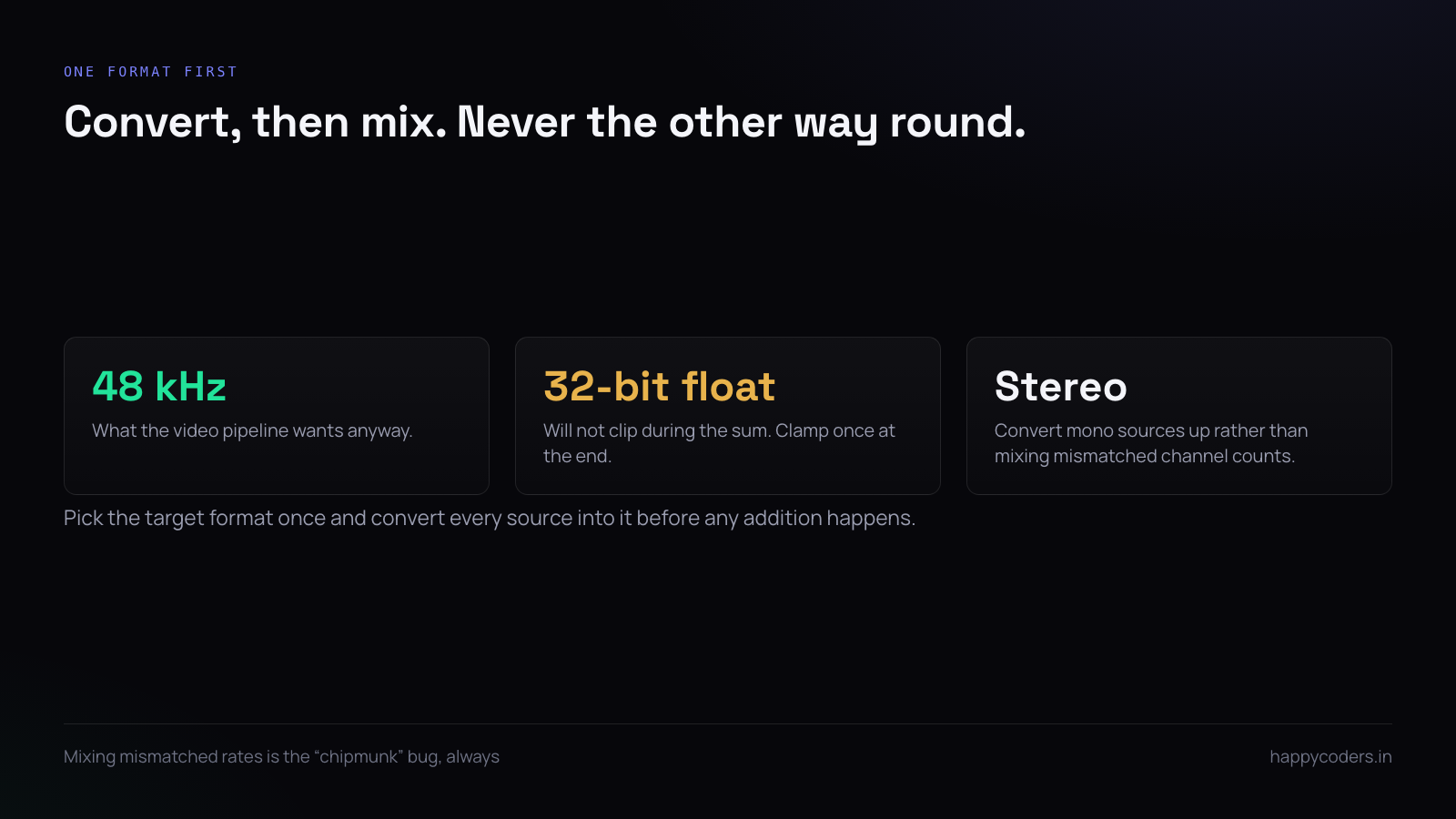
Pick one target format and convert everything into it. 48 kHz, 32-bit float, stereo is a sensible mixing format — float because it will not clip during the sum, and 48 kHz because that is what the video pipeline wants anyway.
The actual mix is addition, and it clips
Mixing is adding samples. Two sources at full scale sum to twice full scale, which clips to a harsh distortion that no amount of later processing removes:
// naive — clips
out[i] = mic[i] + sys[i]

// with headroom
out[i] = (mic[i] * micGain) + (sys[i] * sysGain)   // e.g. 0.8 and 0.6
Fixed gains are the honest answer for a recorder. Narration should sit above system audio — a common starting point is the microphone at around 0.8 and system audio at 0.5 to 0.6, with both exposed as sliders, because the right balance depends on the room and the content.
Resist automatic gain control unless you are confident. AGC that lifts the system audio while the narrator is silent is exactly wrong for a tutorial.
Two tracks is often better than one
If the recording will be edited, write the microphone and the system audio as separate tracks in the same file. The editor can then balance them afterwards, and a narration mistake can be fixed without touching the demonstration audio.
let micInput = AVAssetWriterInput(mediaType: .audio, outputSettings: settings)
let sysInput = AVAssetWriterInput(mediaType: .audio, outputSettings: settings)
writer.add(micInput); writer.add(sysInput)
The trade is that many players and most upload targets only read the first audio track, so a two-track file silently loses the system audio when shared directly. Offer both and default to mixed, because most recordings are shared rather than edited.
Feedback, and why headphones are the real answer
If the user is on speakers, the microphone records the system audio a second time, slightly delayed. The result is a hollow, echoing track that cannot be repaired.
Echo cancellation helps and is not a cure — it is tuned for voice calls, where both ends are speech, not for a tutorial where the system audio is music or an interface sound.
The honest implementation is to detect speakers and say something:
if !outputIsHeadphones() {
    showHint("Use headphones so the microphone does not record the system sound twice.")
}
One sentence before recording prevents a whole class of unusable files, and it is cheaper than any amount of signal processing.
Permissions, which are two different prompts
Microphone access and screen recording are separate permissions, and on macOS system audio capture is granted by the screen recording permission rather than the microphone one. Users do not expect that, so asking for both without explanation reads as excessive.
AVCaptureDevice.requestAccess(for: .audio) { granted in ... }
// system audio arrives via SCStream, under Screen Recording
Ask for them at the moment they are needed, with a line saying why, rather than both at launch. And handle the denial: a recorder that silently produces a silent file because permission was refused is worse than one that refuses to start.
Verifying the result
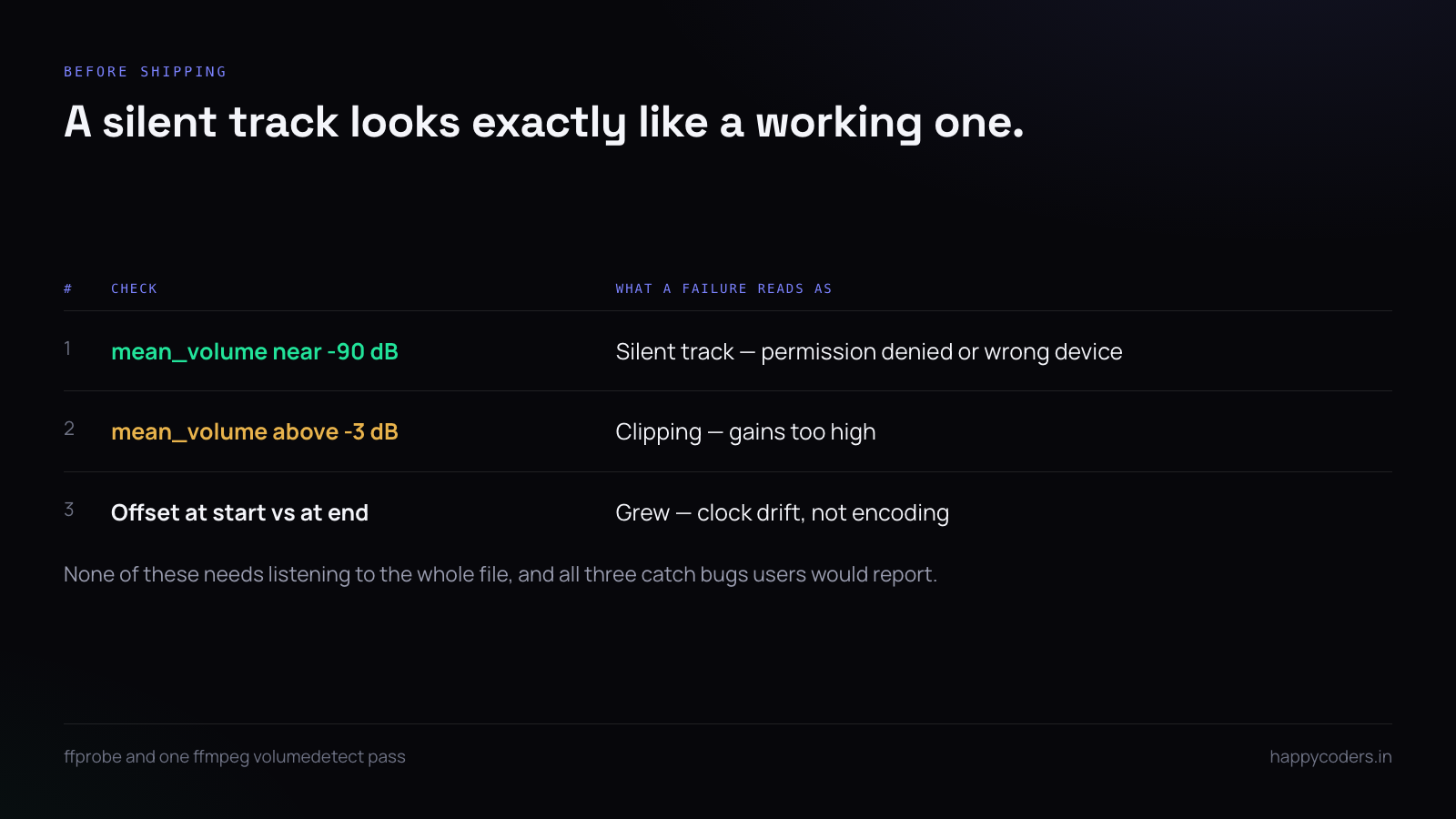
Three checks catch almost everything, and none needs listening to the whole file:
# does it have audio at all, and at what level?
ffprobe -v error -show_entries stream=codec_name,sample_rate,channels in.mov
ffmpeg -i in.mov -af volumedetect -f null - 2>&1 | grep mean_volume
A mean volume near -90 dB means a silent track — permission denied or the wrong device. Anything above about -3 dB means clipping. And for drift, compare a known event near the start with the same event near the end; if the offset grew, it is the clocks.
A short answer
Capture system audio through ScreenCaptureKit and exclude your own process. Convert both sources to one format before mixing, or the speed is wrong. Mix with headroom and fixed, user-adjustable gains rather than AGC. Position buffers by timestamp, not by sample count, or it drifts. Offer two tracks but default to mixed. Tell people to wear headphones. And check the mean volume of the output before shipping, because a silent track looks exactly like a working one.




