One Codebase, Two Mac Builds: App Store and Direct Download
One Codebase, Two Mac Builds: App Store and Direct Download
Shipping a Mac app on both the App Store and your own website means two builds. Not two codebases — two build configurations over one source tree.
Worth knowing exactly what differs before you set it up, because some of it is not obvious.
What actually differs
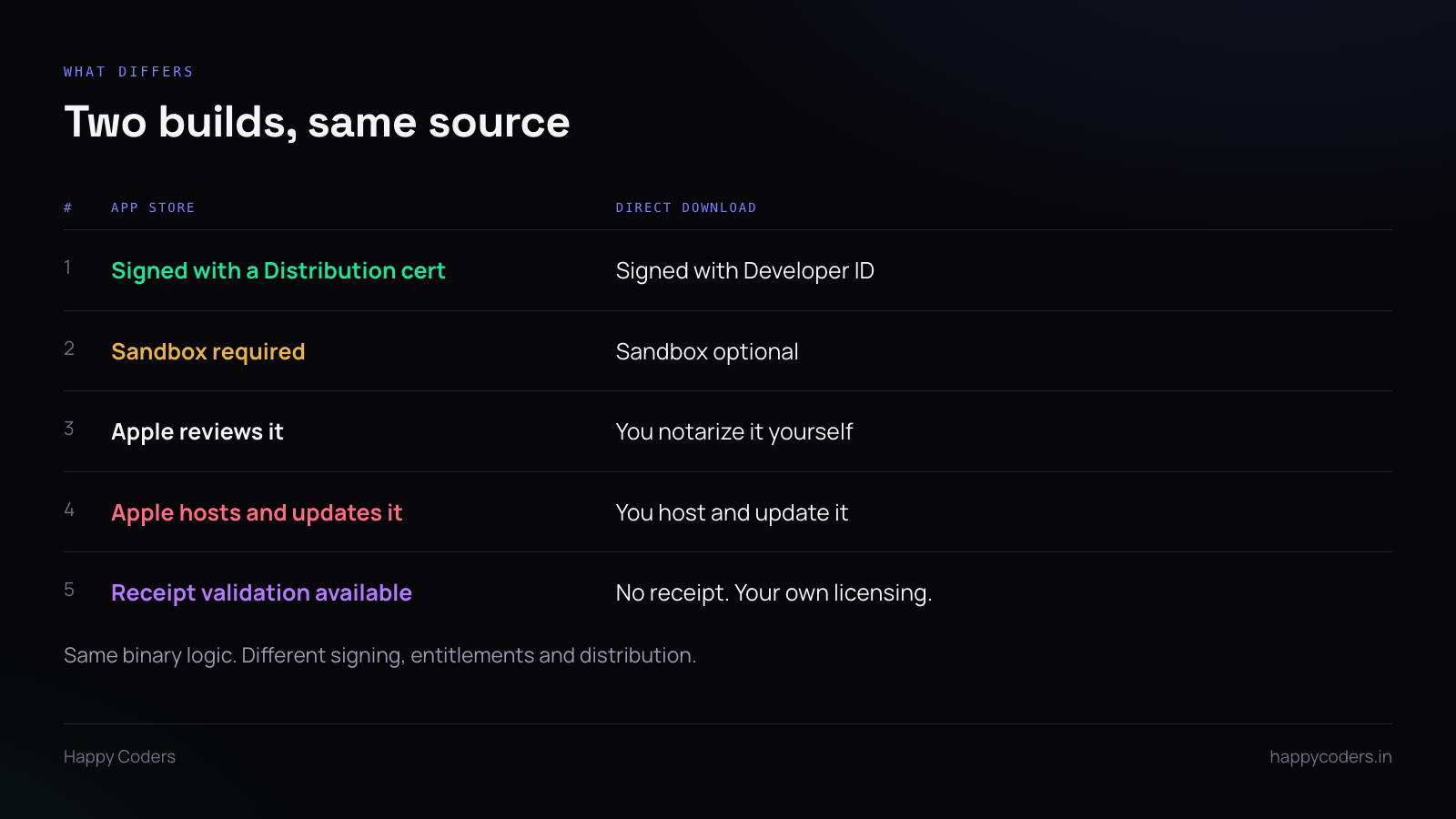
Signing. App Store builds use an Apple Distribution certificate and are re-signed by Apple on their servers. Direct downloads use a Developer ID Application certificate and are signed by you, then notarized.
Two different certificates, both from the same developer account. People assume the App Store one covers direct distribution; it does not.
The sandbox. Mandatory for the App Store, optional outside it. This is the difference that can actually change your code: a sandboxed app cannot write wherever it likes, and file access outside a few locations requires the user to pick the path through a save panel, which grants a scoped bookmark.
For a screen recorder that means the save location is chosen by the user, remembered as a bookmark, and resolved on each launch. That is more work than writing to a path, and it is work the direct build does not strictly need — but keep both builds on the same path anyway, because two file-handling implementations is two sets of bugs.
Review versus notarization. App Store review is a human process measured in days and it can reject you. Notarization is automated, usually minutes, and only checks for malware and correct signing.
Updates. The App Store handles them. For the direct build you need your own update mechanism, or at minimum a version check that tells the user to download the new one.
The architecture trap
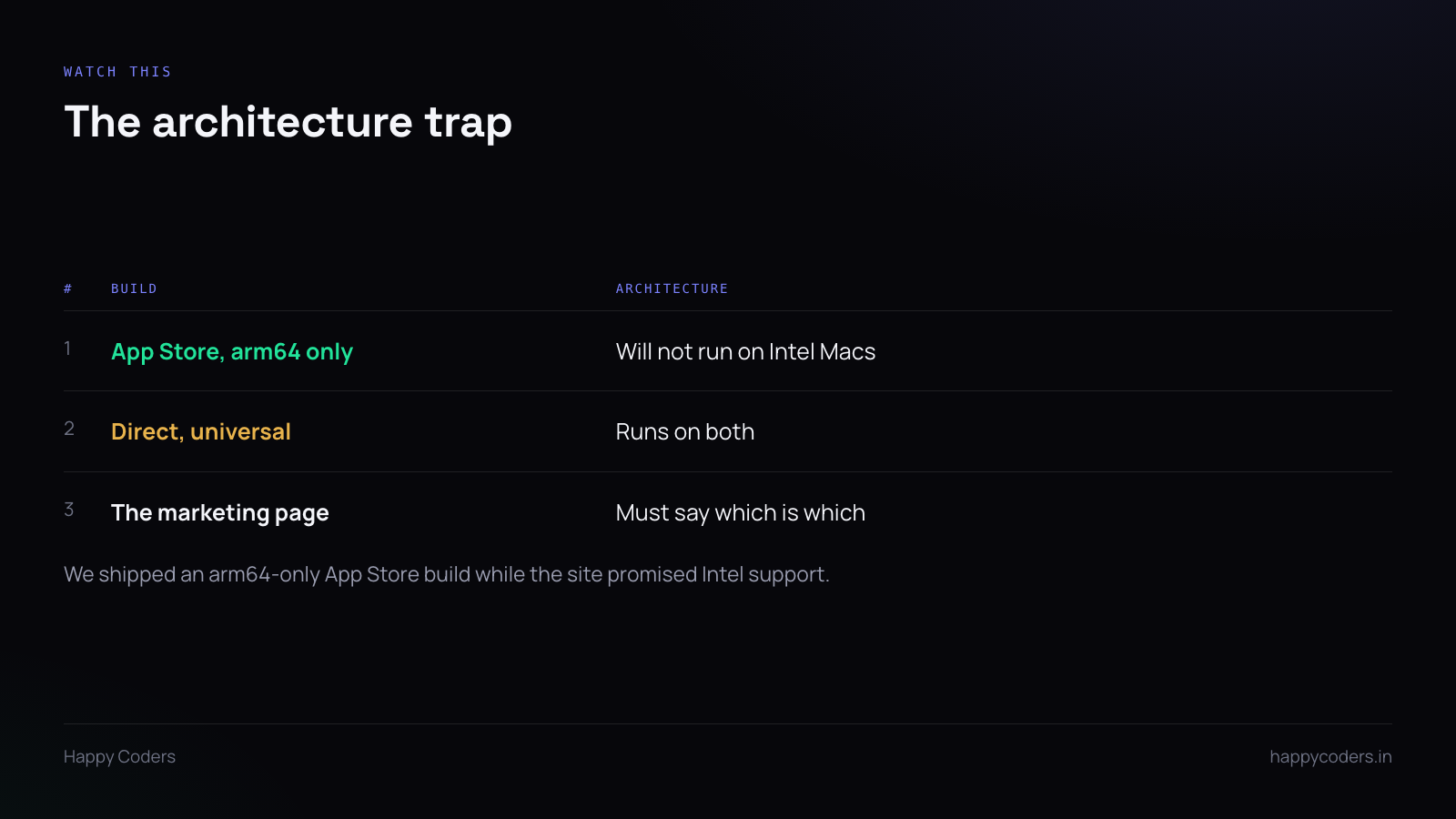
This one caught us.
The App Store build was arm64 only — Apple Silicon. The direct download was universal, both architectures. The website said the app supports Apple Silicon and Intel, which was true of one build and false of the other.
An Intel user following the App Store link finds the app will not install, and nothing on the way there warned them.
Decide deliberately what each build supports, and make the download page say which route an Intel user should take. Check with lipo -archs on the actual binary rather than trusting the build settings — this is cheap and it is the only thing that tells you what you really shipped.
Keeping one source tree
Two targets, or one target with two configurations. Either is fine; what matters is that the application code is shared and only the build settings differ.
The things that legitimately diverge:
Entitlements. Separate files. The App Store one has the sandbox enabled and whatever specific entitlements you need inside it; the Developer ID one has hardened runtime and the exceptions your app requires.
Bundle identifier. Can be the same, and it is simpler if it is — but then both builds share the same permission entries and preferences on a machine that has installed both, which is confusing during testing. Different identifiers keep them cleanly separate.
Licensing. The App Store build can validate a receipt. The direct build cannot and needs your own mechanism. Put both behind one interface in the code so the rest of the app does not branch.
A compile-time flag for the handful of places that genuinely differ. Keep the count small and reviewable — every flag is a path that only one of your two builds exercises.
Test both, separately
A sandbox violation does not appear in development, because you are running a debug build with different entitlements. It appears when a user cannot save a file.
Build the App Store configuration, export it, install it like a user would, and use it. Then do the same with the Developer ID build on a machine that has never seen your code — Gatekeeper behaves differently on a machine where the certificate has already been trusted.
Which to lead with
The App Store gives discovery, trust, and handled updates, at the cost of review and the sandbox. Direct download gives control and immediacy, at the cost of needing notarization and your own update path.
Most products want both, and the honest answer for the download page is to offer both and say what differs — particularly if, as in our case, one of them does not run on every Mac.