Rate Limiting a Download Endpoint Without Redis
Rate Limiting a Download Endpoint Without Redis
You host an installer. One morning the bandwidth bill is four times normal, or the server is slow for everybody because something is pulling a 70 MB file in a loop.
The textbook answer is a token bucket in Redis. On shared hosting there is no Redis, and adding a managed one costs more per month than the bandwidth you are trying to protect.
What you are actually defending against
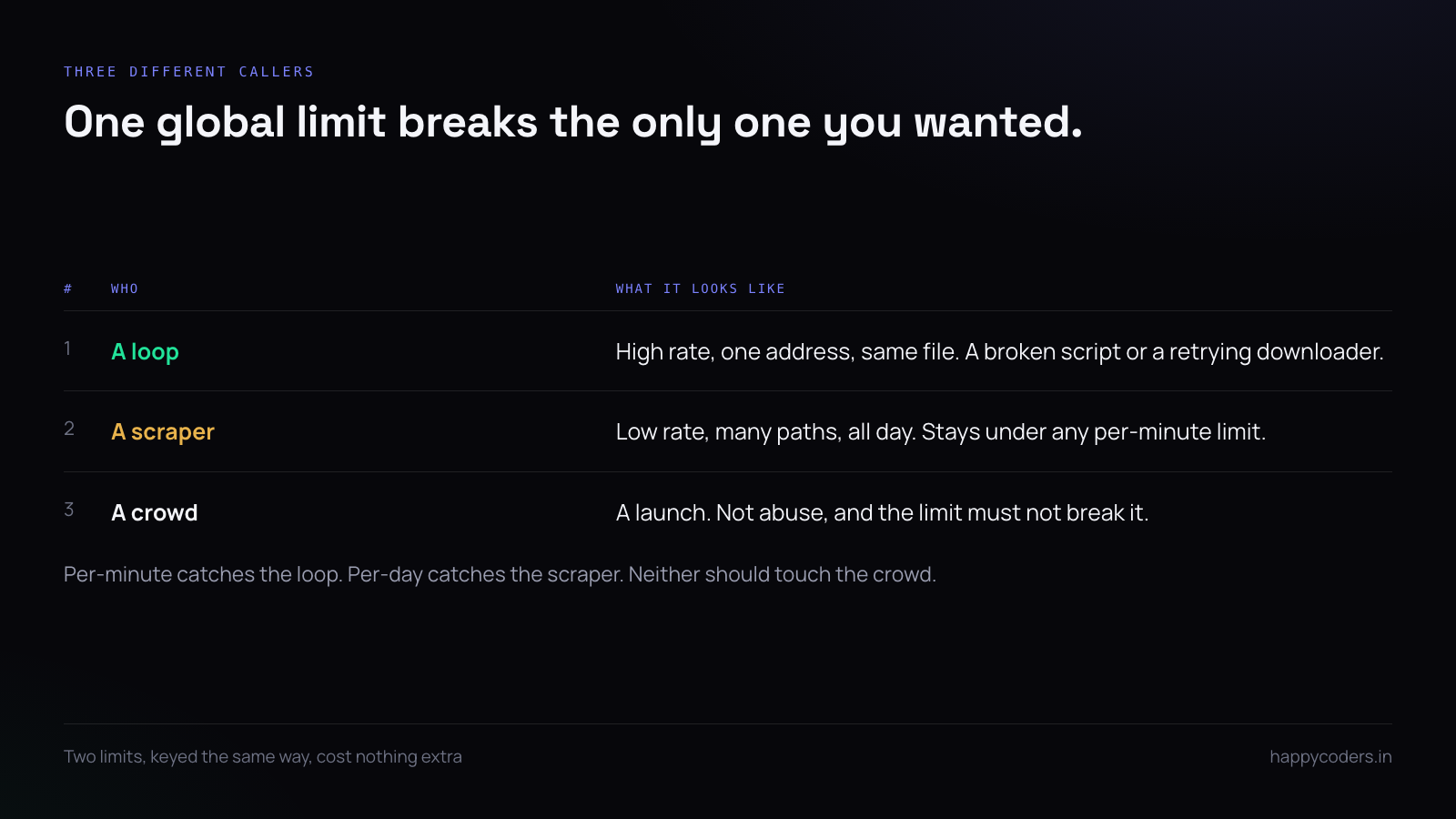
Three different things, and they want different limits:
- A loop. A broken script or a retrying downloader pulling the same file repeatedly. High rate, one address.
- A scraper. A mirror or an aggregator taking everything you host, politely, once each. Low rate, lots of paths.
- A crowd. A product launch. Not abuse at all, and the limit must not break it.
A single global rate limit treats all three alike and breaks the only one you wanted.
Laravel’s built-in limiter, without Redis
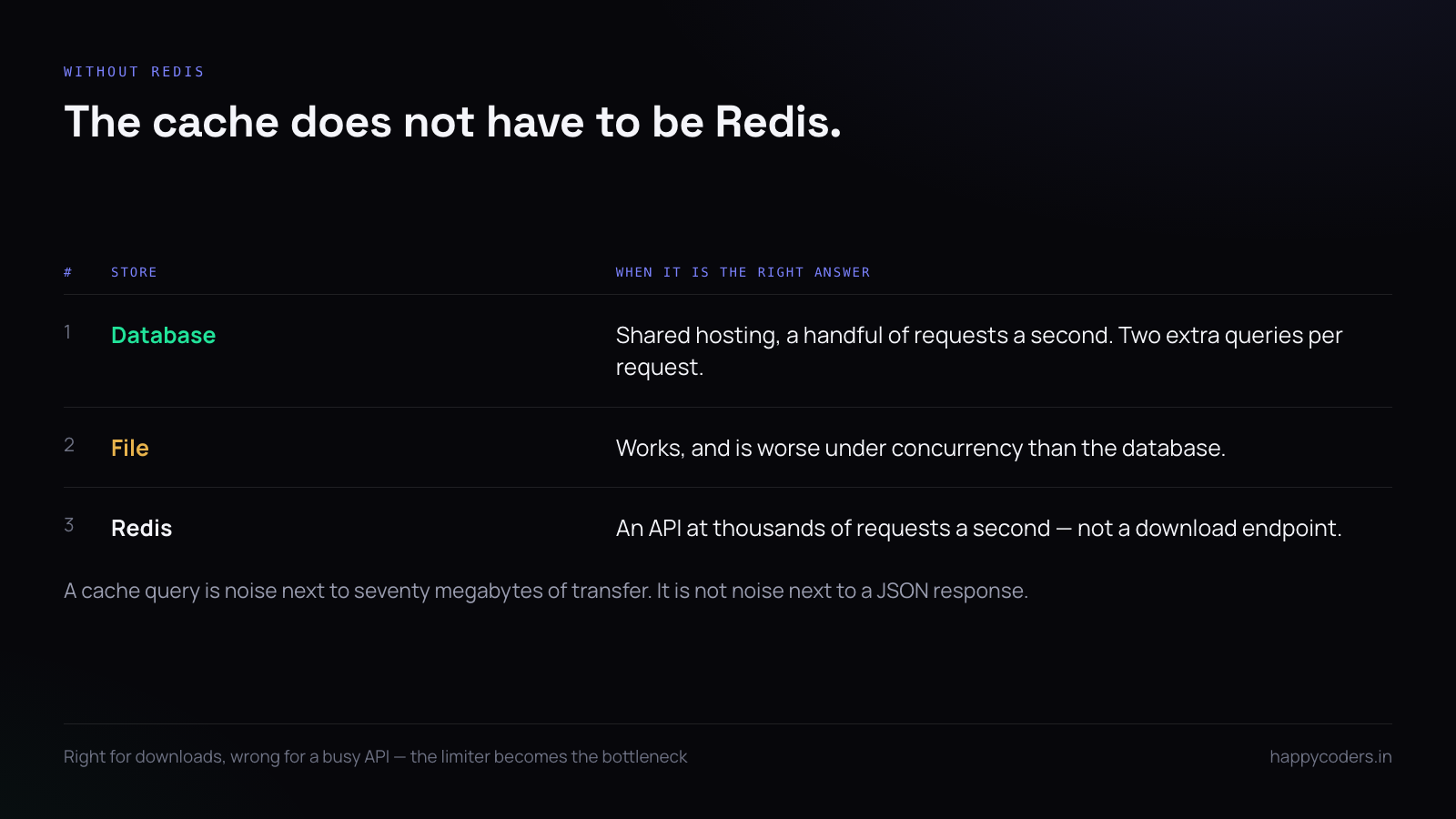
The throttle middleware uses the cache, and the cache does not have to be Redis. On shared hosting the database or the filesystem is enough for this volume:
// config/cache.php
'default' => env('CACHE_STORE', 'database'),
php artisan cache:table && php artisan migrateThen define the limiter by what it is protecting rather than globally:
// AppServiceProvider::boot()
RateLimiter::for('downloads', function (Request $request) {
    return [
        Limit::perMinute(6)->by($request->ip()),
        Limit::perDay(60)->by($request->ip()),
    ];
});
Route::get('/download/{platform}', [DownloadController::class, 'download'])
->middleware('throttle:downloads');Two limits rather than one is the important part. Six a minute stops a loop without touching a human; sixty a day stops a slow scraper that stays under the per-minute limit all day.
The database cache is slower than you think, and fast enough
Each throttled request is a read and a write to a cache table. At ten requests a second that is twenty extra queries a second, which on shared hosting is noticeable.
It is still the right trade for a download endpoint, because a download endpoint handles a handful of requests a second at most and each one is followed by tens of megabytes of transfer. The cache query is noise next to the file.
Do not use the same approach for an API that serves thousands of requests a second. There, the limiter becomes the bottleneck it was supposed to prevent.
Identify the caller better than by IP
IP addresses are a poor key. A whole office sits behind one. A mobile network rotates them. A determined abuser has a list.
Where you can, key on something stronger and fall back to the address:
Limit::perMinute(6)->by(
    $request->user()?->id
        ? 'user:'.$request->user()->id
        : 'ip:'.$request->ip()
);
If the download is public, add a cheap signal that is annoying to forge and harmless to real users. A signed link, generated on the download page and valid for a few minutes, means a direct hit on the file URL is a limit of one rather than six:
$url = URL::temporarySignedRoute('download', now()->addMinutes(10),
                                 ['platform' => $platform]);
Behind a proxy, the address is not the address
On shared hosting, and behind any CDN, $request->ip() returns the proxy unless you tell the framework otherwise. Rate limiting the proxy means one visitor exhausts the limit for everybody.
// app/Http/Middleware/TrustProxies.php
protected $proxies = '*';   // only if the host terminates connections for you
protected $headers = Request::HEADER_X_FORWARDED_FOR
                   | Request::HEADER_X_FORWARDED_HOST
                   | Request::HEADER_X_FORWARDED_PROTO;
Trusting * is safe only when nothing can reach your application except through that proxy. If the origin is directly reachable, a forged header defeats the limiter entirely, and the correct fix is the firewall rather than the application.
Return the right thing when you refuse
A refused download should look like a refusal, not like a broken server:
HTTP/1.1 429 Too Many Requests
Retry-After: 60
Laravel sets both when the limiter trips. The thing to add is a human sentence for the browser case, because a bare 429 to somebody who clicked twice reads as a bug:
public function render($request, Throwable $e) {
    if ($e instanceof ThrottleRequestsException && $request->acceptsHtml()) {
        return response()->view('errors.throttled', [], 429);
    }
    return parent::render($request, $e);
}
Let the web server do the transfer
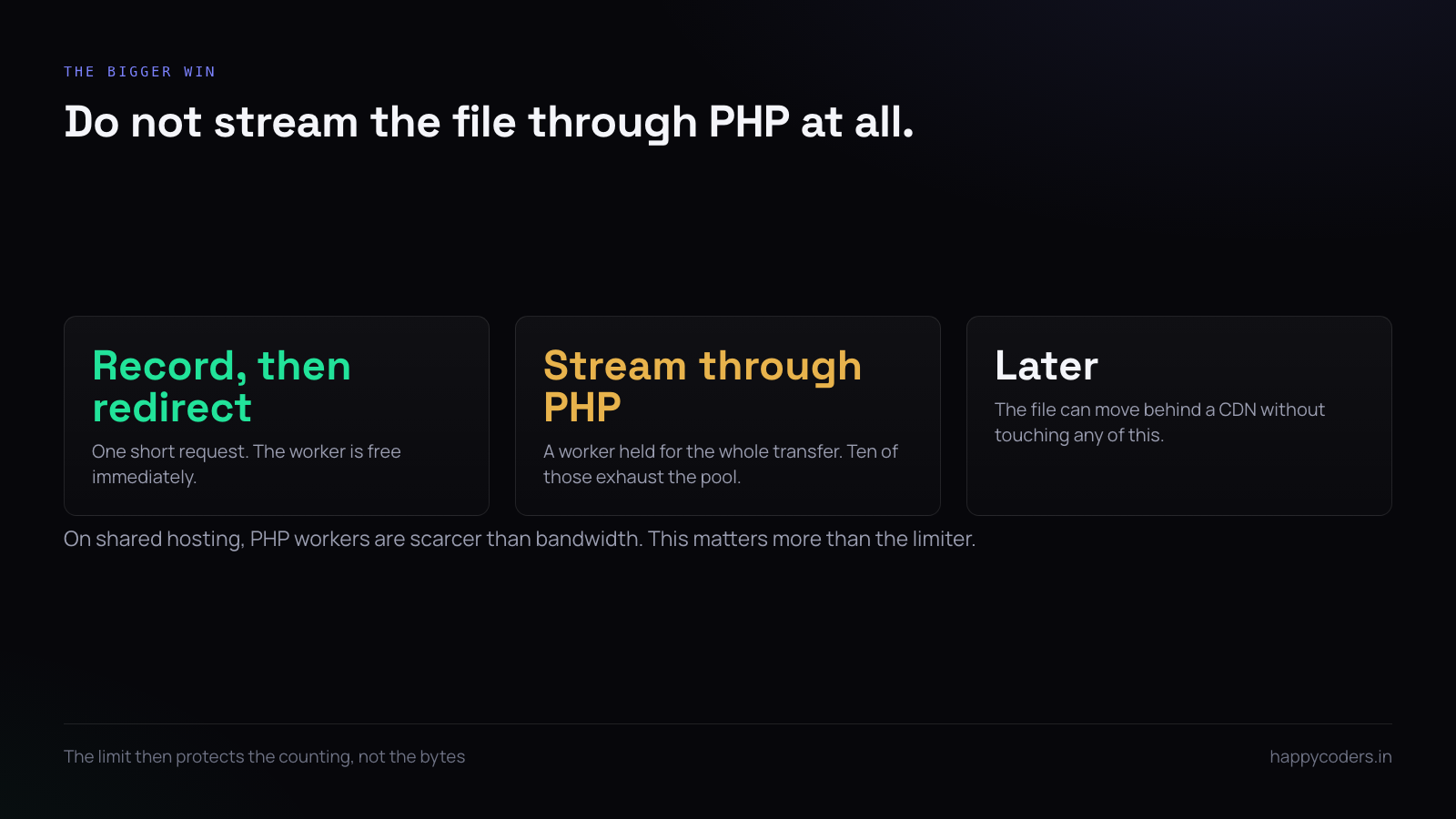
The cheapest rate limit is not serving the bytes through PHP at all. A download endpoint that records the request and then redirects costs one short PHP request instead of holding a worker for the whole transfer:
DB::table('app_downloads')->insert([...]);

return redirect()->away($config['file']);
This matters more than the limiter on shared hosting, where PHP workers are the scarcest resource. Ten concurrent 70 MB downloads streamed through PHP will exhaust the pool; ten redirects will not.
It also means the limit protects the counting, and the file itself can be moved behind a CDN later without touching any of this.
Rate limiting at the web server, as a backstop
If you have access to the server config, a limit there catches what never reaches PHP:
# nginx
limit_req_zone $binary_remote_addr zone=dl:10m rate=6r/m;

location /downloads/ {
    limit_req zone=dl burst=3 nodelay;
}
On LiteSpeed, which is what most shared hosting runs, the equivalent lives in the control panel rather than a file, and the per-IP connection limit is usually already set to something sane. Check it before building anything.
Watch it before you tighten it
Every limit is a guess until you have looked at the distribution. Count requests per address per day for a week, then set the limit above the 99th percentile of real users rather than at a round number that feels safe:
SELECT ip, COUNT(*) c
FROM app_downloads
WHERE created_at >= NOW() - INTERVAL 7 DAY
GROUP BY ip ORDER BY c DESC LIMIT 20;
If the top row is an order of magnitude above the second, you have found the loop and you do not need a clever limiter — you need to block one address.
A short answer
Use the framework’s limiter with the database cache; it is fast enough for downloads and nothing else needs installing. Two limits, per minute and per day, because a loop and a scraper look nothing alike. Key on the user where you have one. Fix the proxy headers or you are limiting the proxy. Redirect rather than streaming through PHP. And look at a week of real traffic before choosing the number.