Removing a Person Without Deleting Their History
Removing a Person Without Deleting Their History
Somebody leaves. An administrator opens the people page and clicks the obvious button.
If that button is a hard delete and the foreign keys cascade, you have just removed every hour that person logged — including the hours on last month’s invoice.
What a cascading delete takes with it
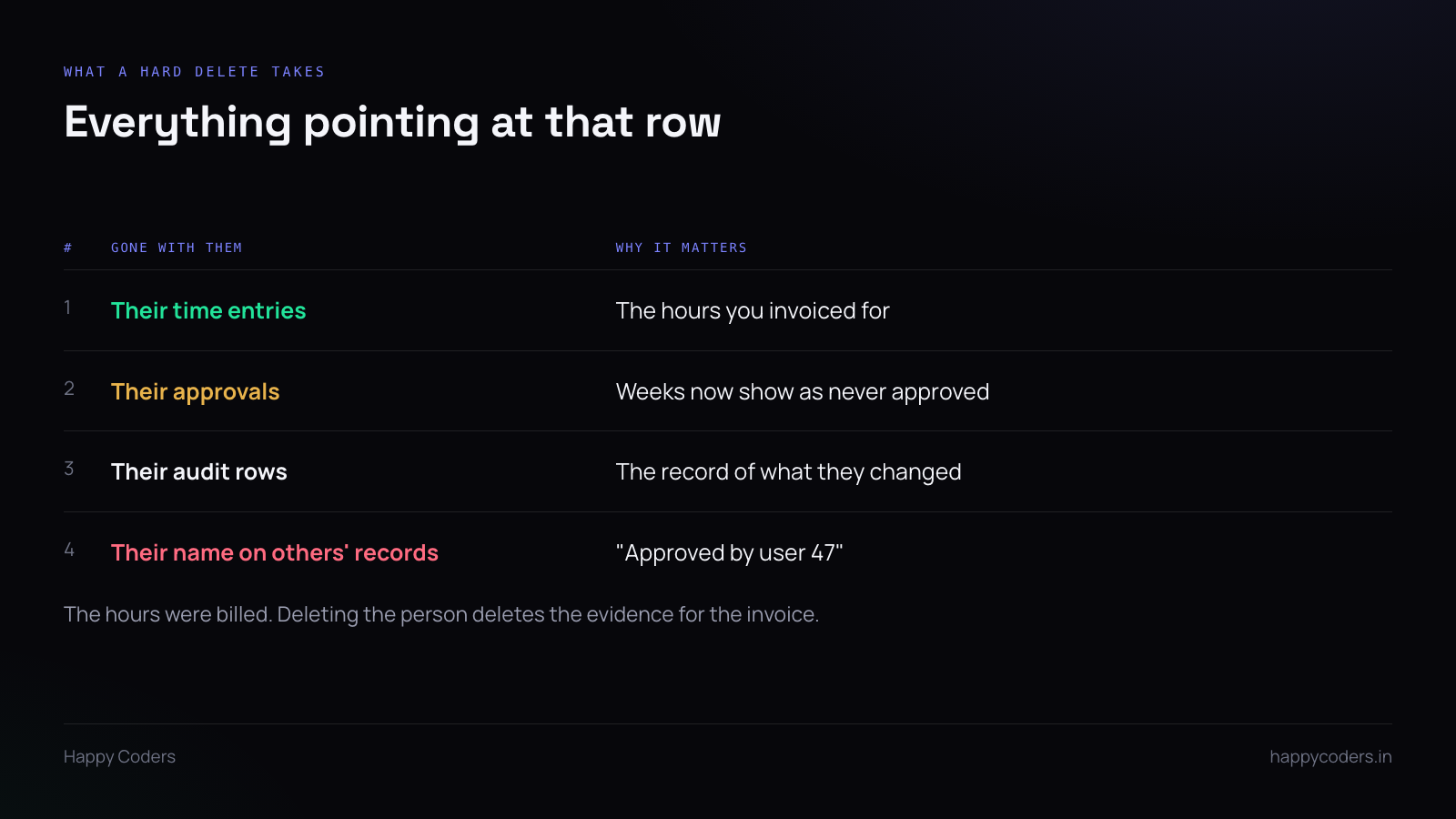
The user row is referenced from more places than anyone remembers. Time entries, approvals they granted, leave requests, audit log rows, task comments, download records.
Cascade on all of them and the deletion is silent and total. The application logged one delete, because it issued one.
The worst part is not the volume. It is that the hours were billed. A client queries an invoice in March and the entries behind it no longer exist, because somebody tidied up a leaver in February.
Three different requests
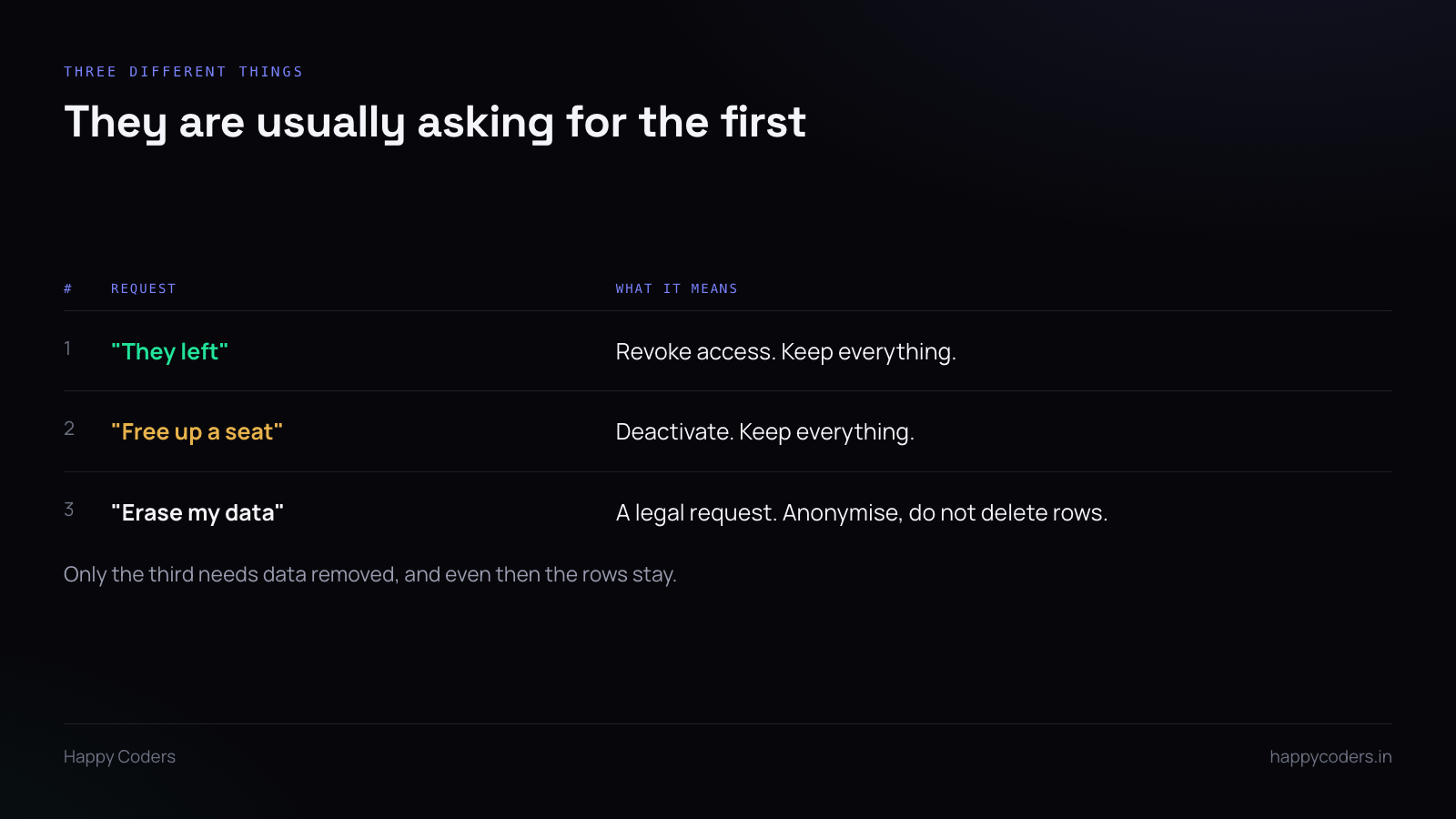
When someone says “delete this user”, they almost always mean the first of these.
“They left.” Revoke access. The person can no longer sign in, their desktop tokens stop working, they disappear from assignment dropdowns. Everything they did stays exactly where it is.
“We need the seat back.” Same thing, plus the seat count drops. Still nothing deleted.
“Erase my data.” A legal request, and rarer than people expect. Even here the answer is not deleting rows — it is anonymising the person while the records survive.
Deactivation, concretely
A nullable deactivated_at on the user. Setting it should:
- block authentication
- revoke every active token, including desktop ones, so a running tracker stops
- release any device lock they hold, so nobody has to chase a laptop that is already gone
- remove them from pickers for new work, while leaving them on existing records
- drop them from the billable seat count
That last-but-one point is the one that gets implemented wrongly. A global scope that hides deactivated users everywhere means every historical record suddenly displays a blank name — which looks exactly like the data loss you were avoiding.
Filter at the point of selection, not at the point of retrieval. A deactivated user must still resolve to a name on a two-year-old approved timesheet.
Foreign keys: RESTRICT, not CASCADE
Whatever else you do, change the constraints. A time entry is not part of a user; it is a fact that happened which mentions them. Cascade is for ownership — order lines belonging to an order. It is wrong for history.
With RESTRICT in place, the dangerous delete fails with an error instead of succeeding quietly. Do that first, before building anything nicer, because the window between deciding to fix this and shipping the fix is exactly when somebody tidies up the user list.
While you are there, audit every other table that references users. Most of them will have been given the default, and the default is usually wrong for the same reason.
Anonymising, when it is genuinely required
For a real erasure request, replace the identifying fields rather than removing the row:
- name becomes something like “Former member”
- email becomes a non-routable unique placeholder, so the column’s uniqueness still holds
- avatar deleted
- screenshots deleted — these are personal data in a way a timestamp is not
The hours, the approvals and the audit trail stay. They are business records and they are not erasable on request in most jurisdictions, which is worth checking before promising anything.
Anonymising rather than deleting also keeps the foreign keys intact, so nothing downstream breaks.
Make the interface say which one it is
Most of this damage comes from a single ambiguous button labelled “Delete”.
Two buttons. Deactivate, which is what people want and should be the obvious one. Delete permanently, behind a confirmation that states what will be lost — and ideally counts it: “this will remove 1,284 time entries and 46 approvals.”
A dialog with a real number in it stops the action in a way that “are you sure?” never does.