
Shipping a Chrome and an Edge Extension From One Source
Shipping a Chrome and an Edge Extension From One Source
Edge is Chromium. An extension written for Chrome runs in Edge essentially unchanged. The temptation is to copy the folder, change the name, and submit to both stores — and then to maintain two folders that drift apart over six months until a bug is fixed in one and not the other.
One source, two build outputs, is about an hour of setup and removes the drift permanently.
What is actually different
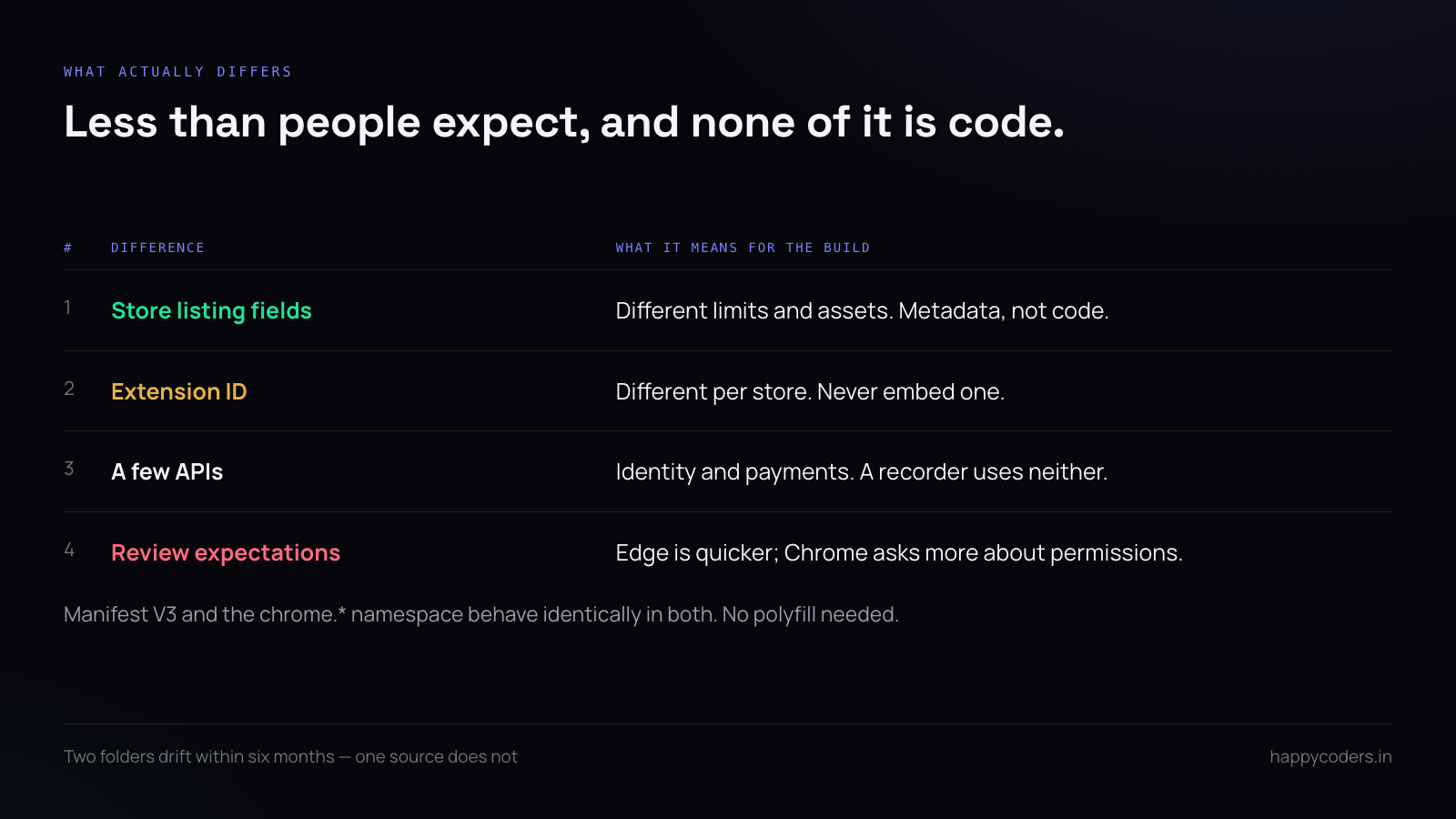
Less than people expect, and the differences are in the metadata rather than the code:
- Store listing fields. Different limits, different required assets, different review processes.
- The extension ID. Different in each store, which matters if anything is keyed to it.
- A few APIs. Mostly around identity and payments, which a recorder does not use.
- Review expectations. Edge is generally quicker; Chrome asks more about permissions.
The JavaScript is the same. Manifest V3 behaves identically in both.
One manifest, two patches
Keep a base manifest and a small override per target, rather than two complete files that must be kept in step:
// manifest.base.json
{
  "manifest_version": 3,
  "name": "HappyRec",
  "version": "1.0.3",
  "permissions": ["activeTab", "tabCapture", "storage", "downloads"],
  "action": { "default_popup": "popup.html" },
  "background": { "service_worker": "sw.js" }
}
// manifest.edge.json — only what differs
{
"name": "HappyRec for Edge"
}// build.mjs
const base = JSON.parse(await readFile('manifest.base.json', 'utf8'));
const patch = target === 'edge'
? JSON.parse(await readFile('manifest.edge.json', 'utf8'))
: {};
await writeFile(`dist/${target}/manifest.json`,
JSON.stringify({ ...base, ...patch }, null, 2));A shallow merge is enough while the overrides are top-level keys. The moment you need to override something nested, use a deep merge rather than duplicating the parent object — that duplication is exactly how the two files start to drift.
Version numbers in one place
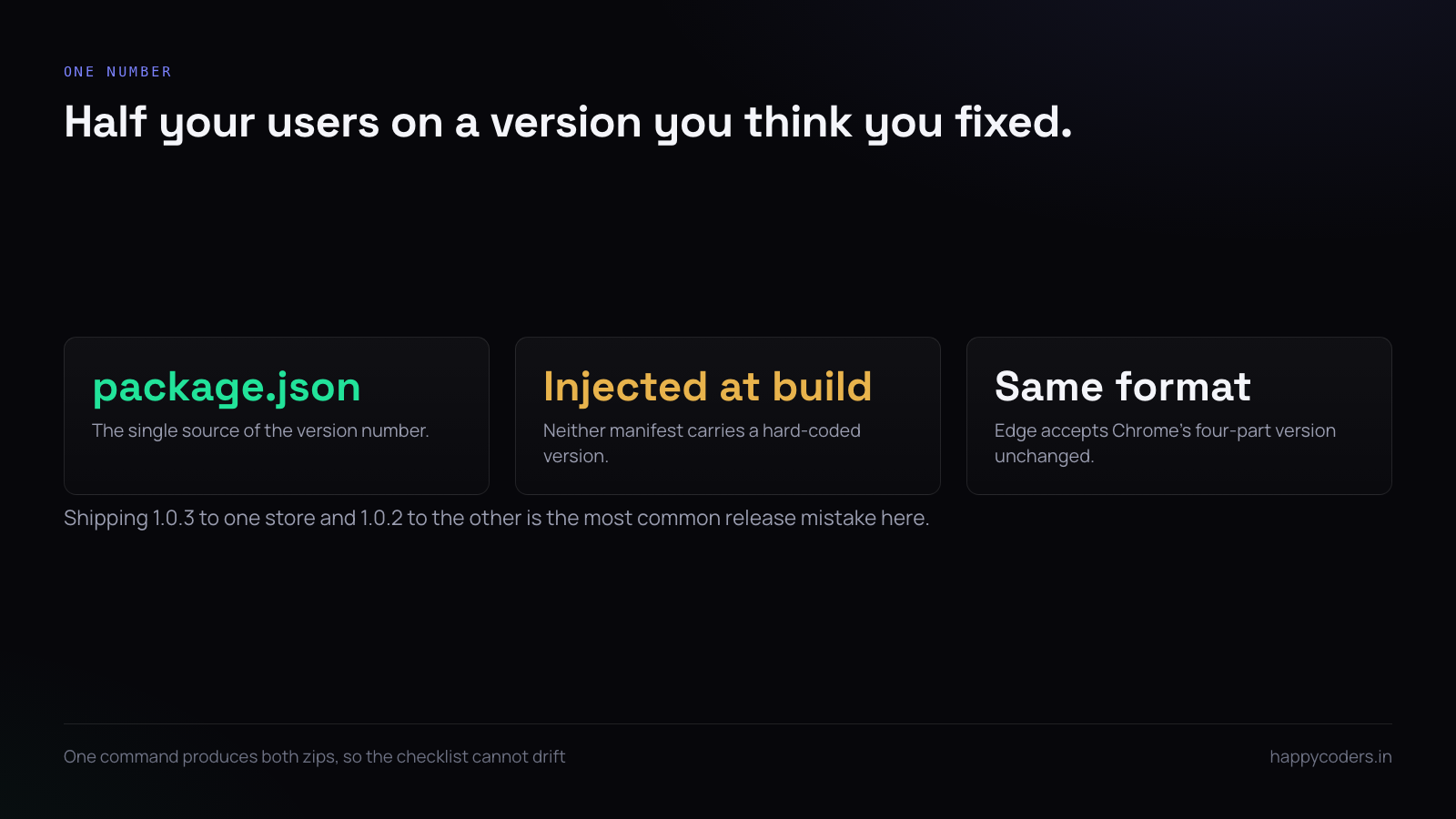
The single most common release mistake is shipping 1.0.3 to one store and 1.0.2 to the other, then fixing a bug “in the latest version” that half your users do not have.
Take the version from package.json and inject it, so there is one number:
const { version } = JSON.parse(await readFile('package.json', 'utf8'));
manifest.version = version;
Edge accepts Chrome’s four-part version format, so nothing needs translating.
Do not hard-code the extension ID
The IDs differ between stores, so anything that embeds one works in exactly one of them:
// wrong
const url = 'chrome-extension://abcdefghijklmnop/offscreen.html';

// right — resolved at runtime, correct in both
const url = chrome.runtime.getURL('offscreen.html');
The same applies server-side. If a backend validates which extension is calling it, accept a list of IDs rather than one, and keep the list in configuration rather than in code:
EXTENSION_IDS=abcdefghijklmnop,qrstuvwxyz123456The chrome namespace works in Edge
Edge implements the chrome.* namespace, so no abstraction layer is needed. Writing a wrapper to call browser.* instead adds a dependency and a class of bug for no benefit, unless Firefox is also a target — and Firefox’s differences are large enough that it is a separate decision, not a build flag.
// fine in both Chrome and Edge, no polyfill
const [tab] = await chrome.tabs.query({ active: true, currentWindow: true });
Packaging both in one command
{
  "scripts": {
    "build:chrome": "node build.mjs chrome && cd dist/chrome && zip -qr ../happyrec-chrome.zip .",
    "build:edge":   "node build.mjs edge   && cd dist/edge   && zip -qr ../happyrec-edge.zip .",
    "build":        "npm run build:chrome && npm run build:edge"
  }
}
Two zips from one command, and the release checklist becomes “run build, upload two files” rather than “remember what was different last time”.
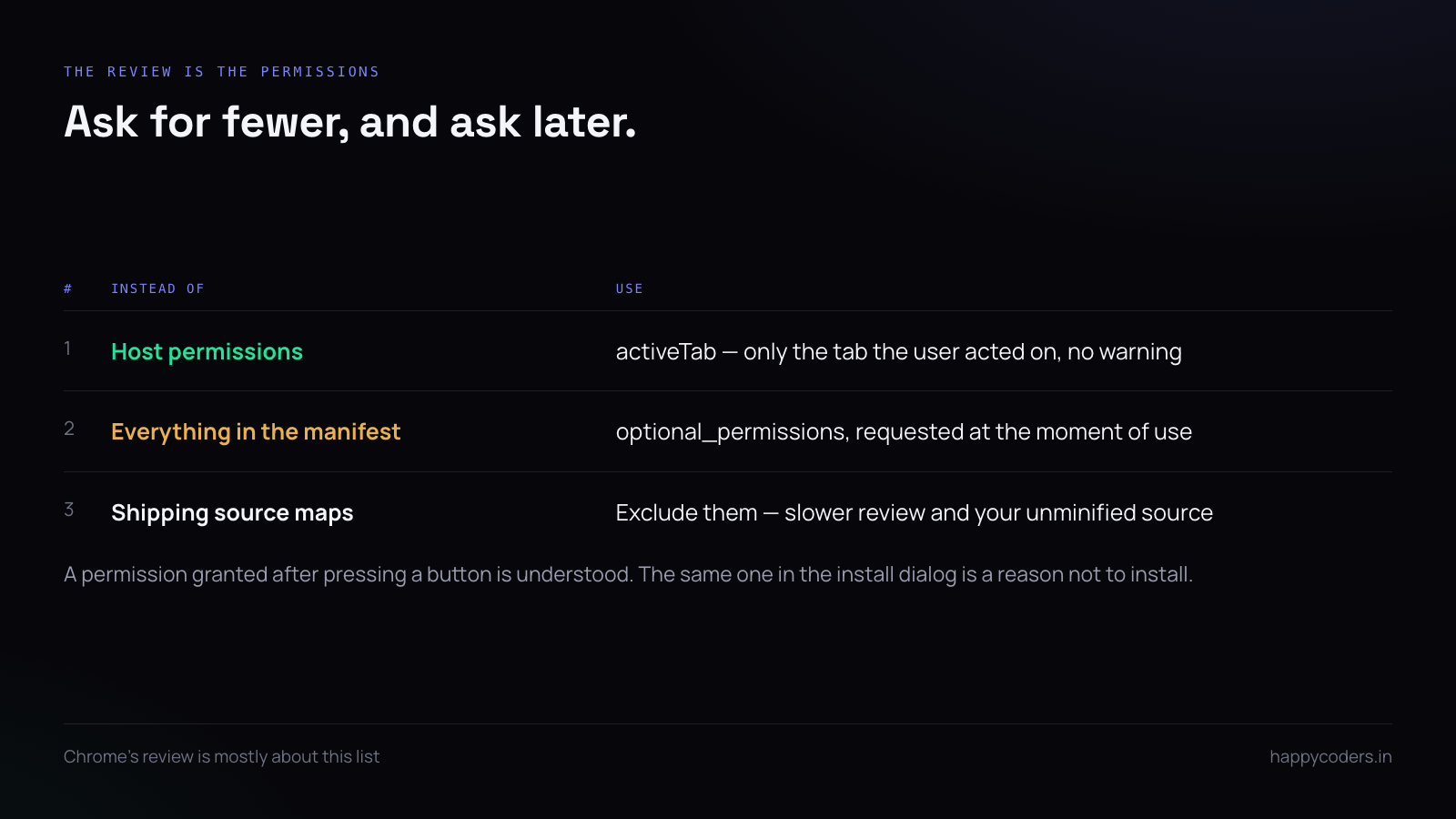
One packaging detail: do not include source maps or a node_modules directory. Both stores will accept them and both reviews are slower when the package is large, and a source map in a published extension hands your unminified source to anybody who looks.
The permission list is the review
Chrome’s review is mostly about permissions, and the fastest way through it is to ask for fewer. Two habits do most of the work.
Use activeTab rather than host permissions where you can — it grants access only to the tab the user acted on, needs no scary warning, and is enough for a recorder that starts when somebody clicks the icon.
And declare optional permissions as optional, requested at the moment of use:
"optional_permissions": ["desktopCapture"]const granted = await chrome.permissions.request({ permissions: ['desktopCapture'] });
if (!granted) return showWhyWeNeedIt();A user who grants a permission in response to pressing a button understands why it is being asked for. The same permission in the install dialog is a reason not to install.
Testing both before submitting
Load each unpacked build in its own browser; it takes two minutes and catches the things that differ:
chrome://extensions   → Developer mode → Load unpacked → dist/chrome
edge://extensions     → Developer mode → Load unpacked → dist/edge
Three things to check in both: the popup opens and is the right size, a recording starts and produces a file, and the service worker survives being woken after idling — Manifest V3 service workers are terminated aggressively, and code that assumes module-level state persists works in testing and fails for users.
Shipping them at the same time
Edge review is usually faster than Chrome’s. Submit Chrome first and Edge a day later, so both become available close together, rather than having Edge users on a version Chrome users cannot get for a week.
Keep a single changelog. Two changelogs is where the drift that this whole arrangement prevents comes back in through the documentation.
A short answer
One source tree, one base manifest, a small patch per target, and the version taken from package.json. Never hard-code the extension ID — chrome.runtime.getURL is correct in both. No polyfill: Edge implements the chrome namespace. Build both zips in one command, exclude source maps, ask for the smallest permissions you can and request the rest at the moment of use. Load both unpacked before submitting, and submit Chrome first.




