
Shipping a Universal Binary, and How to Notice When You Did Not
Shipping a Universal Binary, and How to Notice When You Did Not
Our website says HappyRec runs on Apple Silicon and Intel Macs. The FAQ says it. The listing copy we wrote for two download sites says it.
It was not true. The build we were shipping was arm64 only, and it had been for months.
Nobody made a mistake, exactly. swift build -c release on an Apple Silicon Mac produces an Apple Silicon binary, which is the obviously correct default. Every machine in the office is Apple Silicon. Every test passed. The app was fine. It simply would not launch for anyone who had not upgraded their hardware yet, and those people do not send bug reports — they just close the download.
What a universal binary actually is
It is not a clever compilation trick. A universal binary is two complete programs in one file, with a small header saying where each one starts.
The container format is called a fat binary or a Mach-O universal file. The loader reads the header, finds the slice matching the current CPU, and maps that one. The other slice sits on disk unread, which is why a universal build is roughly twice the executable size and exactly the same speed.
$ lipo -archs HappyRec.app/Contents/MacOS/HappyRec
x86_64 arm64

$ lipo -detailed_info HappyRec.app/Contents/MacOS/HappyRec
architecture x86_64
    offset 16384
    size 2459216
architecture arm64
    offset 2490368
    size 2683664
Nothing runs twice. Nothing is emulated. The Intel Mac runs native Intel code and the M-series Mac runs native ARM code, from the same download.
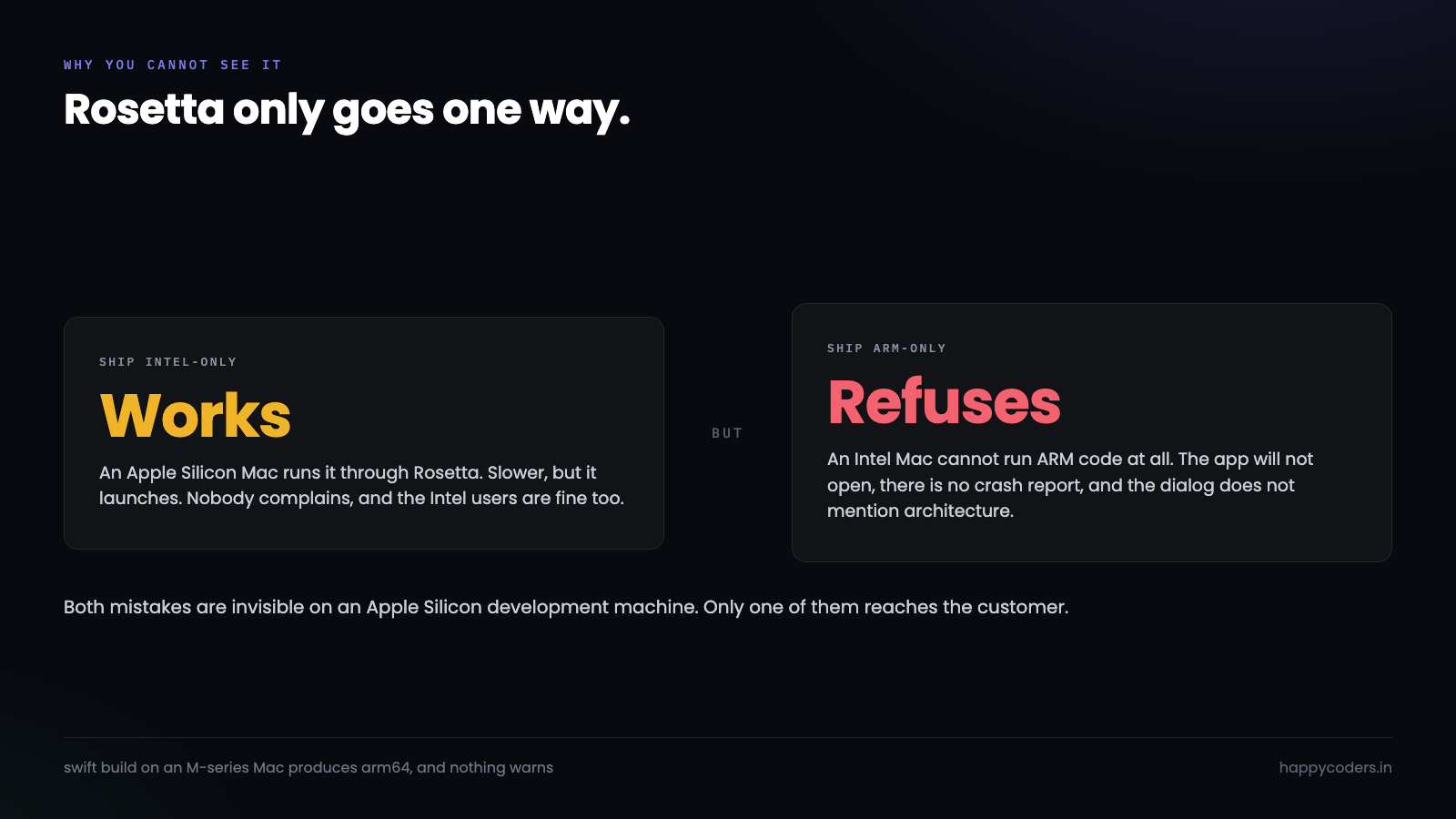
The alternative is Rosetta, and Rosetta only goes one way. An Apple Silicon Mac can run an Intel binary through translation. An Intel Mac cannot run an ARM binary at all.
That asymmetry is the whole reason this bug is invisible to the people who build the software. Ship Intel-only and your Apple Silicon machine runs it via Rosetta and nothing looks wrong. Ship ARM-only and your Apple Silicon machine runs it natively and nothing looks wrong. Only the Intel user sees the failure, and they see it as the app refusing to open.
How the build quietly narrows
The Swift Package Manager builds for the host by default. That is a reasonable choice for development and the wrong one for a release, and there is no warning at the boundary.
# What almost every release script does
swift build -c release
# -> .build/release/HappyRec, host architecture only

# What a release needs
swift build -c release --arch arm64 --arch x86_64
# -> .build/apple/Products/Release/HappyRec, both
Note that the output moves. A single-architecture build lands in .build/release/; a universal one lands in .build/apple/Products/Release/. A packaging script that copies from the first path will keep copying the old single-architecture binary even after someone adds the flags, and produce a build that is narrower than the one that was just compiled.
That is a particularly annoying failure because the compile output says it built both. It did. The packaging step then ignored one of them.
Xcode has the same shape of problem under a different name. ONLY_ACTIVE_ARCH defaults to YES for Debug and NO for Release, which is correct — but archive and export settings can override it, and an ExportOptions.plist carried over from an older project sometimes does.
Why it is so hard to notice
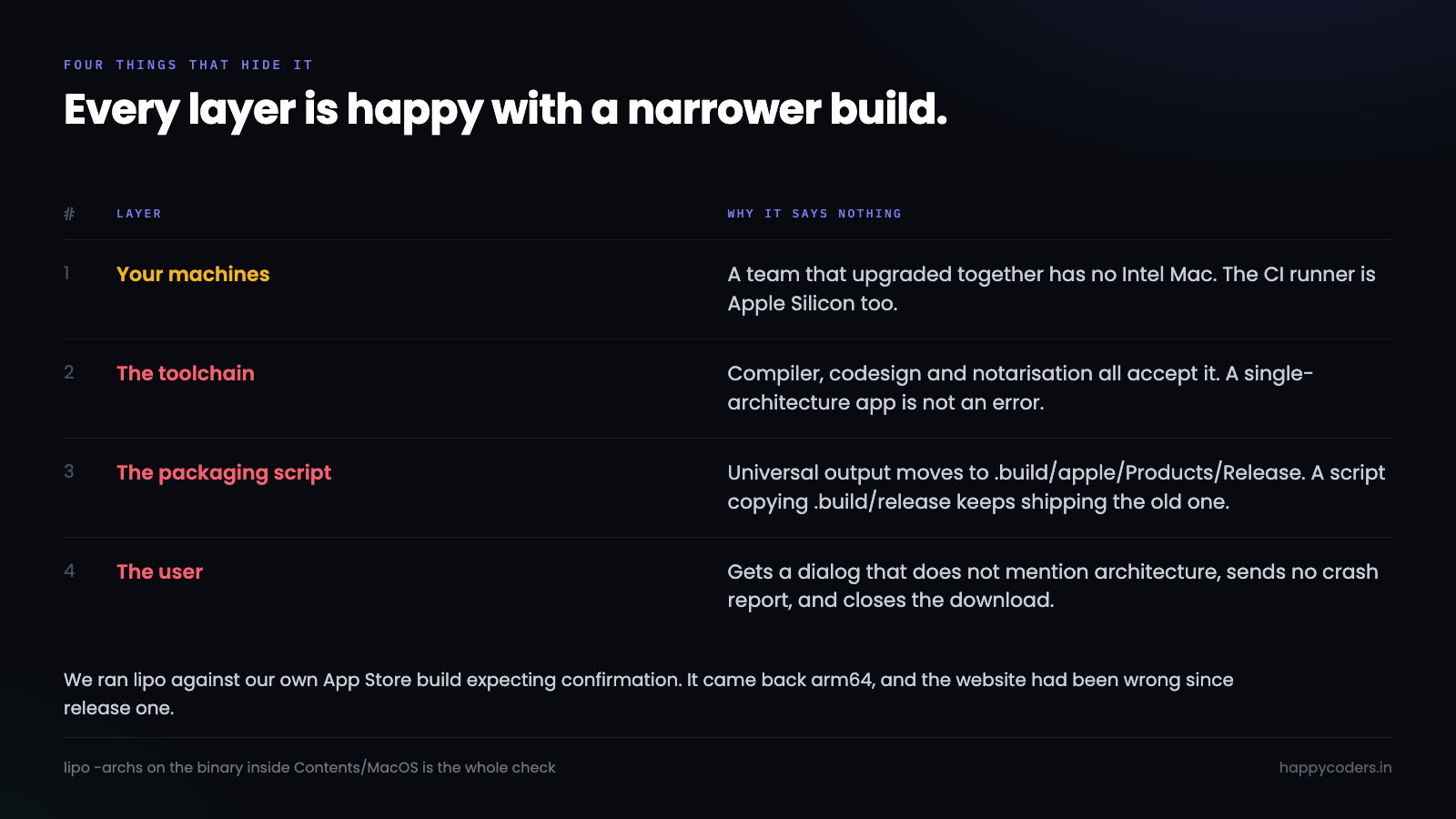
Four things line up to hide it, and they hide it from exactly the people who could fix it.
Your machines are all the same. A team that upgraded together has no Intel Mac to test on. The CI runner is probably Apple Silicon too, because that is what the cheap tiers are now.
Rosetta covers the opposite mistake. If you had accidentally shipped Intel-only, your own Mac would have run it and you would not have noticed either — but at least the users would have been fine.
Nothing in the toolchain warns. The compiler does not mention it, codesign does not, notarisation does not. Apple’s notary service happily notarises a single-architecture app, because there is nothing wrong with one.
The failure is silent at the other end. The Intel user gets a dialog saying the application cannot be opened, or on older systems nothing at all. There is no crash report to send you, and the message does not mention architecture.
The variant of this that bites Electron and Flutter too
None of this is a Swift problem. It is a “the toolchain defaults to the host” problem, and every cross-platform stack has its own version.
Electron builds for the host architecture unless told otherwise. electron-builder takes --universal, which produces a genuinely fat app — and quietly doubles the already-large binary. Teams often ship two separate downloads instead and then have to detect the architecture on the download page, which is a web problem they did not want.
electron-builder --mac --universal        # one fat app, large
electron-builder --mac --x64 --arm64      # two downloads, and a choice to explain
Flutter on macOS builds universal by default for release, which is the sensible choice, but any native plugin with a prebuilt binary inside it can be single-architecture. The app is universal and the plugin is not, so it launches on Intel and then crashes the first time that plugin is used — a much worse failure than refusing to open, because it happens deep in a session.
Rust and Go both cross-compile easily and neither produces a fat binary on its own. You build twice and join them:
cargo build --release --target aarch64-apple-darwin
cargo build --release --target x86_64-apple-darwin
lipo -create -output myapp   target/aarch64-apple-darwin/release/myapp   target/x86_64-apple-darwin/release/myapp
The check is identical in every case, which is the useful part. Whatever built it, lipo -archs on the final executable tells you the truth, and it does not care which language produced it.
Finding out, in one command
lipo -archs on the binary inside the bundle is the whole check. Not the bundle, not the DMG — the executable inside Contents/MacOS/.
$ lipo -archs /Applications/YourApp.app/Contents/MacOS/YourApp
arm64                          # single architecture
x86_64 arm64                   # universal
Run it against whatever you last shipped, not against a fresh build. The question is what customers have, and the answer sometimes differs from what the current source produces.
We ran it against the copy installed from our own App Store listing, expecting to confirm everything was fine. It came back arm64. The claim on the website had been wrong since the first release.
Worth checking bundled frameworks and helpers too, because a universal app with a single-architecture dependency inside it fails in a more confusing way — it launches and then crashes when it first touches the library.
# Every Mach-O in the bundle, with its architectures
find YourApp.app -type f -perm +111 -exec sh -c
  'file "$1" | grep -q Mach-O && printf "%-60s %sn" "$1" "$(lipo -archs "$1")"' _ {} ;
Making the build refuse instead
Checking manually works exactly as long as somebody remembers. The version that keeps working is a guard in the packaging script that stops the build.
swift build -c release --arch arm64 --arch x86_64

BIN=".build/apple/Products/Release/HappyRec"
cp "$BIN" "$APP/Contents/MacOS/HappyRec"

ARCHS=$(lipo -archs "$APP/Contents/MacOS/HappyRec")
echo "   architectures: $ARCHS"
echo "$ARCHS" | grep -q x86_64 || {
    echo "ERROR: not a universal binary — Intel Macs would be left out"
    exit 1
}
Three lines, and the failure mode changes completely. Instead of a user discovering it months later, the build stops on the machine of whoever is doing the release, with a message that says what is wrong.
That is the general shape worth reaching for: when a mistake is silent and expensive, make the build noisy and cheap. The check does not need to be clever. It needs to exist.
What it costs
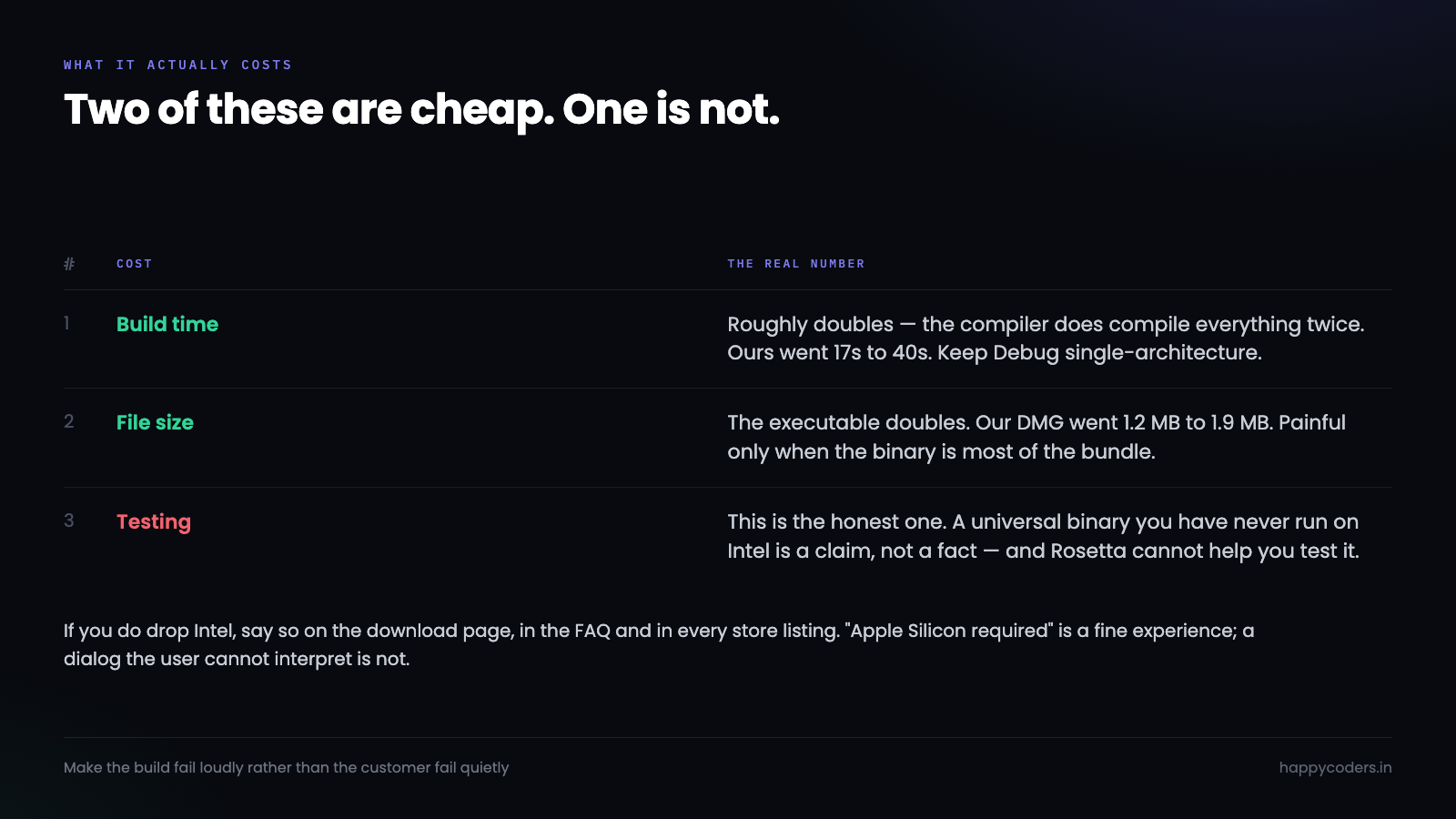
Honest numbers, because “just ship universal” is easy to say.
Build time roughly doubles, since the compiler genuinely compiles everything twice. For our recorder that took release builds from about 17 seconds to about 40. For a large app it is more painful, which is why Debug builds should stay single-architecture — you only need both for a release.
The executable roughly doubles. In a bundle full of assets that is often invisible: our DMG went from 1.2 MB to 1.9 MB. For an Electron app where the binary is most of the weight, it is a real difference.
Testing is the honest cost. A universal binary you have never run on Intel is a claim, not a fact. Rosetta does not help here — it translates Intel code to run on ARM, which is the opposite direction. The only real test is an Intel Mac, and if the team does not own one, an older machine kept around for exactly this is a reasonable purchase.
Catching it in CI, not on release day
A guard in the packaging script catches it at the moment of release, which is late but survivable. Catching it on every commit is better and is about the same amount of work.
# .github/workflows/build.yml — the part that matters
- name: Build universal
  run: swift build -c release --arch arm64 --arch x86_64

- name: Refuse a narrow binary
  run: |
    ARCHS=$(lipo -archs .build/apple/Products/Release/HappyRec)
    echo "architectures: $ARCHS"
    for want in x86_64 arm64; do
      echo "$ARCHS" | grep -q "$want" || { echo "::error::missing $want"; exit 1; }
    done
Worth noting that this passes on an Intel runner and on an Apple Silicon runner, because it checks the output rather than assuming anything about the host. A check that only works on one kind of machine is a check that will quietly stop running when the runner pool changes.
The same idea generalises beyond architecture. Any property of the artefact that a human currently verifies by eye is a candidate: that the bundle is signed by the right team, that the hardened runtime flag is set, that the version number in Info.plist matches the tag. Each is one line of shell and each removes a way to ship something wrong on a Friday.
# Three more artefact checks, same shape
codesign -dvvv "$APP" 2>&1 | grep -q "Developer ID Application" || exit 1
codesign -dvvv "$APP" 2>&1 | grep -q "flags=.*runtime"          || exit 1
test "$(/usr/libexec/PlistBuddy -c 'Print :CFBundleShortVersionString' "$APP/Contents/Info.plist")" = "$TAG" || exit 1
When single-architecture is the right answer
Dropping Intel is legitimate. Plenty of apps have. The point is that it should be a decision somebody made rather than a default nobody noticed.
If you drop it, say so, in the places people look: LSMinimumSystemVersion and an explicit “Apple Silicon only” line on the download page, in the FAQ, and in any store listing. An Intel user who reads “Apple Silicon required” and moves on has had a fine experience. One who downloads, installs, and gets a dialog they do not understand has had a bad one, and they will assume the app is broken rather than incompatible.
Apple’s own guidance is that a universal binary is the expected form for apps distributed outside the App Store, and the App Store will accept either. Given the build cost is a flag, the usual answer is to ship both until the analytics say nobody needs Intel.
Telling the user which one they need
If you do end up shipping two separate downloads rather than one universal file, the download page inherits a problem: the visitor has to know what is inside their own Mac, and most people do not.
Asking them is the worst option. “Apple Silicon or Intel?” is a question a developer can answer instantly and a designer cannot, and getting it wrong means downloading half a gigabyte and then discovering the app will not open.
The browser will tell you, imperfectly but well enough to pick a default:
// navigator.userAgentData is the reliable path where it exists
const ua = navigator.userAgentData;
let arch = null;
if (ua?.getHighEntropyValues) {
    const v = await ua.getHighEntropyValues(['architecture']);
    arch = v.architecture;            // "arm" or "x86"
}
// Fallback: Apple Silicon Macs report a WebGL renderer string that says so
if (!arch) {
    const gl = document.createElement('canvas').getContext('webgl');
    const dbg = gl?.getExtension('WEBGL_debug_renderer_info');
    const r = dbg ? gl.getParameter(dbg.UNMASKED_RENDERER_WEBGL) : '';
    arch = /Apple (Md|GPU)/.test(r) ? 'arm' : 'x86';
}
Both methods can be wrong, so the pattern that works is to pick a default and show the other one anyway: a primary button for the architecture you detected and a quiet “Intel Mac? Download here” link underneath. The person who fits the common case clicks once; the person who does not is one line away, not one support email away.
This is the hidden cost of splitting the download, and it is why a universal binary is usually worth the extra megabytes. One file, one button, nothing to detect and nothing to explain.
What we changed
The direct-download builds for both our Mac apps now build with both architectures and abort if the result is not universal. That was a one-line flag and a three-line guard in each packaging script.
The App Store builds still need the same change and an update submitted, which is a slower process. Until that ships, the truthful position is that the direct download works on Intel and the App Store version does not — so the FAQ has to say that, rather than the comfortable version we had been publishing.
The lesson worth keeping is not about architectures. It is that a claim on a marketing page is a thing that can silently stop being true, and nothing in the build pipeline was ever going to tell us. The guard we added is a test for a sentence on a website. That is an odd thing to write, and it is the right place for it.




