Universal Binaries: Shipping arm64 and x86_64 From One Build
Universal Binaries: Shipping arm64 and x86_64 From One Build
Every Mac sold since late 2020 is Apple Silicon, and a large number of machines in active use are not. If your build machine is an M-series Mac and you have not thought about this, your release almost certainly does not run on Intel at all.
It takes one command to find out and one flag to fix.
Check what you are shipping
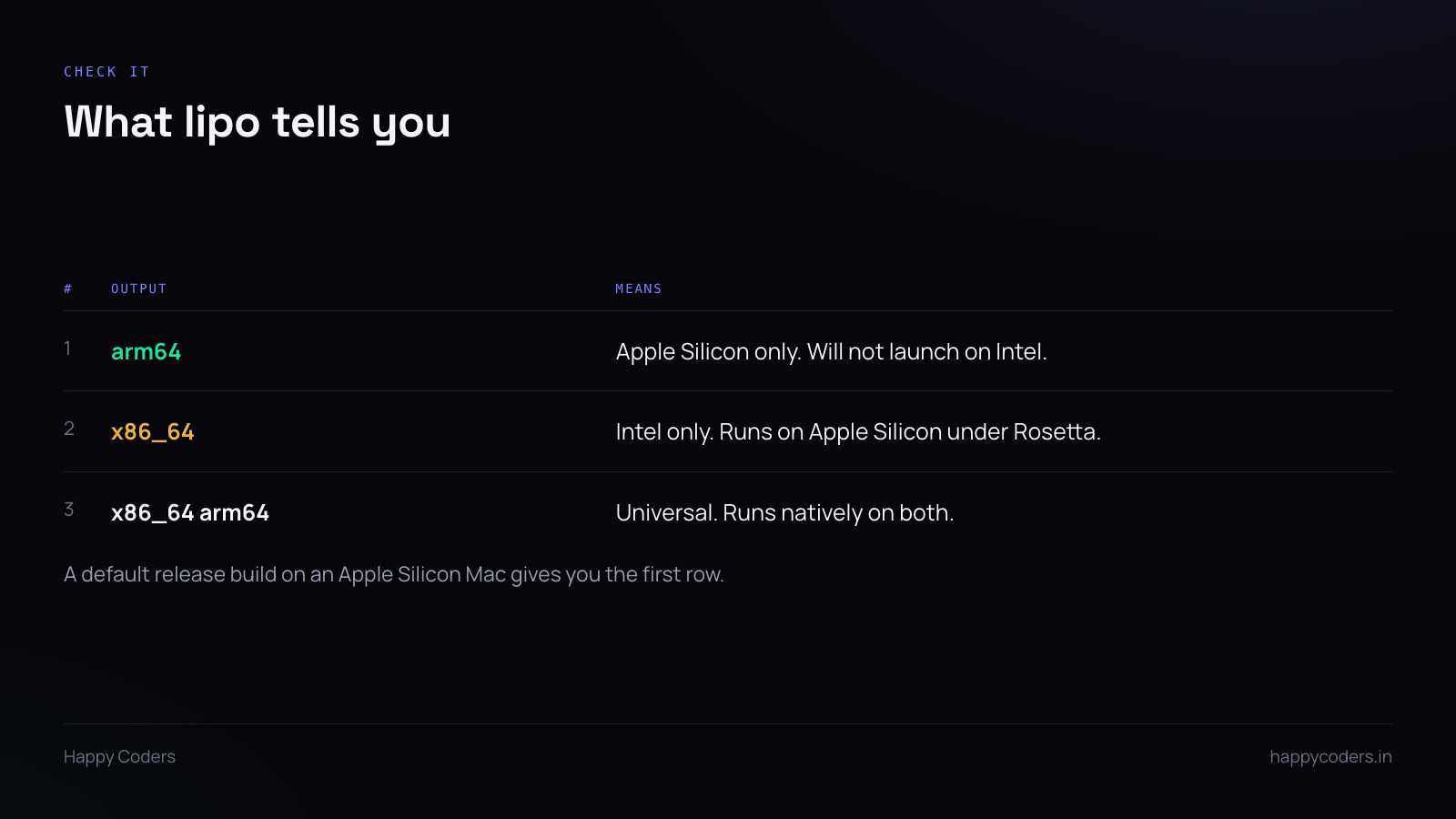
lipo -archs on the executable inside the app bundle prints the architectures it contains.
If it says arm64 and nothing else, the app will not launch on an Intel Mac. Not “will be slow” — will not start. The user gets a dialog telling them the application is not supported on this Mac, which is a confusing thing to read on a page that said it was.
The reverse case is gentler. An x86_64-only build runs on Apple Silicon through Rosetta, so it works, just slower and with a translation layer. For something doing continuous video encoding that difference is measurable.
x86_64 arm64 is what you want. One file, both architectures, each running natively.
Why the default is wrong
Build tools default to the host architecture, which is sensible for development and wrong for release. On an Apple Silicon machine a plain release build produces arm64, and nothing warns you, because from the build system’s point of view nothing went wrong.
The flag is small — passing both architectures to the build — and the hard part is not the flag. It is that you only find out it was missing when a user tells you, and users who cannot launch an app usually do not tell you. They close the window.
The failure that survives every check
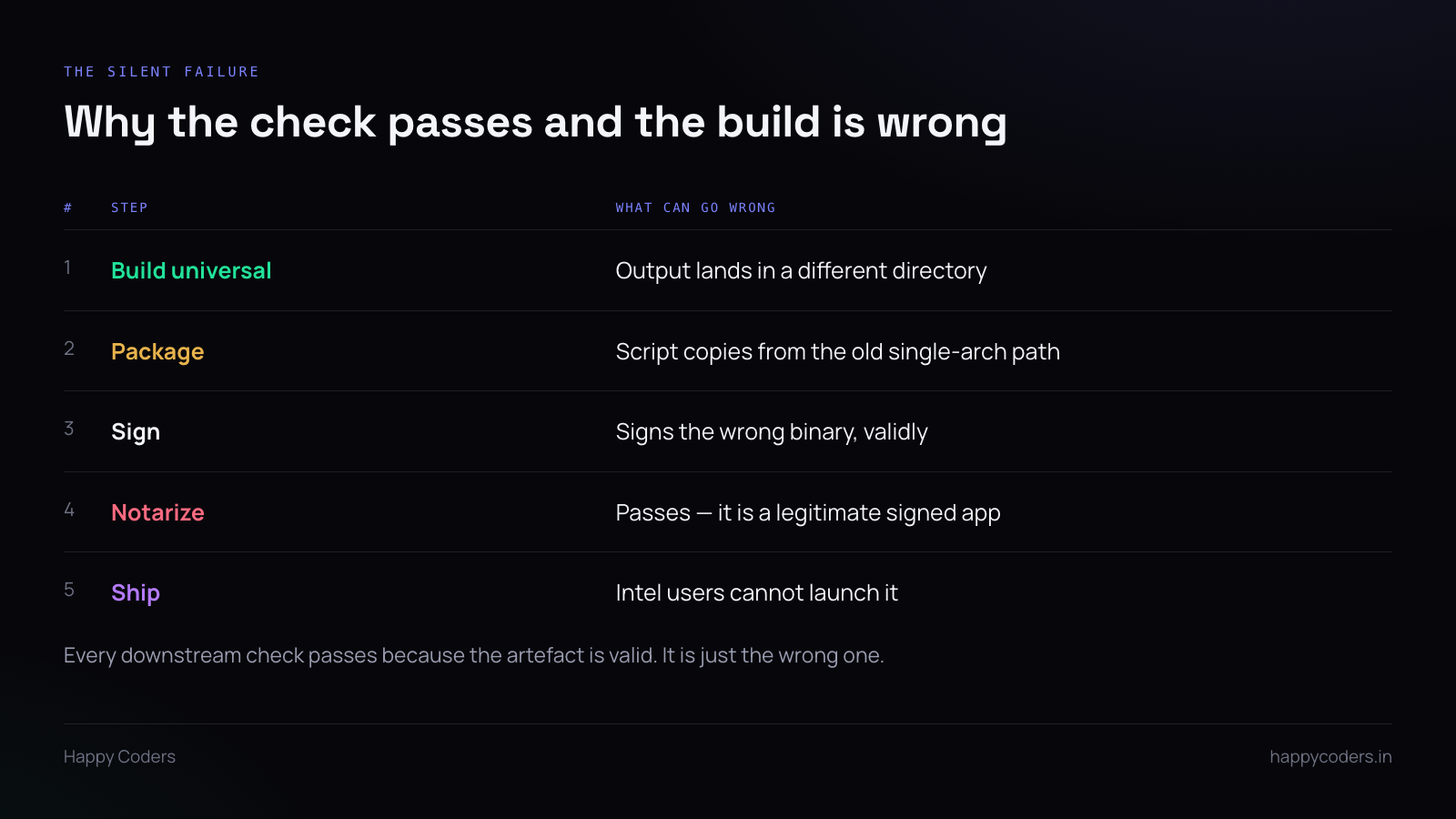
This is the one worth guarding against, because it is invisible.
Building for two architectures can put the output in a different directory from the single-architecture build. If the packaging script copies from the path it has always used, it picks up the old binary — which is still there, still arm64, and still perfectly valid.
Then it signs it, and the signature is correct. Then it notarizes it, and Apple accepts it, because it is a legitimately signed app from a real developer. Then it ships.
Every verification step passes. None of them check architecture, because architecture is not what they are for. The only thing that would have caught it is a check on the artefact itself.
Make the script refuse
One line in the packaging script, after the build and before the sign:
Read the architectures out of the binary that is about to be packaged. If the output does not contain both, stop. Do not warn — stop, with a non-zero exit code, so a release pipeline fails rather than continuing.
Treat it the same way you treat a failing test. The point is not to be told; the point is to make it impossible to ship the wrong thing while distracted, which is the only state in which anyone ever ships the wrong thing.
Dependencies have to be universal too
If the app links against a prebuilt framework or a dynamic library, that dependency needs both architectures as well. A universal app that links a single-architecture library fails at load time on whichever architecture is missing, and the error message is about the library rather than about architecture.
lipo -archs works on those too. Worth running across everything inside Frameworks as part of the same check.
Testing both halves
You cannot test an Intel build properly on an Apple Silicon Mac, but you can do better than nothing: launch the app forcing the x86_64 slice and confirm it starts. That catches the case where the Intel half was built but is broken, which is rarer than the missing-half case and much harder to find.
Proper testing needs an Intel machine. If you do not have one and do not want one, the honest alternative is to say on the site what you have actually tested, rather than what the build theoretically supports.
The claim on the website
This is the part that is not technical.
If the download page says “Apple Silicon and Intel”, that is a promise, and the person it matters to is the one on the older machine who is deciding whether to bother. They are also the least likely to report that it did not work.
Check the claim and the binary together. If they disagree, either fix the build or fix the sentence — and of the two, fixing the build is usually the smaller job, because the flag already exists and the code almost certainly compiles for both.
Watch out for the split case as well: a direct download that is universal and a Mac App Store build that is not, or the reverse. Two distribution paths means two binaries and two chances to get it wrong, and the website usually describes only one of them.