Uploading Screenshots From a Desktop App on a Bad Connection
Uploading Screenshots From a Desktop App on a Bad Connection
A desktop tracker takes a screenshot every few minutes and uploads it. On a good connection nobody thinks about this. On a hotel wifi, a tethered phone, or an office whose uplink dies at 4pm every day, the naive version loses screenshots silently and nobody finds out until somebody asks why an afternoon is missing.
The fix is not retrying harder. It is deciding that the upload is allowed to fail, and designing around that.
Capture and upload are two different jobs
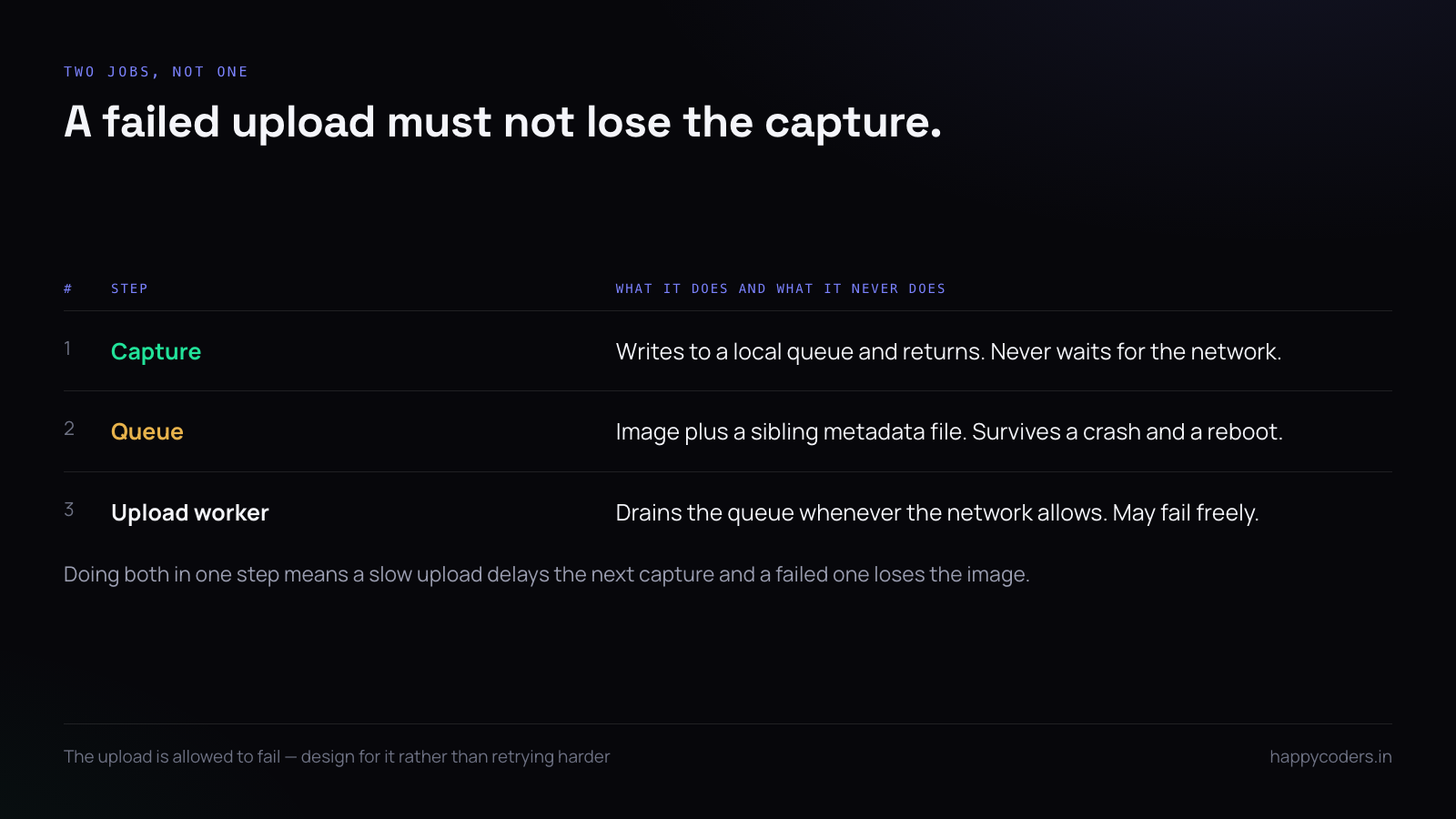
The first mistake is doing them in one step. Capture, then upload, then carry on — so a slow upload delays the next capture, and a failed upload loses the image entirely.
Separate them. Capture writes to a local queue directory and returns immediately. A second worker drains the queue whenever the network allows.
~/Library/Application Support/HappyTracker/pending/
    2026-10-06T14-32-05Z-7f3a.jpg
    2026-10-06T14-32-05Z-7f3a.json   <- metadata beside it
Writing the metadata as a sibling file rather than embedding it means a partially written image can be discarded without losing the record that a capture happened.
Write the file before you record it
Order matters here. Write the image to a temporary name, flush it, then rename into place. A rename within the same filesystem is atomic, so the queue never contains a half-written file.
tmp = queue_dir / f".{name}.part"
tmp.write_bytes(jpeg)
os.fsync(tmp.open("rb").fileno())
tmp.rename(queue_dir / name)        # atomic
Without the rename, a crash or a battery death mid-write leaves a truncated JPEG that the uploader will retry forever because the server keeps rejecting it.
Back off, and cap the backoff
Retrying every second against a dead network wastes battery and achieves nothing. Exponential backoff with a ceiling is the whole algorithm:
delay = min(BASE * (2 ** attempt), MAX_DELAY)   # 2s, 4s, 8s … capped at 5 min
delay = delay * random.uniform(0.8, 1.2)        # jitter
The jitter matters more than it looks. Without it, fifty machines in one office that all lost the network at the same moment retry in perfect unison and arrive as a thundering herd the moment it comes back.
Distinguish the three failures
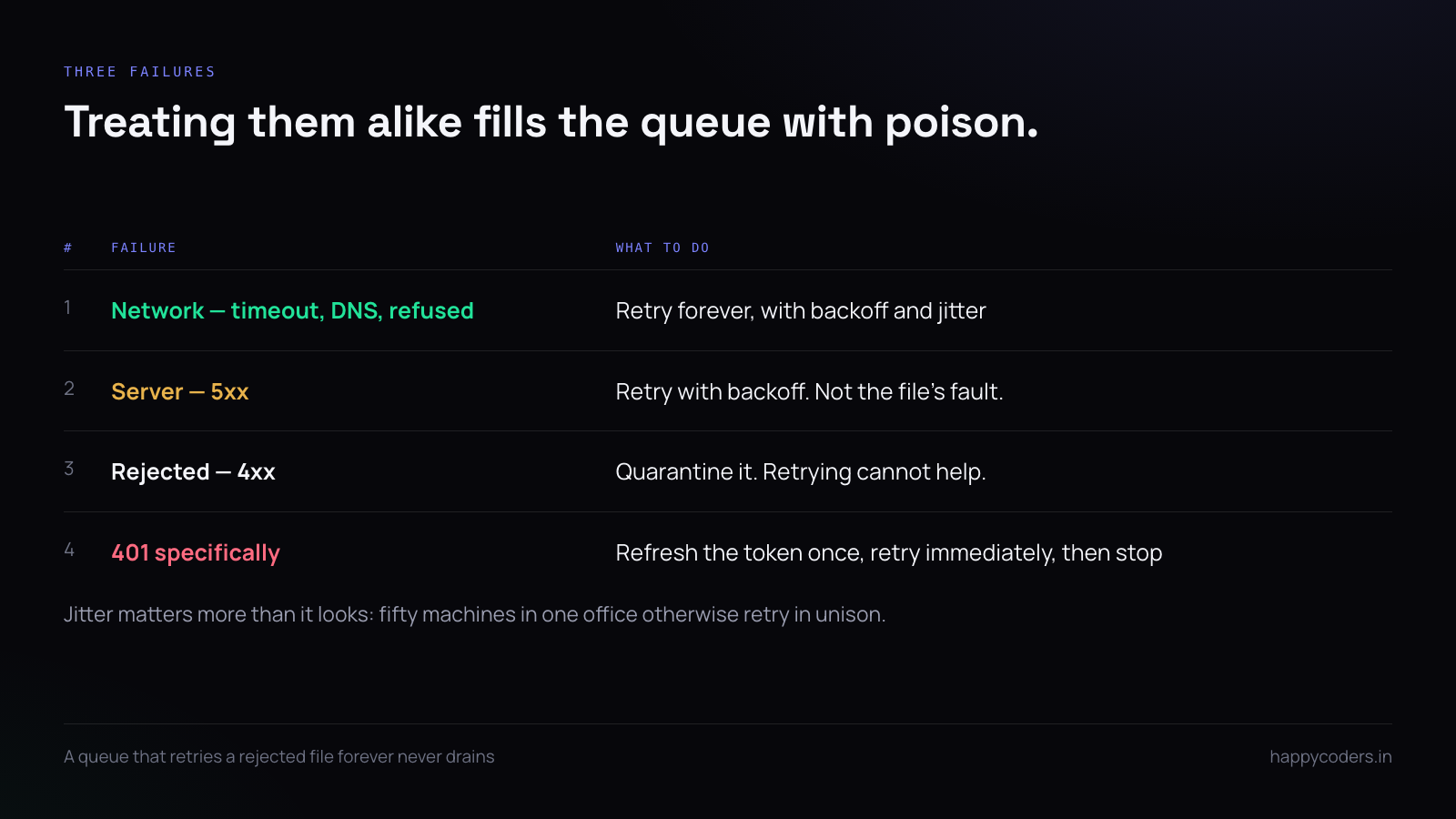
Not every failure deserves a retry, and treating them alike is how a queue fills with poison:
- Network failure. Timeout, DNS, connection refused. Retry forever with backoff.
- Server failure (5xx). Retry with backoff. It is not your file's fault.
- Rejection (4xx). The file is too large, the token expired, the format is wrong. Retrying is pointless.
if status == 401:
    refresh_token(); return RETRY_NOW
if 400 <= status < 500:
    quarantine(path, reason=status); return DROP
return RETRY_LATER
A 401 is the interesting one: not a network problem and not the file's fault. Refresh the token once and retry immediately; if it fails again, stop, because something structural is wrong.
Give the queue a ceiling
A laptop offline for a week with a capture every five minutes produces about two thousand images. Unbounded, that fills the disk and the tracker becomes the reason the machine stops working.
Decide a cap in megabytes rather than in files, and decide what is dropped when it is reached. Dropping the oldest is almost always right — recent screenshots are more useful than week-old ones, and the server-side retention window will delete the old ones anyway.
while queue_bytes() > MAX_QUEUE_BYTES:
    oldest = min(queue_dir.glob("*.jpg"), key=lambda p: p.stat().st_mtime)
    record_drop(oldest)      # keep the metadata — the gap should be explainable
    oldest.unlink()
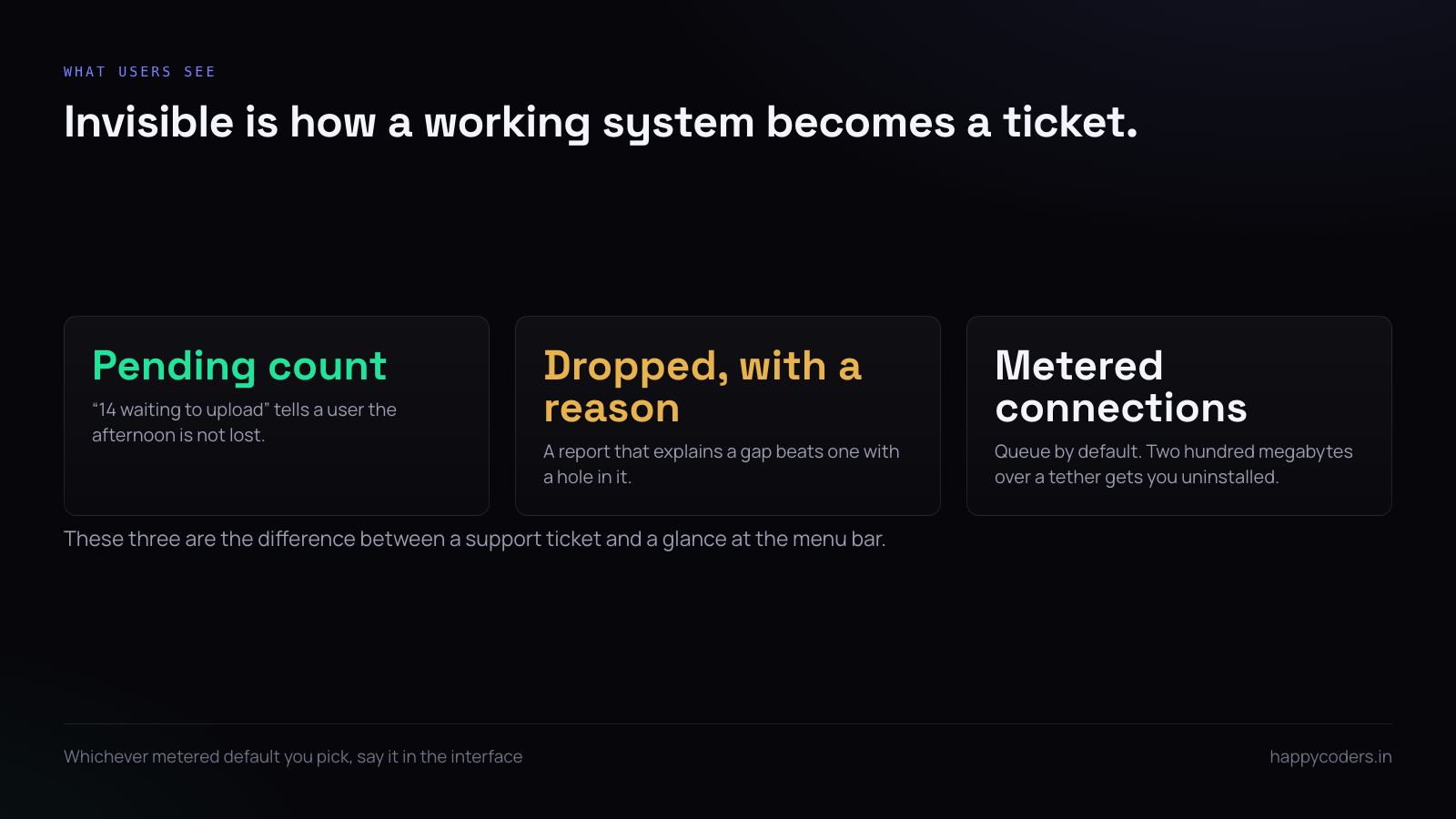
Keep the metadata of what was dropped. A report that can say "forty screenshots were not uploaded, disk queue full" is far better than one with an unexplained hole.
Make the upload idempotent
A retry after a timeout may be a retry of something that actually succeeded — the response was lost, not the request. Without idempotency you get duplicates, and duplicates in a screenshot timeline are worse than gaps because they make the timeline wrong rather than incomplete.
Give every capture a client-side identifier at the moment it is taken, and let the server treat a repeat as the same object:
POST /api/v1/screenshots
Idempotency-Key: 2026-10-06T14:32:05Z-7f3a-ab19
// server
$existing = Screenshot::where('client_key', $key)->first();
if ($existing) {
return response()->json($existing, 200); // not an error
}Compress before queueing, not before sending
Compress at capture time. A queue of full-resolution PNGs is four or five times larger than it needs to be, and the compression cost is paid once rather than on every retry.
For screenshots of user interfaces, JPEG at quality 70 to 75 is usually indistinguishable from the original at a quarter of the size. If the product offers a blur option for privacy, apply it at capture too — a blurred image that was queued unblurred is a privacy failure waiting for a disk to be imaged.
Upload order, and why oldest-first is wrong
The instinct is a FIFO queue. In practice, when a connection returns after an outage, the most useful thing to send first is the most recent screenshot, because that is what somebody looking at the dashboard right now wants to see.
A workable compromise: send the newest first, then drain the backlog oldest-first behind it. The timeline fills in from both ends and the live view is correct within seconds rather than minutes.
Do not upload on a metered connection without asking
A tracker that uploads two hundred megabytes over somebody's phone tether will be uninstalled, and correctly so. Both platforms expose enough to know:
# macOS — is the primary interface a phone or hotspot?
networksetup -listallhardwareports

# Windows
Get-NetConnectionProfile | Select-Object Name, NetworkCategory
The honest default is to queue while metered and upload when a cheap connection returns, with a setting for people who would rather have it live. Whichever default you pick, say it in the interface — this is one of the few things users genuinely check.
Make the queue visible
Every one of these decisions is invisible to the person running the app, and invisibility is what turns a working system into a support ticket.
Show the pending count somewhere unobtrusive. "14 screenshots waiting to upload" tells a user their afternoon is not lost, and it tells support, in one glance, whether the problem is capture or network.
Testing it without a bad network
You can simulate most of this without unplugging anything:
# macOS — 500ms latency, 2% loss, on the loopback used by your dev API
sudo dnctl pipe 1 config delay 500 plr 0.02
echo "dummynet out proto tcp to 127.0.0.1 port 8000 pipe 1" | sudo pfctl -f - -e
Then three cases worth asserting: the queue survives a kill -9 mid-upload, a 4xx quarantines rather than retries forever, and a duplicate upload of the same key produces one row rather than two.
A short answer
Capture to a local queue and upload from it. Write with a temp file and an atomic rename. Back off with jitter and a ceiling. Treat 4xx as fatal and 5xx as temporary. Cap the queue in bytes and record what you dropped. Make uploads idempotent so a retry cannot duplicate. Compress at capture. Send newest first. Respect metered connections, and show the pending count so none of this is invisible.