What “Today” Means When Your Team Is in Three Time Zones
What “Today” Means When Your Team Is in Three Time Zones
Somebody in Chennai opens the dashboard at nine in the morning and it says they have logged no hours today. They have logged three. The server is in a datacentre several hours behind, and as far as it is concerned it is still yesterday.
This is the most common timezone bug in any product that counts things per day, and it is not really about timezones. It is about which day the boundary belongs to.
Three candidate days
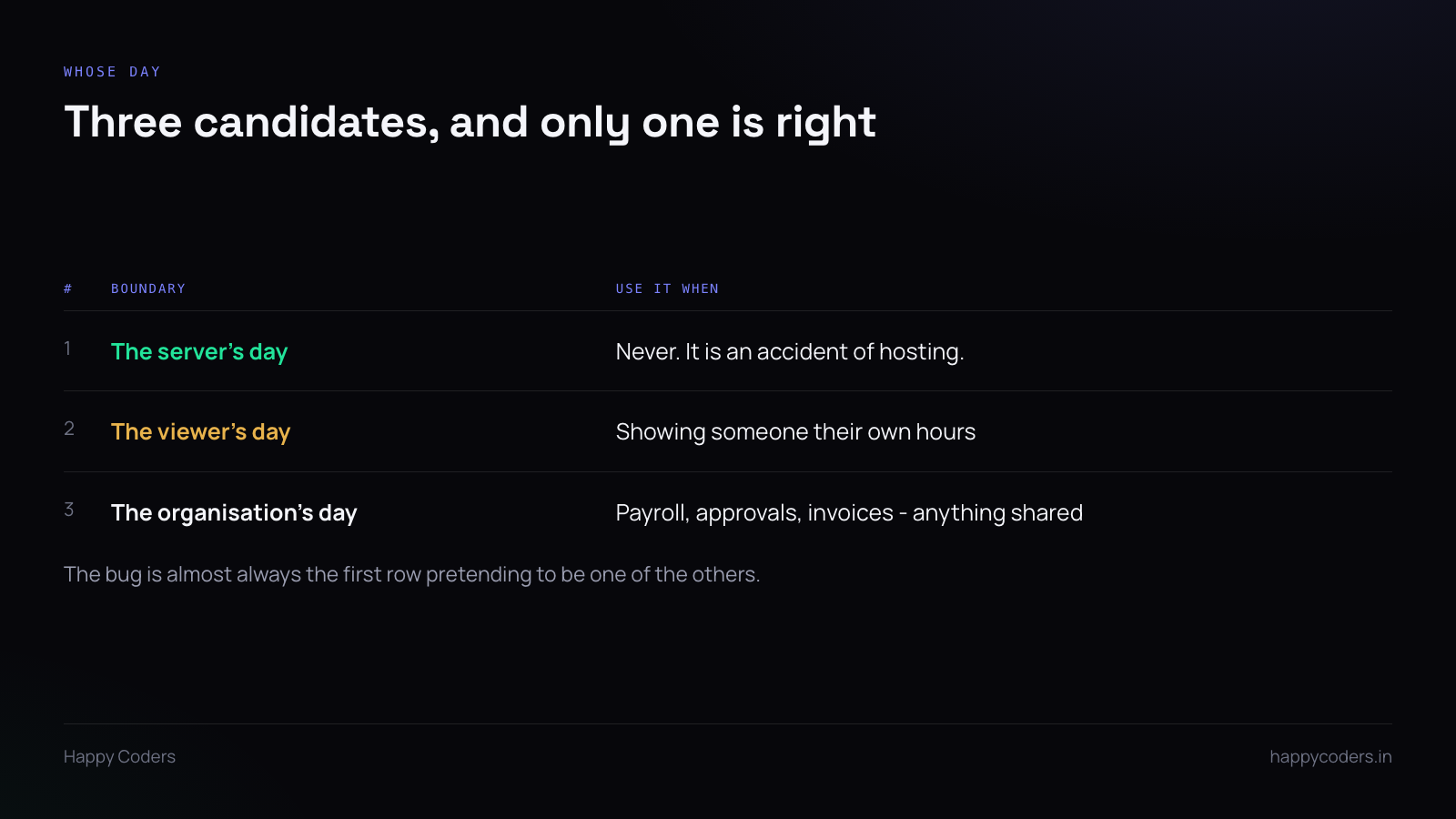
The server’s day. Never correct. It is a property of where you happened to deploy, and it changes if you move hosts. Any time the server’s local midnight appears in business logic, that is the bug.
The viewer’s day. Correct when showing someone their own numbers. A person in Chennai looking at “my hours today” means their today.
The organisation’s day. Correct for anything shared — the weekly timesheet, the approval window, the invoice period, the daily hours limit. If two people in different cities look at the same team report, it has to show the same thing, and that means one agreed boundary.
So most products need both of the last two, used in different places, and the first one used nowhere.
Store UTC, carry the zone
Timestamps in the database are UTC. Not local time, not “whatever the server did”. UTC, consistently, with no exceptions for the one table somebody added in a hurry.
Alongside that, store the zone the day boundary should use — on the organisation, and on the user if individual views matter. Store it as an IANA name (Asia/Kolkata), not an offset.
Offsets are wrong twice a year for anywhere with daylight saving. +05:30 happens to be stable for India, which makes it a tempting shortcut and a trap the first time a client is in London.
Convert the boundary, not the rows
Here is the part that is both a correctness bug and a performance one.
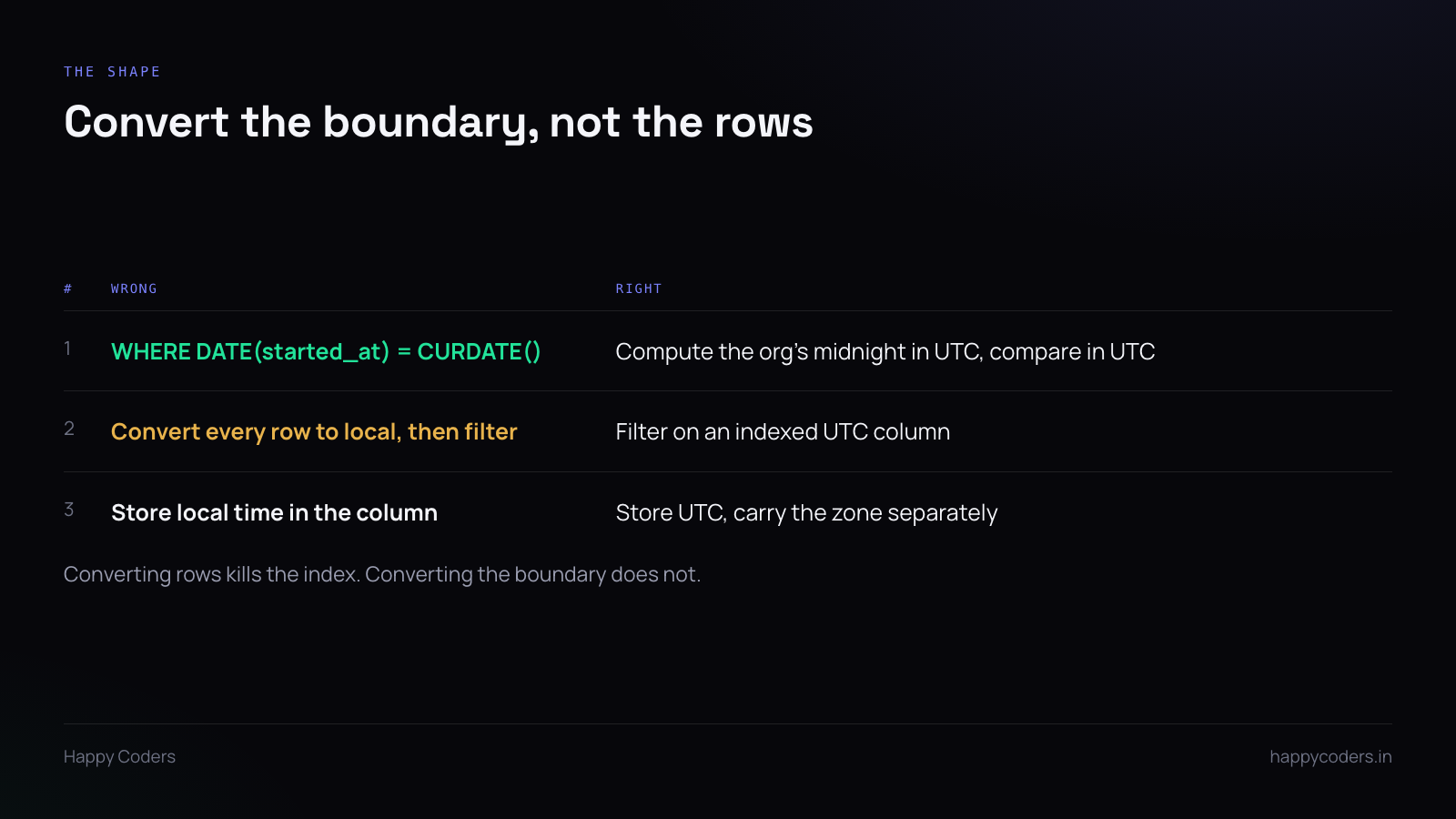
The natural query is to convert each row’s timestamp to local time and compare the date. It reads clearly and it is wrong in two ways: the database has to convert every row before it can filter, so the index on the timestamp column is useless, and on a table of a few million time entries that turns a fast query into a table scan.
The right shape: work out what the organisation’s midnight is, in UTC, for the day in question. That gives you two UTC instants. Then filter the indexed column between them.
One conversion, done once in application code, and the index still works. The query stays fast as the table grows, which is the point — this is a query that runs on every dashboard load.
The hour that happens twice
For a zone with daylight saving, one day a year has 23 hours and another has 25, and on the 25-hour day one local hour occurs twice.
Two consequences worth knowing about:
Never compute a day boundary by adding 86,400 seconds. Ask the date library for the start of the next day and subtract. It knows about the transition; arithmetic does not.
During the repeated hour, a local time is ambiguous — 01:30 happens twice. Because you are storing UTC, the data is unambiguous and only the display is confusing, which is the right way round. This is the main practical reason not to store local time.
Where the boundary quietly matters
The daily hours limit. If a session is closed when the day’s total passes some ceiling, that ceiling resets at a particular midnight. Server midnight means someone’s day resets in the middle of their afternoon.
Weekly approval. A week runs from a specific local midnight to another. Get it wrong and entries fall into the adjacent week, which is noticed at invoicing and not before.
Retention and pruning. “Older than seven days” is measured from a UTC instant, which is fine, but make sure it is not accidentally measured from the server’s local midnight — a prune that runs an hour early deletes a day it should not.
Scheduled jobs. A daily report cron at “9am” is the server’s 9am. If it is meant to be the customer’s morning, it needs to be scheduled in their zone, and that is a different thing from the application’s own handling.
Testing it without a second machine
Set the application’s organisation zone to something far from the server — Pacific/Auckland is useful, because it is almost always on a different date. Then check that “today” on the dashboard matches the date in Auckland rather than the server’s.
Then test the boundary: create an entry just before and just after the organisation’s local midnight and confirm each one lands in the day it should.
Two entries and a settings change. It takes five minutes and it catches the entire class of bug, including the one where everything is correct except a single report somebody wrote later without thinking about it.