
When the Display Changes in the Middle of a Recording
When the Display Changes in the Middle of a Recording
Someone is recording a walkthrough on an external monitor. Halfway through, they unplug it to move to a meeting room. Or the lid closes. Or macOS decides to change the scale factor because a display woke up.
The display the recorder was capturing no longer exists in the form it had when recording started.
This is not an edge case. Anyone recording on a laptop with a monitor hits it eventually, and what the recorder does next determines whether they keep using it.
The five events
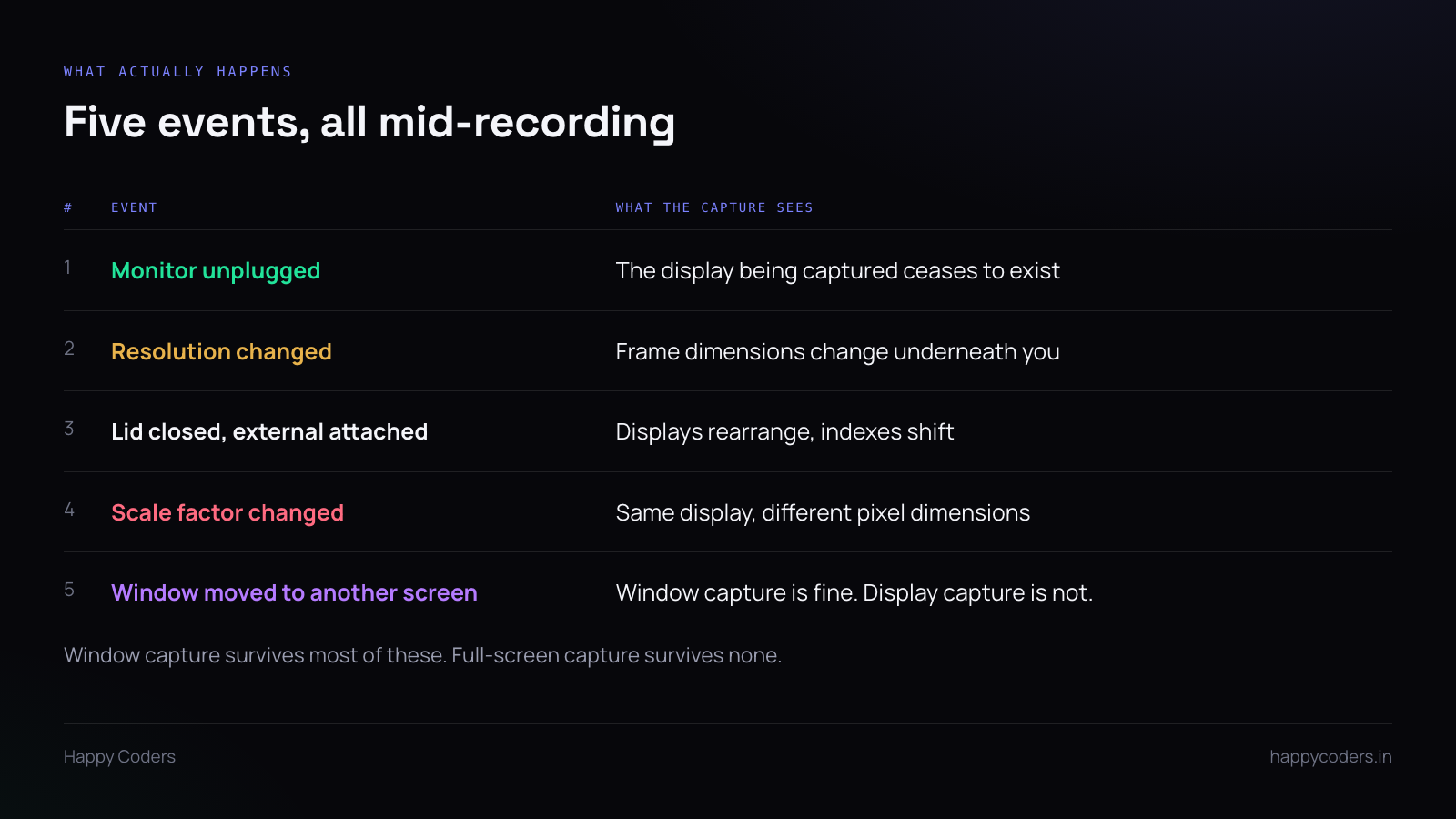
They are not variations of one thing. Each needs its own handling.
The display disappears. The capture target is gone. There is nothing to capture and no way to continue as if there were.
The resolution changes. The display still exists, but frames are now a different size. An encoder configured for 2560×1440 is being handed 1920×1080 buffers, and most encoders will either reject them or produce something corrupt.
Displays rearrange. Lid closes, external becomes primary, display indexes shift. A recorder holding a numeric index is now capturing a different screen without knowing it — which is the worst of the five, because it silently records the wrong thing.
Scale factor changes. Same display, same logical size, different pixel dimensions. Easy to miss because the display identity has not changed.
A window moves to another screen. If you are capturing a window rather than a display, this is fine and should just work. If you are capturing a display, the window has left the recording.
Three behaviours that lose the user
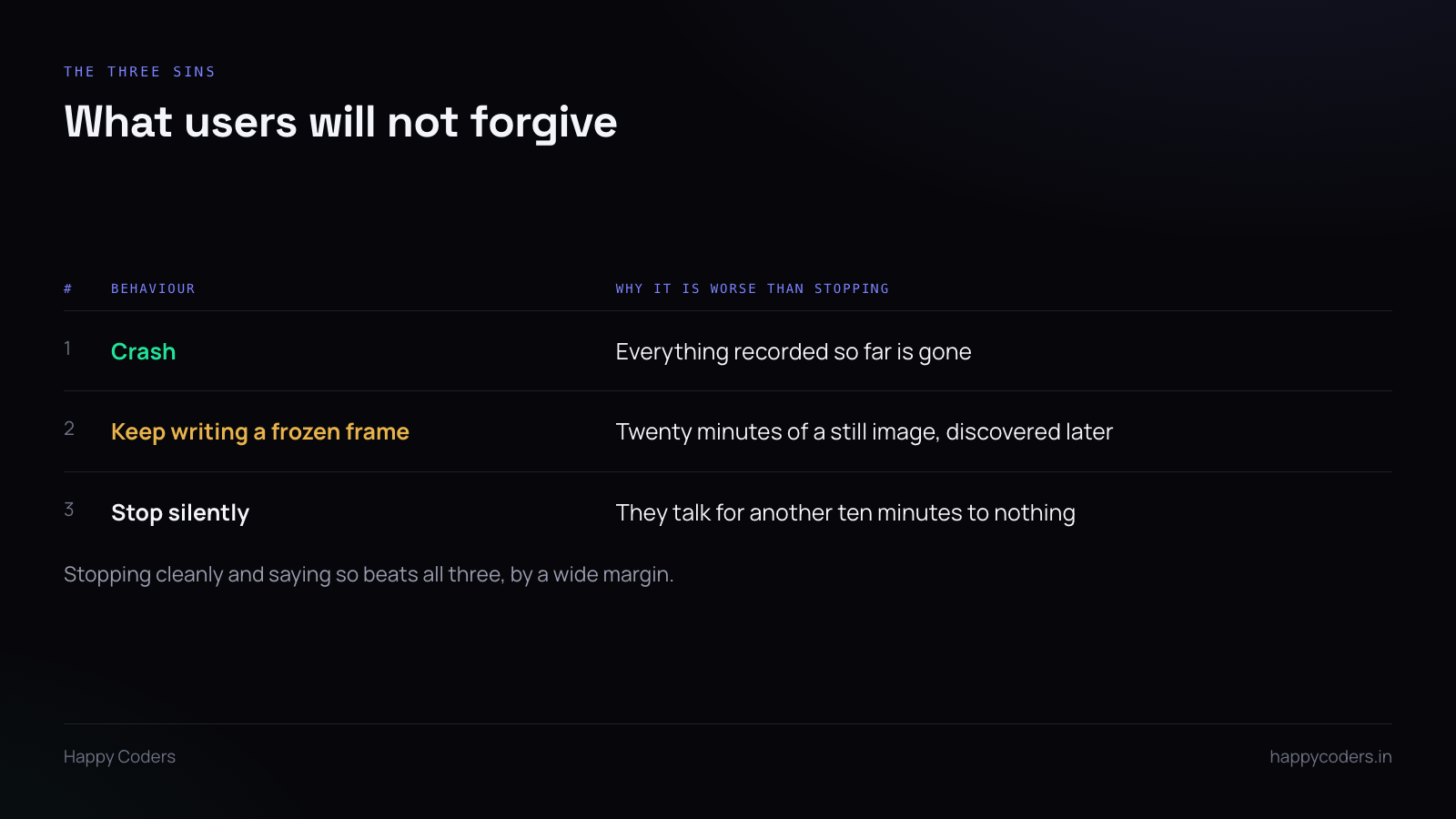
Crash. Everything recorded so far is gone, including the twenty good minutes before the monitor was unplugged. Unforgivable, and the most common.
Keep writing a frozen frame. The capture stops producing new content but the file keeps growing with the last frame. The user discovers twenty minutes of a still image when they play it back, long after the moment has passed.
This is worse than crashing, because the user believed it had worked.
Stop silently. The recording ends, nothing is said, and the person carries on talking to a recorder that stopped eight minutes ago.
What to do instead
Finalise what you have, immediately. The first obligation is that the twenty good minutes are a valid, playable file. Flush, write the index, close it properly. A recorder that always leaves a playable file is trusted; one that sometimes leaves a corrupt one is not, no matter how it behaves the rest of the time.
Tell the user, loudly, now. Not a log line. A visible change — a notification, the recording indicator going red, something they will see while still at the machine. “Recording stopped: the display being captured was disconnected. The file is saved.”
Then, if you can, continue sensibly. If the user was capturing a window and the window still exists on another display, keep going — nothing meaningful changed. If they were capturing a display that is gone, offer to resume on the remaining one as a second file rather than trying to splice resolutions into one.
Two files with a gap are easy to explain. One file that silently changes resolution halfway is a support request.
Identify displays properly
Hold a stable display identifier, not an index into a list. Indexes shift when displays are added or removed, and a recorder that holds index 1 will cheerfully start recording a different screen.
Every platform provides a persistent display ID. Use it, and re-resolve it when the configuration changes rather than assuming the one you captured at start time is still valid.
Subscribe to the change notification
Every platform emits an event when the display configuration changes. If you are not subscribed, you find out by receiving a malformed frame or no frames at all, and by then you are reacting to a symptom.
Subscribe, and on the callback check whether your specific target still exists at the dimensions you configured. Re-check both — a display can survive while its resolution does not.
Recommend window capture
Window capture survives most of this. The window moves to a different display, gets resized, the external monitor goes away — the capture follows it, because the target is the window rather than the screen it happens to sit on.
It is also the better privacy choice, and better for file size. For a walkthrough of one application it is better on every axis, and it is worth making the default rather than something a user discovers in settings.
Test it deliberately
Start a recording on an external monitor. Unplug it. Check that the file is playable, that something visible told you, and that the application is still running.
Then: change resolution mid-recording. Close the lid. Move the window to another screen.
Four tests, ten minutes, and they cover the failure that costs more goodwill than any feature you could add in the same ten minutes.




