Why Your Recording Drifts Out of Sync, and How to Stop It
Why Your Recording Drifts Out of Sync, and How to Stop It
You test the recorder. Two minutes, audio and video line up, ship it. A user records a forty-minute training session and by the end the speaker’s mouth is visibly ahead of their voice.
This is drift, and it is one of those bugs whose shape tells you exactly what it is — if you look at the shape rather than the size.
Read the symptom first
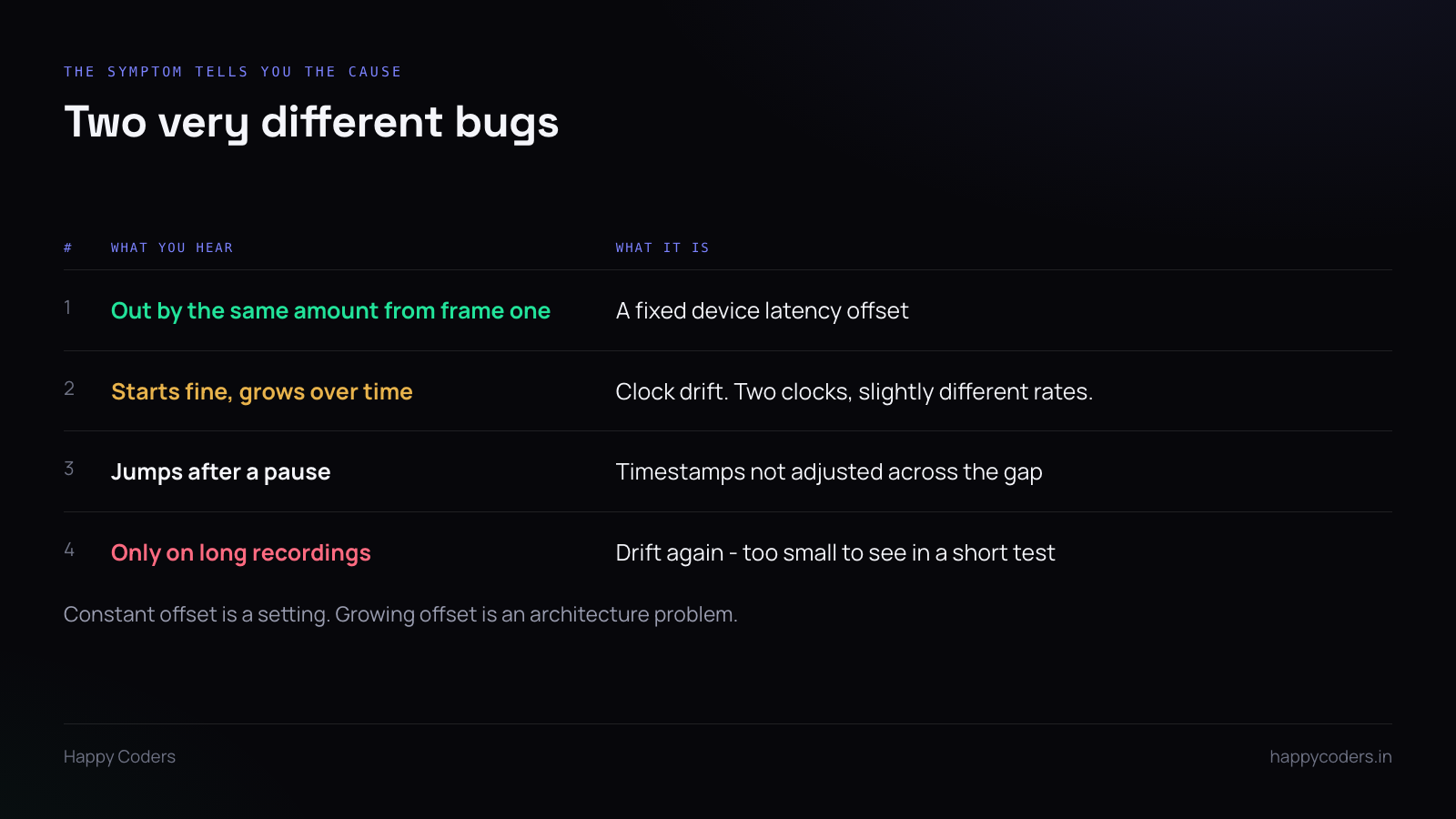
Constant from the first frame. Audio is 120ms late for the whole file, start to finish. That is device latency — the microphone path has a buffer your video path does not. It is a fixed offset and it is a setting, not a bug in your pipeline.
Starts right, grows steadily. Zero at the start, half a second at forty minutes. That is drift, and it means two clocks running at slightly different rates with nothing reconciling them.
Jumps at a pause. Fine, then suddenly out by exactly the length of the pause. Timestamps are not being adjusted across the gap — the audio timeline skipped the pause and the video timeline did not, or the reverse.
Different causes, different fixes. Treating drift as an offset by nudging a constant is the usual wrong turn: it makes the middle of the file correct and both ends wrong.
Why drift happens
Audio is captured by hardware running on its own crystal. Nominally 48,000 samples a second; in practice 47,999.8 or 48,000.3. Video frames arrive on a different schedule, governed by the display or the capture API.
Neither is wrong. They simply do not agree, and over forty minutes a difference of a few parts per million becomes audible.
That is unavoidable at the hardware level. What is avoidable is failing to carry the information that would let you reconcile it.
The rule: never generate your own timestamps
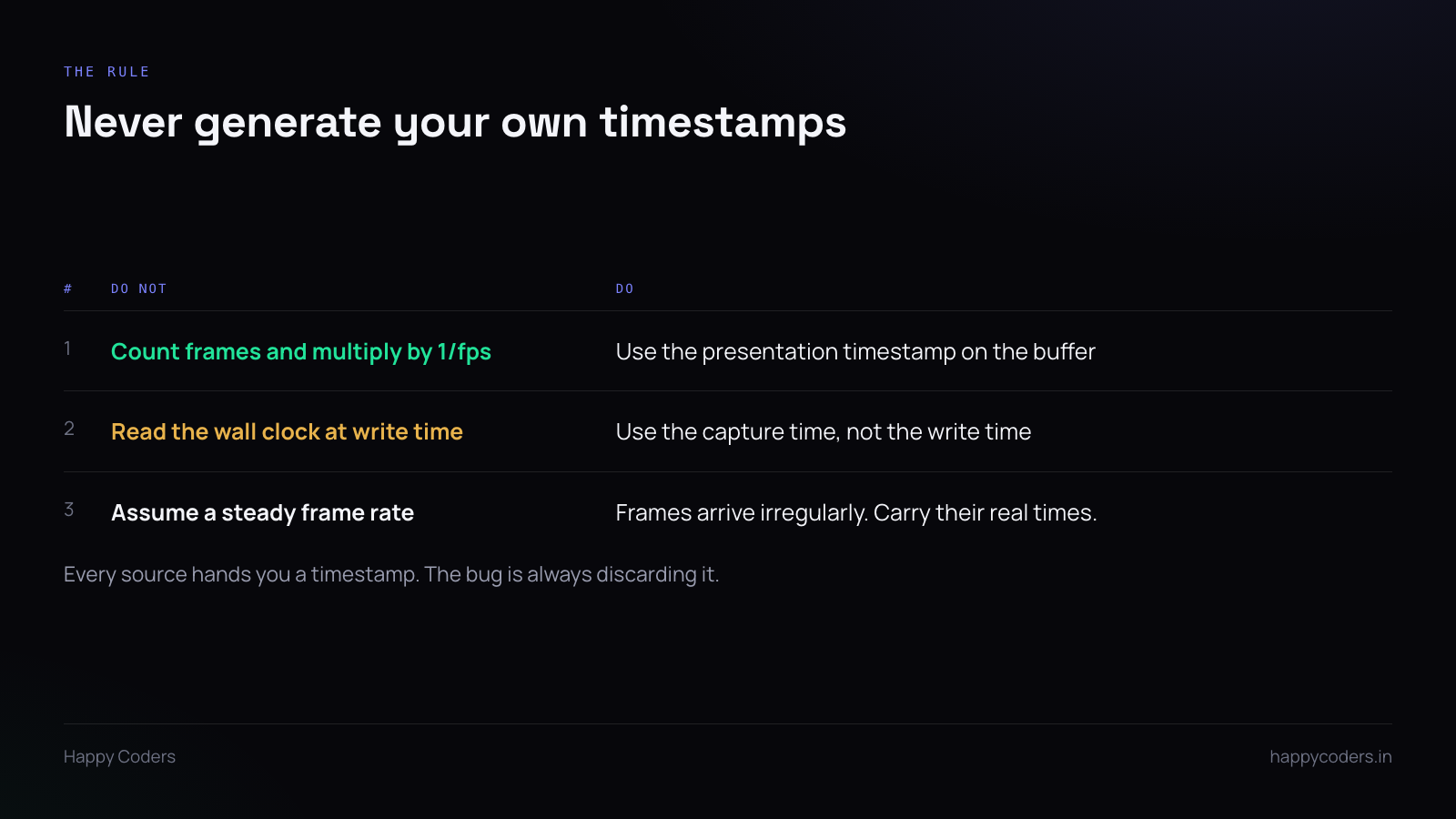
This single rule prevents the entire class of bug.
The tempting code counts frames and multiplies: frame 1,800 at 30fps is at 60.0 seconds. It is clean, it is obvious, and it is wrong, because frames do not arrive at exactly 30fps. They arrive when the system produces them, and the real interval varies with load.
Every capture API hands you a presentation timestamp on each buffer, taken from the same clock the system used to produce it. Use that. Pass it through to the encoder unchanged.
Then the file records when things actually happened rather than when you assumed they would, and audio and video stay aligned because both are described against the same clock.
The same applies to reading the wall clock at write time. Write time is after the encode queue and whatever buffering sits in front of it, and that delay is not constant.
Pauses
Pause and resume is where many recorders break, because there are two defensible behaviours and only one of them is what users expect.
Users expect the paused time to be removed — a ten-minute recording with a four-minute pause should be a ten-minute file, not fourteen with four minutes of frozen frame.
That means maintaining an offset: on resume, subtract the pause duration from every subsequent timestamp, for both audio and video. Apply it to one and not the other and you get the characteristic jump.
Worth being explicit about this in the interface, because the other behaviour is also reasonable and the user cannot tell which they are getting until afterwards.
When sources change mid-recording
The user switches from laptop speakers to Bluetooth headphones while recording. The audio device changes, and so does its clock, its sample rate and its latency.
Handle the change rather than assuming it cannot happen. Bluetooth in particular has a large and variable latency, and a switch mid-recording moves the offset in a way that looks exactly like drift if you are not watching for it.
Testing for it
A two-minute test will not find drift. A few parts per million over two minutes is a few milliseconds, which nobody can see.
Record for thirty minutes with something that produces a sharp visual and audible event — a clap, a metronome, anything with an obvious transient. Check the alignment at the start, the middle and the end.
If start and end are both correct, you are fine. If the error grows, you have drift. If it is constant, you have an offset, which is the easy one.
It is a boring test and it is the only one that finds this. Everything shorter passes whether the code is right or not.