Writing a Movie File While Still Recording Into It
Writing a Movie File While Still Recording Into It
A screen recorder that buffers the whole session in memory and writes the file when you press stop has two failure modes, and both lose everything: the machine runs out of memory on a long recording, or it crashes at minute forty-two and the file does not exist.
Writing continuously is not much harder, and it means a crash costs you the last few seconds rather than the whole session.
What a QuickTime file actually is
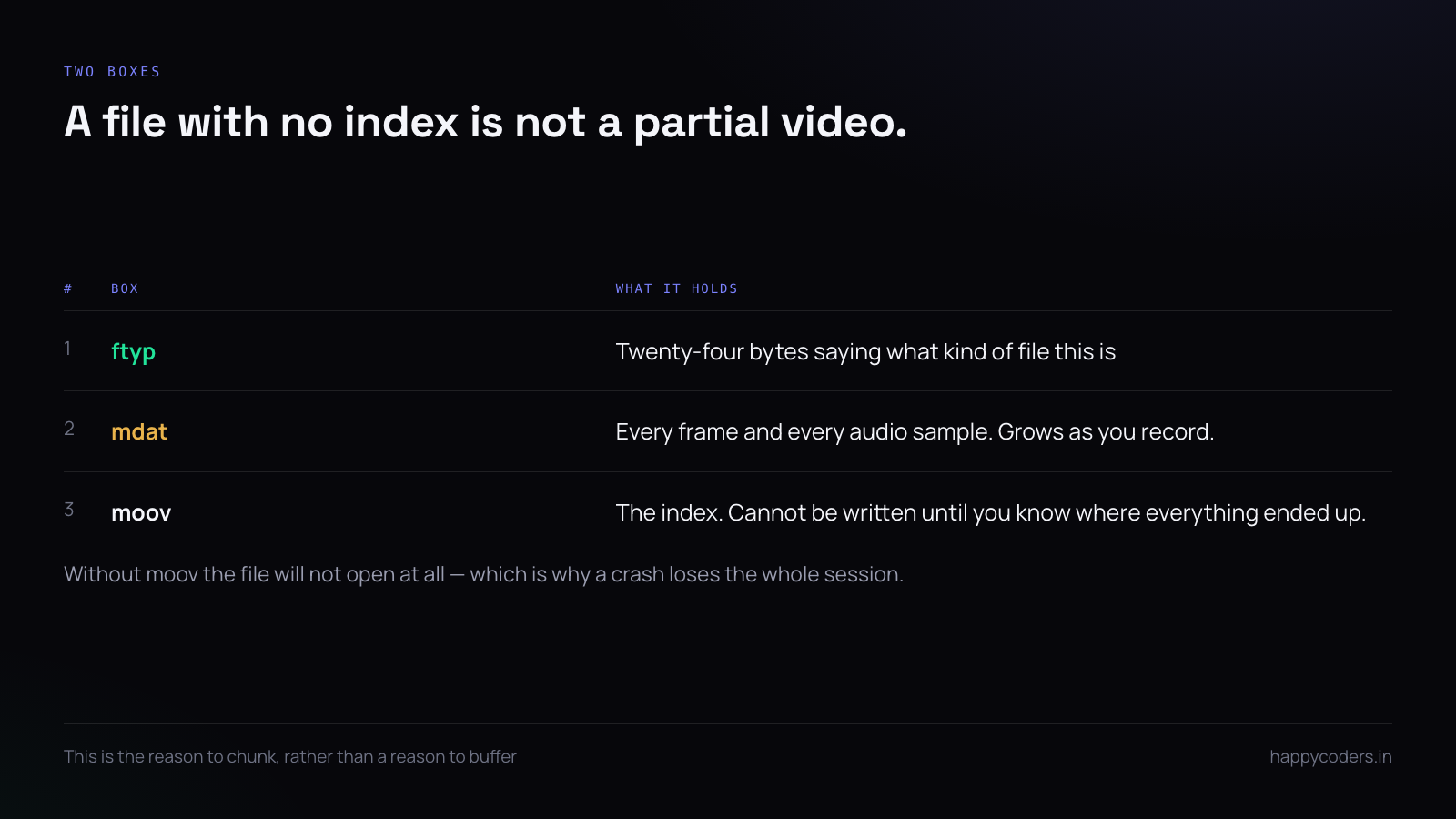
An MP4 or MOV is a tree of boxes. Two of them matter here: mdat, which is the raw audio and video, and moov, which is the index saying where every frame lives inside mdat.
The index cannot be written until you know where everything ended up, which is why the naive implementation keeps the whole recording and writes both at the end. A file with mdat and no moov is not a partial video — it is not a video at all.
[ftyp]  24 bytes, says what kind of file this is
[mdat]  everything, growing as you record
[moov]  the index, written last — without it nothing can play
AVAssetWriter writes as it goes
On macOS the framework already does the right thing. Samples are appended and flushed; memory stays flat regardless of length:
let writer = try AVAssetWriter(outputURL: url, fileType: .mov)

let videoInput = AVAssetWriterInput(mediaType: .video, outputSettings: [
    AVVideoCodecKey: AVVideoCodecType.h264,
    AVVideoWidthKey: 1920,
    AVVideoHeightKey: 1080,
])
videoInput.expectsMediaDataInRealTime = true
writer.add(videoInput)

writer.startWriting()
writer.startSession(atSourceTime: .zero)
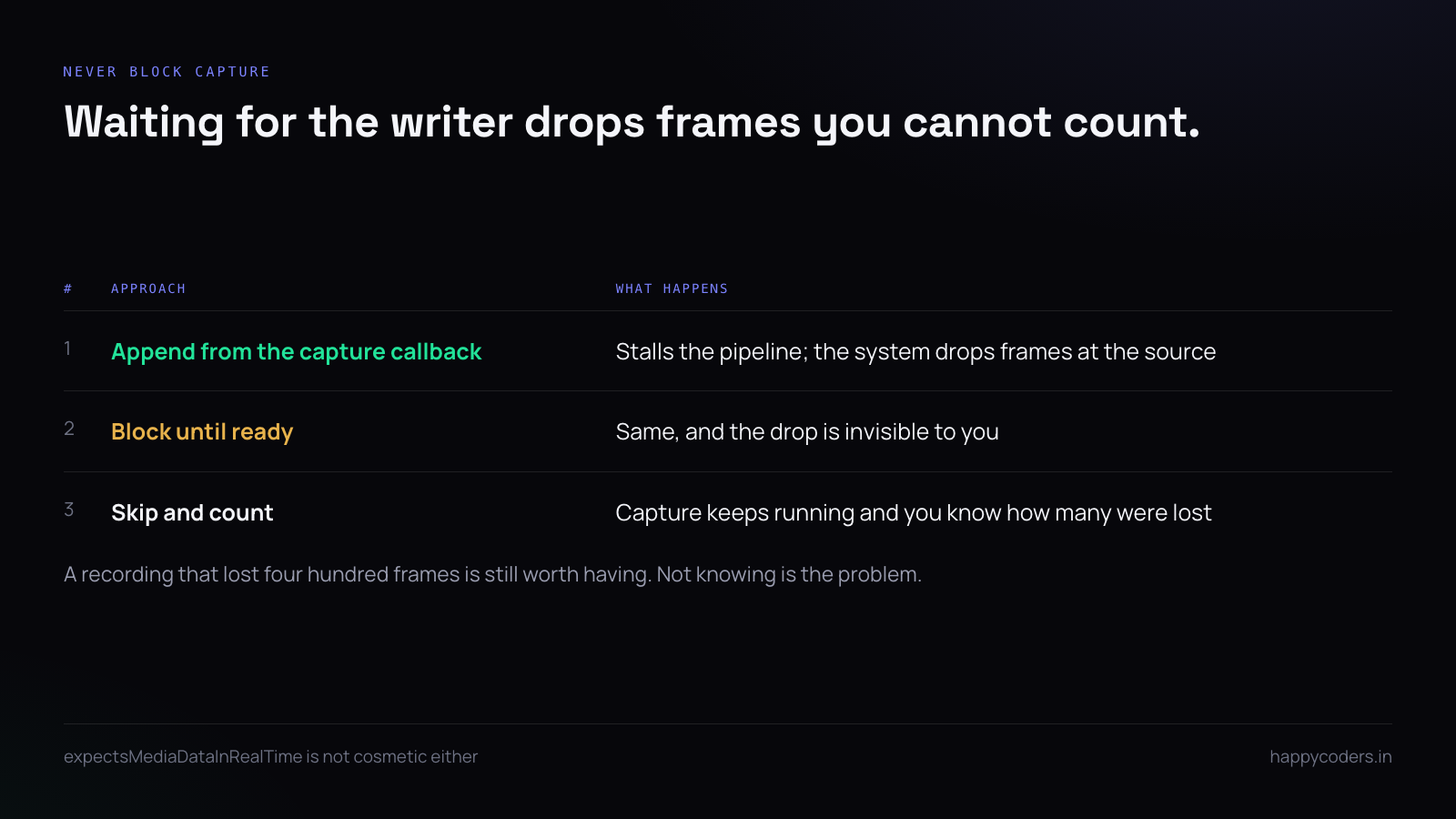
expectsMediaDataInRealTime is not cosmetic. Without it the writer assumes it can take its time, and on a live capture it will drop frames while deciding.
Append on the right queue, and respect back-pressure
Appending from the capture callback without checking readiness is the most common cause of dropped frames:
private let writeQueue = DispatchQueue(label: "rec.write")

func didOutput(_ buffer: CMSampleBuffer) {
    writeQueue.async {
        guard self.videoInput.isReadyForMoreMediaData else {
            self.droppedFrames += 1          // count it, do not block capture
            return
        }
        self.videoInput.append(buffer)
    }
}
Blocking the capture callback until the writer is ready stalls the whole capture pipeline, and the system responds by dropping frames at the source — where you cannot count them.
Count what you drop. A recording that lost four hundred frames is still worth having, and the number tells you whether the encoder settings are wrong for the machine.
Where the moov box goes
By default the index is written at the end, which is correct for a local file and wrong for anything streamed over HTTP — a player has to download to the end before it can start.
Moving it to the front costs a rewrite of the whole file at the end of recording:
ffmpeg -i out.mov -c copy -movflags +faststart out-web.mp4For a recorder that saves locally, do not bother. For one whose output is uploaded, do it as a post-processing step rather than trying to write it in place, which is not possible for a file whose length you did not know when you started.
Finishing properly, including when it crashes
A clean stop is three steps and all three matter:
videoInput.markAsFinished()
audioInput.markAsFinished()
await writer.finishWriting()
Call finishWriting from a crash handler too. It is not guaranteed to complete, but it frequently does, and a recovered file is worth the ten lines:
signal(SIGTERM) { _ in RecordingSession.shared?.emergencyFinish() }For the cases where it does not, chunking is the real answer.
Chunking, which is the robust answer
Instead of one file, write a new one every few minutes and join them at the end. A crash then costs the current chunk rather than everything:
if CMTimeGetSeconds(now - chunkStart) > 300 {
    rotateWriter()          // finish current, open the next
}
# join without re-encoding
ffmpeg -f concat -safe 0 -i chunks.txt -c copy out.movThe cost is a brief gap at each boundary unless you overlap the writers. For a screen recorder that gap falls on a frame boundary and is invisible; for anything with continuous audio it is audible, which is why audio chunking needs the overlap and video usually does not.
Disk, which will run out
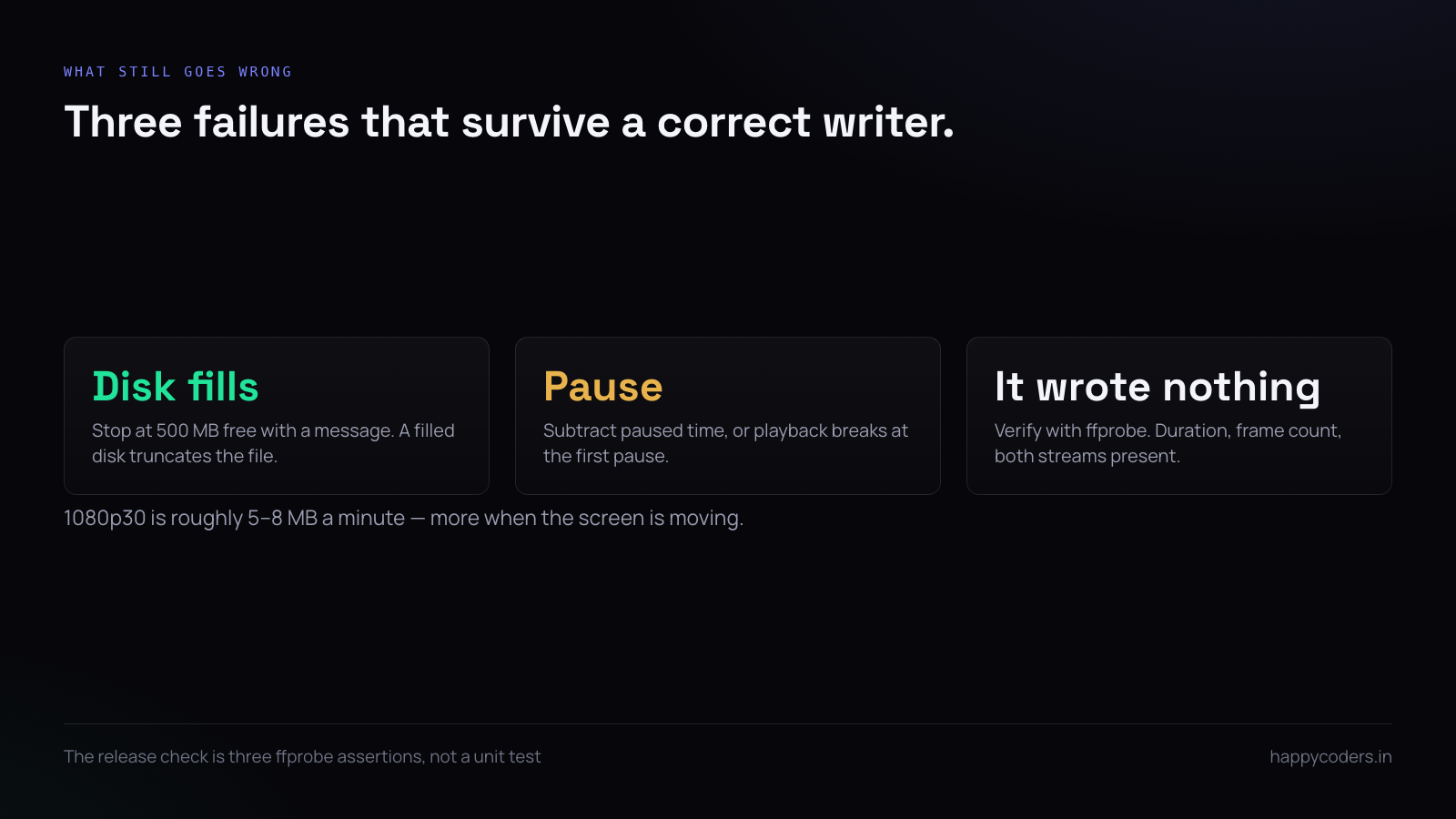
1080p at 30fps with H.264 is roughly 5 to 8 MB a minute depending on how much the screen changes. An hour of a mostly static screen is about 300 MB; an hour of video playback is several times that.
Check before starting and while running:
let free = try url.resourceValues(forKeys: [.volumeAvailableCapacityForImportantUsageKey])
    .volumeAvailableCapacityForImportantUsage ?? 0

guard free > 2_000_000_000 else { throw RecordingError.notEnoughSpace }
And stop deliberately when space runs low rather than letting the write fail. A recorder that stops at 500 MB free and says so keeps a valid file; one that fills the disk produces a truncated file and an unusable machine.
Pausing without breaking the timeline
A paused recording that simply stops appending produces a file whose timestamps have a hole in it, and players handle that badly.
Track the paused duration and subtract it from every subsequent sample’s presentation time:
var pausedTotal: CMTime = .zero

func adjusted(_ buffer: CMSampleBuffer) -> CMSampleBuffer {
    var timing = CMSampleTimingInfo()
    CMSampleBufferGetSampleTimingInfo(buffer, at: 0, timingInfoOut: &timing)
    timing.presentationTimeStamp = timing.presentationTimeStamp - pausedTotal
    // rebuild the buffer with corrected timing
    return retimed(buffer, timing)
}
Get this wrong and the recording plays correctly for exactly as long as it takes to reach the first pause.
Verifying the file is actually playable
The test that catches most of this is not a unit test; it is opening the output and checking it has what it should:
ffprobe -v error -show_entries format=duration,size \
        -show_entries stream=codec_name,nb_frames out.mov
Three assertions worth automating in a release check: the duration is within a second of the recording length, the frame count is close to duration times frame rate, and both an audio and a video stream exist when both were requested.
A short answer
Let the framework write as it goes rather than buffering. Append on a dedicated queue and never block capture — count dropped frames instead. Write chunks every few minutes so a crash costs minutes rather than everything. Check free space before and during. Subtract paused time from presentation timestamps. Move the index to the front only if the file is going to be streamed. And verify the output with ffprobe rather than trusting that it wrote.