
A migration that fails cleanly is fine. You read the error, fix the code, run it again. A migration that fails halfway is a different category of problem entirely, because the database is now in a state that neither your code nor Laravel’s migrations table believes in.
On MySQL this is not an edge case. It is the normal outcome of any migration that does more than one thing, because MySQL cannot roll back a schema change. This is what that costs, and how to write migrations that simply do not have the failure mode.
Why DDL cannot be undone
Laravel wraps a migration in a transaction where the driver supports it. PostgreSQL does support transactional DDL — an ALTER TABLE inside a failed transaction genuinely disappears. MySQL does not. Every DDL statement in MySQL causes an implicit commit, both before and after itself. The moment your ALTER TABLE runs, it is permanent, and any transaction you thought you were in has already been committed out from under you.
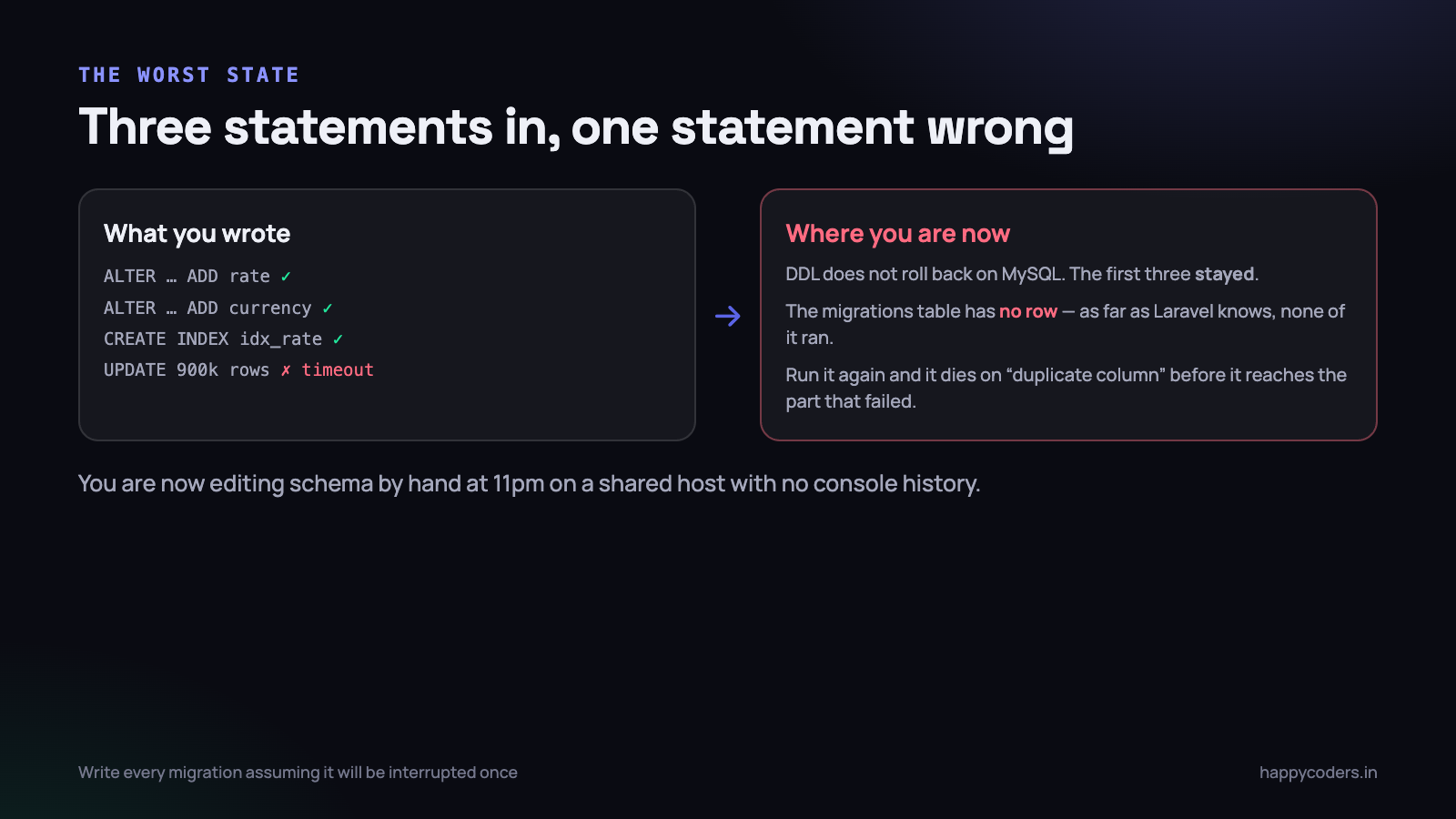
So consider a perfectly ordinary migration that adds two columns, an index, and backfills the new columns from an existing one. Statements one, two and three succeed. Statement four — an UPDATE across 900,000 rows — exceeds the query timeout on a shared host and throws.
You are now here:
- The two columns exist. The index exists. None of it rolled back.
- The
migrationstable has no row for this file, because the migration did not complete. - As far as
php artisan migrateis concerned, this migration has never run. - Running it again fails immediately on “Duplicate column name”, before it ever reaches the part that actually failed.
migrate:rollbackwill not help either — there is no row to roll back.
The only route out is manual: connect to the database, work out which statements applied, either drop what was created or hand-insert a row into migrations, then patch the remaining work in by hand. On a laptop with a local database that is annoying. On a shared host at 11pm with phpMyAdmin, a 30-second execution limit and no shell history, it is genuinely dangerous, and it is how production schemas end up different from every developer machine.
The tell that you are in this state:
php artisan migratereports “Nothing to migrate” on one server and fails with a duplicate-column error on another. The schema and the migrations table disagree, and they have probably disagreed for some time.
Guard everything
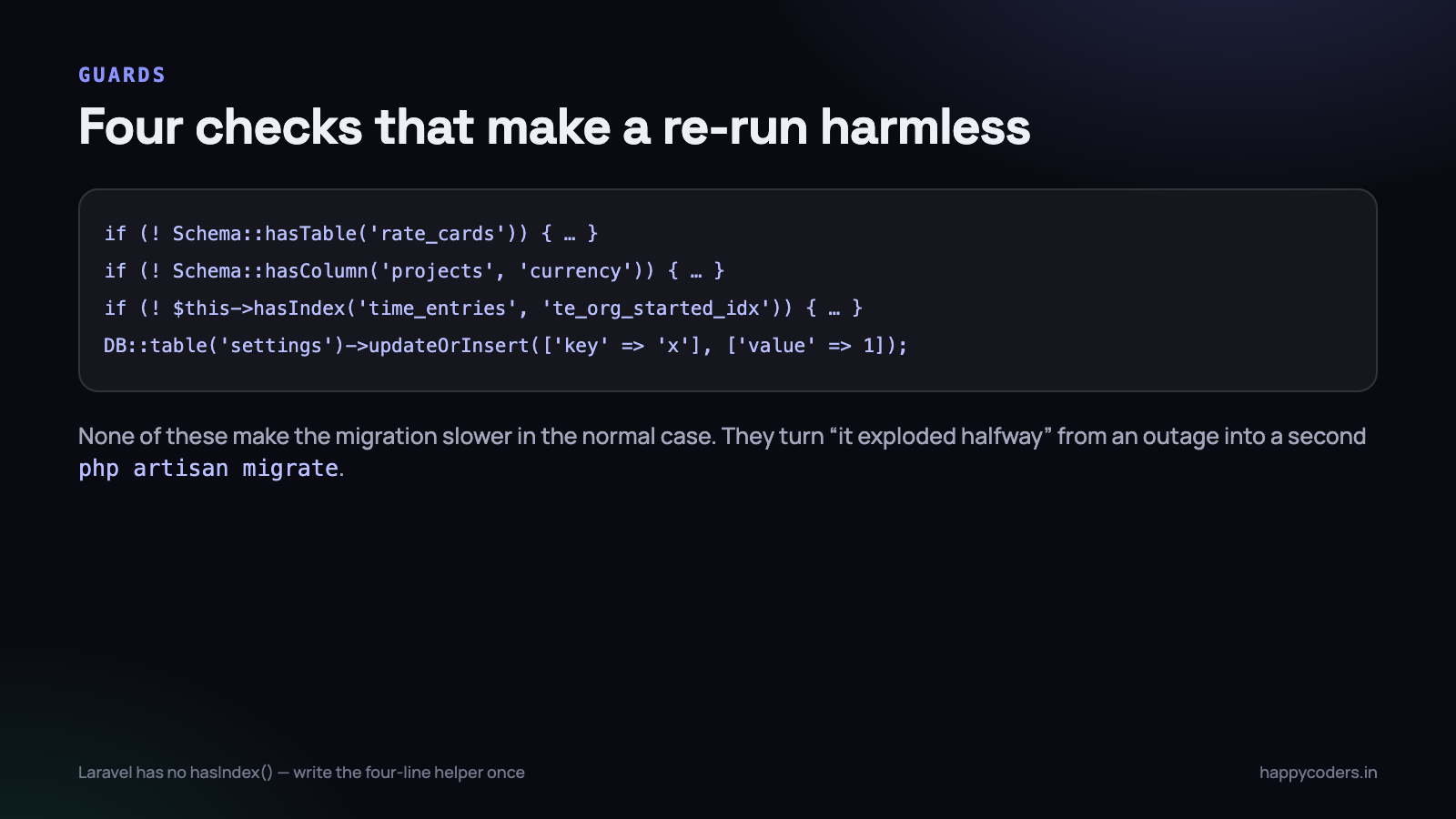
The fix is that every structural statement checks whether it already applies. This costs one query each, adds nothing measurable to run time, and turns the scenario above from a manual repair into a second php artisan migrate.
<?php

return new class extends Migration
{
    public function up(): void
    {
        if (! Schema::hasTable('rate_cards')) {
            Schema::create('rate_cards', function (Blueprint $t) {
                $t->id();
                $t->foreignId('organization_id')->constrained();
                $t->decimal('hourly_rate', 10, 2);
                $t->char('currency', 3)->default('INR');
                $t->timestamps();
            });
        }

        if (! Schema::hasColumn('projects', 'rate_card_id')) {
            Schema::table('projects', function (Blueprint $t) {
                $t->foreignId('rate_card_id')->nullable()
                  ->constrained()->nullOnDelete();
            });
        }
    }
};
Note the separate Schema::table calls rather than one big closure. Each one is a statement that either applies or is skipped on its own. Bundling four column additions into a single closure means all four are one ALTER, which is faster but re-runs as a unit — and if two of the four already exist you are back to editing by hand.
The hasIndex that Laravel does not have
Schema::hasColumn and Schema::hasTable exist. There is no hasIndex. Write it once and put it in a trait or a base migration class:
<?php
protected function hasIndex(string $table, string $index): bool
{
    $db = DB::getDatabaseName();

    return DB::table('information_schema.statistics')
        ->where('table_schema', $db)
        ->where('table_name', $table)
        ->where('index_name', $index)
        ->exists();
}

// then
if (! $this->hasIndex('time_entries', 'te_org_started_idx')) {
    Schema::table('time_entries', function (Blueprint $t) {
        $t->index(['organization_id', 'started_at'], 'te_org_started_idx');
    });
}
Always name your indexes explicitly. Laravel’s generated names are derived from the table and columns, which means they change if somebody reorders the column list, and then your guard checks for a name that is not there and you get a duplicate index instead.
Data changes that are naturally idempotent
Seeding a settings row, adding a permission, inserting a default plan — write these so that running them twice produces the same result rather than a duplicate or a unique-key violation.
<?php
// runs safely any number of times
DB::table('settings')->updateOrInsert(
    ['organization_id' => null, 'key' => 'screenshot_retention_days'],
    ['value' => 90, 'updated_at' => now()]
);

// and the delete direction
DB::table('permissions')->where('name', 'reports.export')->delete();
A plain insert in a migration is a re-run that fails, or worse, a re-run that quietly creates a second row and a bug three months later when something does first() and gets the wrong one.
Split the schema change from the data change
The guards above make a re-run safe. Splitting makes the failure much less likely in the first place, and it is the more important habit of the two.
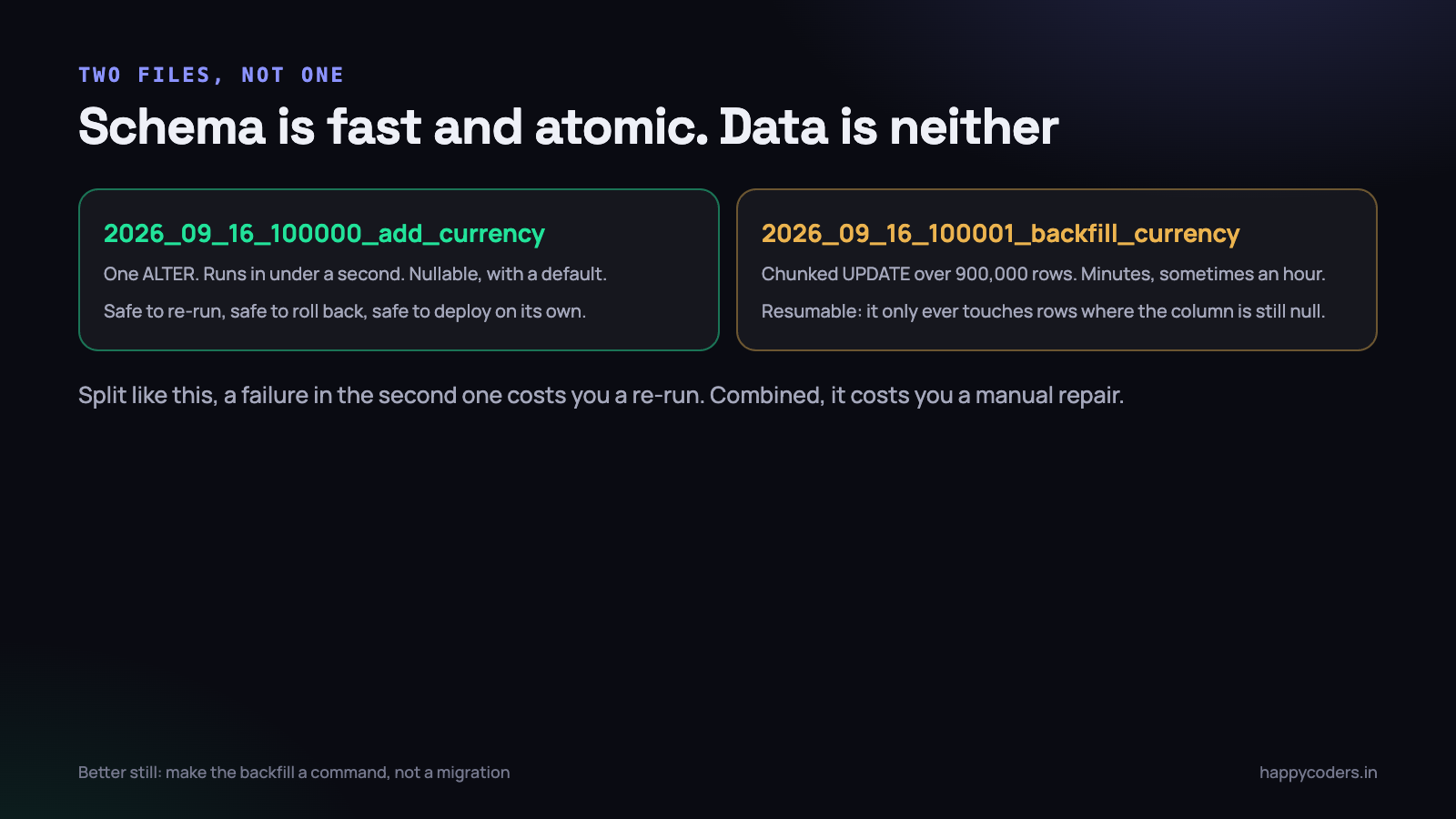
Schema changes are fast, small and either applied or not. Data changes are slow, touch millions of rows, and can stop anywhere in the middle. Putting them in the same file guarantees that the slow risky part can strand the fast safe part.
2026_09_16_100000_add_currency_to_projects.php    <- one ALTER, sub-second
2026_09_16_100001_backfill_project_currency.php   <- 900k rows, minutes
The first adds the column nullable with a default. It is safe to re-run because of the hasColumn guard, safe to deploy on its own, and safe to leave in place for a week while the backfill runs.
The second does the data, in chunks, and — this is the point — only ever touches rows that still need it.
<?php
public function up(): void
{
    do {
        $affected = DB::table('projects')
            ->whereNull('currency')
            ->limit(2000)
            ->update([
                'currency'   => 'INR',
                'updated_at' => DB::raw('updated_at'),   // do not bump it
            ]);

        usleep(100_000);   // breathe, so replicas can keep up
    } while ($affected > 0);
}
Three properties worth naming. It is resumable: interrupted at 60%, the next run continues from where it stopped, because the whereNull is the progress marker. It is bounded: no single statement locks 900,000 rows or blows the query timeout. And it is polite: the sleep keeps replication lag and buffer pool churn under control, which matters more than the extra minute it costs.
Preserving updated_at is a small thing with large consequences. A backfill that bumps it makes every project look as though it was edited at 2am on deploy night, which breaks “recently changed” lists, cache invalidation keyed on timestamps, and any sync logic your desktop or mobile clients use.
Better still, make a large backfill an artisan command rather than a migration. Then a deploy is never blocked by it, you can run it with a progress bar, you can stop and resume it deliberately, and you can watch database load while it works. The migration adds the column; a human runs the backfill.
A down() that tells the truth
Most down() methods are written on autopilot and are a lie. The column drops, the table drops, and the data that was in them is gone permanently. Nobody reads down() until the one evening they need it, which is exactly the wrong time to discover what it does not do.
Three honest positions, each appropriate somewhere.
Genuinely reversible
<?php
public function down(): void
{
    if (Schema::hasColumn('projects', 'rate_card_id')) {
        Schema::table('projects', function (Blueprint $t) {
            $t->dropForeign(['rate_card_id']);
            $t->dropColumn('rate_card_id');
        });
    }
}
Guarded in the same way as up(), and dropping the foreign key before the column because MySQL will refuse otherwise. Adding a nullable column is one of the few things that genuinely reverses without loss.
Refuse, loudly
<?php
public function down(): void
{
    throw new RuntimeException(
        'Irreversible: this migration merged duplicate client rows and '
      . 'deleted the originals. Restore from the backup taken before '
      . 'deploy 2026-09-16 instead.'
    );
}
This is far better than an empty method or a dropColumn that destroys the evidence. It fails in the one second where failing is useful, and it tells the person at the terminal what to do instead. A comment in the file would not have been read; an exception is.
Reverse the schema, say what happened to the data
The common middle case: the column can be dropped but the values cannot be recovered. Drop it, and log a warning saying what was lost. Somebody reading the deploy output later will thank you.
And accept the limit: on anything larger than a small application, migrate:rollback is not really your recovery plan. The recovery plan is a restore or a forward fix. down() exists so that a developer can move between branches, and it should be honest about being that and not more.
What shared hosting adds to all of this
Most of the Indian small-business applications we take over run on shared hosting, and the constraints there are what turn a half-applied migration from an inconvenience into an evening.
- There is often no SSH. Migrations run through a web route, a cron entry or a control-panel terminal that times out. A migration that takes two minutes cannot be run through a PHP-FPM request at all.
- The CLI PHP is not the web PHP. On Hostinger and similar hosts the default
phpon the path can be several versions behind what the site runs. A migration that works in the browser and fails in cron is usually this, and the fix is calling the versioned binary explicitly. - Query and execution limits are low and not yours to change. An
UPDATEacross 900,000 rows will be killed, and you will not always get a useful error. - You have phpMyAdmin, not a shell. Which means manual repair is slow, fiddly and unlogged, and the next person has no way of knowing what you did.
The practical consequence is simple: on shared hosting, assume every migration will be interrupted at least once, and write accordingly. Guard everything, chunk everything, and keep each individual statement under a few seconds. The alternative is that the repair is done by hand through a web interface, and the schema drifts a little further from the repository every time.
Finding the drift you already have
If you have been running migrations for a few years without guards, there is a reasonable chance production and your development database already differ. It is worth checking before the next migration builds on top of the difference.
-- run on both, compare the output
SELECT table_name, column_name, column_type, is_nullable, column_default
FROM   information_schema.columns
WHERE  table_schema = DATABASE()
ORDER  BY table_name, ordinal_position;
Dump both to files and diff them. The usual findings are a column that exists in production but in no migration — added by hand during an incident — an index present on one side only, and a column type that differs because somebody widened a VARCHAR in phpMyAdmin.
When you find one, do not quietly fix production. Write a guarded migration that brings both sides to the intended state, so the repository records what happened and the next environment gets it too. The guards mean the environment that already matches simply skips it.
Squashing, and keeping the past small
After three years you have 340 migration files. A fresh setup runs all of them, which takes eight minutes, and the CI suite pays that cost on every branch. Worse, the early ones reference models and enums that no longer exist and fail outright.
php artisan schema:dump --pruneThis writes the current schema to a single SQL file and deletes the migration files it replaces. A fresh database loads the dump in seconds and then runs only the migrations created since. Production is unaffected — it already has the schema and the migrations table row for every squashed file.
Three cautions. Commit the schema file, or fresh installs break. Squash only migrations that are applied everywhere, including that one server you forgot about. And check the dump into a review, because it is the new source of truth for what your database is supposed to look like.
Rehearse against a copy of production
Seeded test data has three rows in every table. Production has two million in one of them. A migration that passes CI in four seconds can take forty minutes on the real data, hold a lock the whole time, and take the application down.
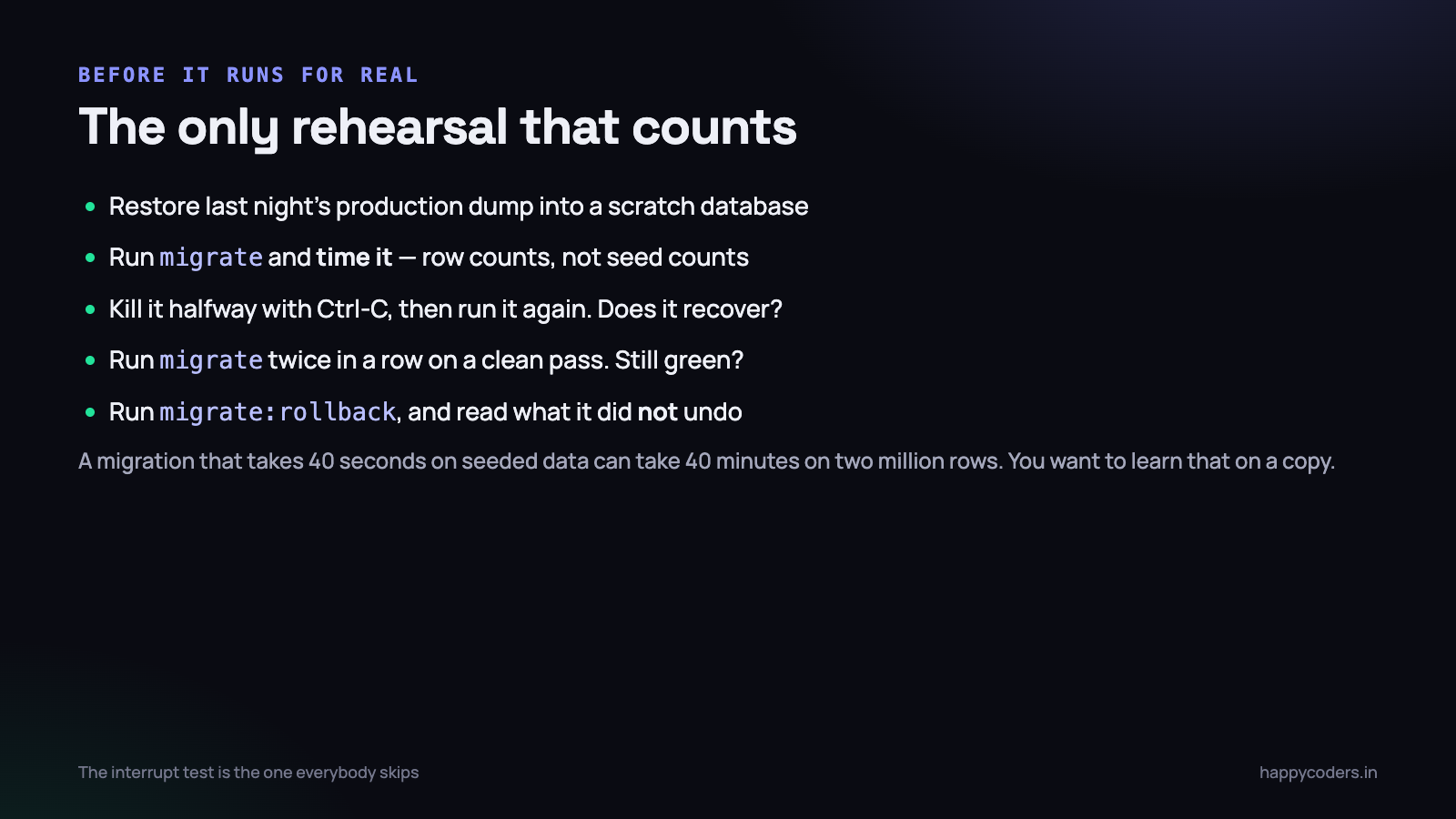
- Restore last night’s dump into a scratch database on a machine with similar resources. Not your laptop if production is a 2 vCPU droplet.
- Run the migration and time it. Anything over a few seconds needs a plan — a chunked backfill, an online schema change tool, or a quiet window.
- Interrupt it halfway. Ctrl-C at roughly the middle, then run
php artisan migrateagain. If it recovers, your guards work. If it fails on a duplicate column, you have just found the bug on a copy instead of in production. - Run it twice on a clean pass. The second run should report nothing to do and change nothing.
- Run
migrate:rollbackand read what it actually undid. Then runmigrateagain and confirm the result matches.
For MySQL specifically, check whether the operation is an online DDL or not before you run it on a big table. ADD COLUMN at the end of a table and ADD INDEX are usually online in MySQL 8 — reads and writes continue. Changing a column type, changing a character set, or adding a column with a position are generally not, and will hold a metadata lock for the duration. The difference between those two categories on a two-million-row table is thirty seconds and thirty minutes of downtime.
A migration checklist
- One concern per file. Several small migrations beat one that does four things.
- Guard every create, add and index with
hasTable,hasColumnor your ownhasIndex. - Name your indexes and foreign keys explicitly, so guards and drops can find them.
- No data backfill in the same file as a schema change. Two files, or a command.
- Backfills chunked, resumable, and driven by a
whereNullor a flag column. - Do not touch
updated_atin a backfill unless you mean to. - New columns nullable or with a default, so old code still writes successfully during the deploy window.
- An honest
down(), including one that throws. - Timed against real row counts before it goes near production.
What to do on Monday morning
- Open the last five migrations you shipped. How many would survive being run twice? That number is your current exposure.
- Add the
hasIndexhelper to a trait and use it in the next migration you write. - Find the migration in your repository that does a schema change and a backfill together. There is one. Split it before it runs anywhere new.
- Restore a production dump into a scratch database and run your full migration set against it, timed. Do this once a quarter.
- Do the interrupt test on the next migration that touches more than a hundred thousand rows.
- If you are past 200 migration files, run
schema:dump --pruneand give your CI its eight minutes back.
The habit underneath all six is the same one: write the migration as though somebody will press Ctrl-C in the middle of it, because on a long enough timeline somebody will. A migration written that way costs about four extra lines and removes an entire class of evening.
None of this makes migrations more interesting. It makes them boring, which is the only property that matters at 11pm when a deploy has stopped halfway and the database is in a state nobody planned for.
Related: migrating a live multi-tenant database without downtime, and what a database transaction does and does not protect.




