
One Account, One Tracker: Building A Desktop Device Lock
One Account, One Tracker: Building A Desktop Device Lock
Happy Tracker runs on three desktop platforms: a Swift application on macOS, an Electron build on Ubuntu, and a WPF application on Windows. For a long time nothing stopped one account from running all three at once, on three machines, tracking three overlapping sets of hours against the same projects.
That is not primarily a fraud problem, although it can be. Mostly it is a correctness problem: overlapping time entries from two devices produce a day with twelve hours in it for somebody who worked eight, and no report built on top of that is worth reading. So we built a device lock — one account runs one desktop tracker at a time, with the browser exempt.
It is a small feature with a sharp edge, and we found the edge the hard way. This is the design, and the outage.
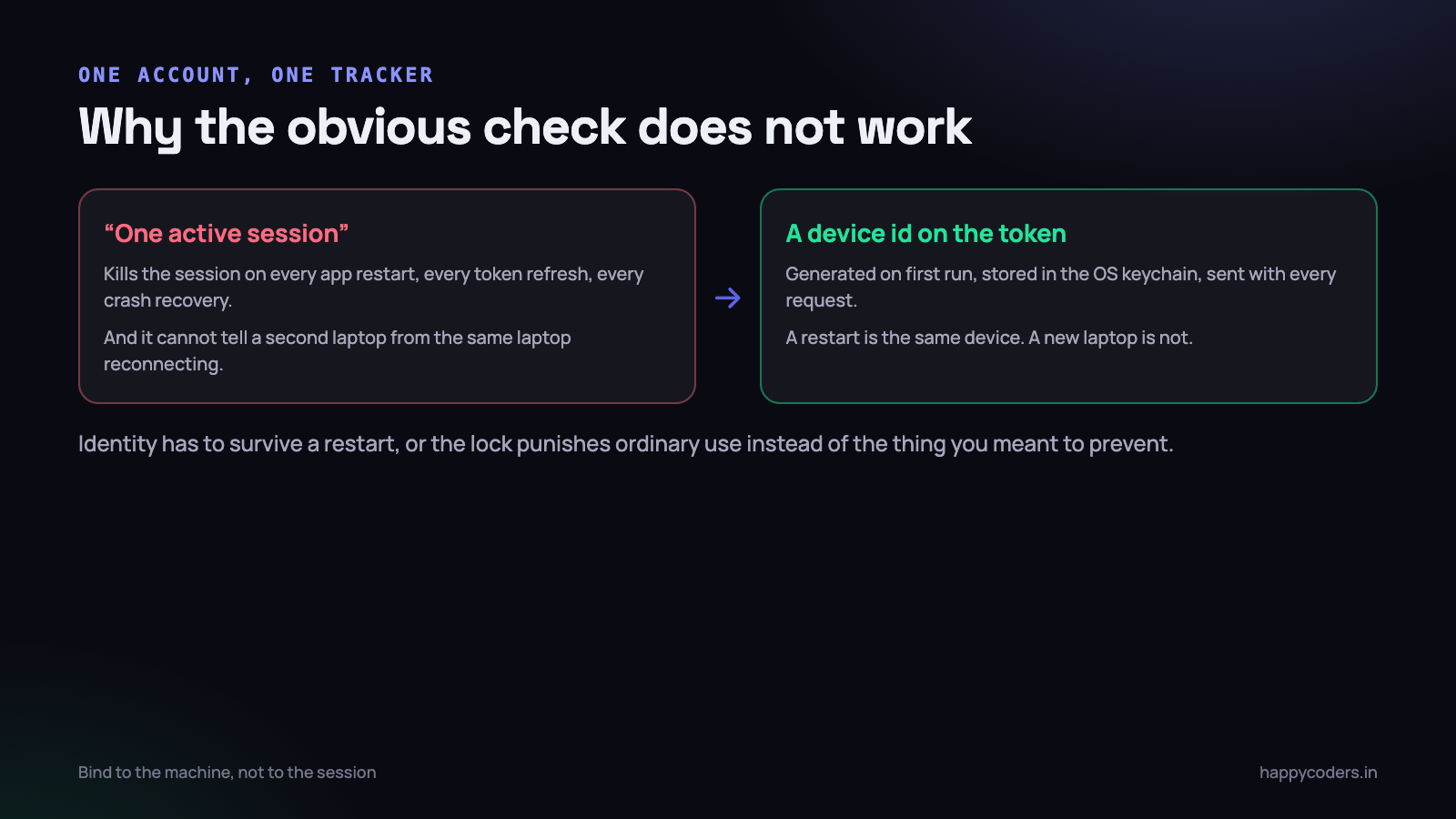
Why the obvious check does not work
The first instinct is to enforce one active session per user. The server knows which tokens exist; when a new one is issued, revoke the others. Five lines.
It fails immediately, and it fails on ordinary behaviour rather than on abuse.
- Restarting the application creates a new session. Somebody quits the tracker at lunch and reopens it, and by the naive rule they have just taken over from themselves.
- A token refresh looks like a new login. Tokens expire and are renewed, several times a day. Every renewal is a fresh row.
- A crash leaves the old session behind. The application dies, the session on the server is still there, and the user cannot get back in until it expires.
- It cannot tell two laptops from one laptop twice. Which is the entire question you were trying to answer.
The last point is the fundamental one. A session identifies a login event. The lock needs to identify a machine, and those are different things — one machine produces many logins over its life, and the whole design has to be built around that.
A device id, generated once and kept
So the unit of identity is a device, not a session. On first run the tracker generates a random identifier, stores it in the operating system’s secure store, and sends it with every request for the rest of that installation’s life.
- macOS: the Keychain, with an access control that does not sync to iCloud. A device id that follows you to a second Mac defeats its own purpose.
- Windows: DPAPI, scoped to the current user.
- Ubuntu: libsecret through the Electron safeStorage API, with a file in the application support directory as a fallback where no keyring is running — which on a minimal desktop install is more common than you would expect.
What we deliberately do not use is a hardware fingerprint: a MAC address, a disk serial, a motherboard id. Three reasons. They change — a docking station changes the MAC address, a disk swap changes the serial. They require permissions that make an application look like spyware. And they identify a machine across reinstalls and across users, which is more information than the feature needs and more than we want to hold.
A random UUID is enough. It answers exactly one question — is this the same installation as before — and nothing else.
A random identifier you generated is a much better citizen than a hardware serial you extracted. It does the same job for this feature and it cannot be used for anything you did not intend.
The id is sent on every request and bound to the token at issue time. The token-level mechanics of that — storage, rotation, revocation — are covered separately in desktop app token auth and device binding. What matters here is the policy layer sitting on top of it.
The morning 43 people could not log in
Here is the part worth writing plainly, because the mistake is easy to make and completely invisible until it is live.
The token carried two pieces of information about where a request came from. One was device_id, the keychain UUID described above, which drives the lock. The other was client, a short string saying what kind of application was calling — desktop-mac, desktop-win, desktop-linux, web — which drives the browser exemption.
Two strings, on the same token, both answering a question that could loosely be described as “where did this request come from”. In a refactor they were collapsed. The lock started reading the client string as the device identity.
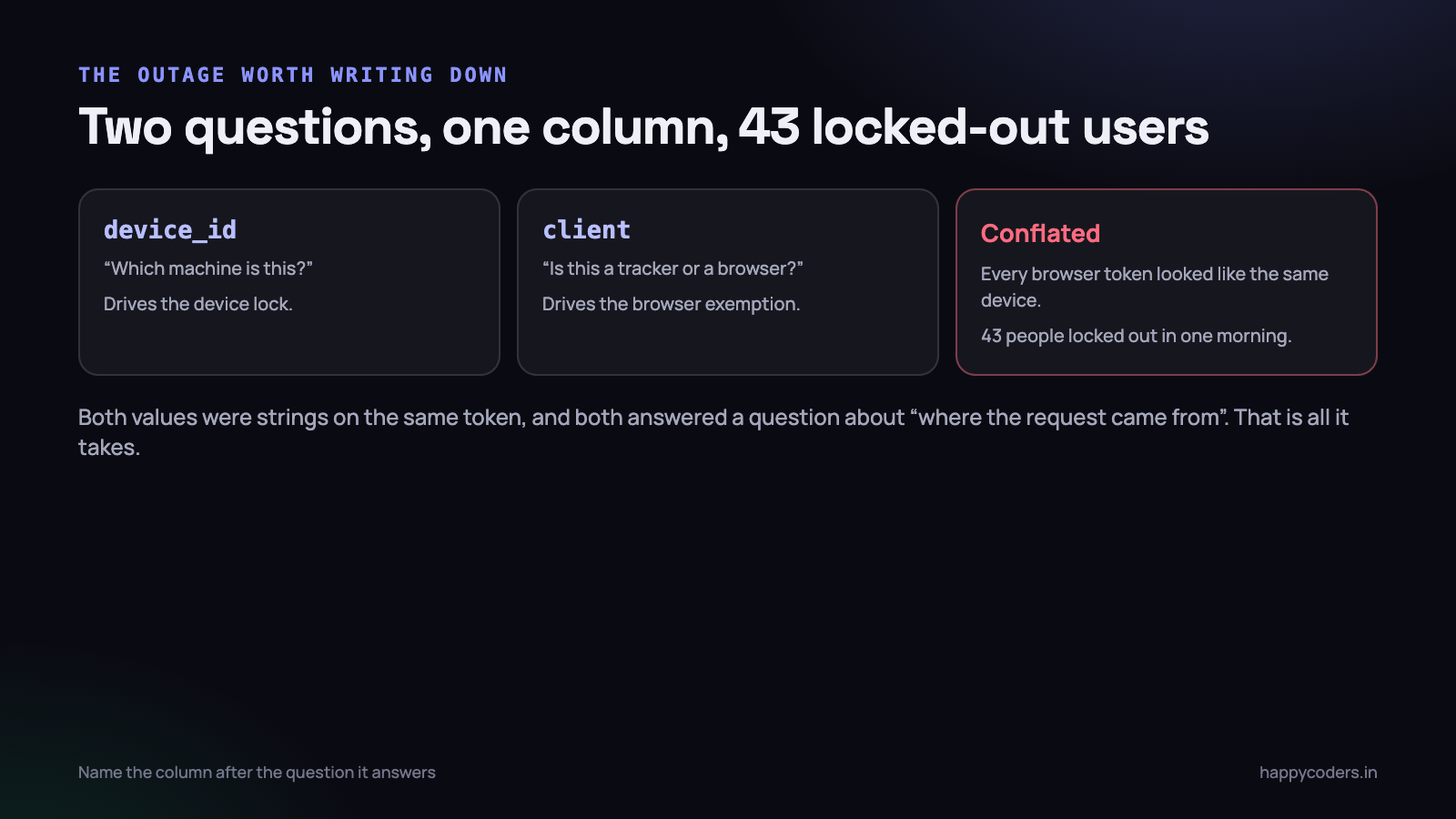
Every browser session in the system now presented the same device id: the literal string web. From the lock’s point of view, every person logging in from a browser was the same machine as every other person — and the moment a second one appeared, the first was refused.
Forty-three users were locked out in one morning. Not a subtle degradation, not a slow leak: people opening the application at 9am in Thoothukudi and Tirunelveli, being told their account was already tracking on another device, and being unable to start work.
Three things went wrong at once, and all three are ordinary:
- Two columns answered two different questions and had similar names.
device_idandclientboth sound like “where from”. Nothing in the names said one was an identity and the other was a category. - The browser exemption was implemented as a special value rather than as a rule. Making
weba magic device id instead of a separate boolean is what allowed the two ideas to merge without a type error. - No test covered two browser sessions for two different users at the same time. The tests covered one user on two devices, and one user on a device and a browser. Two users, both on browsers, was not a case anyone thought needed asserting.
The fix took twenty minutes and the lessons took longer. The columns are now named for the questions they answer, the browser exemption is a boolean on the token type rather than a reserved string, and there is a test whose entire purpose is to assert that two different users in two different browsers do not collide.
Name a column after the question it answers, not after the thing it contains.
device_idandclientare both true descriptions and neither one tells you that mixing them breaks the product.
The browser is exempt, and why
The lock applies to desktop trackers only. A browser session is never locked and never counts as the active device.
The reason is that the browser and the tracker are not doing the same job. The tracker records automatically: it follows the foreground application, detects idle time, takes screenshots if the organisation has enabled them. The browser is where somebody checks their hours, corrects an entry, requests leave and reads a report — and they might reasonably do that from a phone, from a client’s office, and from their desk on the same afternoon.
Locking that would be enforcing a rule the product does not have, in order to satisfy the implementation of a rule it does. The lock exists to stop two automatic recorders running at once, so it applies to automatic recorders.
public function assertDeviceAllowed(User $user, PersonalAccessToken $token): void
{
    if (! $token->is_tracker) {
        return;                       // browsers are never locked
    }

    $active = DeviceLock::where('user_id', $user->id)->first();

    if (! $active || $active->device_id === $token->device_id) {
        DeviceLock::updateOrCreate(
            ['user_id'   => $user->id],
            ['device_id' => $token->device_id, 'last_seen_at' => now()]
        );

        return;
    }

    throw new DeviceLockedException($active);
}
The exemption is is_tracker, a boolean set when the token is issued, based on the authentication route rather than on anything the client sends about itself. A flag a client can assert about itself is not a security control, and the browser exemption is exactly the flag an abusive client would want to set.
Taking over, without a support ticket
People genuinely change laptops. A machine is replaced, a hard disk fails, somebody works from a spare desktop for a week. If the only route through the lock is an email to an administrator, you have not built a feature — you have built a support queue with a lock on the front.
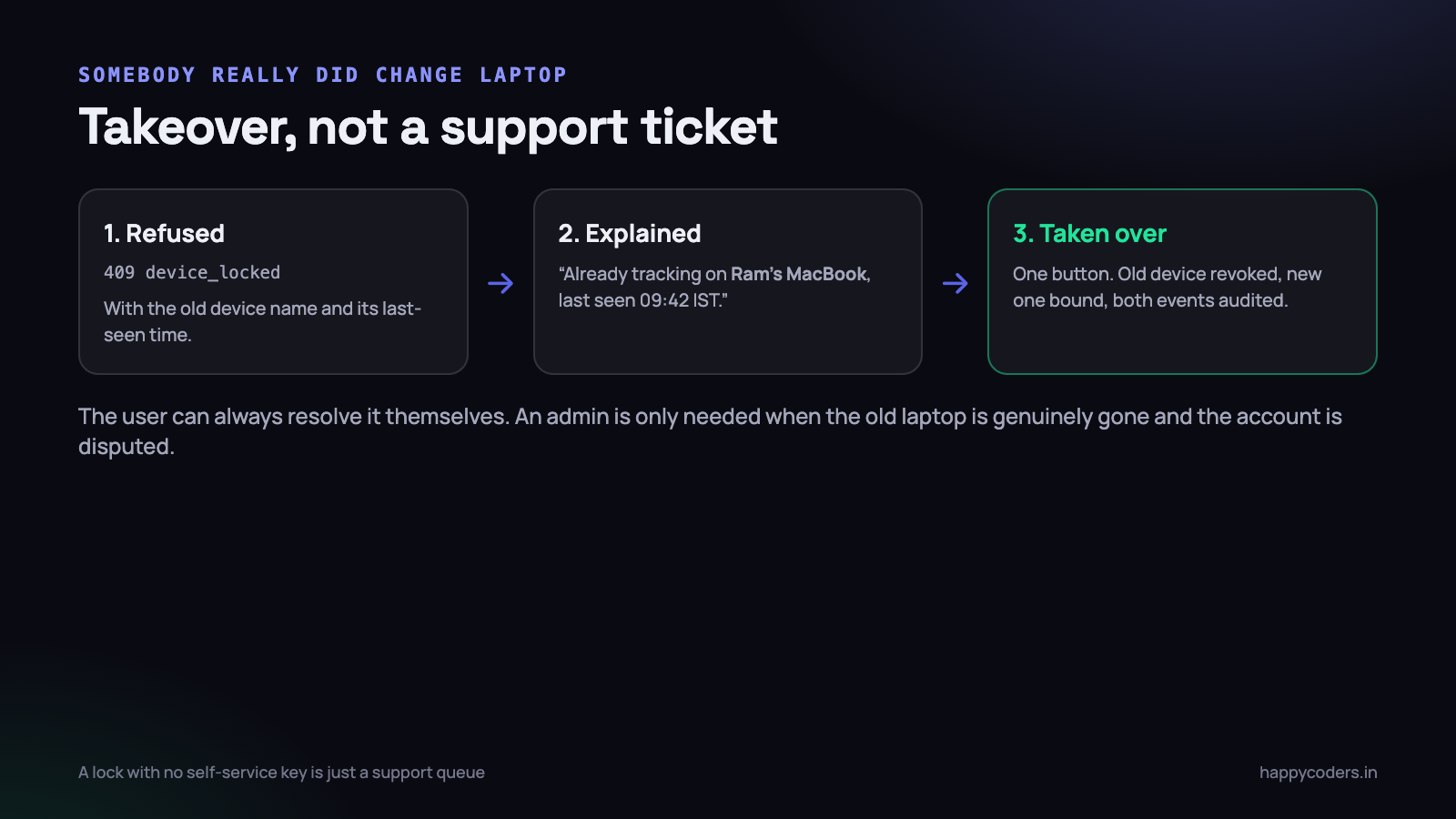
So the refusal is not the end of the flow, it is the start of one:
- The new device is refused, with a response that contains the name of the device currently holding the lock and when it was last seen.
- The application explains it in a sentence a person can act on. “This account is already tracking on Ram’s MacBook, last seen at 09:42 today.”
- One button: use this device instead. The old device’s tracker token is revoked, the lock moves, and the new device starts.
- Both events are written to the audit log — which device was released, which took over, by whom, at what time.
Two guards sit around the takeover. It is rate limited to a small number per day, because an account bouncing between two machines every ten minutes is either a bug or a shared login and both are worth surfacing. And the old device finds out: the next time it syncs, it receives a revoked token, stops tracking, and shows a message explaining that the account was taken over on another machine at a particular time.
That last part matters. A tracker that silently stops recording is a tracker that loses somebody a day of work without telling them until they look at their timesheet on Friday.
What the server returns
The client can only be as clear as the response allows, and this is where a device lock is usually let down. A bare 401 with no body turns every one of these into a phone call.
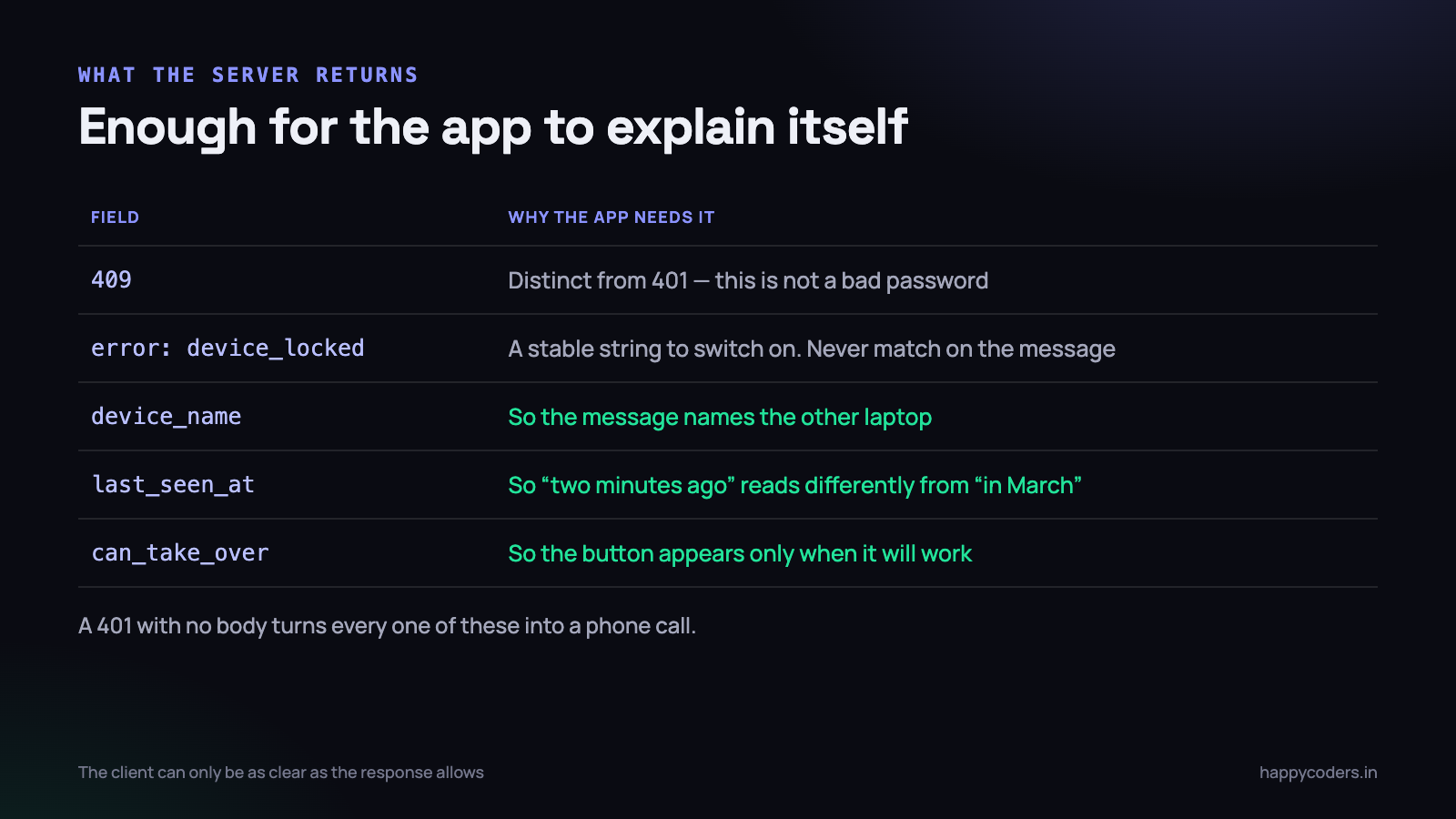
// 409 Conflict
{
  "error": "device_locked",
  "message": "This account is already tracking on another device.",
  "device": {
    "name": "Ram-MacBook-Pro",
    "platform": "macOS",
    "last_seen_at": "2026-09-18T09:42:11Z"
  },
  "can_take_over": true
}
Each field has a job:
- 409, not 401. This is not a credentials problem. A 401 makes every client’s generic handler clear the stored token and show a login screen, which is the least helpful possible response to “you are logged in somewhere else”.
- A stable error string. The three desktop applications switch on
device_locked. If they matched on the message, every copy edit would be a cross-platform bug. - The device name and platform. So the message names the other machine. “Another device” is unhelpful when you own two.
- last_seen_at. “Two minutes ago” and “in March” are completely different situations, and only the user can tell which one they are in.
- can_take_over. So the button appears only when pressing it will work. An admin may have disabled self-service takeover, and a button that always fails is worse than no button.
The device name comes from the machine’s own hostname, captured at first run and editable by the user in settings. Hostnames in an office are often auto-generated and meaningless, and being able to rename a device to “office desktop” is what turns the message from a technical notice into an explanation.
Show people their own devices
A lock that is invisible until it refuses you is a lock people resent. The cheapest way to make it feel reasonable is a short list in account settings: every device that has ever held a token for this account, with its name, its platform, when it was first seen and when it was last used, and a button to revoke any of them.
It costs almost nothing to build, because the rows already exist for the lock itself, and it does three useful things at once. A user who has just replaced a laptop can release the old one before they ever hit a refusal. Somebody who sees a device they do not recognise has a security control they can use without contacting anybody. And support can ask “what does your devices list say?” instead of asking for a screenshot of an error.
Two rules for that screen. The current device is labelled as such, so nobody revokes the machine they are sitting at — which they will otherwise do roughly once a month. And revoking a device is a real revocation, not a hidden flag: the token stops working on the next request, and the next request is never more than a minute away on a running tracker.
Owners and admins get the same list for their organisation’s members, with the same revoke button. That is the escape hatch for the genuinely hard case — somebody has left the company, their laptop is gone, and the account is still holding a lock. It is audited, and it is the only place an administrator can act on somebody else’s device.
What the lock must not do
Two behaviours are explicitly out of bounds, and both were suggested at some point.
It must not discard work already recorded. If a second device has offline entries queued from before the lock was applied, those entries upload normally. The lock governs who may record from now on, not what happened in the past. Entries that were genuinely worked belong to the person who worked them, whatever the device policy says. The queue behaviour that makes this safe is the same one described in offline-first sync.
It must not fail closed on a network error. If the tracker cannot reach the server to check the lock, it keeps tracking locally and reconciles later. A lock that stops somebody working because the wifi dropped is a far more expensive failure than the duplicate entry it was preventing, and it will happen a hundred times more often.
What to test
- Two different users, both in browsers, at the same time. The test that would have caught the outage. Write it first.
- Restart the tracker ten times. The lock must not move. Same device, same id, no takeover.
- Let a token expire and refresh. Still the same device.
- Kill the application without a clean exit, then reopen it. It must reclaim its own lock, not be blocked by it.
- Take over from a second machine and confirm the first stops tracking and says why.
- Clear the keychain entry and reopen. This is a new device, and the takeover flow must handle it — because a reinstall looks exactly like a new machine and there is no way to tell them apart.
- Pull the network mid-session. Tracking continues.
On Monday morning
If you are adding any kind of single-device or single-session rule to your own product, four things are worth doing before you write the enforcement.
- Write down the question each identifier answers, in one sentence each, next to the column name. If two sentences are similar, rename something now. That one exercise is the entire content of our outage.
- Decide what is exempt and implement it as a type, not as a magic value. A reserved string in an identity column is an accident waiting for a refactor.
- Design the refusal response before the check. Write the sentence the user will read, then work backwards to the fields it needs. Almost every unhelpful error in software exists because it was written in the opposite order.
- Build the self-service route out on day one. Not in a later sprint. A lock without a key is a support queue, and it will be your support queue on the morning of the first laptop replacement.
The lock itself is about eighty lines of server code and a screen in each of the three applications. Everything difficult about it was a naming decision, and the day it went wrong it went wrong for forty-three people at once, before nine in the morning, on a Friday.




